
1. Киришүү
Thank you for choosing the Bazooka 24-Inch G3 Bluetooth Party Bar. This instruction manual provides essential information for the safe and effective installation, operation, and maintenance of your new audio system. Please read this manual thoroughly before use and retain it for future reference.
2. Коопсуздук маалыматы
- Кубат туташуу: Party Bar 12V кубаттуулуктагы туташуу үчүн иштелип чыккан. Party Bar түз эле жогорку вольттогу электр тармагына туташтырылат.tage (24V, 36V же 48V) унаалар зыян келтирет. Эгерде унааңыздын аккумуляторунун кубаттуулугу жана кубаттоо системасы 24V, 36V же 48V болсо, анда бир вольтtag12V чыгышы бар e конвертер (мисалы, 48Vден 12Vге чейинки конвертер) талап кылынат.
- Contact for Issues: For any product-related issues, please contact info@bazooka.com жардам үчүн.
- Суу каршылык: The unit meets IP66 waterproof rating, offering protection against solid particles and powerful water jets. However, it is not designed for submersion.
3. Пакеттин мазмуну
Пакетте бардык буюмдар бар экенин текшериңиз:
- Bazooka 24-Inch G3 Bluetooth Party Bar Unit
- Mounting Hardware (brackets, bolts, etc.)
- Power Connection Cable with Fuse
- Алыстан башкаруу
- User Manual
4. Продукциянын өзгөчөлүктөрү
The Bazooka G3 Party Bar offers a range of features for an enhanced audio experience:
- 450-watt Peak Power Integrated Ampөмүрлүү
- 8 Marine-Grade Speakers, including End-Loaded Woofers and Front-Firing Tweeters
- IP66 суу өткөрбөйт рейтинги
- Bluetooth with Auto Connect for Easy Pairing
- AUX Input and Output
- USB Port for Thumb Drive Music Playback and Mobile Device Charging
- RGB LED Illumination System with Back-Lighted Tweeters, LED Rings, and a Dual LED Party Strip
- “Beat to the Music” LED Sync Option
- Party Button Music-Sharing Technology (one-click pairing within 100 yards - 150ft radius)
- Patented, End-Mounted Woofers with Cast Aluminum Integrated Grill Mounting System (360-degree rotation)
- Integrated Rail Mounting System for alternative mounting options
- Marine-Grade SAE Accessory Connector Switch for adding LED light bars
- Hands-Free Calling when paired to a mobile device
5. Орнотуу
Proper installation is crucial for optimal performance and safety. The Party Bar is designed for versatile mounting on off-road vehicles, golf carts, and marine applications.
5.1 Монтаждоо
Utilize the provided mounting hardware to secure the Party Bar. The patented end-mounted woofers allow for 360-degree rotation, and an integrated rail mounting system provides additional flexibility. Ensure the mounting location is secure and does not obstruct vehicle operation or safety features.

Image: The Bazooka 24-Inch G3 Bluetooth Party Bar, showing its overall design and mounting points.

Image: Diagram illustrating the dimensions of the Party Bar for installation planning.
5.2 Кубат туташтыруу
Connect the Party Bar to a 12V power source using the supplied power cable. Ensure the connection is secure and protected from the elements. If your vehicle operates on a higher voltage system (24V, 36V, or 48V), a 12V voltage converter must be used to prevent damage to the unit.

Image: The power connection cable with a fuse, ready for wiring to a 12V power source.
6. Операция
Familiarize yourself with the controls and functions of your Party Bar.
6.1 Controls Overview
The main controls are located on the front of the unit and on the included remote control.

Сүрөт: жакын план view of the control panel on the Party Bar, showing buttons for power, volume, track control, and LED settings.
6.2 Bluetooth жупташтыруу
- Party Bar күйгүзүлгөнүн текшериңиз.
- Press the 'P' (Party) Button on the unit until it glows КӨК for Single Listener Mode or КЫЗГЫЛТ КӨК for DJ Broadcast Mode. This makes the speaker visible for pairing.
- On your mobile device, navigate to Bluetooth settings and select the Bazooka Party Bar from the list of available devices.
- The unit will confirm successful pairing.
6.3 Кече баскычы менен музыка бөлүшүү
The Party Button allows for one-click music sharing with other compatible audio systems within a 100-yard (150ft) radius.
- BLUE (Single Listener Mode): The Party Bar acts as a receiver, playing music from your device.
- PURPLE (DJ Broadcast Mode): The Party Bar acts as a broadcaster, sharing its audio with other Party Bars set to Single Listener Mode.


Image: The Party Button indicating Purple (DJ Broadcast) and Blue (Single Listener) modes.
6.4 LED башкаруу
Use the remote control to adjust the LED lights. You can change colors, modes (including “Beat to the Music” sync), brightness, and speed.
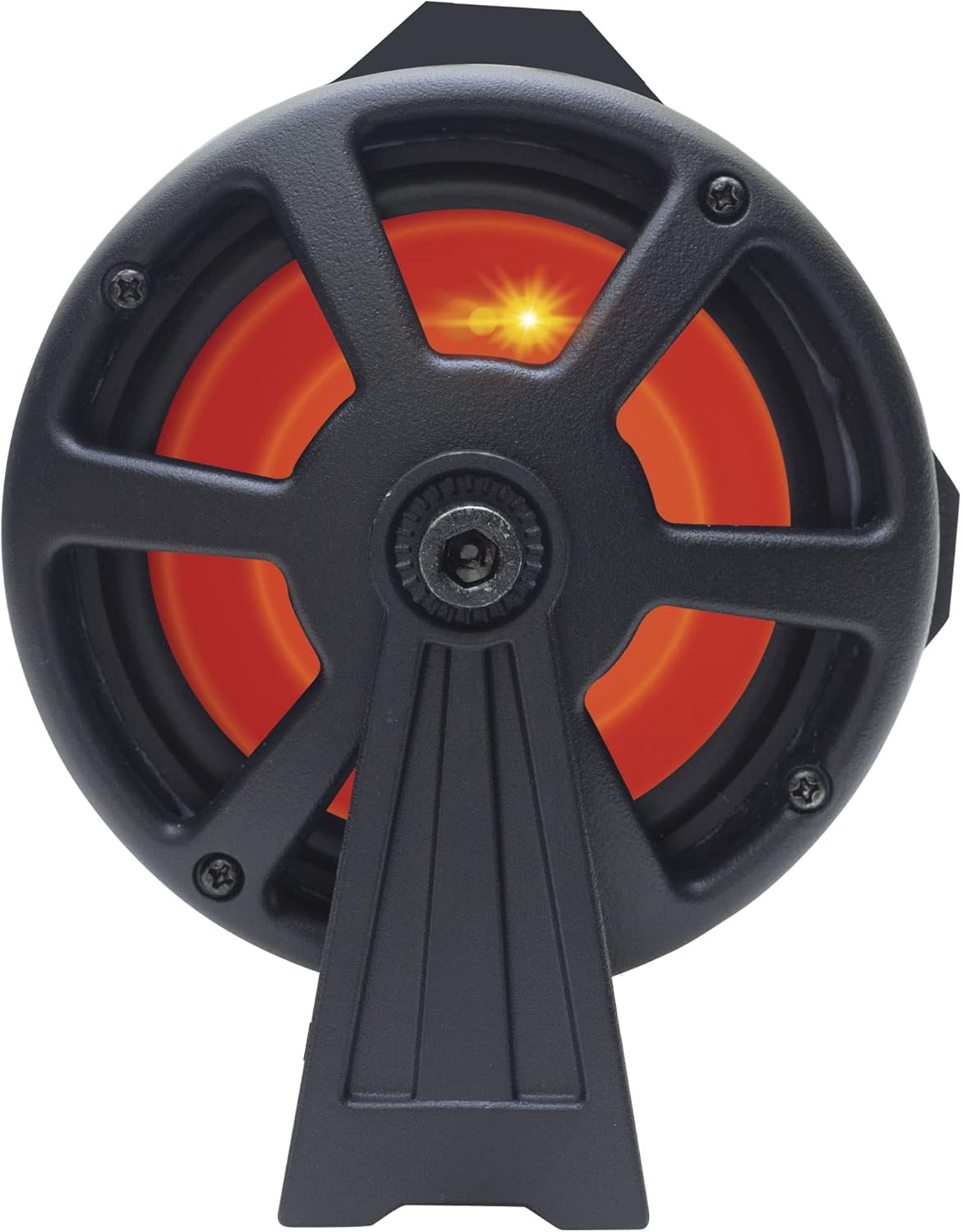


Сүрөт: Мисamples of the end-loaded woofers illuminated with different LED colors (orange, green, blue).
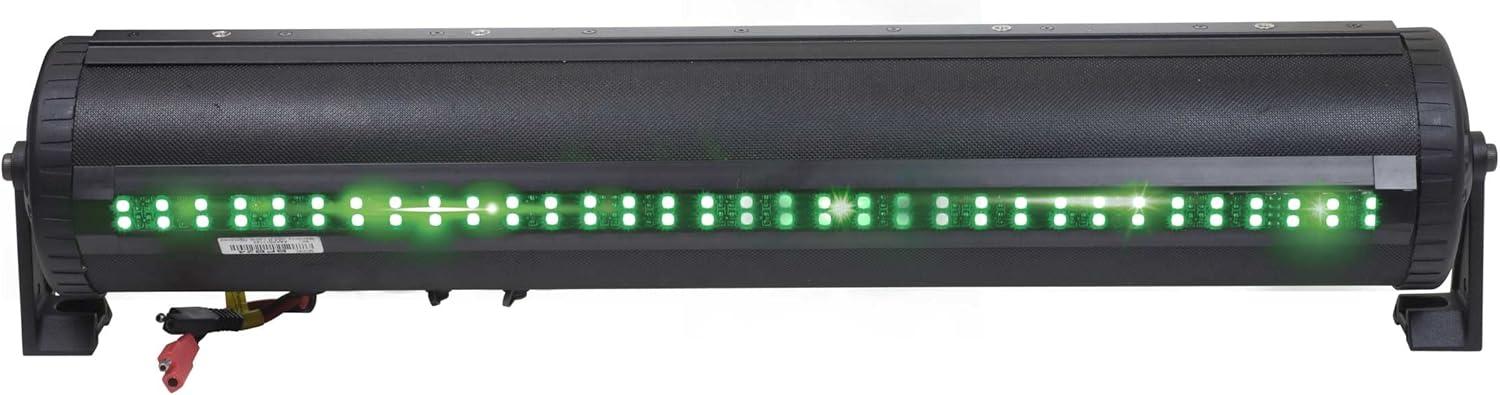
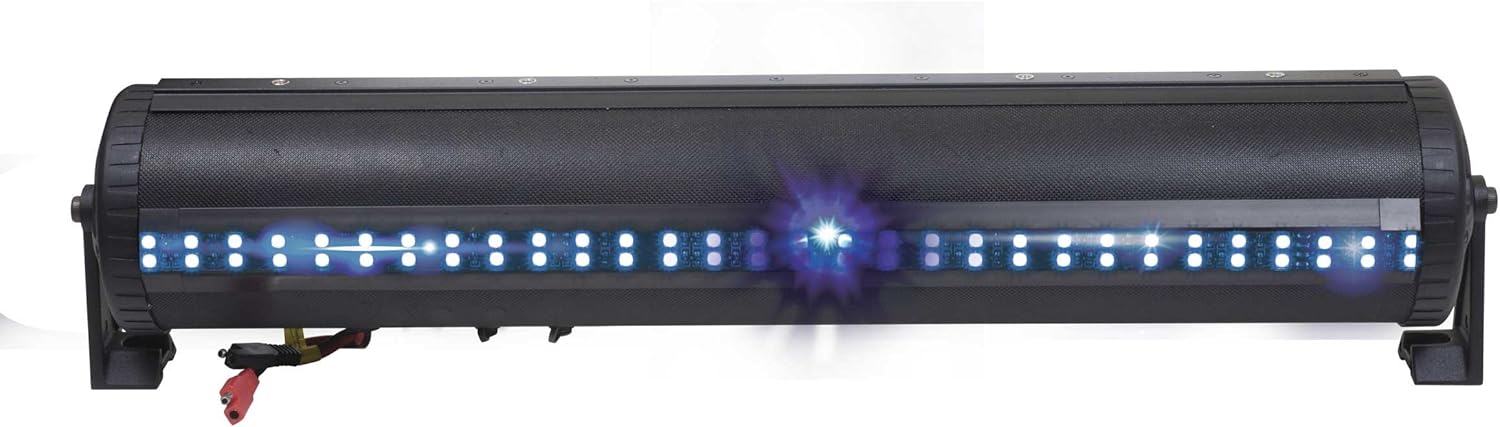
Image: The dual LED party strip illuminated in red and green, showcasing түс параметрлери.
6.5 USB портунун функциясы
The integrated USB port allows for music playback from a thumb drive and can also be used for charging mobile devices.
6.6 Hands-Free чалуу
When your mobile device is paired via Bluetooth, the Party Bar supports hands-free calling functionality.
6.7 Расмий продукт Video
Video: An official product video demonstrating the G3 Party Bar's features, including the one-click Party Button music-sharing and RGB LED lighting. This video highlights the product's functionality and design.
7. Техникалык тейлөө
The Bazooka G3 Party Bar is built to withstand outdoor conditions with its IP66 waterproof rating. To maintain its performance and appearance:
- Сыртын жумшак, d менен үзгүлтүксүз тазалаңызamp кездеме. Абразивдүү тазалагычтардан алыс болуңуз.
- Ensure all caps and covers for ports are securely closed when not in use to maintain water resistance.
- Inspect wiring periodically for any signs of wear or damage.

Image: The Party Bar being subjected to water spray, illustrating its IP66 waterproof capabilities.
8. Кыйынчылыктарды
If you encounter issues with your Party Bar, refer to the following common troubleshooting steps:
- Үн чыгышы жок:
- Check all power connections to ensure they are secure and receiving 12V.
- Verify that the Bluetooth connection is active and the volume on both the Party Bar and your connected device is turned up.
- Ensure the correct input source (Bluetooth, AUX, USB) is selected.
- LED Humming Noise: Some users have reported a humming noise when the LED function is enabled. This can occur due to interference between the LED controller and speaker wires. While Bazooka acknowledges this as a known issue, ensure all wiring is properly shielded and routed away from audio cables where possible.
- Bluetooth туташуу маселелери:
- Ensure the 'P' (Party) Button is set to BLUE (Single Listener) or PURPLE (DJ Broadcast) mode to make the device discoverable.
- Move your device closer to the Party Bar to rule out range issues.
- Түзмөктү жупташып, кайра жупташып көрүңүз.
9. Техникалык шарттар
| Бренд | Базука |
| Модель номери | BPB24-G3 |
| Динамиктин максималдуу чыгаруу күчү | 450 Ватт |
| Байланыш технологиясы | Bluetooth |
| Аудио чыгаруу режими | Стерео |
| Киргизүү көлөмүtage | 12 вольт |
| Монтаж түрү | Speaker (Integrated Rail Mounting System) |
| Коргоочу материал | Металл, пластик |
| Динамик түрү | Саундбар |
| Кошумча функциялар | Waterproof (IP66), LED Lights, Party Button Music-Sharing, Hands-Free Calling |
| Сабвуфердин диаметри | 24 дюйм |
| Controller Type | App Control, Button, Remote Control |
| Maximum Range (Party Button) | 250 Feet (approx. 100 yards) |
| Bluetooth диапазону | 60 Фут |
| Элементтин өлчөмдөрү (D x W x Y) | 6"D x 24"W x 6"H |
| Элемент Салмагы | 5.97 килограмм |
10. Кепилдик жана колдоо
The Bazooka G3 Party Bar comes with a limited warranty. For specific warranty details, please refer to the documentation included with your product or contact Bazooka directly.
For any product inquiries, technical support, or warranty claims, please contact Bazooka customer service at info@bazooka.com. Our team is dedicated to ensuring your satisfaction.