
Introduction
The Naxa NSH-3001 Wi-Fi Smart Camera provides reliable home security monitoring with 24/7 HD recording capabilities. This camera allows you to check in on your home remotely from anywhere using your smartphone. It features motion detection, two-way audio communication, night vision, and customizable activity alerts.
This manual provides detailed instructions for setting up, operating, and maintaining your Naxa NSH-3001 Wi-Fi Smart Camera to ensure optimal performance and security.
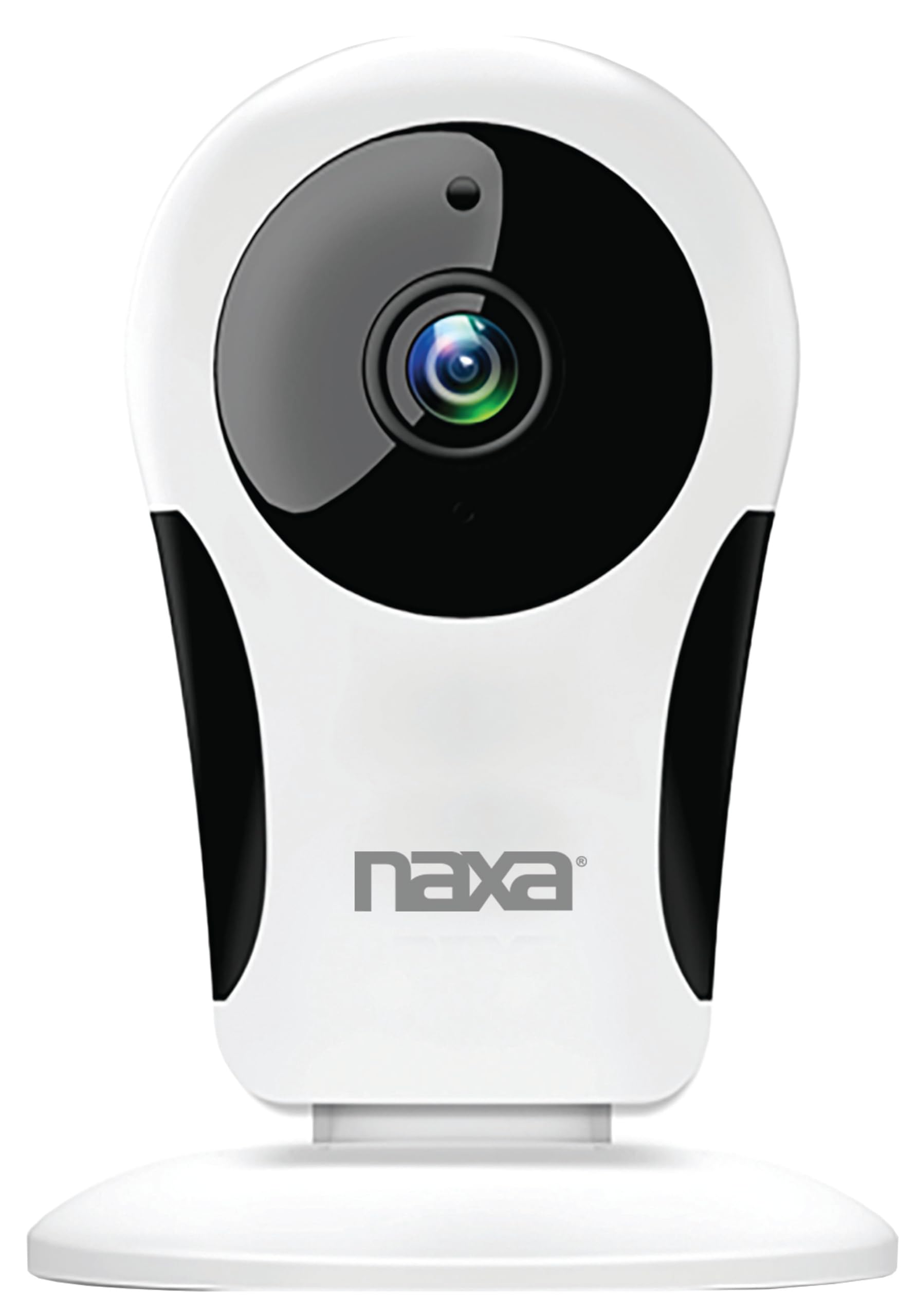
Сүрөт: алдыңкы view of the Naxa NSH-3001 Wi-Fi Smart Camera, showing the lens and Naxa logo.
Кутуда эмне бар
Upon unpacking your Naxa NSH-3001 Wi-Fi Smart Camera, please ensure all the following components are present:
- Wi-Fi Smart Камера
- AC кубат адаптери
- USB кабели
- Колдонуучунун Колдонмосу (бул документ)
Продукт бүттүview
Familiarize yourself with the main components of your Naxa NSH-3001 Wi-Fi Smart Camera.

Image: The Naxa NSH-3001 Wi-Fi Smart Camera displayed alongside icons representing its key features: HD Resolution, Encrypted ID, 2-Way Audio, Cloud Service, Motion Detection, IR Night Vision, Time Scheduling, and Hotspot capability.
- Камера линзасы: Video foo тартатtage.
- Инфракызыл (ИК) светодиоддор: Түнкү көрүү мүмкүнчүлүктөрүн камсыз кылуу.
- Микрофон: Аудио киргизүү жана эки тараптуу байланыш үчүн.
- Баяндамачы: Аудио чыгаруу жана эки тараптуу байланыш үчүн.
- Микро USB порту: Кубат туташтыруу үчүн.
- Калыбына келтирүү баскычы: Камераны заводдук жөндөөлөргө кайтаруу үчүн колдонулат.
- Микро SD карта слоту: Жаздырылган азык-түлүктөрдү жергиликтүү сактоо үчүнtage (Micro SD card not included).
Орнотуу колдонмосу
1. Камераны күйгүзүү
- Connect the provided USB cable to the camera's Micro USB port.
- USB кабелинин экинчи учун AC кубат адаптерине туташтырыңыз.
- AC кубат адаптерин стандарттуу электр розеткасына сайыңыз.
- The camera will power on, and an indicator light will show its status (refer to the camera's LED indicator guide for specific light patterns).
2. Downloading the Smart Life App
The Naxa NSH-3001 camera is controlled via the Smart Life app. Download it to your smartphone:
- For iOS devices, search for "Smart Life" in the Apple App Store.
- For Android devices, search for "Smart Life" in the Google Play Store.
- Install the app and create an account if you don't already have one.

Image: The Naxa NSH-3001 Wi-Fi Smart Camera shown with the Smart Life app logo and icons for the Apple App Store and Google Play, indicating app compatibility.
3. Wi-Fiга туташуу
Ensure your smartphone is connected to a 2.4 GHz Wi-Fi network. The NSH-3001 camera only supports 2.4 GHz Wi-Fi.
- Open the Smart Life app and tap "Add Device" or the "+" icon.
- "Коопсуздук жана видеобайкоо", андан кийин "Акылдуу камера" тандаңыз.
- Follow the on-screen instructions in the app to connect your camera to your Wi-Fi network. This typically involves scanning a QR code generated by the app with the camera's lens.
- Once connected, the camera's indicator light will change (refer to the LED indicator guide), and you will see the camera added to your app.
4. Камераны орнотуу
The NSH-3001 camera is designed for wall mount installation, but can also be placed on a flat surface. Choose a location that provides the desired viewing angle (105 degrees) and is within range of your Wi-Fi signal.

Image: The Naxa NSH-3001 Wi-Fi Smart Camera positioned on a nightstand in a bedroom, demonstrating a typical indoor placement.
- For wall mounting, use appropriate screws and anchors (not included) to secure the camera's base to the wall.
- Каалаган аймакты жабуу үчүн камеранын бурчун тууралаңыз.
Иштөө нускамалары
Live View жана Remote Access
Once connected, you can access your camera's live feed from anywhere using the Smart Life app on your smartphone.
- Open the Smart Life app and select your NSH-3001 camera from the device list.
- The live video stream will appear.
Эки тараптуу аудио байланыш
The camera supports two-way audio, allowing you to hear and speak through the camera.
- Түз эфирде view interface of the app, tap the microphone icon to speak.
- Камеранын жайгашкан жеринен аудио угуу үчүн динамик сүрөтчөсүн таптаңыз.
Кыймылды аныктоо жана эскертүүлөр
The camera can detect motion and send real-time push notifications to your phone.
- Navigate to the camera settings within the Smart Life app.
- "Кыймылды аныктоону" иштетиңиз жана керек болсо сезгичтик деңгээлин тууралаңыз.
- Configure alert schedules and notification preferences.
Түнкү көрүнүш
The NSH-3001 features an IR-cut filter for clear night vision, automatically switching between day and night modes based on ambient light.
- Night mode activates automatically in low-light conditions.
- The IR-cut filter ensures optimal clarity in both day and night recordings.
Видео жазуу жана сактоо
The camera supports 24/7 HD recording. Footage can be stored locally or via cloud service (subscription may be required).
- Микро SD карта сактагычы: Insert a compatible Micro SD card (up to 128GB, not included) into the camera's SD card slot for continuous or event-based recording.
- Булуттагы сактагыч: Check the Smart Life app for available cloud storage options and subscription details.
- Review foo жазылганtage directly through the Smart Life app.
Video Tuning
Adjust video parameters directly from your smartphone for optimal image quality.
- Within the Smart Life app, access video settings to adjust contrast, brightness, saturation, and sharpness.
Убакытты пландаштыруу
Set schedules for camera operation, recording, or alerts.
- Use the Smart Life app's scheduling feature to define specific times for motion detection, recording, or other functions.
Техникалык тейлөө
Proper maintenance ensures the longevity and optimal performance of your Naxa NSH-3001 Wi-Fi Smart Camera.
- Тазалоо: Камера линзасын жана корпусун жумшак, кургак чүпүрөк менен акырын сүртүңүз. Катуу химиялык заттарды же абразивдүү тазалоочу каражаттарды колдонуудан алыс болуңуз.
- Программалык камсыздоо жаңыртуулары: Regularly check the Smart Life app for firmware updates for your camera. Keeping the firmware updated ensures you have the latest features and security enhancements.
- Жайгашкан жери: Ensure the camera is placed in a stable location and protected from extreme temperatures, direct sunlight, and moisture.
Проблемаларды чечүү
If you encounter issues with your Naxa NSH-3001 Wi-Fi Smart Camera, refer to the following common solutions:
| Көйгөй | Мүмкүн чечим |
|---|---|
| Камера Wi-Fi'га туташпай жатат |
|
| No video feed in the app |
|
| Кыймыл эскертүүлөрү алынган жок |
|
| Эки тараптуу аудио иштебейт |
|
If problems persist, please contact Naxa customer support.
Техникалык шарттар
| Өзгөчөлүк | Деталь |
|---|---|
| Модель аты | НШ-3001 |
| Бренд | Naxa |
| Байланыш технологиясы | Wi-Fi (2.4 GHz) |
| Видео тартуунун резолюциясы | 720p |
| Viewбурч | 105 градус |
| Өзгөчө өзгөчөлүк | Кыймыл сенсору, түнкү көрүнүш, эки тараптуу аудио |
| Ички/тышкы колдонуу | Indoor, Outdoor (Note: IP54 rating suggests splash resistance, not full outdoor weatherproofing) |
| Power Source | Электр зымдары |
| Шайкеш түзмөктөр | Смартфон (Smart Life тиркемеси аркылуу) |
| Монтаж түрү | Дубалга орнотуу |
| Сактагыч | Micro SD картасы (128 ГБ чейин, кошулган эмес), булут сактагычы (милдеттүү эмес) |
| Өлчөмдөрү (L x W x Y) | 3.2 x 3.2 x 4.3 дюйм |
| Элемент Салмагы | 3.2 унция |
| Материал | Пластик |
| Эл аралык коргоо рейтинги | IP54 |
Кепилдик жана колдоо
Naxa Electronics, Inc. manufactures the NSH-3001 Wi-Fi Smart Camera. For specific warranty information, please refer to the warranty card included with your product or visit the official Naxa webсайт.
For technical support, troubleshooting assistance beyond this manual, or inquiries about your product, please contact Naxa customer service. Contact details can typically be found on the Naxa webсайтында же продуктунун таңгагында.
Naxa Official Webсайт: www.naxa.com