
Introduction
The Hexgears G5 is a full-size 104-key mechanical keyboard designed for both wireless (2.4 GHz) and wired (USB Type-C) connectivity. It features Kailh Box switches for durability and tactile feedback, and a blue monochrome backlight with adjustable modes. This keyboard is compatible with Windows and Mac OS, offering an ergonomic design for comfortable extended use.
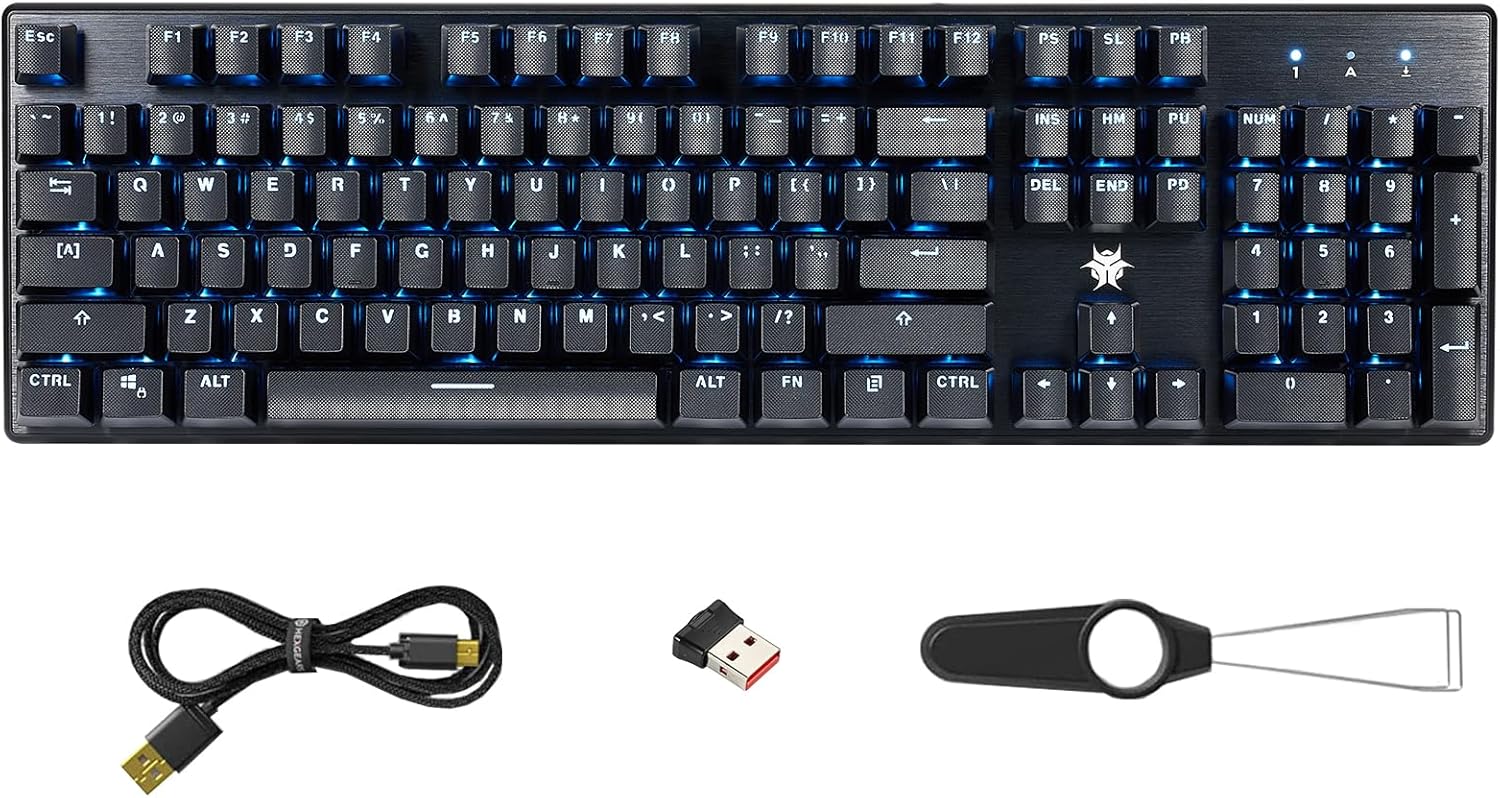
Image: Hexgears G5 Wireless Mechanical Keyboard, showing the full layout, blue backlighting, included USB cable, 2.4G wireless dongle, and a keycap puller tool.
Негизги өзгөчөлүктөрү
- 104-Key Full-size Layout: Provides a complete set of keys, including a numeric keypad, for comprehensive functionality.
- Кош режимдеги туташуу: Supports both 2.4 GHz wireless for a clean desktop and low-latency connection, and wired USB Type-C for charging and stable gaming.
- Kailh Box Switches: Equipped with durable switches (80 million click life) that are dust and moisture resistant. Available in White (crisp, clicky), Brown (tactile, quiet), and Red (linear, quiet) options.
- Blue Backlighting: Features a clear blue monochrome backlight with adjustable interactive, breathing, and constant brightness modes. Backlight speed can also be adjusted.
- Эргономикалык дизайн: Includes height-adjustable stands to reduce wrist fatigue during prolonged use.
- ABS Textured Keycaps: Non-slip keycaps provide enhanced tactility and comfort.
- Кеңири шайкештик: Supports Windows (all versions), Mac OS, and Android operating systems.
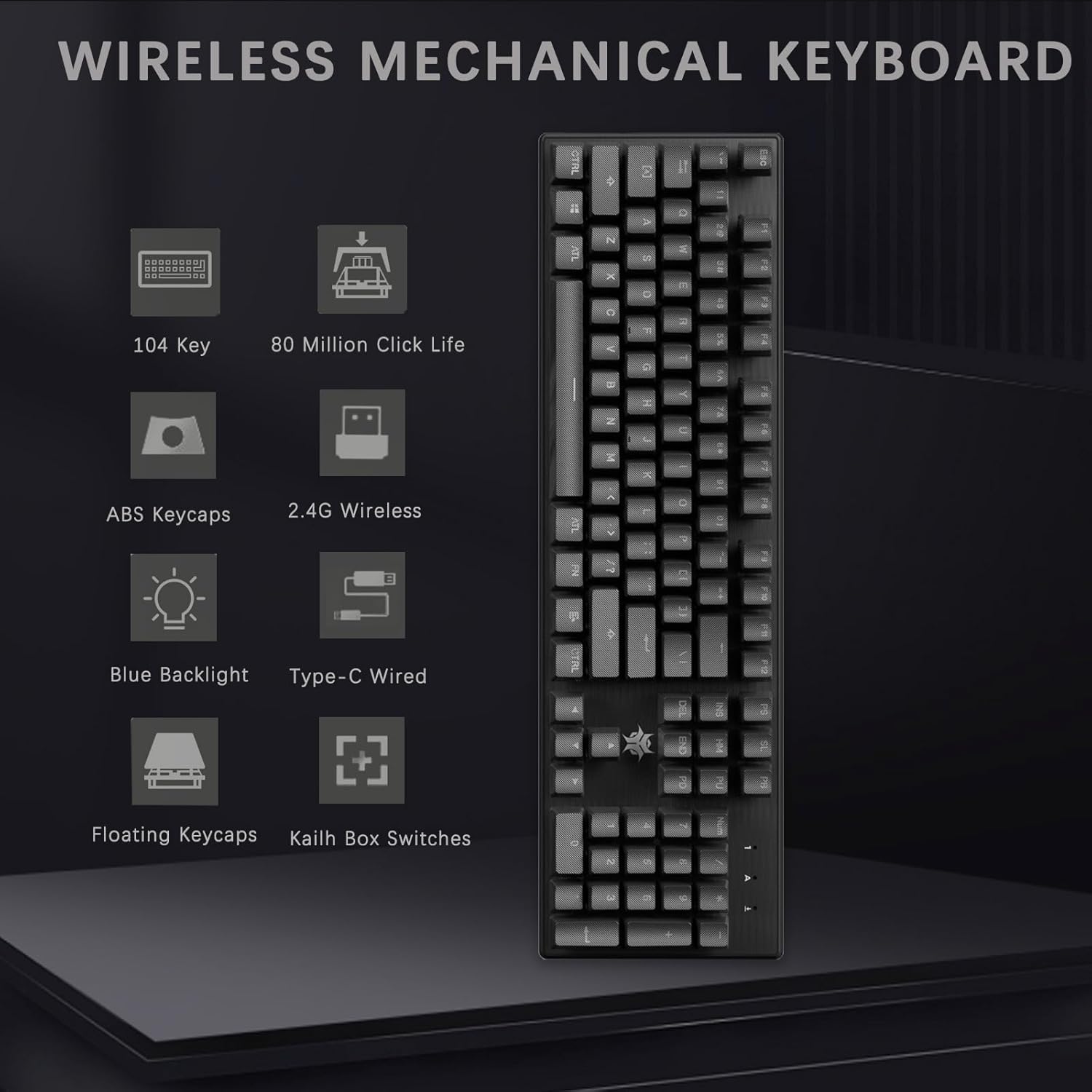
Сүрөт: бүттүview of the Hexgears G5 Wireless Mechanical Keyboard's main features, including its 104-key layout, 80 million click life, ABS keycaps, 2.4G wireless and Type-C wired connectivity, blue backlight, floating keycaps, and Kailh Box switches.
Жайгашуу
Пакеттин мазмуну:
- Hexgears G5 Wireless Mechanical Keyboard
- USB Type-C кабели
- 2.4 GHz USB Receiver (stored in the keyboard's underside)
- Баскыч капкагын тартуучу (кошулушу мүмкүн)
Баскычтопту туташтыруу:
- Wireless Connection (2.4 GHz):
- Locate the 2.4 GHz USB receiver stored in the compartment on the underside of the keyboard.
- Remove the receiver and plug it into an available USB port on your computer (PC or Mac).
- Turn on the keyboard using the power switch, usually located on the back or side. The keyboard should automatically connect to the receiver.
- Wired Connection (USB Type-C):
- Connect one end of the provided USB Type-C cable to the keyboard's Type-C port.
- Кабелдин экинчи учун компьютериңиздеги жеткиликтүү USB портуна туташтырыңыз.
- Баскычтоп зымдуу режимде иштеп, бир убакта заряддалат.

Image: Illustration of the two connection methods for the Hexgears G5 keyboard: 2.4G wireless via a USB dongle and wired via a USB Type-C cable.
Баскычтопту иштетүү
Жарыкты башкаруу:
The Hexgears G5 features a blue monochrome backlight with several adjustable modes. Refer to the keyboard's function keys (often combined with the 'FN' key) for specific controls.
- Режимдер: Cycle through interactive mode, breathing mode, and constant brightness mode.
- Жарыктыкты жөндөө: Increase or decrease the backlight intensity.
- Ылдамдыкты жөндөө: Change the speed of dynamic backlight effects (e.g., breathing mode).
- Note: The backlight color cannot be changed; it is fixed to blue.

Image: The Hexgears G5 keyboard illuminated with its ice blue backlight, illustrating the adjustable backlight interactive mode, breathing mode, constant brightness mode, and light change speed.
Function (FN) Key Combinations:
The FN key allows access to various multimedia and system functions. Specific combinations may vary slightly, but common functions include:
- FN + F1-F12: Multimedia controls (e.g., play/pause, volume up/down, mute, previous/next track).
- FN + WIN: Оюн учурунда кокусунан басылып калбашы үчүн Windows баскычын кулпулайт/ачат.
- FN + ESC (5 секунд кармап туруу): Resets keyboard settings to default.
- FN + INS/HOME/PGUP/PGDN/DEL/END: Controls various backlight effects and patterns.
- FN + ` (tilde key): Toggles between N-key rollover and 6-key rollover modes.

Сүрөт: жакын план view of the right side of the Hexgears G5 keyboard, showing the numeric keypad and arrow keys illuminated with blue backlighting, indicating their functionality.
Техникалык тейлөө
Regular maintenance helps prolong the life and performance of your Hexgears G5 keyboard.
- Клавиатураны тазалоо: жумшак колдонуу, damp cloth to wipe down the keycaps. For deeper cleaning, use the included keycap puller (if provided) to remove keycaps and clean underneath with compressed air or a small brush.
- Чаңды тазалоо: Regularly use compressed air to clear dust and debris from between the keys and around the switches.
- Бетти тазалоо: Wipe the keyboard's surface with a dry or slightly damp кездеме. Катуу химиялык заттардан же абразивдүү материалдардан алыс болуңуз.
- Сактагыч: When not in use, especially during travel, store the USB receiver securely in its designated slot on the keyboard's underside.

Сүрөт: деталдуу view of the Hexgears G5 keyboard's ABS textured keycaps, with a few keycaps removed to reveal the underlying mechanical switches, demonstrating their design for comfortable and durable typing.
Проблемаларды чечүү
If you encounter issues with your Hexgears G5 keyboard, try the following solutions:
- Клавиатура жооп бербей жатат (зымсыз):
- Баскычтоп күйгүзүлгөнүн текшериңиз.
- Check if the USB receiver is securely plugged into your computer.
- Verify the keyboard battery is charged. Connect via USB-C cable to charge.
- USB ресиверди башка USB портуна сайып көрүңүз.
- Re-pair the keyboard with the receiver if necessary (refer to specific pairing instructions if available in the full manual).
- Клавиатура жооп бербей жатат (зымдуу):
- USB Type-C кабелинин клавиатурага да, компьютерге да бекем туташтырылганын текшериңиз.
- Компьютериңизде башка USB портун колдонуп көрүңүз.
- Test with a different USB Type-C cable if available.
- Арткы жарык иштебейт же туура эмес:
- Баскычтоп күйгүзүлгөнүн текшериңиз.
- Use the FN key combinations (e.g., FN + INS/HOME/PGUP/PGDN/DEL/END) to cycle through backlight modes and adjust brightness.
- Perform a factory reset (FN + ESC, hold for 5 seconds) if backlight issues persist.
- Катталбаган же эки жолу терилген ачкычтар:
- Clean around the affected key(s) to remove any debris.
- If using wireless, ensure there is no interference and the receiver is close to the keyboard.
- Consider updating keyboard drivers if available from the manufacturer's webсайт.
Техникалык шарттар
| Өзгөчөлүк | Деталь |
|---|---|
| Бренд | Hexgears |
| Модел | G5 |
| Байланыш технологиясы | 2.4G Wireless/Type-C Wired |
| Keyboard Description | Механикалык |
| Ачкычтардын саны | 104 |
| Которуу түрү | Kailh Box Switches (White, Brown, Red options) |
| Life Switch | 80 миллион чыкылдатуу |
| Арткы жарык түсү | Single Color (Blue) |
| Шайкеш түзмөктөр | Ноутбук, компьютер, Mac |
| Элемент Салмагы | 2.46 фунт |
| Пакеттин өлчөмдөрү | 17.83 x 6.77 x 1.85 дюйм |
| Батареялар | 1 литий-иондук батарейка (кошулган) |
Кепилдик жана колдоо
For detailed warranty information and further support, please refer to the official Hexgears documentation or contact their customer service.
Расмий Колдонуучу колдонмосун (PDF) жүктөп алуу үчүн жеткиликтүү: Колдонуучунун колдонмосун жүктөп алуу (PDF)