
Introduction
This manual provides comprehensive instructions for the installation, operation, and maintenance of your Byron DBY-22311NP Wireless Doorbell Kit. Please read this manual carefully before using the product to ensure safe and efficient operation. Keep this manual for future reference.
The Byron DBY-22311NP wireless doorbell kit offers a maximum range of 150 meters and features 16 melodies with adjustable volume. Both the outdoor push button and the indoor chime unit are battery-operated, allowing for flexible placement anywhere in your home or garden.
Коопсуздук маалыматы
- Бардык компоненттерди зыянга учуратпоо үчүн кылдаттык менен иштетилгенин текшериңиз.
- Do not expose the push button or chime unit to extreme temperatures, direct sunlight for prolonged periods, or corrosive substances.
- Батареяларды балдар жетпеген жерде сактаңыз. Эгер жутуп алса, дароо медициналык жардамга кайрылыңыз.
- Колдонулган батарейкаларды жергиликтүү эрежелерге ылайык жок кылыңыз.
- Do not attempt to open or repair the units yourself. Refer to qualified personnel for service.
Пакеттин мазмуну
Пакетиңизде бардык буюмдар бар экенин текшериңиз:
- 1 x Ички коңгуроо бирдиги
- 1 x Outdoor Push Button
- 1 x CR2032 Battery (for outdoor push button)
- Эки тараптуу скотч
- Монтаждоо бурамалар жана дубал сайгычтар
- Instruction Manual
Продукт бүттүview

Figure 1: Byron DBY-22311NP Wireless Doorbell Kit, showing the indoor chime unit and outdoor push button.

Figure 2: Detailed dimensions of the indoor chime unit and outdoor push button for installation planning.

3-сүрөт: Арткы view of the indoor chime unit and outdoor push button, showing battery compartments and mounting points.
Орнотуу жана орнотуу
1. Батареяларды орнотуу
- Outdoor Push Button: Open the battery compartment on the back of the push button. Insert the included CR2032 battery, ensuring correct polarity (+/-). Close the compartment securely.
- Indoor Chime Unit: Open the battery compartment on the back of the chime unit. Insert 3 x AA alkaline batteries (not included), ensuring correct polarity (+/-). Close the compartment securely.
2. Mounting the Outdoor Push Button
The outdoor push button can be mounted using either the double-sided adhesive tape or screws.
- Клей монтаждоо: Clean the desired mounting surface thoroughly. Peel off the protective film from one side of the double-sided adhesive tape and apply it to the back of the push button. Peel off the remaining film and firmly press the push button onto the wall or door frame.
- Бурама орнотуу: Mark the desired position for the push button. Drill two small pilot holes. Insert the wall plugs (if necessary) and secure the push button with the provided screws.

Figure 4: The outdoor push button is designed to be weather-resistant and includes a nameplate for personalization.
3. Placing the Indoor Chime Unit
The indoor chime unit is portable and can be placed anywhere within the 150-meter wireless range of the push button. Consider placing it in a central location or where you are most likely to hear it.

Figure 5: The indoor chime unit can be easily placed on a wall or flat surface.
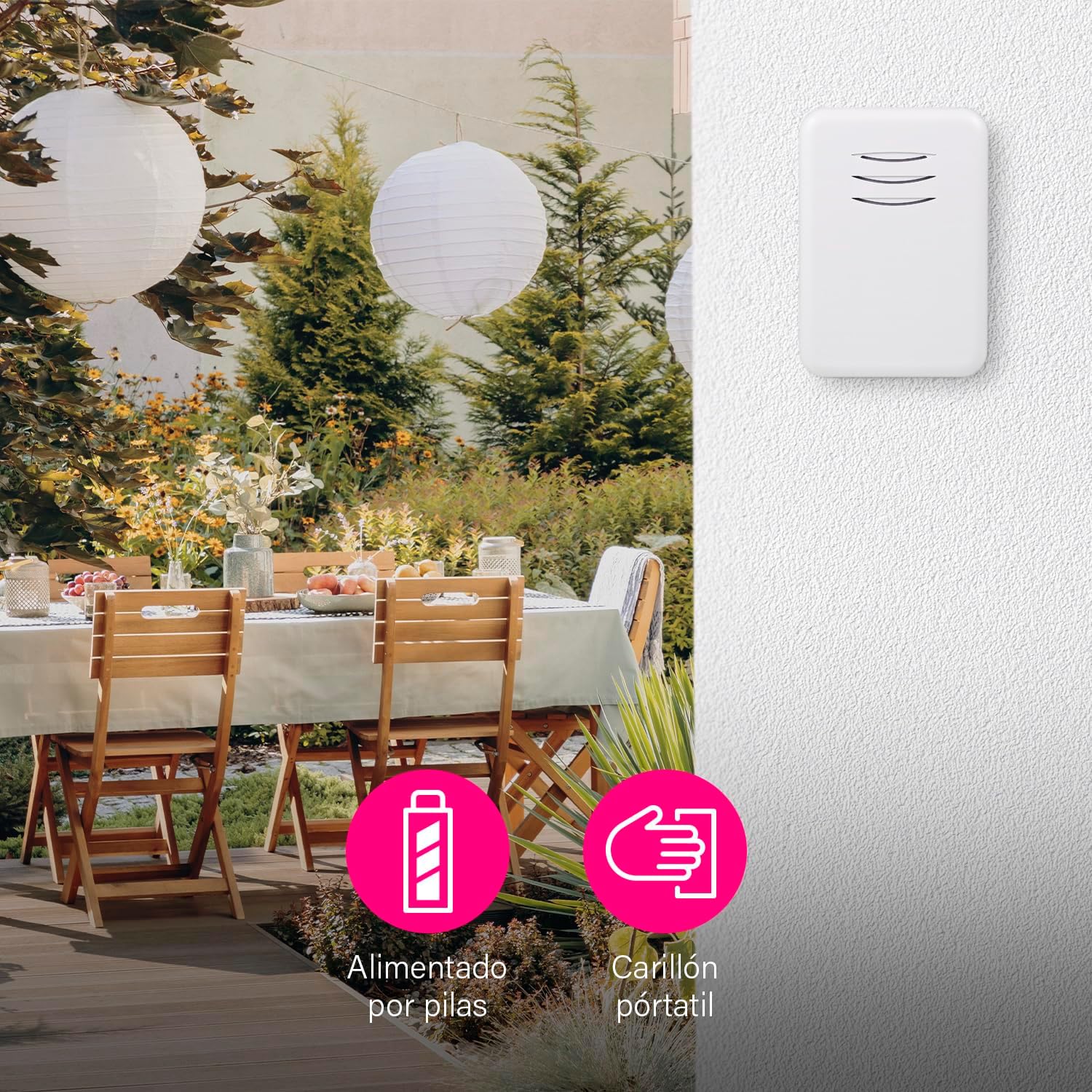
Figure 6: The portable chime unit allows for flexible placement, even in outdoor areas like a garden patio.
4. Pairing (Synchronization)
The units are typically pre-paired at the factory. If they do not work immediately, follow these steps to re-pair them:
- Press and hold the pairing button on the indoor chime unit for approximately 5 seconds until it emits a short beep or flashes.
- Within 10 seconds, press the outdoor push button. The chime unit should ring, indicating successful pairing.
- Test the doorbell by pressing the push button.
You can pair multiple chimes with one push button or multiple push buttons with one chime. This is ideal if you want a chime in several rooms or an additional push button in the garden or at the back door.
Иштөө нускамалары
1. Мелодияларды өзгөртүү
The chime unit offers 16 selectable melodies. To change the melody:
- Locate the melody selection button on the indoor chime unit.
- Press the button repeatedly to cycle through the available melodies. The chime will play each melody as you select it.
- Stop pressing when you hear your desired melody.
2. Үндү тууралоо
The volume of the chime can be adjusted up to 80 dB, with multiple levels available.
- Locate the volume control button on the indoor chime unit.
- Press the button to cycle through the volume levels.
- You can also set the chime to silent mode if you do not wish to be disturbed, for example, when a baby is sleeping.
Figure 7: The chime unit features controls for selecting from 16 melodies and adjusting between 5 volume levels.
Техникалык тейлөө
1. Батареяны алмаштыруу
- Outdoor Push Button: When the push button's LED indicator no longer lights up or the range decreases significantly, replace the CR2032 battery.
- Indoor Chime Unit: If the chime unit's sound becomes weak or it stops working, replace the 3 x AA alkaline batteries.
2. Тазалоо
Агрегаттарды жумшак, кургак чүпүрөк менен сүртүңүз. Абразивдүү тазалагычтарды же эриткичтерди колдонбоңуз.
Проблемаларды чечүү
| Көйгөй | Мүмкүн себеп | Чечим |
|---|---|---|
| Коңгуроо кагылбайт. | Батареялар өлүп калган же туура эмес салынган. | Replace batteries in both units, ensuring correct polarity. |
| Doorbell range is poor. | Тоскоолдуктар же кийлигишүүлөр. | Ensure no large metal objects or thick walls are between the units. Replace batteries if low. |
| Chime unit not responding to push button. | Бирдиктер жупташтырылган эмес. | Follow the pairing instructions in the Setup section. |
| Chime unit rings unexpectedly. | Башка зымсыз аппараттардын кийлигишүүсү. | Re-pair the units to reset the wireless code. |
Техникалык шарттар
| Өзгөчөлүк | Деталь |
|---|---|
| Модель номери | DBY-22311NP |
| Өлчөмдөр (Продукт) | 15 x 9.5 x 4.5 см |
| Салмагы (Продукт) | 90 г |
| Түс | Ак |
| Материал | Пластик |
| Power Source | Батарея |
| Тtage | 4.5 Volts (Indoor Chime) |
| Outdoor Push Button Battery | 1 x CR2032 (кошулган) |
| Indoor Chime Unit Battery | 3 x AA щелочтуу (кошулган эмес) |
| Зымсыз диапазон | Up to 150 m (open air) |
| Обондор | 16 |
| Үн деңгээли | Adjustable, up to 80 dB |
| Weather Resistance (Push Button) | Ооба (сыртта колдонуу үчүн ылайыктуу) |
Продукт видеосу
Видео 1: Бүттүview of the Byron DBY-22311 Wireless Doorbell, demonstrating its features and ease of use. Note: This video is for a similar model (DBY-22311) and provides a general product demonstration.
Кепилдик жана колдоо
For warranty information and customer support, please refer to the contact details provided on the product packaging or the official Byron webсайт. Ар кандай кепилдик дооматтары үчүн сатып алганыңыздын далилин сактаңыз.


