
1. Киришүү
Thank you for choosing the LMHOME 4G GPS Tracker. This device provides real-time location tracking, designed for versatile use including vehicles, personal assets, children, and motorcycles. With its robust 4G connectivity and powerful magnetic mount, it offers reliable and precise tracking capabilities. This manual will guide you through the setup, operation, and maintenance of your new GPS tracker.
2. Коопсуздук маалыматы
- Аппаратты ажыратпаңыз же өзгөртпөңүз. Уруксатсыз өзгөртүүлөр кепилдикти жокко чыгарып, коопсуздукка коркунуч келтириши мүмкүн.
- Аппаратты экстремалдык температурадан, түз күн нурунан жана жогорку нымдуулуктан алыс кармаңыз.
- Берилген заряддоо кабелин жана туура келген кубат адаптерин гана колдонуңуз.
- Ensure the device is securely mounted when used in moving vehicles to prevent dislodgement.
- Аппаратты жана анын батареясын жергиликтүү эрежелерге ылайык таштаңыз.
3. Пакеттин мазмуну
Сураныч, пакетте төмөнкү нерселерди текшериңиз:
- LMHOME 4G GPS Tracker (Model: 4G T3)
- USB заряддоо кабели
- Колдонуучунун Колдонмосу (бул документ)
- Magnetic Mounting Base (integrated)

Image: The LMHOME 4G GPS Tracker, showing its compact size and the included charging cable and manual.
4. Продукт бүтүп калдыview
The LMHOME 4G GPS Tracker (GPS901) is a compact and powerful device designed for reliable real-time tracking. It features a 1500mAh battery for extended standby time and a strong magnetic base for easy installation.
Негизги өзгөчөлүктөрү:
- реалдуу убакытта көз салуу: Monitor the device's location instantly.
- 4G байланышы: Ensures wide coverage and fast data transmission.
- Powerful Magnetic Mount: Allows for flexible and secure attachment to metallic surfaces.
- 1500 мАч Батарея: Provides up to 360 hours (7 days) of standby time.
- Гео-тосмо: Set virtual boundaries and receive alerts when the device enters or exits them.
- Таржымалын ойнотуу жолу: Review past travel routes for up to 6 months.
- Бир нече ойготкучтар: Includes speed alarm, low battery alarm, and vibration alarm.
- Суу өткөрбөйт: IP65 rating for protection against dust and water splashes.

Сүрөт: бүттүview of the GPS901 tracker's basic and auxiliary functions, including battery life, installation method, and waterproof rating.

Image: Diagram illustrating the tracker's compatibility with both 4G LTE and 2G GSM networks, ensuring stable performance.
5. Орнотуу
5.1. SIM картаны орнотуу
The LMHOME 4G GPS Tracker requires a Micro SIM card with 4G data capabilities for full functionality. Ensure the SIM card is active and has sufficient data balance.
- Аппараттагы SIM картанын уячасын табыңыз.
- Insert the Micro SIM card into the slot with the correct orientation until it clicks into place.
- Ensure the SIM card is properly seated to establish network connection.

Image: Visual guide for inserting the SIM card into the tracker and configuring APN settings via SMS commands from a smartphone.
5.2. Баштапкы заряддоо
Before first use, fully charge the device. Connect the provided USB charging cable to the tracker and a power source (e.g., USB wall adapter, computer USB port).
- Толук кубаттоо адатта 2-3 саатка созулат.
- The indicator light will show charging status (refer to device specific LED behavior if available, otherwise general).
5.3. Колдонмону жүктөп алуу жана каттоо
To access tracking features, download the official LMHOME GPS application on your smartphone or use the web платформа.
- Scan the QR code below or search for "LMHOME GPS" in your device's app store (App Store for iOS, Google Play for Android).
- Же болбосо, кирүү web platform via http://amr.gps902.net:8089/GPSONE/appen.html.
- Follow the in-app instructions to register an account and add your device using its unique ID (usually found on the device or packaging).

Image: Screenshot showing the LMHOME GPS application interface and QR codes for downloading the app from App Store and Google Play, along with the web платформа URL.
6. Иштөө нускамалары
6.1. реалдуу убакытта көз салуу
Once your device is connected to the network and registered in the app, you can view its real-time location on the map.
- Open the LMHOME GPS app and log in.
- Select your device from the list to see its current position, speed, and status.
- The map will display the tracker's exact coordinates and a visual representation of its location.

Image: A smartphone screen displaying the real-time tracking map with the tracker's location and a red car icon, indicating its position.
6.2. Geo-fence Setup
A geo-fence allows you to define a virtual boundary on the map. You will receive alerts when the tracker enters or exits this predefined area.
- In the app, navigate to the "Geo-fence" section.
- Draw the desired area on the map (e.g., home, office, school).
- Save the geo-fence and configure notification settings.

Image: Screenshots demonstrating how to set up a geo-fence zone on the app and view historical routes, showing map interfaces for both features.
6.3. Тарыхый маршрутту ойнотуу
Review the historical movement of your tracker for up to 6 months.
- Access the "History Route" or "Historical Playback" feature in the app.
- Каалаган күн жана убакыт диапазонун тандаңыз.
- The app will display the route taken by the tracker during that period.
6.4. Ойготкучтун функциялары
The tracker supports various alarms to keep you informed:
- Ашыкча ылдамдык сигналы: Set a maximum speed limit. You will be notified if the tracker exceeds this speed.
- Батареянын азайышы: Receive an alert when the device's battery level is critically low.
- Дирилдөө сигналы: Түзмөк олуттуу титирөөнү же кыймылды аныктаса, эскертме алыңыз.
Configure these alarms within the app's settings or notification section.
6.5. Магниттик монтаждоо
The integrated powerful magnet allows for easy and secure attachment to any metallic surface, such as the underside of a vehicle chassis, or inside a metal compartment.
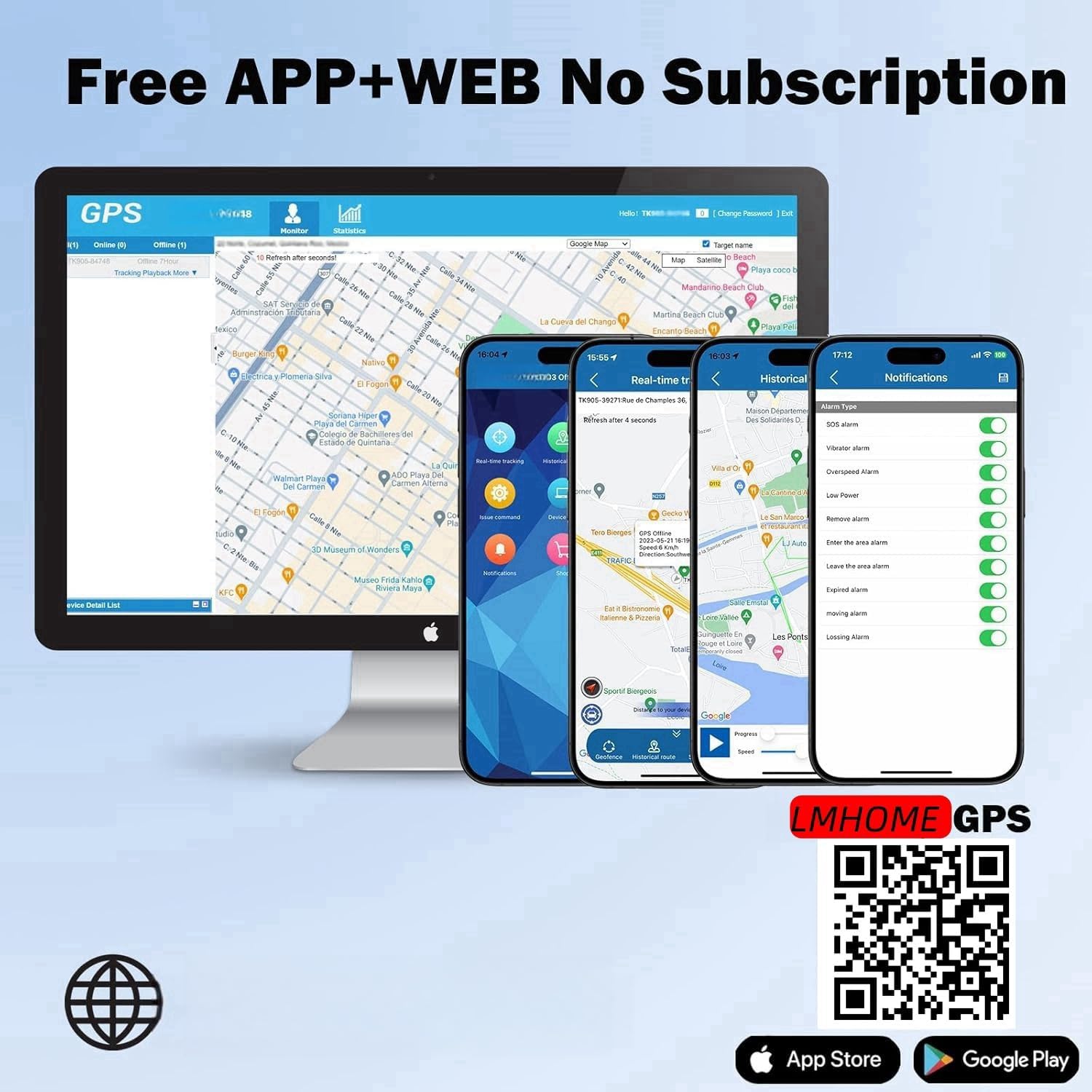
Image: The tracker magnetically attached to the underside of a vehicle, demonstrating its strong magnetic hold. Icons below illustrate key features like real-time tracking, geo-fence, and battery life.

Сүрөт: Мисamples of how the tracker can be used, including placement in a backpack, handbag, attached to keys, or on luggage to prevent loss.
7. Техникалык тейлөө
- Тазалоо: Аппаратты жумшак, кургак чүпүрөк менен сүртүңүз. Катуу химиялык заттарды же абразивдүү тазалагычтарды колдонбоңуз.
- Батареяга кам көрүү: Батареянын иштөө мөөнөтүн узартуу үчүн, түзмөктү тез-тез толук зарядсыздандырбаңыз. Аны үзгүлтүксүз кубаттап туруңуз, айрыкча, ал узак убакытка сакталса.
- Сактагыч: Аппаратты колдонбогондо салкын, кургак жерде сактаңыз.
8. Кыйынчылыктарды
| Көйгөй | Мүмкүн себеп | Чечим |
|---|---|---|
| Device not turning on/no power. | Батареянын заряды аз; кубаттоочу кабель/адаптер бузук. | Charge the device fully. Try a different USB cable or power adapter. |
| No real-time tracking/offline. | No SIM card; SIM card not active/no data; poor network signal; incorrect APN settings. | Ensure SIM card is inserted correctly and active with data. Check network coverage. Configure APN settings via SMS (refer to SIM card provider for APN details). Restart the device. |
| Жайгашкан жери так эмес. | Weak GPS signal (indoors, underground); LBS positioning (less precise). | Түзмөктү ачык асман астындагы ачык жерге жылдырыңыз view. Ensure 4G signal is strong. |
| App not working/cannot log in. | Incorrect login credentials; app server issues; outdated app version. | Verify username and password. Check internet connection. Update the app to the latest version. Contact customer support if issues persist. |
9. Техникалык шарттар
| Өзгөчөлүк | Деталь |
|---|---|
| Бренд | LMHOME |
| Модель номери | 4G T3 (GPS901) |
| Байланыш технологиясы | 4G LTE, 2G GSM |
| Батарея сыйымдуулугу | 1500 мАч литий полимери |
| Батареянын иштөө мөөнөтү (күтүү режими) | 360 саатка чейин (7 күн) |
| Өлчөмдөрү (L x W x Y) | 6 x 3.5 x 2.8 см (2.36 x 1.38 x 1.1 дюйм) |
| Салмагы | 49 грамм (1.73 унция) |
| Материал | Акрилонитрил бутадиен стирол (ABS) |
| Өзгөчөлүктөр | Magnetic Mount, Portable, Real-time Tracking, Geo-fence, History Playback, Alarms |
| Суу өткөрбөйт рейтинги | IP65 |
| Шайкеш түзмөктөр | Смартфон (тиркеме аркылуу) |
10. Кепилдик жана колдоо
This LMHOME 4G GPS Tracker comes with a 6 айлык өндүрүүчүнүн кепилдиги сатып алынган күндөн тартып. Бул кепилдик нормалдуу колдонуудагы материалдардагы жана жасалгадагы кемчиликтерди камтыйт.
For technical support, warranty claims, or any questions regarding your device, please contact LMHOME customer service through the platform where you purchased the product or refer to the contact information provided in your purchase documentation.
Please have your product model number (4G T3) and purchase details ready when contacting support.