
1. Киришүү
The GlocalMe U50 Numen Air is a portable 5G mobile Wi-Fi router designed to provide high-speed internet connectivity on the go. Featuring advanced CloudSIM technology, it offers global network coverage without the need for physical SIM cards, along with flexible data plans and a user-friendly touchscreen interface.
Негизги өзгөчөлүктөрү:
- High-Speed 5G, Low Latency: Speeds up to 2.5 Gbps, 15 times faster than 4G. Enjoy lag-free video streaming and gaming. Can also connect to your existing home router as a Wi-Fi router to ensure fast Wi-Fi.
- Global Frequency Bands: Supports 5G in over 50 commercial countries and over 100 operator networks. Also supports mainstream global 4G operator networks. Purchase our data plan or use your own 5G nano SIM card.
- No SIM Card Required: Numen Air can be used without a SIM card. Get national and international data instantly via online payment. No contract, no roaming fees. Patented CloudSIM technology intelligently selects the network with the best signal. Avoid the hassle of buying SIM cards in different countries when traveling abroad.
- Wi-Fi 5 Technology & Flexible Plans: Share your Wi-Fi connection with up to 16 devices simultaneously. Download the GlocalMe app to easily manage your hotspot and get cost-effective data plans. Flexible data plans allow you to purchase data by day, month, region, or GB.
- Портативдик жана колдонуучуга ыңгайлуу: 2.4-inch touchscreen, easy to operate. Reverse charging, long-lasting 5400 mAh battery for charging mobile devices.
2. Пакеттин мазмуну
Сураныч, төмөнкү нерселер үчүн кутучаны белгилеңиз:
- GlocalMe U50 Numen Air 5G Mobile WiFi Router (DEVICE)
- USB-C заряддоо кабели
- Quick Start Guide
- SIM чыгаруучу курал

Image: The GlocalMe U50 Numen Air device, USB-C cable, and documentation are shown alongside the product box.
3. Продукт бүтүп калдыview
The GlocalMe U50 Numen Air is designed for portability and ease of use, featuring a compact form factor and a clear touchscreen display.
Физикалык өзгөчөлүктөрү:
- Өлчөмдөрү: Approximately 151.5mm x 68mm x 14.3mm (as shown in images).
- Салмагы: 194g (as shown in images).
- Дисплей: 2.4-inch touchscreen.
- Порттор: USB-C for charging and data transfer.
- SIM Slot: Nano SIM card slot (optional).
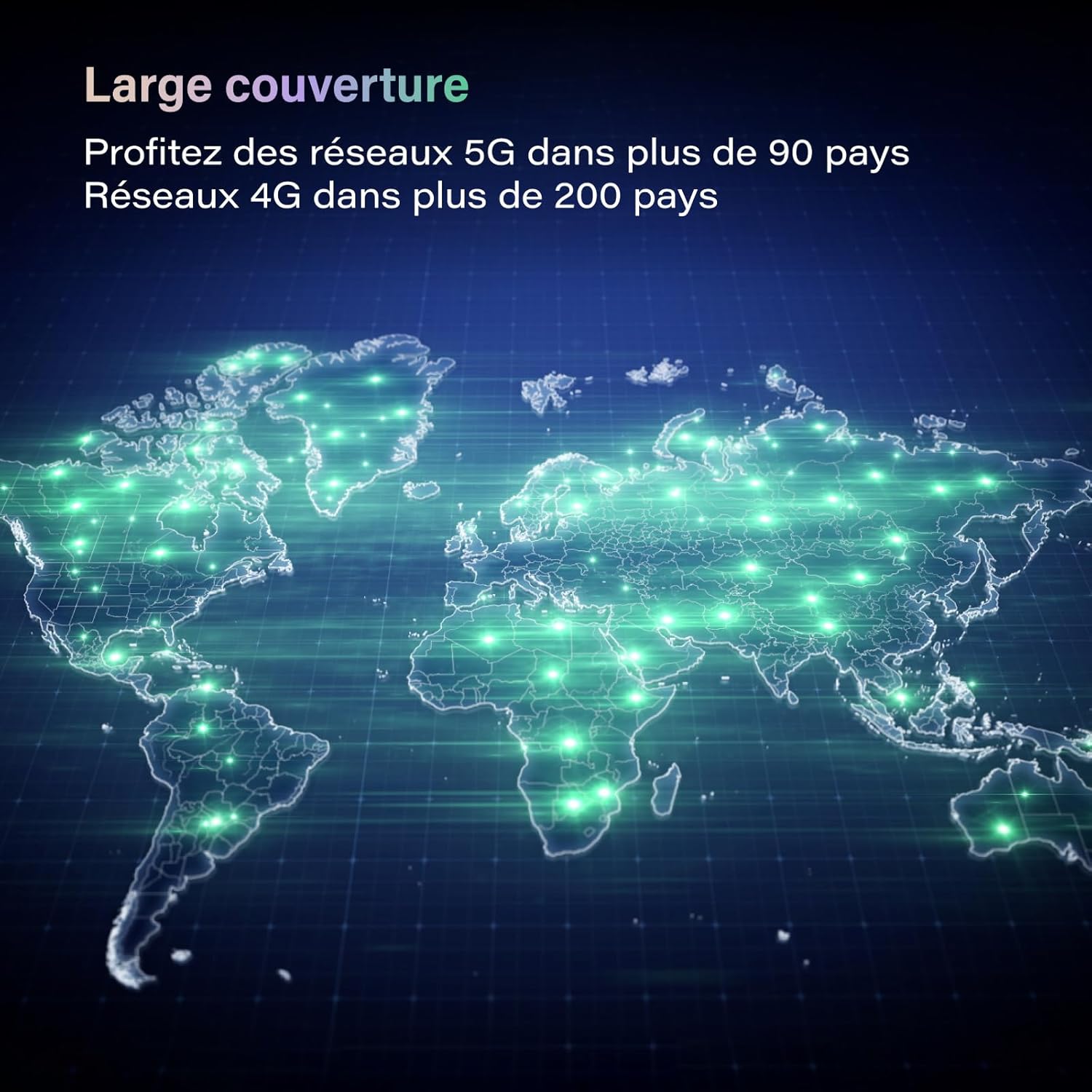
Image: The GlocalMe U50 Numen Air device held in a hand, highlighting its compact and portable design.

Image: A visual representation of the GlocalMe U50 Numen Air's ultra-thin and lightweight design, showing its dimensions (151.5mm x 68mm x 14.3mm) and weight (194g).
4. Орнотуу
4.1 Күйгүзүү/өчүрүү
To power on the device, press and hold the power button located on the side until the screen lights up. To power off, navigate to the power off option on the touchscreen and confirm.
4.2 Inserting a Nano SIM Card (Optional)
If you choose to use your own nano SIM card instead of CloudSIM data, follow these steps:
- Аппараттагы SIM картанын уячасын табыңыз.
- SIM салгычты ачуу үчүн берилген SIM чыгаруучу куралды колдонуңуз.
- Place your nano SIM card into the tray with the gold contacts facing down.
- SIM салгычты кылдаттык менен аппаратка кайра салыңыз.
5. Иштөө нускамалары
5.1 Түзмөктөрдү Wi-Fiга туташтыруу
The GlocalMe U50 Numen Air allows up to 16 devices to connect simultaneously.
- Ensure your Numen Air device is powered on.
- Түзмөгүңүздө (смартфон, планшет, ноутбук) Wi-Fi жөндөөлөрүнө өтүңүз.
- Select the Wi-Fi network name (SSID) displayed on the Numen Air's screen.
- Enter the Wi-Fi password (Key) shown on the Numen Air's screen.
- Түзмөгүңүз азыр интернетке туташып турушу керек.

Image: The GlocalMe U50 Numen Air providing Wi-Fi connectivity to multiple devices, including smartphones and a laptop, illustrating its multi-device support.
5.2 Сенсордук экранды колдонуу
The 2.4-inch touchscreen provides real-time information and allows for easy device management. You can view data usage, battery level, Wi-Fi name, and password directly on the screen.

Image: The GlocalMe U50 Numen Air's touchscreen displaying various settings and information, including network status, connected devices, and network optimization options.
5.3 Тескери кубаттоо функциясы
The Numen Air's 5400 mAh battery can also be used to charge other mobile devices, acting as a power bank.

Image: The GlocalMe U50 Numen Air connected via USB-C cable to a smartphone, demonstrating its reverse charging capability with its 5400 mAh battery.
6. Data Plans and Coverage
Leverage GlocalMe's CloudSIM technology for seamless global connectivity.
6.1 Дүйнөлүк камтуу
The Numen Air supports 5G networks in over 50 commercial countries and 4G networks in over 100 countries, ensuring you stay connected almost anywhere in the world.

Image: A world map illustrating the extensive global coverage provided by the GlocalMe Numen Air, supporting 5G and 4G networks across numerous countries.
6.2 Flexible Data Plans
Purchase data plans directly through the GlocalMe app. Plans are available by day, month, region, or GB, offering flexibility for various travel and usage needs.

Сүрөт: Мисamples of flexible and affordable data plans offered by GlocalMe, including daily and monthly passes for different regions and data volumes.
7. Техникалык тейлөө
7.1 Аппаратты заряддоо
Use the provided USB-C cable to charge your GlocalMe U50 Numen Air. Connect the cable to the device's USB-C port and a compatible power adapter or computer USB port. The battery indicator on the screen will show charging status.
7.2 Программалык камсыздоо жаңыртуулары
Keep your device's software updated for optimal performance and security. Check for updates via the GlocalMe app or the device's settings menu.
8. Кыйынчылыктарды
8.1 Тармакка туташуу жок
- Ensure you have an active data plan or a properly inserted and activated nano SIM card.
- Түзмөктүн экранындагы сигналдын күчүн текшериңиз.
- Аппаратты кайра иштетиңиз.
- If using CloudSIM, ensure you are in a supported coverage area.
8.2 Түзмөк кубатталбай жатат
- Verify that the USB-C cable is securely connected to both the device and the power source.
- Башка USB-C кабелин же кубат адаптерин колдонуп көрүңүз.
- Кубат булагынын иштешин текшериңиз.
8.3 Forgotten Wi-Fi Password
The Wi-Fi network name (SSID) and password (Key) are displayed on the device's touchscreen. You can also manage these settings via the GlocalMe app.
9. Техникалык шарттар
| Өзгөчөлүк | Спецификация |
|---|---|
| Бренд | GlocalMe |
| Модель аты | Numen Air |
| Элемент моделинин номери | U50-1GB EU Data |
| Түс | Кара |
| Операция системасы | Linux |
| Байланыш технологиясы | 5G, Wi-Fi |
| Зымсыз байланыш стандарты | 802.11a, 802.11ac, 802.11b, 802.11g, 802.11n |
| Жыштык тилкесинин классы | Dual band |
| Өзгөчөлүктөр | Интернет коопсуздугу |
| Шайкеш түзмөктөр | Game Console, Personal Computer, Smartphone, Tablet, Smart TV |
| Батарея түрү | Литий-ион |
| Заряддалуучу батарея | Ооба |
| Сунушталган Колдонуулар | Commercial, Home, Travel |
| Камтылган компоненттер | ТҮЗМӨК |
10. Кепилдик жана колдоо
For warranty information and technical support, please refer to the official GlocalMe website or contact GlocalMe customer service. Keep your purchase receipt for warranty claims.