
Introduction
Thank you for choosing the Flutesan Pocket Calculator. This manual provides detailed instructions for the proper setup, operation, and maintenance of your new calculator. Designed for students, kids, and general office or home use, these mini calculators offer basic four-function arithmetic with an easy-to-read display and responsive keys.

Image: A set of Flutesan pocket calculators in red, green, and blue, highlighting their compact design and clear displays.
Пакеттин мазмуну
Сиздин пакетте төмөнкү элементтер болушу керек:
- 10 x Green Pocket Calculators
- 10 x Red Pocket Calculators
- 10 x Blue Pocket Calculators
Note: AA batteries are required for operation and are not included in the package.
Жайгашуу
Батарея орнотуу
The Flutesan Pocket Calculator is powered by one (1) AA battery. Follow these steps to install the battery:
- Калькулятордун артындагы батарея бөлүкчөсүнүн капкагын табыңыз.
- Gently slide or pry open the battery compartment cover. A small screwdriver may be needed to assist in opening the cover.
- Бир (1) AA батареясын салып, оң (+) жана терс (-) терминалдары бөлүмдүн ичиндеги белгилер менен туура дал келгенин текшериңиз.
- Батарея уясынын капкагын ордуна коюңуз, анын ордуна бекем чыкылдатыңыз.

Image: Illustration of how to open the battery compartment and insert an AA battery into the calculator.
Иштөө нускамалары
Негизги функциялар
The Flutesan Pocket Calculator is designed for basic arithmetic operations and includes several useful features:
- ON/CE (On/Clear Entry): Press to turn the calculator on or to clear the last entered number.
- ӨЧҮРҮҮ: Press to turn the calculator off.
- MRC (эстутумду кайра чакыруу/тазалоо): Press once to recall the value stored in memory. Press twice to clear the memory.
- M- (эс тутум минус): Көрсөтүлгөн маанини эс тутумдан кемитип алат.
- M+ (Memory Plus): Көрсөтүлгөн маанини эс тутумга кошот.
- √ (Square Root): Көрсөтүлгөн сандын квадрат тамырын эсептейт.
- % (пайыз): Пайыз үчүн колдонулатtage эсептөөлөр.
- ÷ (Division): Performs division.
- × (Multiplication): Performs multiplication.
- - (Subtraction): Performs subtraction.
- + (Addition): Performs addition.
- = (Бирдей): Displays the result of the calculation.
Дисплей жана ачкычтар
The calculator features a large 8-digit LCD display for clear visibility. The keys are designed for high sensitivity and quick response, ensuring efficient operation. The numbers and symbols on the keys are durable and resistant to wear for long-term use.
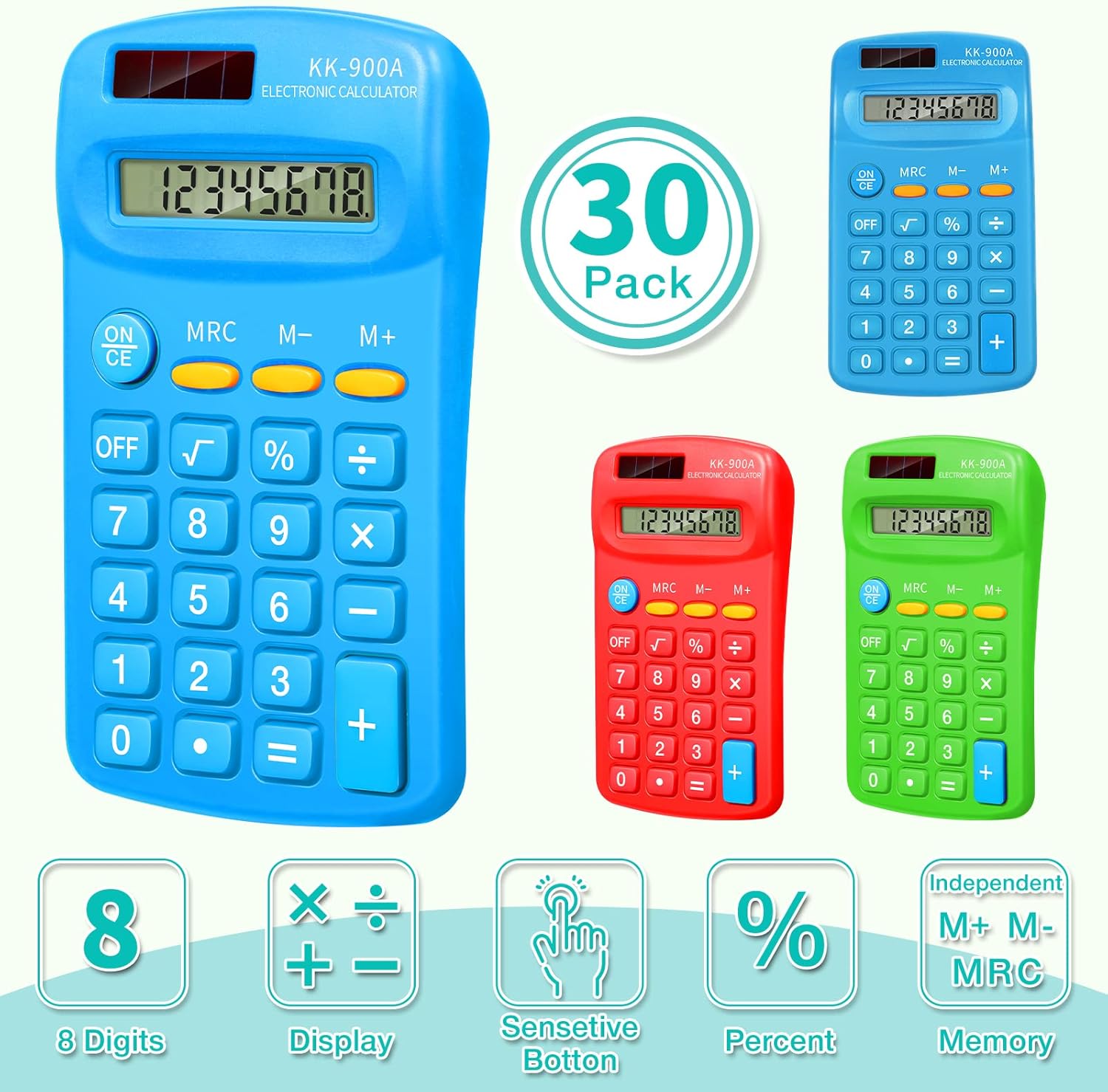
Image: Visual representation of the calculator's key features, such as its 8-digit display and responsive buttons.

Image: Demonstrates the calculator's portability and convenience for daily use in various settings.
Техникалык тейлөө
Тазалоо
To clean your calculator, gently wipe the surface with a soft, dry cloth. For stubborn dirt, a slightly damp cloth can be used, but ensure no moisture enters the calculator's internal components. Do not use abrasive cleaners or solvents.
Сактагыч
Store the calculator in a cool, dry place away from direct sunlight and extreme temperatures. Its compact size makes it easy to store in a drawer, school bag, or briefcase.
Проблемаларды чечүү
If you encounter issues with your Flutesan Pocket Calculator, please refer to the following common problems and solutions:
| Көйгөй | Мүмкүн себеп | Чечим |
|---|---|---|
| Calculator does not turn on or display is blank. | No battery, dead battery, or incorrectly installed battery. | Ensure an AA battery is installed. Check battery polarity (+/-). Replace with a new AA battery if necessary. |
| Keys are unresponsive or require excessive force. | Dust or debris under keys, or internal mechanism issue. | Gently clean around the keys. Ensure keys are not stuck. If the issue persists, the unit may be defective. |
| Incorrect numbers appear on display when pressing keys (e.g., pressing '3' shows '7'). | Defective keypad or internal circuit. | This indicates a manufacturing defect. The calculator may need to be replaced. |
| Battery cover opens easily or battery falls out. | Loose or damaged battery compartment cover. | Ensure the cover is properly aligned and snapped into place. If it remains loose, consider using tape to secure it, or the unit may be defective. |
| Some buttons are mislabeled (e.g., two '=' signs). | Manufacturing error. | This is a manufacturing defect. The calculator may need to be replaced. |
Техникалык шарттар
| Өзгөчөлүк | Деталь |
|---|---|
| Модель номери | Flutesan-Solar Battery-11 |
| Продукциянын өлчөмдөрү | Болжол менен 11.4 x 6.4 x 2 см (4.49 x 2.52 x 0.79 дюйм) |
| Элемент Салмагы | Approx. 2.45 pounds (for 30 pack) |
| Power Source | 1 АА Батарея (киргизилген эмес) |
| Дисплей | 8-Digit LCD Display |
| Калькулятор түрү | Basic Four-Function |
| Түс | Жашыл, Кызыл, Көк |
| Өндүрүүчү | Flutesan |

Image: Detailed dimensions and ergonomic design of the Flutesan pocket calculator.
Кепилдик жана колдоо
Specific warranty information for this product is not provided in the available data. For details regarding warranty coverage, returns, or technical support, please refer to the seller's return policy or contact the manufacturer, Flutesan, directly through their official channels or the platform where the product was purchased.