
Продукт бүттүview
The BlueParrott B250-XTS wireless headset is engineered for clear call conversations in high-noise environments, making it an ideal solution for professionals such as truck drivers, delivery drivers, farmers, landscapers, and RV drivers who require reliable communication on the go. This over-the-head, on-ear mono headset features advanced noise cancellation technology to ensure your voice is heard clearly, even amidst significant background noise.

An overview of the BlueParrott B250-XTS headset, highlighting its design and key features.
Key features include impressive noise cancellation, extended talk time, and robust wireless connectivity, designed for all-day comfort and durability.
Кутуда эмне бар
- 1x BlueParrott B250-XTS Bluetooth Mono Headset
- 1x USB-C заряддоо кабели
- 1x Foam Ear Cushion (pre-installed or spare)
- 1x Leatherette Ear Cushion (spare)
- 2x Microphone Windscreens (spare)
- Quick Start Guide
- Warranty and Warning Leaflet

The BlueParrott B250-XTS headset shown with its included USB-C charging cable.
Орнотуу жана жупташтыруу
Баштапкы заряд
Before first use, fully charge your BlueParrott B250-XTS headset. Connect the provided USB-C charging cable to the headset's USB-C port and plug the other end into a compatible USB power source. A full charge takes approximately 3 hours.

Жакын план view of the USB-C charging port on the BlueParrott B250-XTS headset.
Түзмөк менен жупташтыруу
- Гарнитураңыз кубатталганын жана өчүрүлгөнүн текшериңиз.
- Press and hold the Multifunction button (usually the main power button) for approximately 3 seconds until you hear "Power on" and then "Discovering" or see the LED indicator flashing blue. This indicates the headset is in pairing mode.
- Мобилдик түзмөгүңүздө (смартфон, планшет ж.б.) Bluetooth иштетип, жеткиликтүү түзмөктөрдү издеңиз.
- Select "B250-XTS" from the list of available Bluetooth devices.
- Once connected, you will hear a confirmation tone or voice prompt from the headset.
The headset can connect to two Bluetooth-enabled mobile devices simultaneously and can pair with up to eight different devices.
This video demonstrates the unboxing and setup process for the BlueParrott B250-XTS headset, including how to pair it with a device.
Иштөө нускамалары
Controls Overview
- Көп функциялуу баскыч: Power on/off (hold), Answer call (press), Reject call (hold).
- Көлөмдү өйдө / ылдый баскычтары: Аудионун үнүн тууралоо.
- Микрофон штангасынын рычагы: Adjustable for optimal voice pickup. Can be rotated to position the headset on either the left or right ear.

The BlueParrott B250-XTS headset, showing the location of its control buttons and adjustable microphone.
Чалууларды башкаруу
- Чалууларга жооп берүү: Көп функциялуу баскычты бир жолу басыңыз.
- Аяктаган чалуулар: Көп функциялуу баскычты бир жолу басыңыз.
- Чалууларды четке кагуу: Көп функциялуу баскычты 2 секунд басып туруңуз.
- Үн менен башкаруу: Utilize your device's voice assistant for hands-free call management.
Аудио Streaming
The headset supports streaming of multimedia audio, including music, GPS directions, and podcasts, from your paired device.
Негизги өзгөчөлүктөрү
- Impressive Noise Cancellation: Blocks out up to 91% of background noise, ensuring clear communication in noisy environments.
- Кеңейтилген сүйлөшүү убактысы: Provides up to 20 hours of talk time on a single charge, supporting all-day use.
- Зымсыз эркиндик: Offers a wireless range of up to 66 feet (20 meters) from paired devices, allowing mobility.
- Көп түзмөк байланышы: Connects to two Bluetooth-enabled mobile devices simultaneously and can pair with up to eight devices.
- Comfortable and Rugged Design: Features an adjustable headband for a customizable, stable fit and a durable build for long-lasting performance.
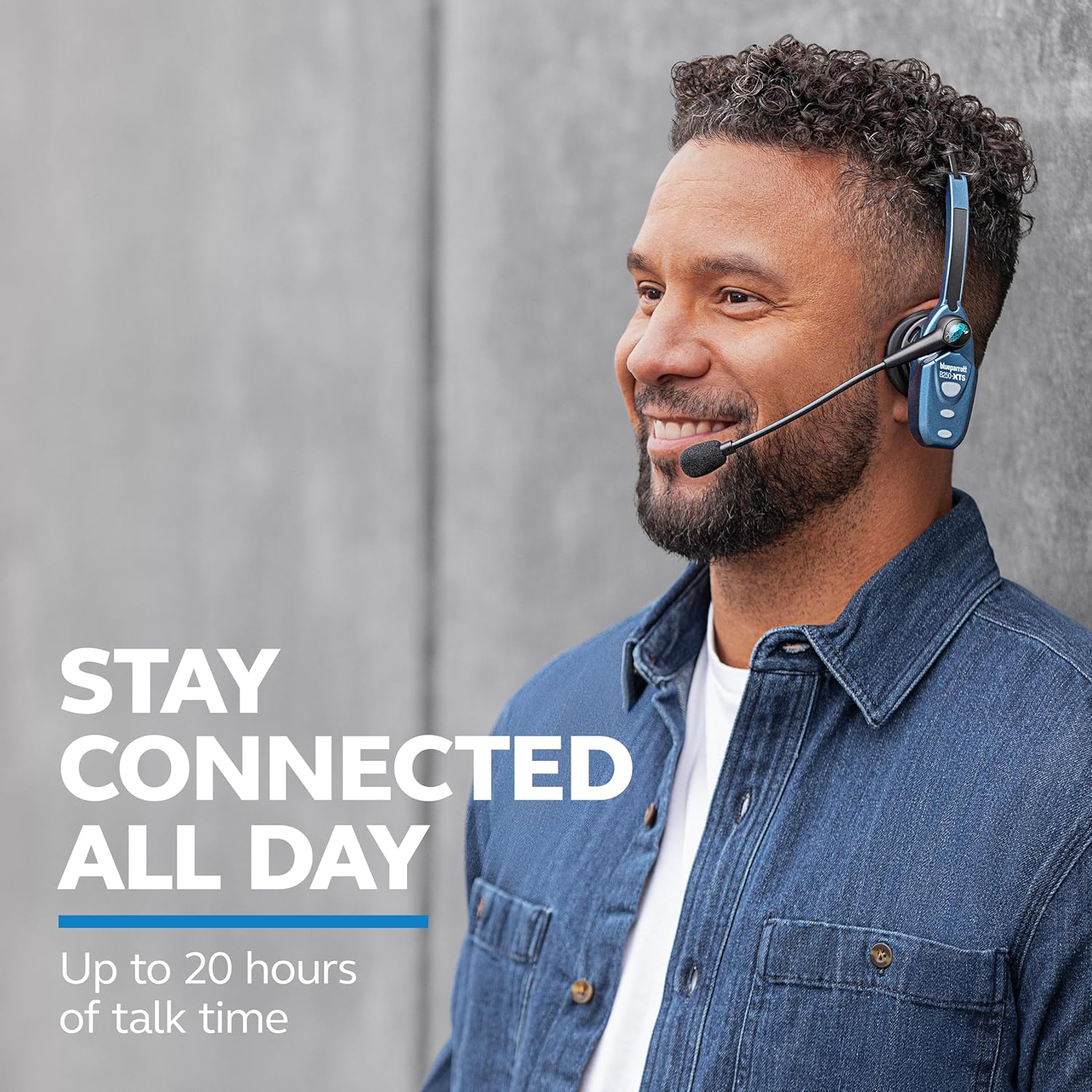
The headset is designed for extended use, offering up to 20 hours of talk time.

The headset provides wireless freedom with a range of up to 66 feet from your device.
This video highlights the robust features of BlueParrott headsets, including noise cancellation and extended wireless range, designed for professional truck drivers.
Техникалык шарттар
| Спецификация | Нарк |
|---|---|
| Модель аты | B250-XTS |
| Бренд | BlueParrott |
| Noise Control | Active Noise Cancellation (91% background noise reduction) |
| Байланыш технологиясы | Bluetooth 5.0 |
| Зымсыз диапазон | 20 метрге чейин (66 фут) |
| Talk Time | 20 саатка чейин |
| Күтүү убактысы | 490 саат |
| Заряддоо убактысы | Болжол менен 3 саат (USB-C) |
| Элемент Салмагы | 71 г (2.5 унция) |
| Кулак жайгаштыруу | Кулактын үстү жагы (Моно) |
| Башкаруу түрү | Media Control, Button |
| Материал | Поликарбонат (ПК), Силикон, Акрилонитрил Бутадиен Стирол (ABS) |
Техникалык тейлөө
To ensure the longevity and optimal performance of your BlueParrott B250-XTS headset, follow these maintenance guidelines:
- Тазалоо: Regularly wipe the headset, especially the earcup and microphone, with a soft, dry cloth. For stubborn dirt, a slightly damp cloth can be used, but ensure no moisture enters the charging port or speaker grille.
- Кулак жаздыктары: Replace ear cushions if they show signs of wear or damage to maintain comfort and hygiene. Spare foam and leatherette ear cushions are included.
- Микрофондун алдыңкы айнеги: The microphone windscreen helps reduce breath and wind noise. Replace it if it becomes worn or damaged. Spare windscreens are provided.
- Сактагыч: Store the headset in a cool, dry place away from extreme temperatures, direct sunlight, and moisture when not in use.
- Заряддоо порту: Keep the USB-C charging port free of dust and debris. Avoid using excessive force when plugging in the charging cable.
Проблемаларды чечүү
If you encounter issues with your BlueParrott B250-XTS headset, try the following common troubleshooting steps:
- Кубат жок: Ensure the headset is fully charged. Connect it to the USB-C charging cable and allow it to charge for at least 30 minutes before attempting to power on again.
- Жупташуу мүмкүн эмес:
- Ensure the headset is in pairing mode (LED flashing blue).
- Turn off and on the Bluetooth on your mobile device.
- Delete "B250-XTS" from your device's Bluetooth list and attempt to re-pair.
- Ensure your device is within the 66-foot wireless range.
- Poor Audio Quality / Noise:
- Ensure the microphone boom arm is positioned correctly, directly in front of your mouth.
- Check if the microphone windscreen is properly installed and not damaged.
- Move closer to your paired device to improve signal strength.
- Гарнитура менен түзмөгүңүздүн ортосунда эч кандай тоскоолдуктар жок экенин текшериңиз.
- Үн жок:
- Check the volume levels on both the headset and your paired device.
- Ensure the headset is properly connected to your device via Bluetooth.
For more detailed troubleshooting or specific issues, refer to the full user guide available as a PDF document.
Кепилдик жана колдоо
The BlueParrott B250-XTS headset includes a бир жылдык чектелген кепилдик сатып алынган күндөн тартып. Бул кепилдик нормалдуу колдонуудагы материалдардагы жана жасалгадагы кемчиликтерди камтыйт.
For warranty claims, technical support, or to access the complete user manual, please refer to the official BlueParrott support resources. A PDF version of the user manual is available for download: