
1. Киришүү
Thank you for choosing the ANRAN AR-W678 Security Camera. This manual provides detailed instructions for the installation, operation, and maintenance of your new security camera. Please read this manual thoroughly before use to ensure proper functionality and to maximize the lifespan of your device. Keep this manual for future reference.
2. Пакеттин мазмуну
Before installation, please verify that all components are present and in good condition. If any items are missing or damaged, contact customer support.
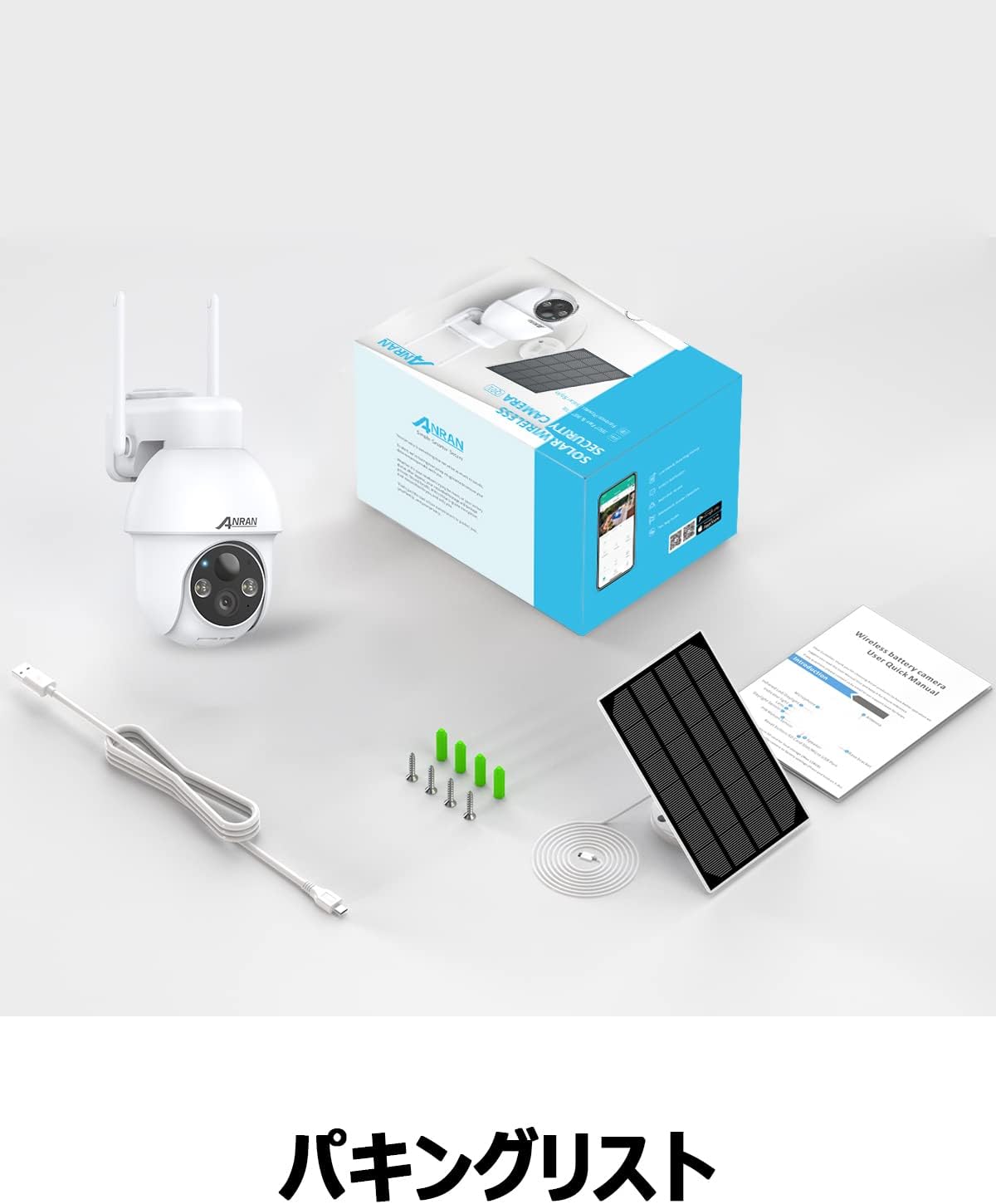
Image: The product package contents, including the camera, solar panel, mounting hardware, USB cable, and user manual.
- ANRAN AR-W678 Security Camera
- Күн панели
- Дубалга орнотулган кронштейн жана бурамалар
- USB заряддоо кабели
- User Manual
3. Продукт бүтүп калдыview
The ANRAN AR-W678 is a wireless, battery-powered security camera designed for both indoor and outdoor use. It features 1080p video resolution, Wi-Fi connectivity, and an IP65 waterproof rating for reliable performance in various environments.
- Жогорку сапаттагы видео: Captures clear 1080p footage for detailed monitoring.
- Pan-Tilt-Zoom (PTZ) Functionality: Offers 355° horizontal pan and 90° vertical tilt for comprehensive area coverage.
- Жасалма интеллект менен аныктоо: Advanced algorithms differentiate between people, vehicles, and other objects to reduce false alarms.
- Motion Detection & Alarms: Configurable motion detection with adjustable sensitivity (10 levels) and instant alerts, including sound and light warnings.
- Real-time Digital Zoom: Allows for closer inspection of live or recorded video via the mobile application.
- Үн жардамчысынын шайкештиги: Integrates with smart home systems like Alexa for convenient voice control and viewing.
- Аба ырайына чыдамдуу дизайн: IP65 rated for protection against dust and water, suitable for outdoor installation.

Image: A visual comparison demonstrating the clarity of higher resolution camera footage versus standard resolution.
4. Орнотуу
4.1 Алгачкы заряддоо
Before first use, fully charge the camera's internal battery using the provided USB cable and a standard 5V/2A USB power adapter (not included). A full charge ensures optimal performance and allows the solar panel to maintain the charge effectively.
4.2 Колдонмону жүктөп алуу жана каттоо эсебин түзүү
- Download the official ANRAN app from your smartphone's app store (iOS or Android).
- Колдонмону ачып, жаңы каттоо эсебин түзүү үчүн экрандагы нускамаларды аткарыңыз же сизде мурунтан эле бар болсо кириңиз.
4.3 Wi-Fi туташуусу
- Камераны күйгүзүңүз. Индикатор жарыгы күйүп-өчүп, жупташтырууга даяр экенин билдирет.
- In the ANRAN app, tap the '+' icon to add a new device.
- Select your camera model and follow the app's instructions to connect it to your 2.4GHz Wi-Fi network. Ensure your phone is connected to the same Wi-Fi network during setup.
- Суралганда, телефонуңузда көрсөтүлгөн QR кодун камеранын линзасы менен сканерлеңиз.
- Once connected, the camera's indicator light will turn solid blue.
4.4 Монтаждоо боюнча нускамалар
Камера дубалга орнотуу үчүн иштелип чыккан. Каалаган жерди тандаңыз viewing angle and has good Wi-Fi signal strength. For optimal solar charging, ensure the solar panel is positioned to receive maximum direct sunlight throughout the day.
- Mark the drilling spots on the wall using the mounting bracket as a template.
- Тешиктерди бургула жана зарыл болсо, дубал анкерлерин салгыла.
- Орнотуу кронштейнин дубалга бурама менен бекитиңиз.
- Камераны монтаждоо кронштейнине бекитиңиз.
- Connect the solar panel to the camera and adjust its angle for optimal sun exposure.

Image: The ANRAN camera with its solar panel, mounted outdoors, illustrating its weather-resistant design.
5. Иштөө нускамалары
5.1 Live View
Түз эфирдеги видео түрмөгүнө кирүү үчүн ANRAN колдонмосун ачып, түзмөктөр тизмесинен камераңызды тандаңыз. Сиз төмөнкүлөрдү жасай аласыз view реалдуу убакыт footagИнтернет байланышы бар каалаган жерден.
5.2 Pan-Tilt-Zoom (PTZ) башкаруу
Түз эфирден view screen in the app, use the directional controls to pan the camera horizontally up to 355° and tilt it vertically up to 90°. This allows you to adjust the viewалыстан бурчу.
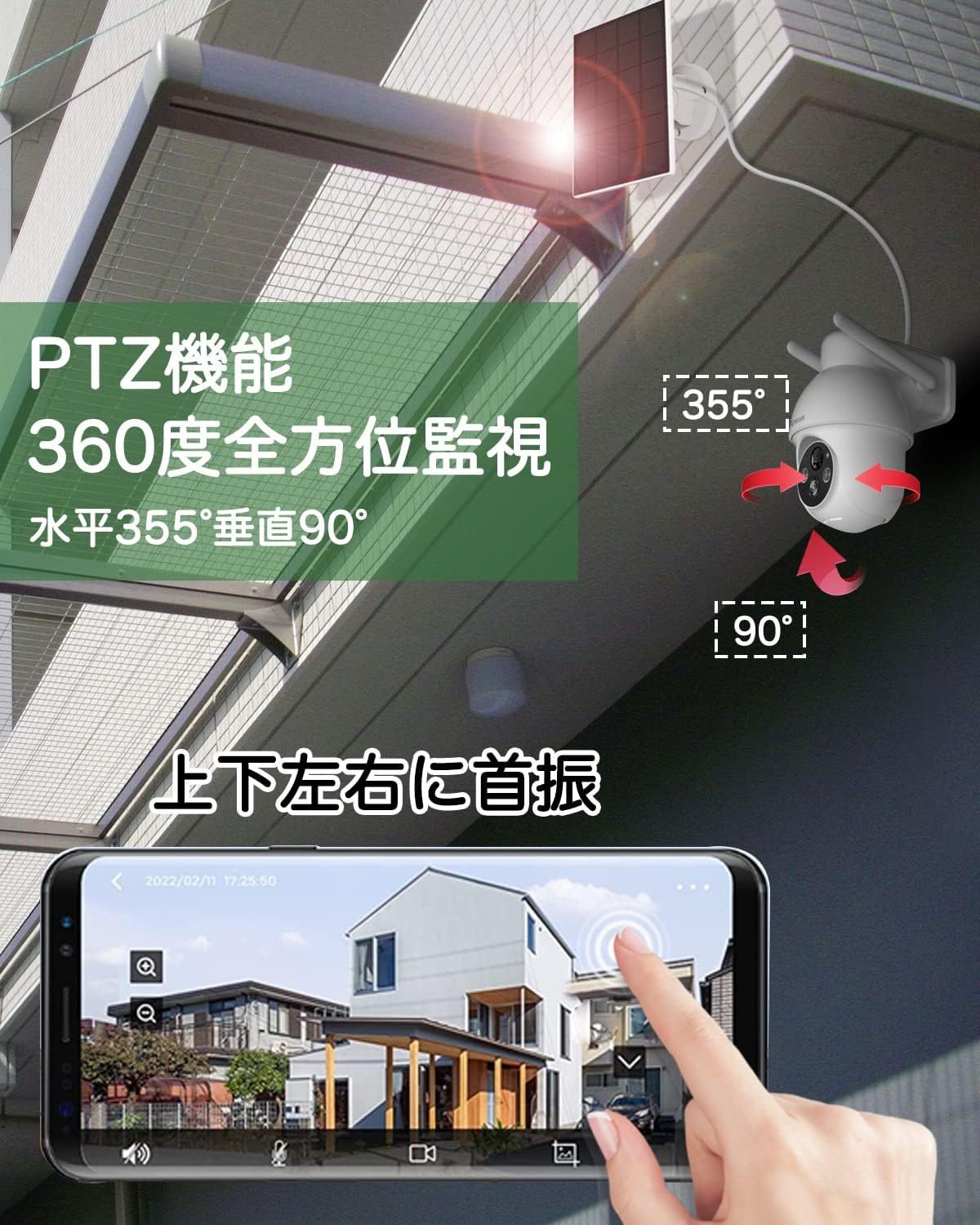
Image: An illustration of the camera's pan (355°) and tilt (90°) capabilities, controlled via a smartphone app interface.
5.3 AI Intelligent Detection
Enable AI detection in the app settings to receive more accurate alerts. The camera can distinguish between human shapes, vehicles, and other moving objects, reducing notifications from irrelevant movements like swaying branches.
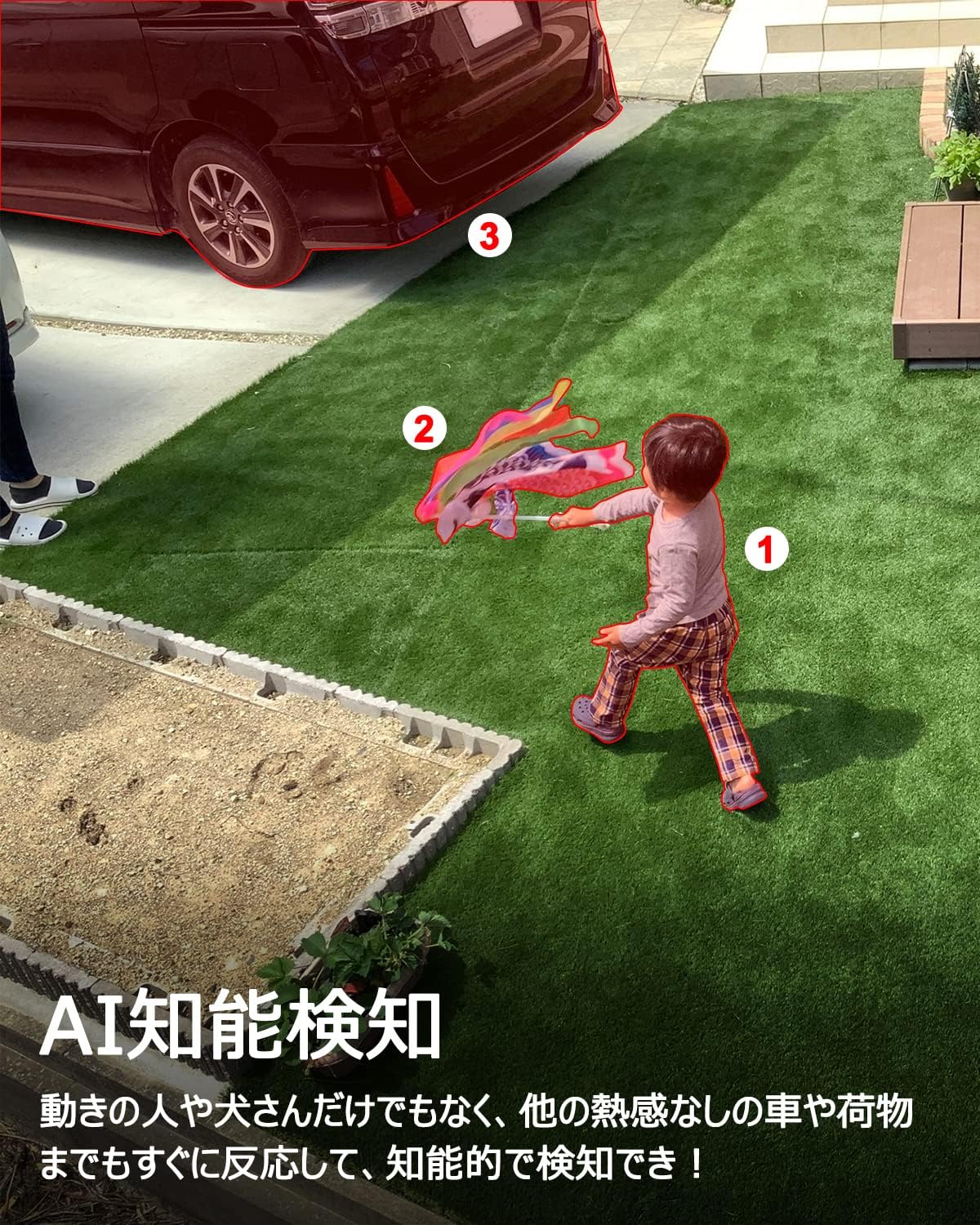
Image: A scene depicting the camera's AI intelligent detection feature highlighting a child and a car in a garden setting.
5.4 Кыймылды аныктоо жана сигнализациялар
Configure motion detection sensitivity (1-10 levels) in the app. When motion is detected, the camera can send instant push notifications to your phone and trigger built-in sound and light alarms to deter intruders.

Image: The camera detecting a person at night, activating a sound and light alarm, with a smartphone displaying an alert notification.
5.5 Real-time Digital Zoom
Ал эми viewing the live feed or recorded footage, you can use a pinch-to-zoom gesture on your smartphone screen to digitally zoom in on specific areas for a closer look.

Image: A smartphone screen demonstrating the digital zoom feature, showing a zoomed-in view of a car from the camera's feed.
5.6 Voice Assistant Integration (Alexa)
Link your ANRAN camera with Amazon Alexa through the Alexa app. Once linked, you can use voice commands such as "Alexa, show me the [camera name]" to view the live feed on compatible Alexa-enabled devices like the Echo Show.
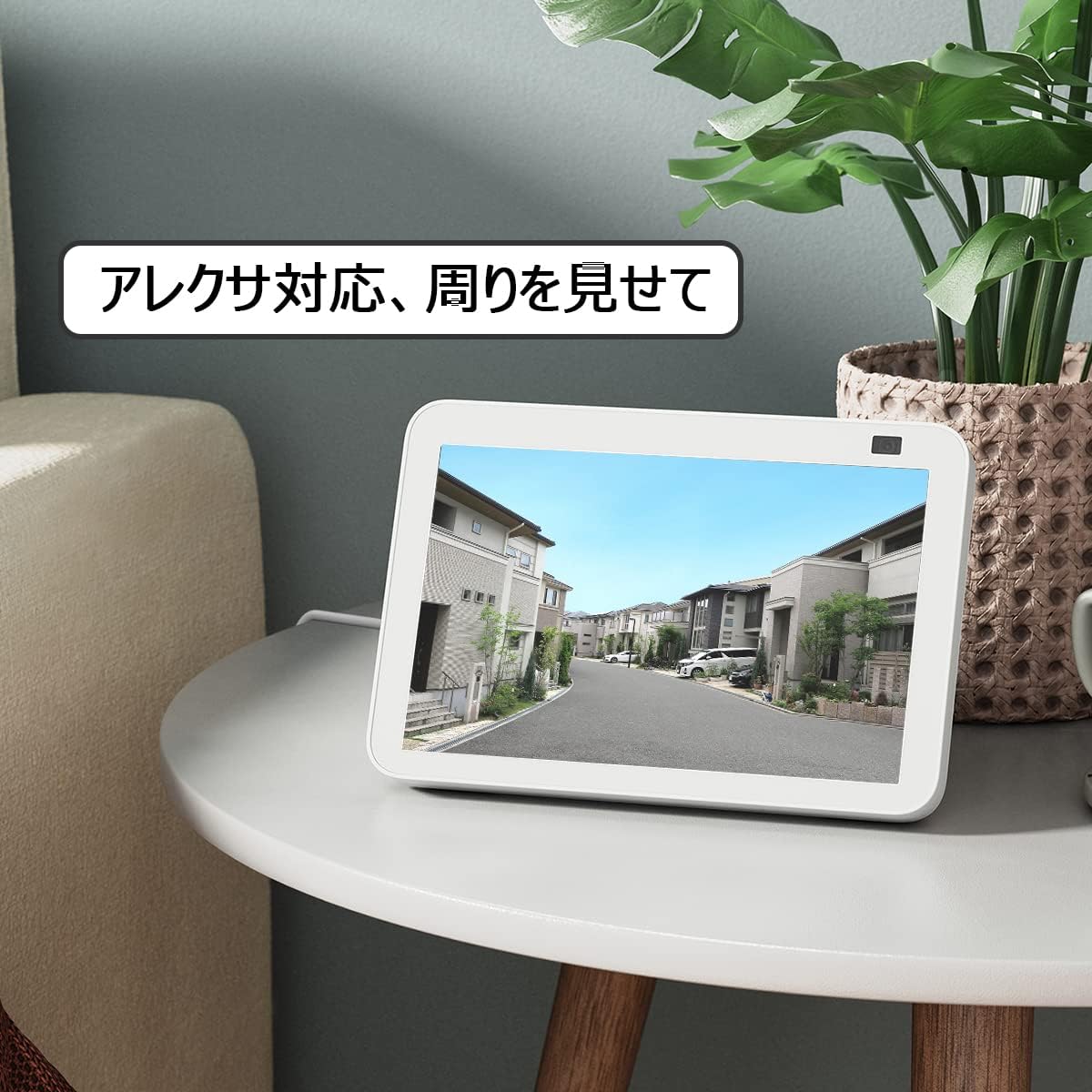
Image: An Amazon Echo Show device displaying the camera's live feed, demonstrating its compatibility with Alexa voice commands.
6. Техникалык тейлөө
6.1 Аба ырайына туруктуулук
The ANRAN AR-W678 camera has an IP65 rating, meaning it is protected against dust ingress and low-pressure water jets from any direction. While it is designed for outdoor use, avoid submerging the camera in water or exposing it to extreme weather conditions beyond its rating.
6.2 Батареяны башкаруу
For optimal battery life, ensure the solar panel receives adequate direct sunlight daily. In periods of low sunlight or heavy usage, the camera may require manual charging via the USB port. Monitor battery levels through the ANRAN app.
6.3 Тазалоо
Мезгил-мезгили менен камеранын линзасын жана күн панелин жумшак, гamp cloth to remove dust, dirt, or smudges. Do not use harsh chemicals or abrasive materials, as these can damage the surfaces.
7. Кыйынчылыктарды
- Камера Wi-Fiга туташпай жатат: Ensure your Wi-Fi network is 2.4GHz. Check Wi-Fi signal strength at the camera's location. Restart your router and the camera.
- Видеонун сапаты начар: Check your internet connection speed. Ensure the camera lens is clean. Adjust the camera's position to avoid glare or obstructions.
- Жалган кыймыл сигнализациялары: Adjust the motion detection sensitivity in the app. Enable AI detection to filter out irrelevant movements.
- Батарея заряддалбай жатат: Ensure the solar panel is clean and positioned for maximum direct sunlight. Check the connection cable between the solar panel and the camera.
- Колдонмо жооп бербей жатат: Close and reopen the app. Ensure your app is updated to the latest version. Restart your smartphone.
8. Техникалык шарттар
| Өзгөчөлүк | Спецификация |
|---|---|
| Бренд | АНРАН |
| Модель номери | AR-W678 |
| Байланыш технологиясы | Зымсыз, Wi-Fi |
| Ички/тышкы колдонуу | Ички, сырткы |
| Power Source | Battery Powered (with Solar Panel) |
| Монтаж түрү | Дубалга орнотуу |
| Видео тартуунун резолюциясы | 1080p |
| Суу өткөрбөйт рейтинги | IP65 |
| Форма фактору | Ок |
| Коргоочу материал | Металл |
| Жарык булагы | Инфракызыл |
| Тtage | 6 вольт |
| Ватtage | 12 ватт |
| Элементтин өлчөмдөрү | 25.4 x 25.4 x 25.4 Сантиметр |
9. Кепилдик жана колдоо
For specific warranty details, please refer to the documentation included with your purchase or visit the official ANRAN website. For technical support, troubleshooting assistance, or any product-related inquiries, please contact ANRAN customer service through their official channels.