
1. Киришүү
This manual provides essential instructions for the installation, operation, and maintenance of your Chieftec Scorpion 3 White ATX Case (Model GL-03W-OP). Please read this manual thoroughly before beginning assembly to ensure proper setup and to maximize the lifespan of your product.
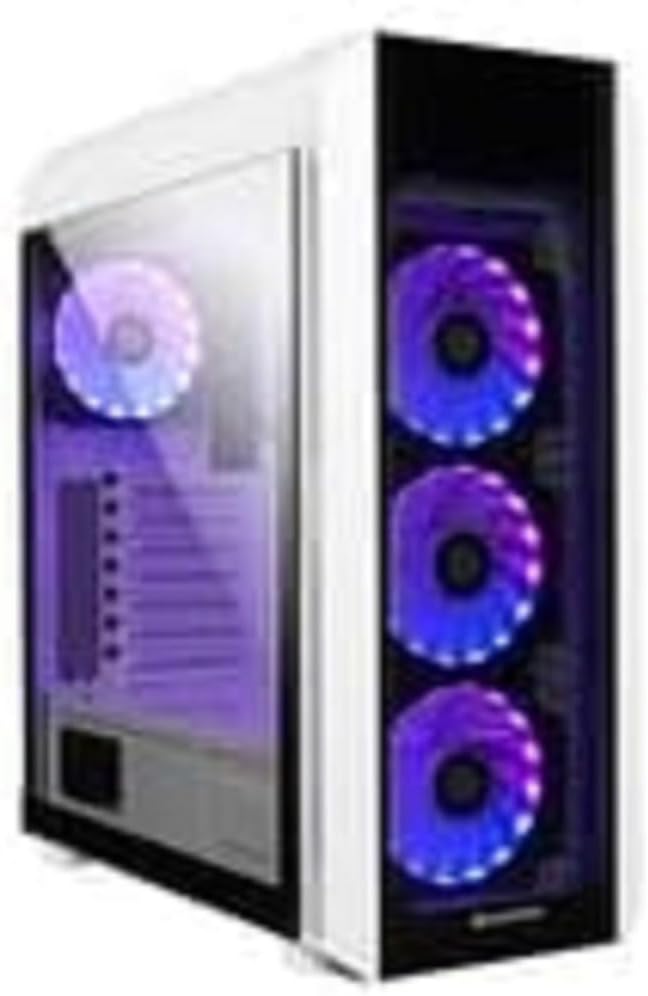
1-сүрөт: The Chieftec Scorpion 3 White ATX Case, showcasing its white exterior, tempered glass side panel, and three front-mounted, illuminated cooling fans. A single illuminated fan is visible at the rear.
2. Орнотуу жана Компонентти орнотуу
This section guides you through the process of installing your computer components into the Chieftec Scorpion 3 White ATX Case.
2.1. Даярдоо
- Ensure you have all necessary components: motherboard, CPU, RAM, graphics card, storage drives, and power supply unit (PSU).
- Gather tools: Phillips head screwdriver, zip ties for cable management.
- Таза, статикалык токсуз бетте иштеңиз. Антистатикалык билек боону колдонууну карап көрүңүз.
2.2. Ишти ачуу
- Carefully remove the side panels. Typically, the tempered glass side panel is secured with thumbscrews at the rear.
- Set the panels aside on a soft, non-abrasive surface to prevent scratches.
2.3. Электр менен камсыздоо блогун (PSU) орнотуу
- The Chieftec Scorpion 3 supports rear-mount PSUs.
- Slide the PSU into its designated bay at the bottom rear of the case.
- Secure the PSU with screws from the exterior rear of the case.
2.4. Motherboard орнотуу
- I/O калканын корпустун арткы жагындагы оюкка орнотуңуз.
- ATX энелик платаңызды алдын ала орнотулган тирөөчтөр менен тегиздеңиз.
- Carefully place the motherboard onto the standoffs and secure it with screws.
2.5. Сактоочу дискти орнотуу
- Locate the drive bays for 2.5" SSDs and 3.5" HDDs.
- Install your storage drives into the appropriate bays and secure them.
2.6. Графикалык карта жана кеңейтүү карталары
- Керектүү PCIe уячасынын капкактарын корпустун арткы бөлүгүнөн алып салыңыз.
- Insert your graphics card or other expansion cards into the motherboard's PCIe slots and secure them with screws.
2.7. Кабелдик башкаруу
- Route all cables (PSU, data, front panel) through the designated cutouts to the rear of the motherboard tray.
- Use zip ties or Velcro straps to bundle and secure cables for improved airflow and aesthetics.
2.8. Ишти жабуу
- Once all components are installed and cables managed, reattach the side panels.
- Secure the tempered glass panel with its thumbscrews.
3. Ишти иштетүү
The Chieftec Scorpion 3 White ATX Case provides the housing and cooling for your PC components. Its operation primarily involves the use of the front panel controls and integrated cooling system.
3.1. Алдыңкы панелдин башкаруу элементтери
- Кубат баскычы: Press to turn on or off your computer.
- Калыбына келтирүү баскычы: Press to restart your computer.
- USB порттору: USB түзмөктөрүн туташтырыңыз.
- Аудио уячалары: Кулакчындарды жана микрофондорду туташтырыңыз.
3.2. Муздатуу системасы
The case is equipped with multiple fan mounts and pre-installed 120mm fans to ensure optimal airflow.
- Ensure all fans are properly connected to your motherboard or a fan controller.
- Monitor system temperatures using software to ensure adequate cooling.
- The illuminated fans provide aesthetic appeal and can often be controlled via motherboard software for RGB lighting effects.
4. Техникалык тейлөө
Regular maintenance helps ensure optimal performance and longevity of your Chieftec Scorpion 3 White ATX Case and its components.
4.1. Чаңды тазалоо
- Жыштыгы: Clean dust filters and interior components every 3-6 months, or more frequently in dusty environments.
- Чаң чыпкалары: The case features removable dust filters (e.g., top, front, bottom). Gently remove and clean them with water and mild soap, or use a vacuum cleaner. Ensure they are completely dry before reinstallation.
- Ички иштер: Use compressed air to blow dust out of fans, heatsinks, and other components. Hold fan blades gently to prevent over-spinning.
4.2. Тышкы тазалоо
- Сырткы беттерин жумшак менен сүртүңүз, гamp кездеме. Абразивдүү тазалагычтардан же эриткичтерден качыңыз.
- Чыңалган айнек панелдер үчүн тактардын пайда болушуна жол бербөө үчүн айнек тазалагычты жана микрофибра кездемени колдонуңуз.
5. Кыйынчылыктарды
This section addresses common issues you might encounter with your PC build within the Chieftec Scorpion 3 White ATX Case.
5.1. Система күйбөй жатат
- Электр байланыштарын текшерүү: Ensure the PSU is switched on and all power cables (24-pin ATX, 8-pin CPU, PCIe power) are securely connected to the motherboard and components.
- Алдыңкы панелдин туташтыргычтары: Verify that the front panel power switch cable is correctly connected to the motherboard's front panel header. Refer to your motherboard manual for the correct pinout.
- Электр кубатынын функциялары: Test the PSU independently if possible, or try a known working PSU.
5.2. Fans Not Spinning or RGB Not Lighting Up
- Желдеткич туташуулары: Ensure all fan power cables are securely connected to the motherboard fan headers or a fan controller.
- RGB Connections: If applicable, verify that RGB cables are connected to the correct RGB headers on the motherboard or a dedicated RGB controller.
- Программалык камсыздоону көзөмөлдөө: Check your motherboard's BIOS/UEFI settings or dedicated fan/RGB control software for fan speed and lighting settings.
5.3. Аба агымынын начардыгы же жогорку температура
- Чаңдын пайда болушу: Чаң чыпкаларын жана ички компоненттерди "Техникалык тейлөө" бөлүмүндө сүрөттөлгөндөй тазалаңыз.
- Желдеткичтин багыты: Ensure fans are oriented correctly for optimal airflow (e.g., front fans as intake, rear/top fans as exhaust).
- Кабелдик башкаруу: Аба агымына тоскоолдуктарды азайтуу үчүн кабелдерди башкарууну жакшыртуу.
6. Техникалык шарттар
Detailed technical specifications for the Chieftec Scorpion 3 White ATX Case (Model GL-03W-OP).
| Өзгөчөлүк | Деталь |
|---|---|
| Бренд | Chieftec |
| Сериялар | Scorpion 3 White |
| Модель номери | GL-03W-OP |
| Иштин түрү | Ара Tower |
| Motherboard шайкештиги | ATX |
| Материал | Акрилонитрил бутадиен стирол (ABS) Пластмасса |
| Түс | Black (Note: Product name indicates White, but specification lists Black. Please verify product color upon receipt.) |
| Элемент Салмагы | 2.2 фунт |
| Продукциянын өлчөмдөрү (LxWxH) | 19.69 x 19.69 x 11.02 дюйм |
| Кубат менен камсыздоону орнотуу түрү | Арткы тоо |
| Муздатуу ыкмасы | Аба |
| Fan Size | 120 Millimeters (pre-installed fans) |
Note: Specifications are subject to change without prior notice. Please refer to the manufacturer's official webэң акыркы маалымат үчүн сайт.
7. Кепилдик маалыматы
Chieftec products are manufactured to high-quality standards. For specific warranty terms and conditions applicable to your Chieftec Scorpion 3 White ATX Case (Model GL-03W-OP), please refer to the warranty card included with your product or visit the official Chieftec webсайт.
Typically, product warranties cover defects in materials and workmanship under normal use. Damage resulting from improper installation, accident, abuse, modification, or unauthorized repair is generally not covered.
8. Кардарларды колдоо кызматы
Should you encounter any issues or have questions regarding your Chieftec Scorpion 3 White ATX Case, please contact Chieftec customer support.
- Онлайн колдоо: Visit the official Chieftec webКөп берилүүчү суроолор, драйверлерди жүктөө жана колдоо булактары үчүн сайт.
- Байланыш маалыматы: Refer to the product packaging or Chieftec's official webаймактык байланыш маалыматтары үчүн сайт (телефон, электрондук почта).
When contacting support, please have your product model (GL-03W-OP) and purchase information readily available.