1. Киришүү
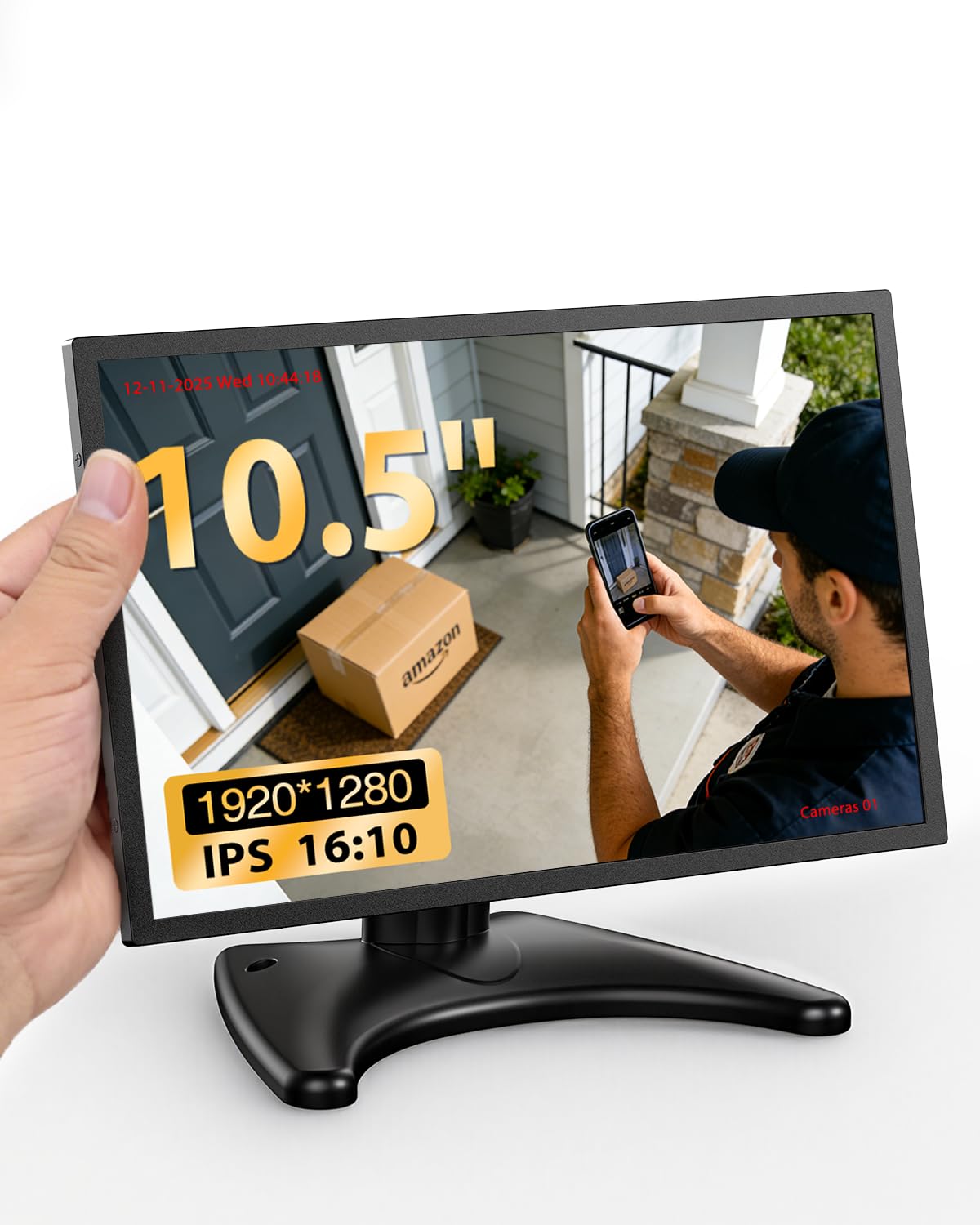
Thank you for choosing the Miktver 10.5 inch 16:10 1920x1280 Security Monitor. This compact and versatile monitor is designed for various applications, including security surveillance, mini PCs, retro gaming, and as a portable secondary display. Its high-resolution IPS panel, durable metal casing, and multiple input options ensure reliable performance and clear visuals.
Кутуда эмне бар:
- 1 x 10.5 inch Monitor
- 1 x Moon-shaped Stand
- 1 х кубат адаптери
- 1 x User Manual
2. Коопсуздук маалыматы
Мониторуңуздун коопсуз иштешин камсыз кылуу жана анын иштөө мөөнөтүн узартуу үчүн төмөнкү коопсуздук көрсөтмөлөрүн окуп чыгып, аткарыңыз:
- Кубат булагы: Берилген кубат адаптерин гана колдонуңуз. Voltage сиздин жергиликтүү электр камсыздооңузга дал келет.
- Вентиляция: Желдетүүчү тешиктерди жаппаңыз. Ашыкча ысып кетүүнүн алдын алуу үчүн монитордун айланасында абанын туура айланышы үчүн жетиштүү орун калтырыңыз.
- Суюктук таасири: Keep the monitor away from water, moisture, and high humidity. Do not place liquid containers on or near the monitor.
- Тазалоо: Disconnect the power cable before cleaning. Use a soft, dry cloth. Avoid liquid cleaners or aerosol sprays.
- Жайгашкан жери: Мониторду туруктуу, тегиз бетке коюңуз. Аны күн тийген жерге же жылуулук булактарынын жанына коюудан алыс болуңуз.
- Колдонуу: Мониторду этияттык менен колдонуңуз. Аны түшүрүүдөн же катуу таасирлерге дуушар кылуудан алыс болуңуз.
- Тейлөө: Мониторду өзүңүз тейлөөгө аракет кылбаңыз. Бардык тейлөө иштерин квалификациялуу адистерге тапшырыңыз.
3. Продукт бүтүп калдыview
Негизги өзгөчөлүктөрү:
- 10.5 inch 16:10 FHD Resolution: 1920x1280 resolution for clear detail and optimal screen ratio.
- Metal Body & Efficient Cooling: Premium metal housing with vented back panel for enhanced heat dissipation and durability.
- Compact Size & Dual Mounting Options: Space-saving design with included moon-shaped stand and VESA mount compatibility (VESA mount not included).
- HDMI + VGA Connectivity: Versatile input options for mini PCs, Raspberry Pi, security cameras, and more.
- High Brightness & Dual Speakers: IPS panel with 420 cd/m brightness and built-in dual speakers for vivid images and clear audio.
Порттор жана башкаруу элементтери:
Refer to the diagram below for the location of ports and controls.

Сүрөт: Арткы view of the Miktver 10.5 inch monitor, highlighting the HDMI, VGA, PC Audio In, DC 12V ports, and control buttons (Down/Volume, Up/Volume, Menu/Enter, Back, Turn on/off monitor).
- Down / Volume - Decreases volume or navigates down in menus.
- Up / Volume - Increases volume or navigates up in menus.
- Menu button / Enter - Opens the OSD menu or confirms selection.
- Back - Returns to the previous menu or exits the OSD.
- Turn on / off monitor - Powers the monitor on or off.
- HDMI - HDMI input port for digital video and audio.
- VGA - VGA input port for analog video.
- PC Audio In - 3.5mm audio input jack for VGA connection.
- DC - DC 12V power input port.
4. Орнотуу
Стенд жыйыны:
The monitor comes with a moon-shaped stand for desktop placement. Simply attach the monitor to the stand base using the provided screw, ensuring it is securely fastened.
Туташуу күчү:
- Connect the provided power adapter to the DC 12V port on the monitor.
- Күч адаптерин ылайыктуу розеткага сайыңыз.
Connecting Video Sources:
The monitor supports HDMI and VGA inputs.
- HDMI туташуу: Connect an HDMI cable (not included) from your device (e.g., mini PC, security camera, game console) to the HDMI port on the monitor.
- VGA туташуу: Connect a VGA cable (not included) from your device to the VGA port on the monitor. If using VGA, connect an audio cable (not included) from your device's audio output to the PC Audio In port on the monitor for sound.
Орнотуу ыкмалары:
The monitor offers flexible installation options:

Image: Two installation methods for the Miktver 10.5 inch monitor. One shows it mounted on a wall (VESA mount not included), and the other shows it placed on a table using the included stand.
- Иш тактада жайгаштыруу: Use the included moon-shaped stand to place the monitor on any flat surface.
- Дубалга орнотуу: The monitor is VESA mount compatible (75x75mm). A VESA mount is not included and must be purchased separately.
5. Иштөө нускамалары
Күйгүзүү/өчүрүү:
Press the 'Turn on / off monitor' button (5) to power the monitor on or off.
Киргизүү булактарын которуу:
When multiple devices are connected, press the 'Menu' button (3) to access the OSD menu, then navigate to 'Input Source' and select your desired input (HDMI or VGA).
Үндү тууралоо:
Use the 'Up / Volume' (2) and 'Down / Volume' (1) buttons to adjust the audio output level.
Экрандык менюда чабыттоо:
- Press the 'Menu' button (3) to open the On-Screen Display (OSD) menu.
- Use the 'Up / Volume' (2) and 'Down / Volume' (1) buttons to navigate through menu options.
- Press the 'Menu' button (3) again to select an option or enter a sub-menu.
- Use the 'Back' button (4) to return to the previous menu or exit the OSD.
Жалпы OSD жөндөөлөрү:
- Жарыктык: Экрандын жалпы жарыктыгын тууралайт.
- Контраст: Сүрөттүн эң жарык жана эң караңгы аймактарынын ортосундагы айырманы тууралайт.
- Түс жөндөөлөрү: Allows adjustment of color temperature, hue, and saturation.
- Аспект катышы: Selects the display aspect ratio (e.g., 16:10, 4:3).
6. Техникалык тейлөө
Мониторду тазалоо:
- Тазалоодон мурун мониторду дайыма электр розеткасынан сууруп алыңыз.
- Use a soft, lint-free cloth to gently wipe the screen and exterior.
- өжөр белгилери үчүн, жеңил гampen the cloth with water or a mild, non-abrasive screen cleaner. Do not spray liquid directly onto the screen or monitor body.
- Avoid using benzene, thinner, ammonia-based cleaners, or abrasive materials, as these can damage the surface.
Сактагыч:
If storing the monitor for an extended period, ensure it is clean, dry, and stored in a cool, well-ventilated area. Protect it from dust and extreme temperatures.
7. Кыйынчылыктарды
If you encounter issues with your Miktver monitor, refer to the following common problems and solutions:
| Көйгөй | Мүмкүн чечим |
|---|---|
| No power / Monitor does not turn on. |
|
| "No Signal" message on screen. |
|
| Динамиктерден үн жок. |
|
| Image is distorted or unclear. |
|
| Stuck or dead pixels. |
|
8. Техникалык шарттар
| Өзгөчөлүк | Деталь |
|---|---|
| Модель номери | MK10-6 |
| Screen Size | 10.5 дюйм (туруктуу экрандын дисплей өлчөмү: 10.1 дюйм) |
| Резолюция | 1920 x 1280 (FHD) |
| Аспект катышы | 16:10 |
| Сүрөттүн жарыктыгы | 420 Кандела |
| Тtage | 12 вольт |
| Продукциянын өлчөмдөрү | 1.65 x 13.39 x 14.96 дюйм |
| Элемент Салмагы | 2.57 фунт |
| Өндүрүүчү | Миктвер |
| Screen Surface Description | Жылтырак |
9. Кепилдик жана колдоо
Кепилдик маалыматы:
Miktver products are covered by a manufacturer's warranty. Please refer to the warranty card included with your purchase or contact Miktver customer support for specific details regarding warranty periods and terms. Keep your proof of purchase for warranty claims.
Кардарларды колдоо:
For technical assistance, troubleshooting, or any questions regarding your Miktver monitor, please contact Miktver customer support. Contact information can typically be found on the manufacturer's webсайтында же таңгагында көрсөтүлгөн.
10. Продукт медиасы
Продукт сүрөттөрү: