
1. Киришүү
Thank you for choosing the ILIFE V3s Max Robot Vacuum and Mop Combo. This device is designed to provide efficient and convenient cleaning for your home, combining powerful vacuuming with intelligent mopping capabilities. This manual provides essential information for the safe operation, maintenance, and troubleshooting of your robot vacuum. Please read it thoroughly before use and retain it for future reference.
2. Коопсуздук нускамалары
To reduce the risk of injury or damage, read and follow all safety precautions. This appliance is for household use only.
- Do not operate the robot near open flames or fragile objects.
- Чачты, кенен кийимдерди, манжаларды жана дененин бардык бөлүктөрүн тешиктерден жана кыймылдуу бөлүктөрдөн алыс кармаңыз.
- Балдарга роботту башкарууга уруксат бербеңиз. Робот иштеп жатканда балдарды жана үй жаныбарларын көзөмөлдөңүз.
- Өндүрүүчү тарабынан берилген түпнуска кубат адаптерин жана кубаттоочу докту гана колдонуңуз.
- Биринчи колдонуудан мурун роботтун толук заряддалганын текшериңиз.
- Роботту чоң таштандыларды, суюктуктарды же күйүп жаткан нерселерди чогултуу үчүн колдонбоңуз.
- Remove power cords, small objects, and curtains from the cleaning path to prevent entanglement.
- Do not use the mopping function on carpets or rugs.
3. Пакеттин мазмуну
Бардык компоненттердин бар экендигин жана жакшы абалда экендигин текшериңиз:
- 1x ILIFE V3s Max Robot Vacuum
- 1x Алыстан башкаруу
- 1x Filter (pre-installed)
- 1x AC адаптер
- 1x кубаттоочу док
- 1x тазалоо щеткасы
- 2x Side Brushes (spare)
- 1x Mop Cloth
- 1x Water Tank
- 1x Колдонуучунун колдонмосу
- 3x чаң баштыктары
4. Продукт бүтүп калдыview
Familiarize yourself with the main components of your ILIFE V3s Max.

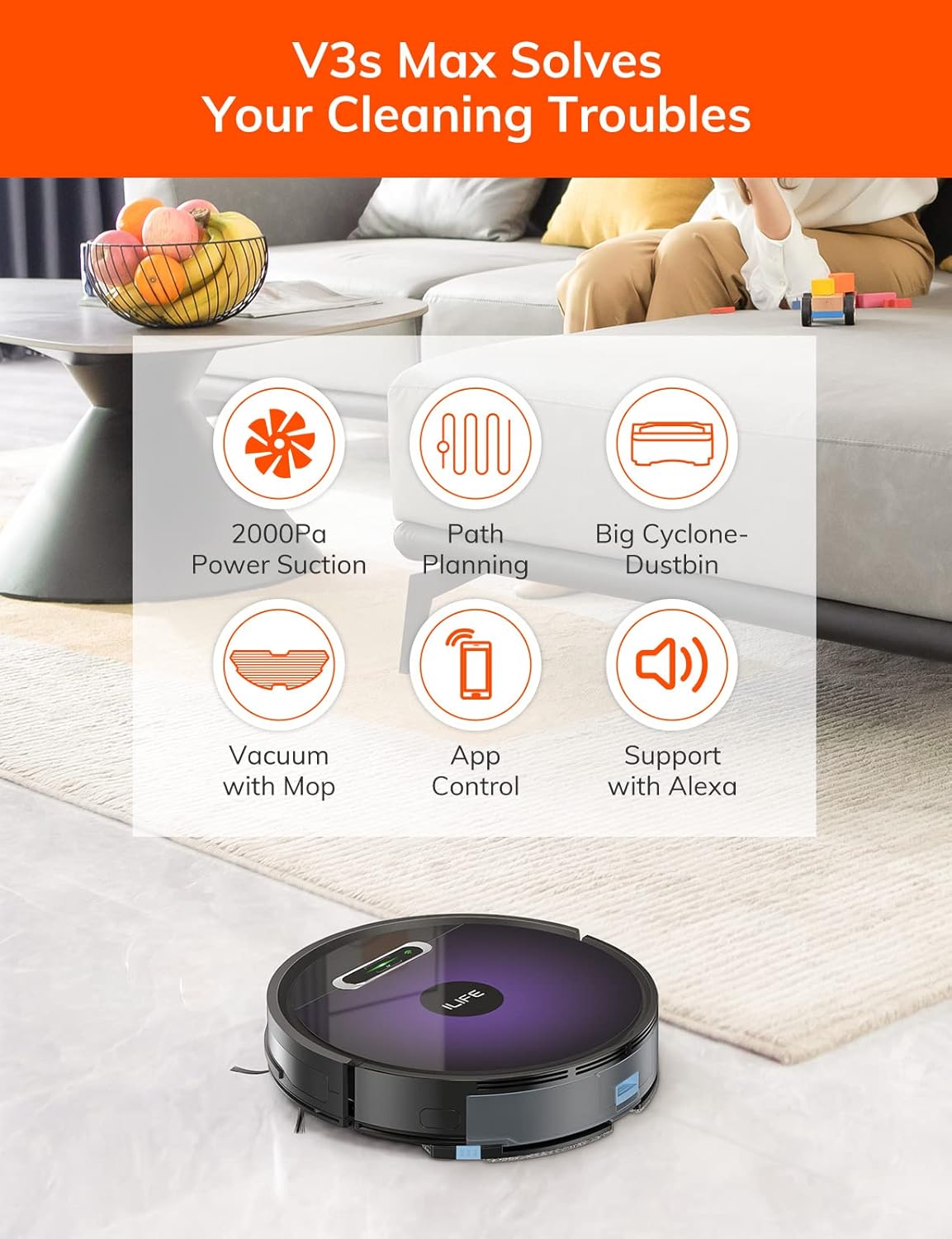
4.1-сүрөт: Жогорку view of the ILIFE V3s Max robot vacuum, illustrating its 2000Pa suction, path planning, large dustbin, vacuum with mop function, app control, and Alexa support.

4.2-сүрөт: Асты view of the robot vacuum, highlighting the deep edge cleaning brush, powerful suction inlet, and the mop attachment for combined cleaning.
Негизги компоненттер:
- Негизги органы: Contains the motor, dustbin, water tank, and navigation sensors.
- Каптал щеткалар: Сорох жолго таштандыларды шыпыруу.
- Айдоо дөңгөлөктөрү: Роботко ар кандай беттерде жылышына уруксат бериңиз.
- Универсал дөңгөлөк: багыттуу кыймылды камсыз кылат.
- Заряддоо байланыштары: Кубаттоочу докко туташат.
- контейнери: Кургак калдыктарды чогултат.
- Суу багы: Чач жуу үчүн сууну кармап турат.
- Швабра кездемеси: Нымдуу тазалоо үчүн суу куюлган идишке бекитилет.
- Кубат баскычы: Turns the robot on/off and starts/pauses cleaning.
- Сенсорлор: Кулап түшүүгө, кагылышууга жана дубалды ээрчүүгө каршы сенсорлор.
5. Орнотуу
5.1 Алгачкы заряддоо
- Заряддоочу станканы дубалга каршы ачык жерге коюп, капталдарына 1 метр жана алдыда 2 метр аралыкта эч кандай тоскоолдуктар болбошу керек.
- Connect the AC adapter to the charging dock and plug it into a power outlet.
- Place the robot onto the charging dock, ensuring the charging contacts align. The indicator light will show charging status.
- Роботту биринчи жолу колдонуудан мурун толугу менен заряддаңыз (болжол менен 5-6 саат).
5.1-сүрөт: The robot vacuum returning to its charging dock. Ensure the dock is placed in an accessible area.
5.2 Колдонмо жана Wi-Fi туташуусу
The ILIFE V3s Max supports app control via 2.4G Wi-Fi (5G Wi-Fi is not supported).
- Смартфонуңуздун колдонмолор дүкөнүнөн (iOS же Android) "ILIFEHOME" тиркемесин жүктөп алыңыз.
- Каттоо эсебин жана кирүү.
- Ensure your phone is connected to a 2.4G Wi-Fi network.
- Follow the in-app instructions to add your device. This typically involves pressing and holding the robot's power button until it enters pairing mode, then entering your Wi-Fi password in the app.

5.2-сүрөт: The ILIFEHOME app interface, demonstrating features like scheduling, cleaning history, suction settings, and cleaning modes. The robot also supports Amazon Alexa integration.
6. Иштөө нускамалары
6.1 Тазалоону баштоо/тындыруу
- Роботтон: Тазалоону баштоо же тындыруу үчүн кубат баскычын бир жолу басыңыз.
- Алыстан башкаруу пульту аркылуу: Press the "Clean" button.
- Колдонмодон: Tap "Start" or "Pause" in the ILIFEHOME app.
6.2 Тазалоо режимдери
The V3s Max offers multiple cleaning modes for different needs:

6.1-сүрөт: Illustration of the robot's multiple cleaning modes: Random, Spot, Edge, and Path (zigzag) cleaning.
- Path Cleaning (Zigzag): The robot cleans in an efficient zigzag pattern, covering the entire area systematically. This is the default mode for general cleaning.
- Тазалоо: The robot focuses on a specific dirty area, cleaning in a spiral pattern. Activate this mode for concentrated cleaning of spills or heavily soiled spots.
- Четтерин тазалоо: The robot cleans along walls and furniture edges. Useful for thorough cleaning of room perimeters.
- Кокус тазалоо: The robot cleans randomly, suitable for small, uncluttered spaces.
6.3 Чаң соргуч жана сүртүү
The V3s Max can vacuum and mop simultaneously or separately.

6.2-сүрөт: The robot vacuum demonstrating its 2000Pa suction power, effectively picking up food crumbs and pet hair from hard floors.

6.3-сүрөт: The robot vacuum illustrating three types of water adjustment for mopping, catering to various floor cleaning needs.
- Чаң соргуч: Ensure the dustbin is installed. The robot will use its 2000Pa suction to clean dry debris.
- сүртүү: Fill the 200ml water tank with clean water and attach the mop cloth. Insert the water tank into the robot. The robot will then perform wet mopping. Do not use cleaning solutions other than water in the tank.
- Combined Cleaning: With both the dustbin and water tank installed, the robot will vacuum and mop simultaneously.
6.4 Пландаштыруу
Use the ILIFEHOME app to set cleaning schedules for automated cleaning sessions.
- Open the ILIFEHOME app.
- Расписание бөлүмүнө өтүңүз.
- Каалаган тазалоо убактысын жана күндөрүн коюңуз.
- Графикти ырастаңыз. Робот программаланган убакытта автоматтык түрдө тазалоону баштайт.
7. Техникалык тейлөө
Үзгүлтүксүз техникалык тейлөө оптималдуу иштешин камсыздайт жана робот чаң соргучуңуздун иштөө мөөнөтүн узартат.
7.1 Чаң челектерин жана чыпкаларды тазалоо
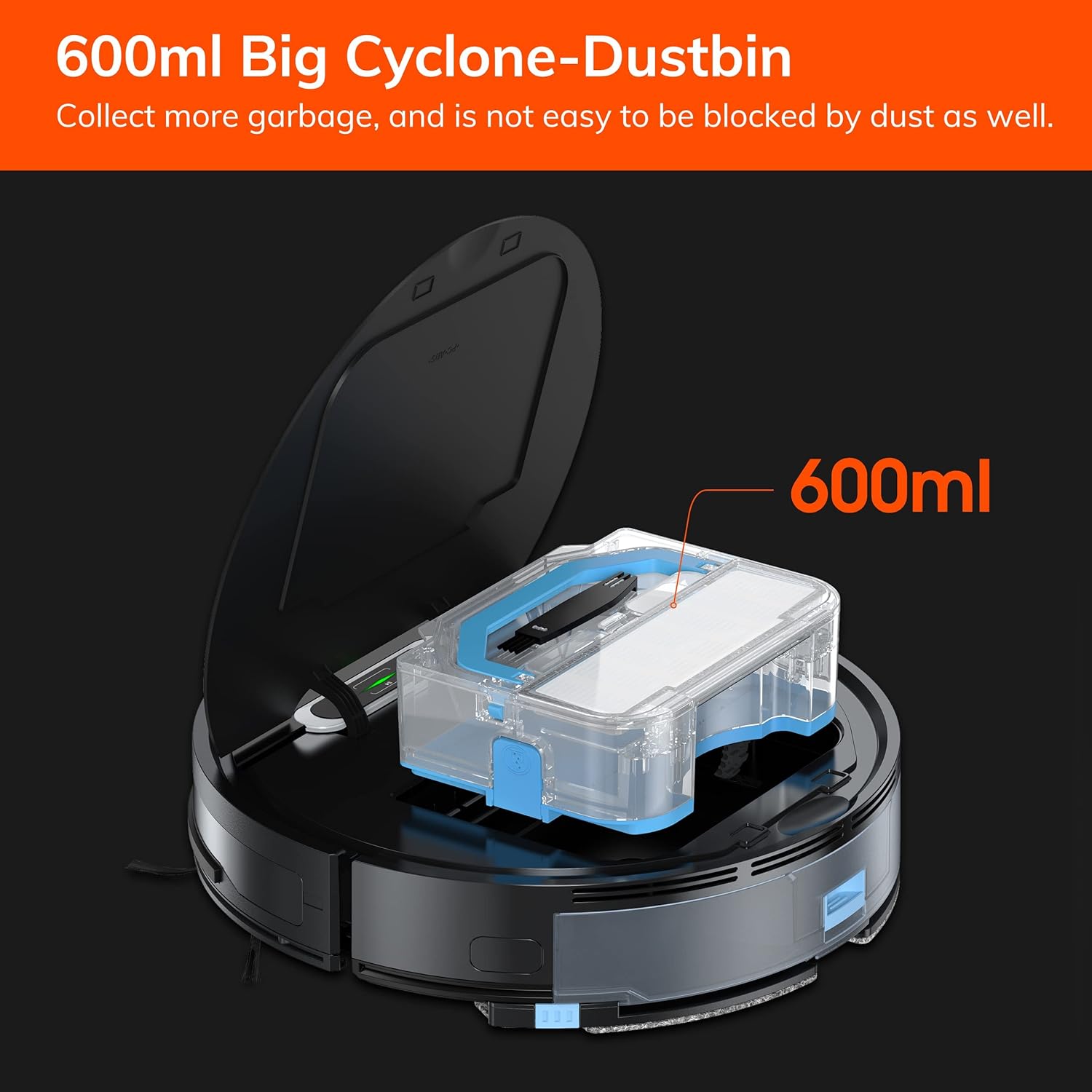
7.1-сүрөт: The 600ml cyclone dustbin, designed to collect more debris and resist clogging.
- Press the "PUSH" button on the robot's top cover to open it.
- Таштанды кутучасын өйдө тартып чыгарыңыз.
- Таштанды челектин капкагын ачып, анын ичиндегисин таштанды челекке төгүңүз.
- Remove the filter assembly (pre-filter, sponge filter, high-performance filter).
- Clean the filters with the provided cleaning brush. Do not wash the high-performance filter with water.
- Rinse the dustbin with water if necessary, ensuring it is completely dry before reinstallation.
- Фильтрлерди жана таштанды челекти кайра чогултуп, андан кийин роботко кайра салыңыз.
7.2 Каптал щеткасын тазалоо
- Regularly check side brushes for tangled hair or debris.
- Каптал щеткаларды алып салуу үчүн акырын өйдө тартыңыз.
- Use the cleaning brush or scissors to remove any tangled hair or debris.
- Reinstall the side brushes, ensuring they click into place.
7.3 Суу куюлган идишке жана швабра кездемесине техникалык тейлөө
- After each mopping session, remove the water tank.
- Танктан калган сууну бошотуңуз.
- Швабра чүпүрөктү ажыратып, кол менен же кир жуугуч машинада жууңуз. Толугу менен кургаганча күтүңүз.
- Суу куюлган идиштин ичин таза суу менен чайкап, абада кургатыңыз.
7.4 Сенсорду тазалоо
- Use a clean, dry cloth to wipe the anti-drop sensors (located on the bottom of the robot) and the anti-collision sensors (located on the front bumper).
- Clean the charging contacts on both the robot and the charging dock.
8. Кыйынчылыктарды
If you encounter issues with your ILIFE V3s Max, refer to the following common problems and solutions:
| Көйгөй | Мүмкүн себеп | Чечим |
|---|---|---|
| Робот башталбайт же жооп бербейт. | Батареянын аздыгы; Электр өчүрүү; Робот тыгылып калды. | роботту заряддоо; Кубат өчүргүчтү күйгүзүңүз; Таза тоскоолдуктар. |
| Робот заряддоочу жайга кайтып келе албайт. | Charging dock obstructed; Robot too far from dock; Dock not powered. | Ensure clear path to dock; Manually place robot near dock; Check power connection. |
| Начар тазалоо көрсөткүчү. | Dustbin full; Filters clogged; Side brushes worn or tangled. | Empty dustbin; Clean/replace filters; Clean/replace side brushes. |
| Робот бат-баттан тыгылып калат. | Obstacles (cables, rugs); Cliff sensors dirty. | Clear cleaning area; Clean cliff sensors. |
| Колдонмого туташуу маселелери. | Incorrect Wi-Fi (5G); Incorrect password; Router issues. | Ensure 2.4G Wi-Fi; Re-enter password; Restart router and robot. |
If the problem persists, please contact ILIFE customer support.
9. Техникалык шарттар
| Өзгөчөлүк | Деталь |
|---|---|
| Бренд | ILIFE |
| Модель аты | V3s Макс |
| Соруу күчү | 2000Па чейин (Так режими) |
| Таштанды кутусунун сыйымдуулугу | 600мл |
| Суу резервуарынын сыйымдуулугу | 200мл |
| Батареянын иштөө мөөнөтү | 100 мүнөткө чейин |
| Батарея түрү | Lithium Ion (14.4 Volts) |
| Навигация | Gyroscopic Path Planning |
| Контролдоо ыкмалары | App Control, Remote Control, Amazon Alexa |
| Wi-Fi колдоо | 2.4G Wi-Fi only |
| Продукциянын өлчөмдөрү | 12.4"L x 11.81"W x 2.99"H |
| Элемент Салмагы | 5.4 фунт |
| Ызы-чуу деңгээли | 65 децибел |
| Surface Recommendation | Hard Floor, Low-Pile Carpet |
10. Кепилдик жана колдоо
ILIFE provides a limited warranty for this product. For detailed warranty information, please refer to the warranty card included in your package or visit the official ILIFE website. For technical support, troubleshooting assistance, or replacement parts, please contact ILIFE customer service through the contact information provided on their website or within the ILIFEHOME app.
Онлайн колдоо: www.iliferobot.com/support