
1. Киришүү
The SteelSeries Arctis Nova 1X Gaming Headset delivers an immersive audio experience across multiple platforms. Designed for comfort and clarity, it features the Signature Arctis Sound and a ClearCast Gen 2 Microphone, making it ideal for Xbox Series X|S, PC, PlayStation, Switch, and mobile gaming.
This manual provides detailed instructions for setting up, operating, and maintaining your Arctis Nova 1X headset to ensure optimal performance and longevity.
2. Кутуда эмне бар
Upon unboxing your SteelSeries Arctis Nova 1X Gaming Headset, you should find the following components:
- Arctis Nova 1X гарнитура
- Main Headset Cable (3.5mm)
- Headband (pre-installed or separate, as per packaging)
- Продукт маалыматы боюнча колдонмо

Сүрөт: алдыңкы view of the SteelSeries Arctis Nova 1X Gaming Headset, showcasing its sleek design and microphone.
3. Орнотуу
3.1 Гарнитураны туташтыруу
The Arctis Nova 1X is a wired headset designed for universal compatibility. To connect your headset:
- Locate the 3.5mm main headset cable.
- Plug one end of the 3.5mm cable into the audio jack on the left earcup of your Arctis Nova 1X headset.
- Plug the other end of the 3.5mm cable into the corresponding audio port on your gaming device (Xbox Series X|S controller, PC, PlayStation controller, Nintendo Switch, or mobile device).
Note: Ensure the cable is securely connected to both the headset and your device for optimal audio and microphone performance.

Image: Diagram illustrating the multi-platform compatibility of the Arctis Nova 1X headset, showing connections to various gaming devices.
4. Гарнитураны иштетүү
4.1 Үндү башкаруу
Adjust the audio volume directly from the headset:
- Locate the volume wheel on the left earcup.
- Roll the wheel up to increase the volume or down to decrease it.
4.2 Микрофонду үнсүз кылуу
To mute or unmute your microphone:
- Find the microphone mute button on the left earcup, adjacent to the volume wheel.
- Press the button to toggle the microphone on or off. A red indicator will typically show when the microphone is muted.
4.3 Retractable ClearCast Gen 2 Microphone
The ClearCast Gen 2 microphone is retractable for convenience:
- To use the microphone, gently pull it out from the left earcup until it reaches your desired position.
- To store the microphone, push it back into the earcup until it is fully retracted.
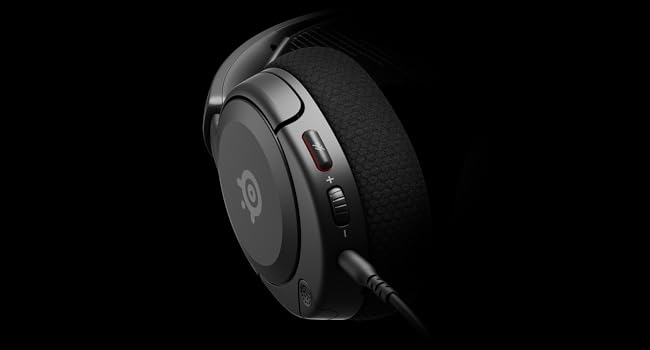
Сүрөт: Жакын план view of the left earcup of the Arctis Nova 1X, highlighting the volume wheel and microphone mute button for easy access during gameplay.
Video: Official SteelSeries video demonstrating the features of the Arctis Nova 1 headset, including its audio capabilities and microphone design.
5. Ыңгайлуулук жана туурасы
The Arctis Nova 1X is designed for extended gaming sessions with its ComfortMAX System:
- Ультра жеңил дизайн: Weighing only 236g, the headset minimizes pressure during long use.
- Height-Adjustable Earcups: The earcups can be adjusted vertically to fit various head sizes comfortably.
- Flexible Suspension Headband: The elastic headband conforms to your head for a secure yet gentle fit.

Image: The Arctis Nova 1X headset highlighting its ultra-lightweight and slim profile, designed for comfort.

Image: The Arctis Nova 1X headset demonstrating its height-adjustable earcups for a personalized and comfortable fit.
6. Аудио өзгөчөлүктөрү
Experience superior sound with the Arctis Nova 1X:
- Кудуреттүү Аудио: The Nova Acoustic System with High Fidelity Drivers delivers crystal-clear highs, precise mids, and deep bass.
- 360° мейкиндик аудио: Immerse yourself in the game with surround sound that allows you to pinpoint enemy positions and environmental cues.
- Pro-grade Parametric EQ: Үн профессионалыңызды ыңгайлаштырыңызfile with the SteelSeries Sonar Audio Software Suite for a competitive edge.

Image: The Arctis Nova 1X headset highlighting its "Almighty Audio" capabilities for a rich sound experience.
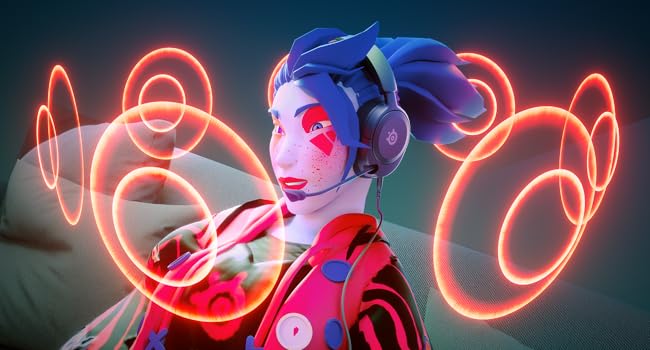
Image: Visual representation of 360° Spatial Audio, showing sound waves surrounding a gamer wearing the Arctis Nova 1X headset.
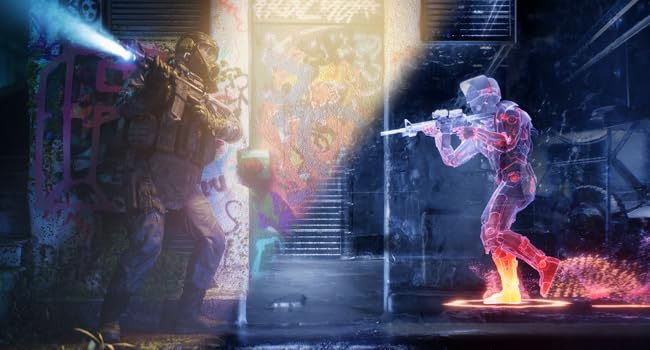
Image: Graphic illustrating the Pro-grade Parametric EQ, suggesting advanced audio customization options available with the headset.
7. Microphone Features
The ClearCast Gen 2 Mic ensures clear communication:
- AI Noise Cancelling: Advanced AI algorithms filter out background noise, ensuring your voice is heard clearly by teammates.
- Тартылуучу дизайн: The microphone can be fully retracted into the earcup when not in use, maintaining a sleek profile.

Image: The Nova 1 AI Microphone, emphasizing its noise-cancelling capabilities for clear voice communication.
8. Техникалык тейлөө
To ensure the longevity and optimal performance of your Arctis Nova 1X headset, follow these maintenance guidelines:
- Тазалоо: Кулакчындарды жана баш боону аарчуу үчүн жумшак, кургак чүпүрөктү колдонуңуз. Тереңирээк тазалоо үчүн, бир азamp cloth with mild soap can be used, ensuring no moisture enters the speaker grilles or ports.
- Кабельге кам көрүү: Avoid sharp bends or excessive pulling on the headset cable to prevent internal damage. Store the cable neatly when not in use.
- Сактагыч: Гарнитураны күн нурунан жана экстремалдык температурадан алыс салкын, кургак жерде сактаңыз.
- Earbud Tips: If applicable, ensure earbud tips (if using with mobile) fit snugly. Replace worn-out earbud tips to maintain sound quality and comfort.
9. Кыйынчылыктарды
If you encounter issues with your Arctis Nova 1X headset, try the following solutions:
- Аудио жок/Төмөн үн:
- Ensure the 3.5mm cable is fully inserted into both the headset and your device.
- Гарнитурадагы үн дөңгөлөгүн жана түзмөгүңүздүн системалык үнүн текшериңиз.
- Түзмөккө тиешелүү көйгөйлөрдү жокко чыгаруу үчүн гарнитураны башка түзмөк менен сынап көрүңүз.
- Микрофон иштебейт:
- Ensure the microphone mute button is not activated (red indicator off).
- Микрофондун толук узартылганын жана туура жайгашканын текшериңиз.
- Check your device's audio settings to ensure the correct microphone input is selected and its volume is not muted.
- Үн сапаты начар:
- Ensure the 3.5mm cable is not damaged and is securely connected.
- Adjust your device's audio settings or equalizer settings.
10. Техникалык шарттар
| Өзгөчөлүк | Деталь |
|---|---|
| Бренд | SteelSeries |
| Модель аты | Arctis Nova 1X |
| Модель номери | 61616 |
| Байланыш технологиясы | Зымдуу (3.5 мм уяча) |
| Кулак жайгаштыруу | Кулак үстүндө |
| Noise Control | Активдүү ызы-чууну жокко чыгаруу (микрофон) |
| Аудио драйвер түрү | Динамикалык драйвер |
| Жыштык диапазону | 20 Гц - 20 000 Гц |
| Микрофон | ClearCast Gen 2 (Retractable, AI Noise Cancelling) |
| Шайкеш түзмөктөр | Xbox Series X|S, PC, PlayStation, Switch, Mobile |
| Элемент Салмагы | 1.1 фунт (болжол менен 500 г) |
| Түс | Кара |
| UPC | 850014119737 |
Видео: 360 градус view of the SteelSeries Arctis Nova 1X headset in black, showcasing анын дизайнын ар тараптан.
11. Кепилдик жана колдоо
11.1 Кепилдик маалыматы
The SteelSeries Arctis Nova 1X Gaming Headset comes with a 1 жылдык Чектелген Кепилдик from the date of purchase. This warranty covers manufacturing defects and ensures your product functions as intended under normal use. Please retain your proof of purchase for warranty claims.
For detailed warranty terms and conditions, please refer to the official SteelSeries webсайтка же продуктунун таңгагында камтылган кепилдик картасы.
11.2 Кардарларды колдоо
For further assistance, technical support, or warranty claims, please contact SteelSeries customer support through their official webсайт:
You may also find additional resources, FAQs, and software downloads on their support page.