
1. Орнотуу колдонмосу
This section provides instructions for the initial setup of your Jectse 8 Pro Unlocked Cell Phone.
1.1 Пакеттин мазмуну
Баштоодон мурун, пакетте бардык элементтер бар экенин текшериңиз:
- Jectse 8 Pro Smartphone
- Наушник
- USB кабели
- Коргоочу кап
- Коргоочу пленка
- English Manual (this document)

Image: Jectse 8 Pro phone with included accessories.
1.2 SIM картаны жана эстутум картасын орнотуу
The Jectse 8 Pro supports dual nano SIM cards and one small memory card for expanded storage.
- Аппараттын капталындагы SIM карта салгычын табыңыз.
- Use the provided SIM ejector tool (if included) or a small pin to open the tray.
- Carefully place your nano SIM cards into the designated slots. Ensure the gold contacts face downwards.
- If using a memory card, insert it into the dedicated small memory card slot. The device supports up to 128GB expansion.
- Аспаптын корпусуна туура келгенче, лотокту акырын кайра телефонго түртүңүз.
1.3 Баштапкы күйгүзүү
Түзмөгүңүздү биринчи жолу күйгүзүү үчүн:
- Press and hold the power button located on the upper right side of the phone.
- The phone will vibrate and the Jectse logo will appear on the screen.
- Тил тандоо, Wi-Fi туташуусу жана Google каттоо эсебин орнотуу сыяктуу баштапкы орнотууну аяктоо үчүн экрандагы нускамаларды аткарыңыз.

Сүрөт: алдыңкы жана арткы view of the Jectse 8 Pro Unlocked Cell Phone.
2. Иштөө нускамалары
This section details the basic operation and features of your Jectse 8 Pro smartphone.
2.1 Күйгүзүү/өчүрүү
- Күйгүзүү: Long press the power button on the upper right side until the screen lights up.
- Өчүрүү: Long press the power button, then select 'Power off' from the options displayed on the screen.
2.2 Навигация жана интерфейс
The Jectse 8 Pro runs on Android 6. Navigate the interface using touch gestures:
- таптаңыз: Бир нерсени тандаңыз же колдонмону ачыңыз.
- Серпүү: Тизмелерди карап чыгыңыз же башкы экрандардын ортосунда которулуңуз.
- Чымчуу: Сүрөттөрдү чоңойтуу же кичирейтүү жана web барактар.

Image: Jectse 8 Pro displaying its 5.0-inch HD full screen.
2.3 Камеранын функциялары
The device is equipped with a 2MP front camera and a 5MP rear camera.
- Open the 'Camera' application from the home screen or app drawer.
- Алдыңкы жана арткы камералардын ортосунда которулуу үчүн камера сөлөкөтүн таптап коюңуз.
- Tap the shutter button to capture photos.
- Access various camera modes and settings within the application.
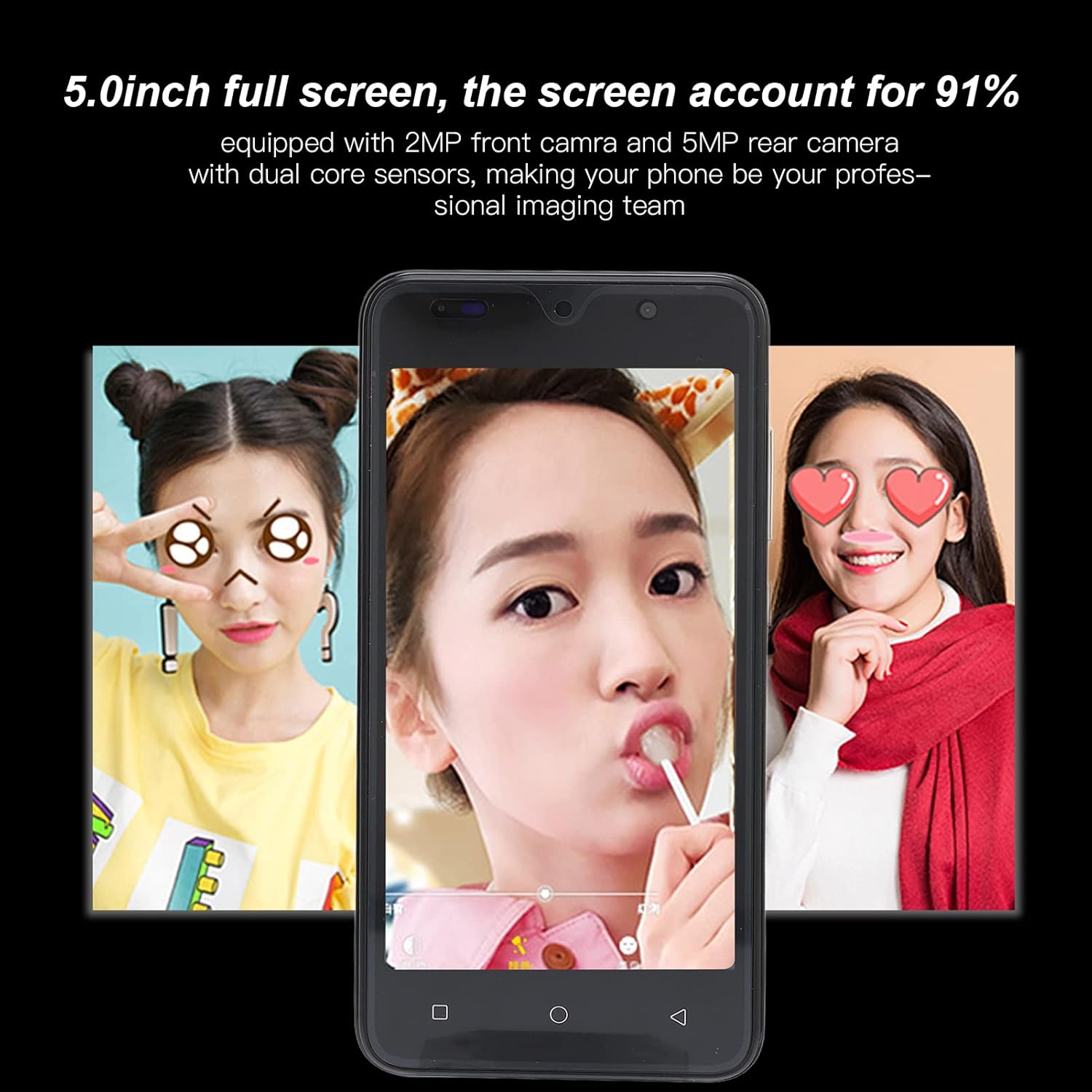
Image: Camera interface example on the Jectse 8 Pro.
2.4 Жүздү таануу
The Jectse 8 Pro features face recognition for unlocking the device.
- Go to 'Settings' > 'Security' > 'Face Recognition'.
- Follow the on-screen prompts to register your face.
- Once registered, you can unlock your phone by looking at the front camera.
2.5 Байланыш
The phone supports various connectivity options:
- Wi-Fi: Интернетке кирүү үчүн зымсыз тармактарга туташыңыз.
- Bluetooth: Pair with other Bluetooth-enabled devices like headphones or speakers.
- Мобилдик маалыматтар: Utilize 2G/3G networks (WCDMA 850/2100, GSM 850/900/1800/1900) for internet access when Wi-Fi is unavailable.
- FM радиосу: Listen to local radio stations.
3. Техникалык тейлөө жана кам көрүү
Туура кам көрүү аппаратыңыздын узак мөөнөттүү жана оптималдуу иштешин камсыз кылат.
3.1 Батареяга кам көрүү
- Avoid fully discharging the 2200mAh lithium battery frequently.
- Use only the provided USB cable and a compatible charger.
- Do not expose the phone to extreme temperatures, as this can degrade battery performance.
3.2 Аппаратты тазалоо
- Телефондун экранын жана корпусун тазалоо үчүн жумшак, түксүз чүпүрөктү колдонуңуз.
- Катуу химиялык заттарды же абразивдүү материалдарды колдонуудан алыс болуңуз.
- Тазалоочу каражаттарды түз эле телефонго чачпаңыз.
3.3 General Device Protection
- Utilize the provided protective case and screen film to guard against scratches and minor impacts.
- Keep the phone away from water and excessive moisture.
- Түзмөктү таштап кетүүдөн сактаңыз.
4. Кыйынчылыктарды
This section addresses common issues you might encounter with your Jectse 8 Pro.
4.1 Түзмөк күйбөй жатат
- Ensure the battery is charged. Connect the phone to a charger and wait a few minutes before attempting to power it on again.
- If the battery is extremely low, it may take several minutes of charging before the device responds.
4.2 Тармакка туташуу маселелери
- Verify that your SIM card is correctly inserted and activated with your carrier.
- Check that your phone card supports the device's frequency bands: GSM 850/900/1800/1900MHz and WCDMA 850/2100MHz for 3G.
- Телефонду кайра күйгүзүңүз.
- Учак режимин күйгүзүү жана өчүрүү.
4.3 Жай иштөө же Колдонмонун бузулушу
- Керексиз фон колдонмолорун жабуу.
- Clear cache for problematic applications in 'Settings' > 'Apps'.
- Ensure sufficient storage space is available. The phone has 32GB ROM, expandable up to 128GB.
- Restart the device periodically to refresh the system.
4.4 Face Recognition Not Working
- Жетиштүү жарыктандыруу шарттарын камсыз кылыңыз.
- Clean the front camera lens.
- Коопсуздук жөндөөлөрүндө жүзүңүздү кайра каттаңыз.
5. Продукттун спецификациялары
Detailed technical specifications for the Jectse 8 Pro Unlocked Cell Phone.
| Өзгөчөлүк | Спецификация |
|---|---|
| Модел | 8 Pro |
| Экран | 5.0 inch HD+ Full Screen |
| Резолюция | 854x480 |
| Операция системасы | For Android 6 |
| CPU | MTK6799 төрт ядро |
| RAM | 2 ГБ |
| ROM | 32 ГБ |
| Кеңейтүүчү сактагыч | Supports up to 128GB (Small Memory Card Slot) |
| SIM карта түрү | 2x nano SIM Card Slots |
| Тармак стандарты | 2G/3G (WCDMA 850/2100, GSM 850/900/1800/1900) |
| Алдыңкы камера | 2MP, f/2.0 Aperture, Fixed Focus |
| Арткы камера | 5MP, f/1.8 Aperture, Auto Focus |
| Батарея | 2200mAh Lithium Battery (Built-In) |
| Interface Type | 1x microUSB (Charging), 1x 3.5mm (Audio) |
| Байланыш | Wi-Fi, Bluetooth, FM |
| Коопсуздук өзгөчөлүктөрү | Жүздү таануу |
| Материал | ABS, Айнек |
| Элемент Салмагы | Болжол менен. 295г (10.41oz) |
| Түс | Жашыл |

Сүрөт: Арткы view of Jectse 8 Pro phones in multiple colors.
6. Кепилдик жана колдоо
For any questions or issues not covered in this manual, please refer to the following support information.
6.1 Кардарларды колдоо
Jectse is committed to providing quality support. If you encounter any problems with your unlocked mobile phone, please contact the seller or manufacturer directly. They will assist you within 24 hours and provide a comprehensive solution.
6.2 Кепилдик маалыматы
Specific warranty details are typically provided at the point of purchase or within separate warranty documentation. Please retain your proof of purchase for any warranty claims.