
1. Киришүү
This manual provides essential information for the installation, operation, and maintenance of your Axis Communications M2035-LE HDTV 1080P Surveillance Camera. Please read this manual thoroughly before using the product to ensure proper setup and functionality. Keep this manual for future reference.
2. Коопсуздук маалыматы
Буюмга зыян келтирбөө же өзүңүзгө жана башкаларга зыян келтирбөө үчүн төмөнкү коопсуздук чараларын сактаңыз:
- Ensure the power source matches the camera's requirements (28 Volts, 4.2 watts).
- Do not expose the camera to extreme temperatures or humidity beyond its operating specifications.
- Сүрөт сенсоруна зыян келтириши мүмкүн болгон күчтүү жарык булактарына түз тийүүдөн алыс болуңуз.
- Камераны ажыратууга же өзгөртүүгө аракет кылбаңыз. Бардык тейлөөлөрдү квалификациялуу кызматкерлерге тапшырыңыз.
- Камераны кулап кетпеши үчүн бекем орнотуңуз.
- Keep the camera away from water and moisture, despite its water-resistant rating (IP54).
3. Пакеттин мазмуну
Пакетте бардык буюмдар бар экенин текшериңиз:
- Axis M2035-LE Camera Unit
- Орнотуу стенди/кронштейн
- Орнотуу боюнча колдонмо (бул документ)
- Монтаждоочу жабдуулар (буроолор, анкерлер)
Эскертүү: Белгилүү бир мазмун аймакка же таңгакка жараша бир аз айырмаланышы мүмкүн.
4. Продукт бүтүп калдыview
The Axis M2035-LE is a compact, outdoor-ready dome surveillance camera designed for high-definition video monitoring. It features 1080p resolution, a wide viewing angle, and infrared night vision for reliable performance in various lighting conditions.
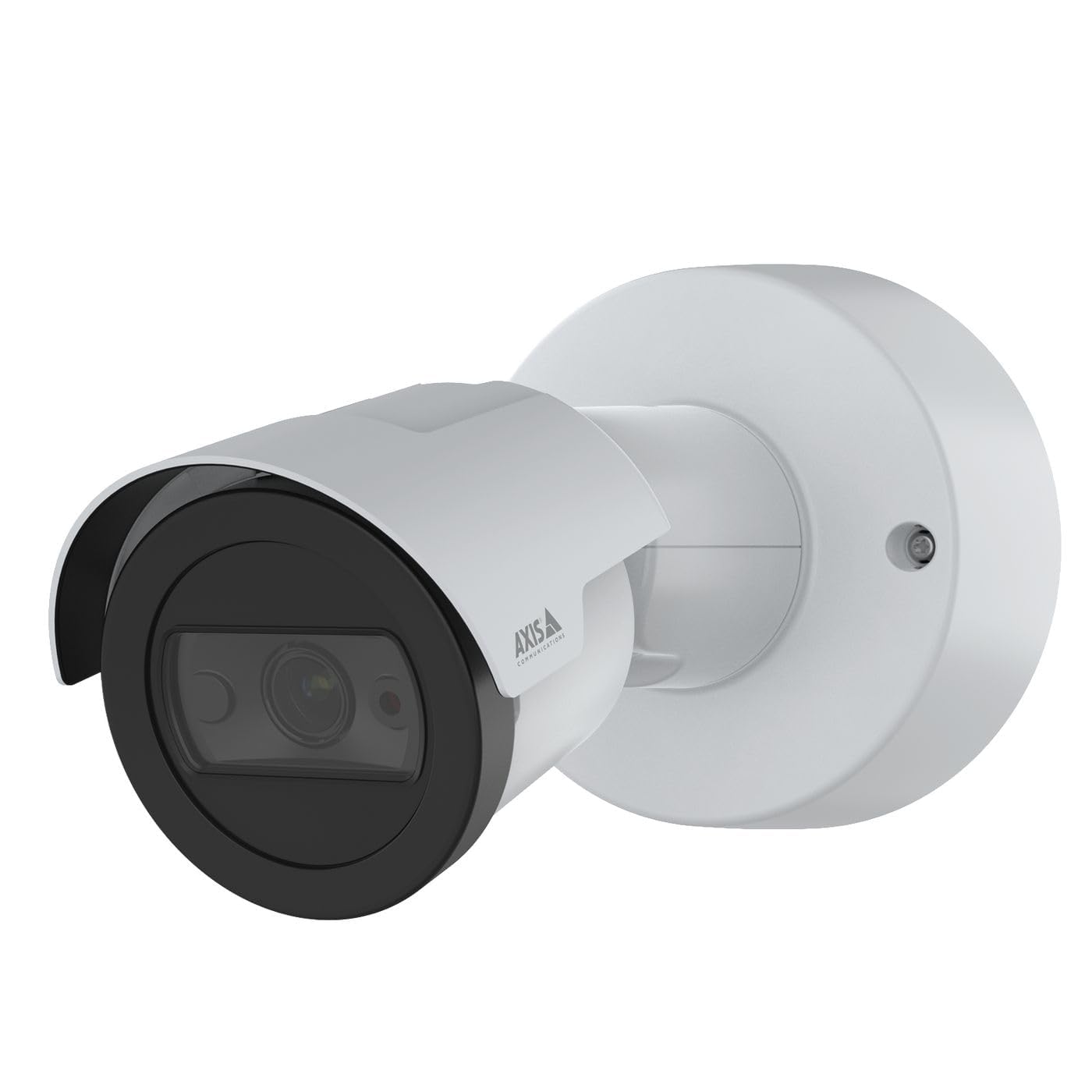
1-сүрөт: Фронт view of the Axis M2035-LE HDTV 1080P Surveillance Camera. This image shows the compact dome design suitable for outdoor installation.
5. Орнотуу жана орнотуу
The Axis M2035-LE camera supports various mounting options, including table mount and recessed installation. Ensure the chosen location provides a clear field of view and stable mounting surface.
5.1. Монтаждоо маселелери
- Сыртта колдонуу: The camera is designed for outdoor environments.
- Күч: The camera requires a 28V power supply. Ensure proper wiring and power delivery.
- Байланыш: The camera supports Wi-Fi and Ethernet connectivity. Plan your network connection accordingly.
5.2. Table Mount Installation
- Attach the mounting stand to the camera unit using the provided screws.
- Камераны туруктуу, жалпак бетке коюңуз.
- Камераны тууралаңыз viewзарыл болгон бурч.
5.3. Recessed Mount Installation (Soffit Exampле)
For recessed mounting, particularly in soffits, careful planning is required to ensure sufficient depth and avoid obstructions.
- Verify Depth: Before cutting, confirm the soffit has adequate depth for the recessed mount. You can use a small pilot hole and a wire to measure the available space.
- Mark and Cut: Mark the desired location and carefully cut the opening in the soffit according to the template provided with the recessed mount kit (sold separately).
- Тоо орнотуу: Secure the recessed mount bracket into the opening.
- Connect and Secure: Connect the necessary cables (power, Ethernet) and then secure the camera unit into the recessed mount.
- Бурчту тууралоо: Adjust the camera lens to achieve the desired field of view.
6. Иштөө нускамалары
6.1. Баштапкы күйгүзүү жана тармакка туташуу
- Камераны кубат булагына туташтырыңыз.
- For initial setup, it is recommended to connect via Ethernet to your network router or switch.
- Use the Axis IP Utility or a web browser to discover the camera on your network and configure its settings.
- For Wi-Fi connectivity, configure the wireless settings through the camera's web интерфейс.
6.2. Видео мониторинг жана жаздыруу
- The camera provides 1080p video resolution at 30 frames per second.
- Түз эфирге кирүү view and recording features through the camera's web интерфейс же шайкеш келген видео башкаруу программасы (VMS).
- The camera is compatible with Digital Video Recorders (DVRs).
- Video capture format is MPEG-4.
6.3. Low Light and Night Vision
The M2035-LE features "Night Color" low light technology and an infrared (IR) light source for clear imaging in dark conditions.
- The camera automatically switches to night mode when ambient light is low.
- Ensure the IR illuminator is not obstructed for optimal night vision performance.
6.4. Кыймылды аныктоо жана эскертүүлөр
The camera supports motion-only alert types.
- Configure motion detection zones and sensitivity settings via the camera's web интерфейс.
- Set up alert actions such as email notifications or recording triggers.
6.5. Алыстан башкаруу
The camera can be controlled remotely through its web interface or compatible VMS, allowing for adjustments to settings and viewтүз эфирдеги берүүлөрдү көрүү.
7. Техникалык тейлөө
- Тазалоо: Камера линзасын жана корпусун жумшак, d менен акырын сүртүңүзamp кездеме. Катуу химиялык заттарды же абразивдүү тазалагычтарды колдонбоңуз.
- Программалык камсыздоонун жаңыртуулары: Axis Communications компаниясын үзгүлтүксүз текшерип туруңуз website for firmware updates to ensure optimal performance and security. Follow the instructions provided with the firmware update.
- Кабелдик текшерүү: Бардык кабелдерди, айрыкча сырткы орнотмолордо, эскирүүнүн же бузулуунун белгилерин мезгил-мезгили менен текшерип туруңуз.
8. Кыйынчылыктарды
| Көйгөй | Мүмкүн себеп | Чечим |
|---|---|---|
| Кубат жок/Камера күйбөй жатат | Incorrect power supply; Loose connection; Power outage | Verify power adapter and connections; Check power outlet; Ensure correct voltage (28V). |
| Cannot connect to camera via network | Incorrect IP address; Network cable issue; Wi-Fi configuration error; Firewall blocking connection | Use Axis IP Utility to find camera; Check Ethernet cable; Reconfigure Wi-Fi settings; Temporarily disable firewall for testing. |
| Сүрөттүн сапаты начар | Dirty lens; Insufficient lighting; Incorrect focus/settings; Network bandwidth issues | Clean the lens; Ensure adequate lighting or proper night vision settings; Adjust focus/image settings; Check network speed. |
| Кыймылды аныктоо иштебей жатат | Incorrect sensitivity settings; Detection zones not configured; Obstructions in view | Adjust motion detection sensitivity; Define detection zones in settings; Clear any obstructions. |
9. Техникалык шарттар
| Өзгөчөлүк | Деталь |
|---|---|
| Модель номери | M2035-LE |
| Ички/тышкы колдонуу | Сыртта |
| Байланыш технологиясы | Ethernet, Wi-Fi |
| Видео тартуунун резолюциясы | 1080p |
| Frame Rate | 30 frames_per_second |
| Viewбурч | 110 градус |
| Төмөн жарык технологиясы | Түнкү түс |
| Жарык булагы түрү | Инфракызыл |
| Эскертүү түрү | Кыймыл гана |
| Башкаруу ыкмасы | Алыстан |
| Power Source | Information Not Available (Note: Requires 28V, 4.2W) |
| Тtage | 28 вольт |
| Ватtage | 4.2 ватт |
| Материал | Металл |
| Түс | Ак |
| Өлчөмдөрү (L x W x Y) | 1.1 x 9.7 x 6.5 дюйм |
| Элемент Салмагы | 0.634 унция |
| Эл аралык коргоо рейтинги | IP54 (Сууга туруктуу) |
| Шайкеш түзмөктөр | Санариптик видео жазгыч |
| Фото сенсор технологиясы | CMOS |
| Видео тартуу форматы | MPEG-4 |
10. Кепилдик жана колдоо
Кепилдик жөнүндө кененирээк маалымат алуу үчүн, Axis Communications компаниясынын расмий сайтына кайрылыңыз website or contact your local distributor. Technical support and additional resources can also be found on the Axis Communications support portal.
Өндүрүүчү: AXIS
Webсайт: www.axis.com


