
1. Киришүү
Thank you for choosing the ASHATA 95 Keys Wired Mechanical Gaming Keyboard. This compact and versatile keyboard is designed for both gaming and office use, offering a comfortable typing experience with its durable mechanical switches and plug-and-play functionality. This manual provides essential information for setting up, operating, and maintaining your new keyboard.
2. Продукциянын өзгөчөлүктөрү
- 95-Ачкыч жайгашуусу: Compact design with a full set of essential keys, available with English and Arabic keycaps.
- Зымдуу туташуу: Reliable USB-A connection for stable performance.
- Механикалык өчүргүчтөр: Provides tactile feedback and durability for an enhanced typing and gaming experience.
- Plug and Play: No complex driver installation required; simply connect and use.
- Туруктуу дизайн: Features legible, fade-resistant key printing for long-lasting use.
- Ыңгайлуу терүү: Ergonomically designed for extended use in office or home environments.
- Өтө компакттуу дизайн: Approximately 60% size of a standard keyboard, saving desk space.
- Жогорку туруктуулук: Rated for over 10 million keystrokes life.
- Жука жана көчмө: With a thickness of approximately 1 cm, it is easy to transport.
- Тынч дизайн: Equipped with quality silicone keys for a quiet typing environment.
- Independent Multimedia Buttons: Dedicated buttons for quick access to media controls.

Сүрөт: бүттүview of the ASHATA Wired Keyboard highlighting its features.

Сүрөт: Жакын план view of the comfortable 95-key layout.

Сүрөт: Side profile illustrating the thin and portable design.

Image: Detail of a keycap, demonstrating the silent design feature.
3. Пакеттин мазмуну
Пакетте бардык буюмдар бар экенин текшериңиз:
- 1 x Зымдуу баскычтоп
4. Орнотуу нускамалары
The ASHATA 95 Keys Wired Mechanical Gaming Keyboard is designed for simple plug-and-play operation.
- Баскычтопту таңгактан чыгаруу: Баскычтопту таңгагынан кылдаттык менен чыгарып алыңыз.
- Түзмөгүңүзгө туташуу: Locate an available USB-A port on your computer (desktop, laptop, etc.). Insert the USB connector of the keyboard cable into the USB-A port.
- Автоматтык таануу: Your operating system (e.g., Windows) will automatically detect and install the necessary drivers. This process usually takes a few seconds.
- Колдонууну баштоо: Once recognized, the keyboard is ready for immediate use.

Image: The keyboard with its integrated USB cable, approximately 1.5m long.

Image: USB interface for plug and play functionality, with cable length of 1.5m.

Image: Keyboard connected and ready for use with a desktop computer.
5. Иштөө нускамалары
This keyboard functions like a standard QWERTY keyboard with additional multimedia controls.
5.1 Негизги терүү
Simply press the desired keys to input characters. The keyboard supports both English and Arabic characters, depending on the specific model and your operating system's language settings.
5.2 Мультимедиа баскычтары
The keyboard features dedicated multimedia buttons located above the function keys (F1-F12) for quick access to media controls. These buttons allow you to:
- Adjust Volume (Volume Up, Volume Down, Mute)
- Control Media Playback (Play/Pause, Previous Track, Next Track)
- Open Default Media Player
- Open Default Web Браузер
- Электрондук почта кардарын ачыңыз
- Издөө функциясы

Image: Detail of the independent multimedia buttons for quick access to functions.
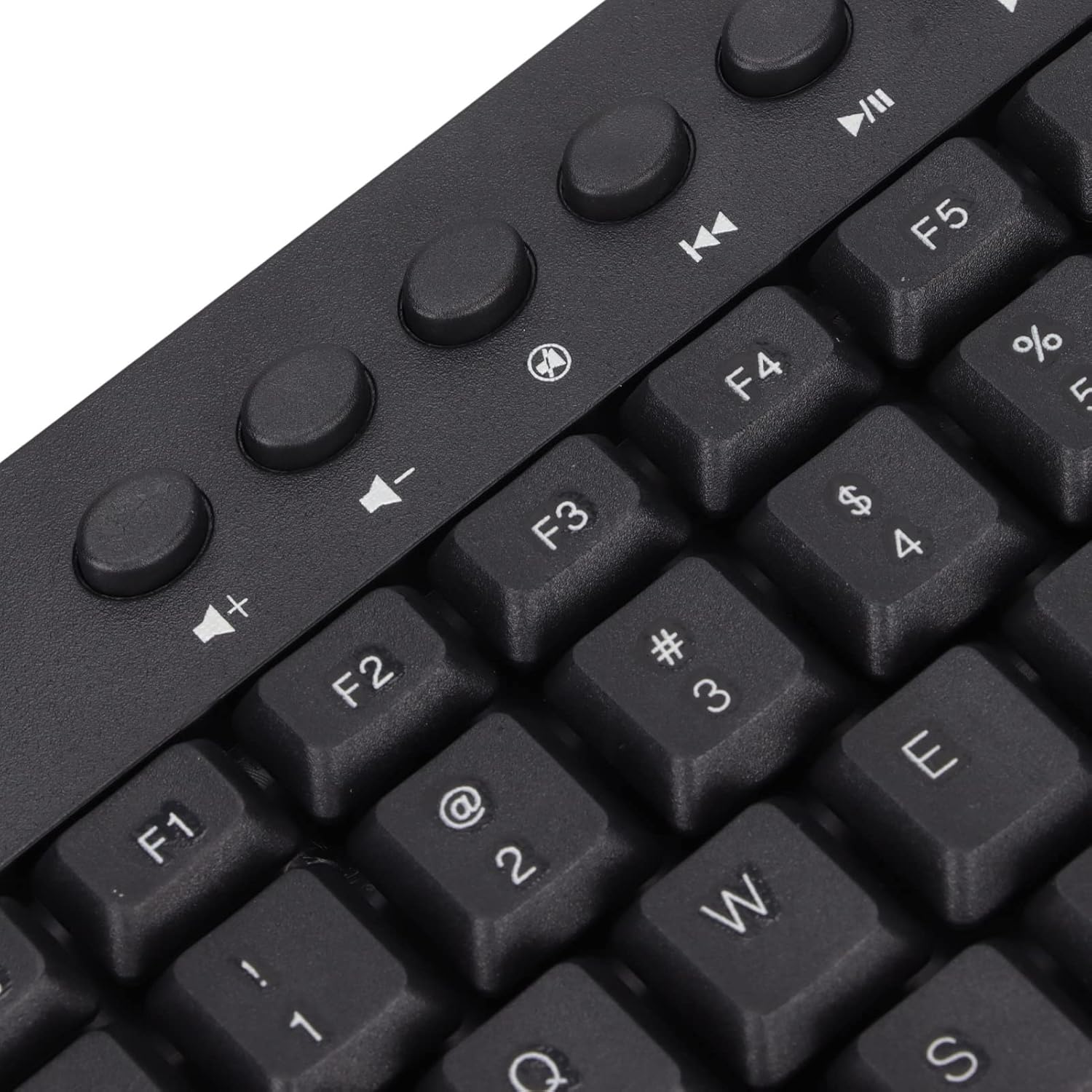
Сүрөт: Жакын план view of the dedicated multimedia control keys.

Image: Detail of the right-side keys, including navigation and control keys.
6. Техникалык тейлөө
To ensure the longevity and optimal performance of your ASHATA keyboard, follow these maintenance guidelines:
- Тазалоо: Use a soft, dry cloth to wipe the surface of the keyboard. For deeper cleaning, you may use a slightly damp cloth with a mild cleaning solution, ensuring no liquid enters the key switches or internal components.
- Чаңды тазалоо: Баскыч капкактарынын ортосундагы чаңды жана калдыктарды тазалоо үчүн кысылган абаны колдонуңуз.
- Суюктуктардан алыс болуңуз: Клавиатурага суюктуктарды төкпөңүз. Эгерде төгүлүп кетсе, клавиатураны компьютериңизден дароо ажыратып, кайра туташтыруудан мурун аны толугу менен кургатуу керек.
- Сактагыч: Клавиатураны күн нурунан жана экстремалдык температурадан алыс, салкын, кургак жерде сактаңыз.
7. Кыйынчылыктарды
Эгерде сиз клавиатураңызда көйгөйлөргө туш болсоңуз, төмөнкү кеңири таралган көйгөйлөрдү жана чечимдерди караңыз:
7.1 Баскычтоп жооп бербейт
- USB туташуусун текшерүү: Ensure the USB cable is securely plugged into a working USB-A port on your computer. Try a different USB port.
- Компьютерди кайра иштетүү: Кээде, компьютерди жөнөкөй өчүрүп-күйгүзүү байланыш көйгөйлөрүн чече алат.
- Башка түзмөктө сыноо: Connect the keyboard to another computer to determine if the issue is with the keyboard or your original device.
7.2 Баскычтар туура иштебейт
- Таза ачкычтар: Иштебей турган баскычтардын астында кандайдыр бир таштанды же бөтөн нерселер калып калганын текшериңиз. Аларды тазалоо үчүн кысылган абаны колдонуңуз.
- Программалык камсыздоо конфликти: Клавиатуранын киргизүүсүнө тоскоол боло турган карама-каршы келген программалык камсыздоо же драйверлер орнотулган эместигин текшериңиз.
7.3 Мультимедиа баскычтары иштебей жатат
- Операциялык системанын жөндөөлөрү: Verify that your operating system's media key settings are configured correctly.
- Колдонмо шайкештиги: Some applications may not fully support universal multimedia keys.
Бул кадамдар маселени чечпесе, кошумча жардам алуу үчүн кардарларды тейлөө кызматына кайрылыңыз.
8. Техникалык шарттар
| Өзгөчөлүк | Деталь |
|---|---|
| Бренд | АШАТА |
| Модель номери | ASHATA8x4ni917wp552-12 |
| Байланыш технологиясы | USB-A (Зымдуу) |
| Ачкычтардын саны | 95 |
| Которуу түрү | Механикалык |
| Материал | Пластик |
| Түс | Black (Arabic layout) |
| Шайкеш түзмөктөр | PC (Desktop, Laptop) |
| Шайкеш операциялык тутум үй-бүлөсү | Windows |
| Кабелдин узундугу | Approx. 1.5m / 1.6yd |
| Өзгөчө өзгөчөлүк | Көз карандысыз Мультимедиа баскычтары |

Сүрөт: Төмөнкү view of the keyboard, displaying regulatory information and adjustable feet.
9. Кепилдик жана колдоо
Кепилдик маалыматы жана кардарларды колдоо үчүн, сатып алууңузда камтылган документтерди караңыз же сатуучу/өндүрүүчү менен түз байланышыңыз. Ар кандай кепилдик дооматтары үчүн сатып алганыңыздын далилин сактаңыз.


