
Introduction
Thank you for choosing the Byron Wireless Doorbell Kit DBY-22321NP. This kit provides a reliable and convenient solution for your home or office, featuring a wireless range of up to 150 meters, 16 selectable melodies, and adjustable volume control. This manual will guide you through the installation, operation, and maintenance of your new doorbell system to ensure optimal performance and longevity.
Коопсуздук маалыматы
- Орнотуудан жана колдонуудан мурун бардык нускамаларды кылдат окуп чыгыңыз.
- Түзмөктөрдү өтө жогорку температурага, түз күн нуруна же ашыкча нымдуулукка дуушар кылбаңыз.
- Use only the specified battery types. Ensure correct polarity when inserting batteries.
- Батареяларды балдар жетпеген жерде сактаңыз. Эгер жутуп алса, дароо медициналык жардамга кайрылыңыз.
- Түзмөктөрдү өз алдынча ачууга же оңдоого аракет кылбаңыз. Бардык тейлөө иштерин квалификациялуу адистерге тапшырыңыз.
- Dispose of old batteries and electronic waste responsibly according to local regulations.
Пакеттин мазмуну
Сураныч, пакеттин мазмунун текшерип, бардык буюмдар бар экенин текшериңиз:
- 1x Wireless Doorbell Chime Unit (Receiver)
- 1x Wireless Push Button (Transmitter)
- Mounting hardware (screws, wall plugs, adhesive pad)
- Batteries (for push button, and possibly for chime if battery-operated)
- Колдонуучунун Колдонмосу (бул документ)

Figure 1: Main components of the Byron Wireless Doorbell Kit.
Орнотуу жана орнотуу
1. Батареяларды орнотуу
For the Push Button (Transmitter):
- Gently pry open the back cover of the push button unit.
- Insert the supplied battery (e.g., CR2032 lithium battery) into the battery compartment, ensuring correct polarity (+/-).
- Арткы капкакты бекем жабыңыз.
For the Chime Unit (Receiver):
The chime unit may be battery-operated or plug-in. If battery-operated, open the battery compartment on the back and insert the required batteries (e.g., 3x AA batteries), observing polarity. If plug-in, simply plug it into a standard wall outlet.
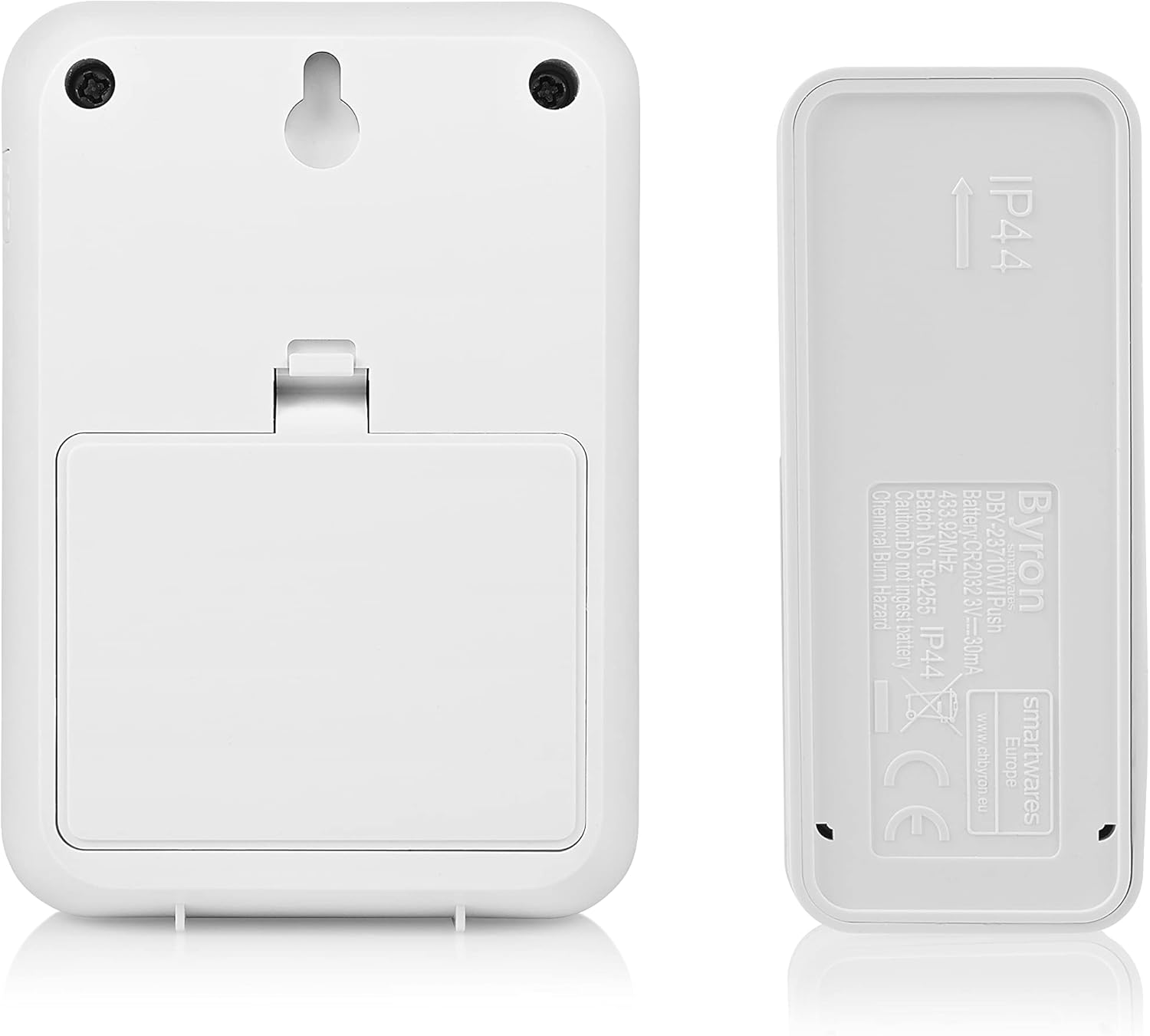
2-сүрөт: Арткы view of the chime unit and push button, illustrating battery compartments and mounting options.
2. Баскычты орнотуу
Choose a suitable location near your entrance, away from direct metal surfaces which can interfere with the wireless signal. The push button is typically weather-resistant (IP44 rated).
- Бурамаларды колдонуу: Mark the desired mounting holes, drill pilot holes if necessary, and secure the push button using the provided screws and wall plugs.
- Using Adhesive Pad: Clean the mounting surface thoroughly. Peel off the protective film from the adhesive pad and firmly press the push button onto the surface for at least 30 seconds.
3. Positioning the Chime Unit
Place the chime unit in a central location within your home where the sound can be easily heard. Consider the maximum wireless range of 150 meters. Avoid placing it near large metal objects or other electronic devices that might cause interference.

Figure 3: Close-up of the push button, showing the clear nameplate cover.
4. Жупташтыруу (зарыл болсо)
Most Byron doorbell kits come pre-paired. If your chime does not ring when the push button is pressed, you may need to pair them:
- On the chime unit, locate the pairing button (often a small button inside the battery compartment or on the side).
- Press and hold the pairing button for a few seconds until an indicator light flashes or a sound is heard.
- Within 10 seconds, press the push button. The chime unit should ring, indicating successful pairing.
- Эгер жупташтыруу ишке ашпай калса, процессти кайталаңыз.
Иштөө нускамалары
1. Мелодияларды өзгөртүү
Your doorbell kit offers 16 different melodies. To change the melody:
- Locate the melody selection button on the chime unit. This is often a small button on the side or front.
- Press the button repeatedly to cycle through the available melodies. The chime will play each melody as you select it.
- Stop pressing when you hear your desired melody. It will be saved automatically.

4-сүрөт: Каптал view of the chime unit, indicating the location of control buttons.
2. Үндү тууралоо
To adjust the volume level of the chime unit:
- Locate the volume control button on the chime unit. This might be a dedicated button or integrated with the melody selection.
- Press the button to cycle through different volume levels (e.g., High, Medium, Low, Mute).
- Муктаждыктарыңызга эң ылайыктуу үн деңгээлин тандаңыз.
Техникалык тейлөө
- Тазалоо: Агрегаттарды жумшак, кургак чүпүрөк менен сүртүңүз. Абразивдүү тазалагычтарды же эриткичтерди колдонбоңуз.
- Батареяны алмаштыруу:
- If the push button stops working or its range decreases, replace the battery (e.g., CR2032).
- If the chime unit's sound becomes weak or it stops ringing (and it's battery-operated), replace its batteries (e.g., AA).
- Always replace all batteries at the same time and ensure correct polarity.
- Курчап турган чөйрөнү коргоо: Электр шаймандарын сорттолбогон муниципалдык таштанды катары таштабаңыз. Өзүнчө чогултуу каражаттарын колдонуңуз. Жеткиликтүү чогултуу системалары тууралуу маалымат алуу үчүн жергиликтүү бийликке кайрылыңыз.
Проблемаларды чечүү
| Көйгөй | Мүмкүн себеп | Чечим |
|---|---|---|
| Chime does not ring when push button is pressed. |
|
|
| Chime rings intermittently or has reduced range. |
|
|
| Коңгуроонун үнү өтө төмөн же өтө катуу. | Үндүн көлөмүн тууралоо керек. | Adjust the volume using the volume control button on the chime unit. |
Техникалык шарттар
| Өзгөчөлүк | Деталь |
|---|---|
| Модель номери | DBY-22321NP |
| Өлчөмдөрү (L x W x Y) | 2.91 x 7 x 10.05 cm (Chime Unit); (Push Button dimensions not specified, but implied to be smaller) |
| Салмагы | 104 grams (total kit) |
| Зымсыз диапазон | 150 метрге чейин (ачык талаа) |
| Обондор | 16 тандалган обондор |
| Үн деңгээли | Жөнгө салынуучу |
| Power Supply (Push Button) | Battery (e.g., CR2032, included) |
| Power Supply (Chime Unit) | Battery (e.g., 3x AA, required) or Plug-in (model dependent) |
| Тtage | 4.5 Volts (for battery-operated chime) |
| IP Rating (Push Button) | IP44 (аба ырайына туруктуу) |
Кепилдик жана колдоо
Byron products are manufactured to high quality standards. This product is covered by a standard manufacturer's warranty against defects in materials and workmanship. Please refer to the warranty card included in your package or visit the official Byron webдеталдуу кепилдик шарттары жана шарттары үчүн сайт.
For technical support, troubleshooting assistance, or to inquire about spare parts, please contact Byron customer service through their official website or the contact information provided with your purchase. When contacting support, please have your product model number (DBY-22321NP) and purchase details ready.
Көбүрөөк маалыматты жана колдоону төмөнкү даректен таба аласыз: www.byron.com