
1. Киришүү
Thank you for choosing the VGR V909 Hair Trimmer. This manual provides essential information for the safe and effective use, maintenance, and troubleshooting of your device. Please read it thoroughly before first use and keep it for future reference.
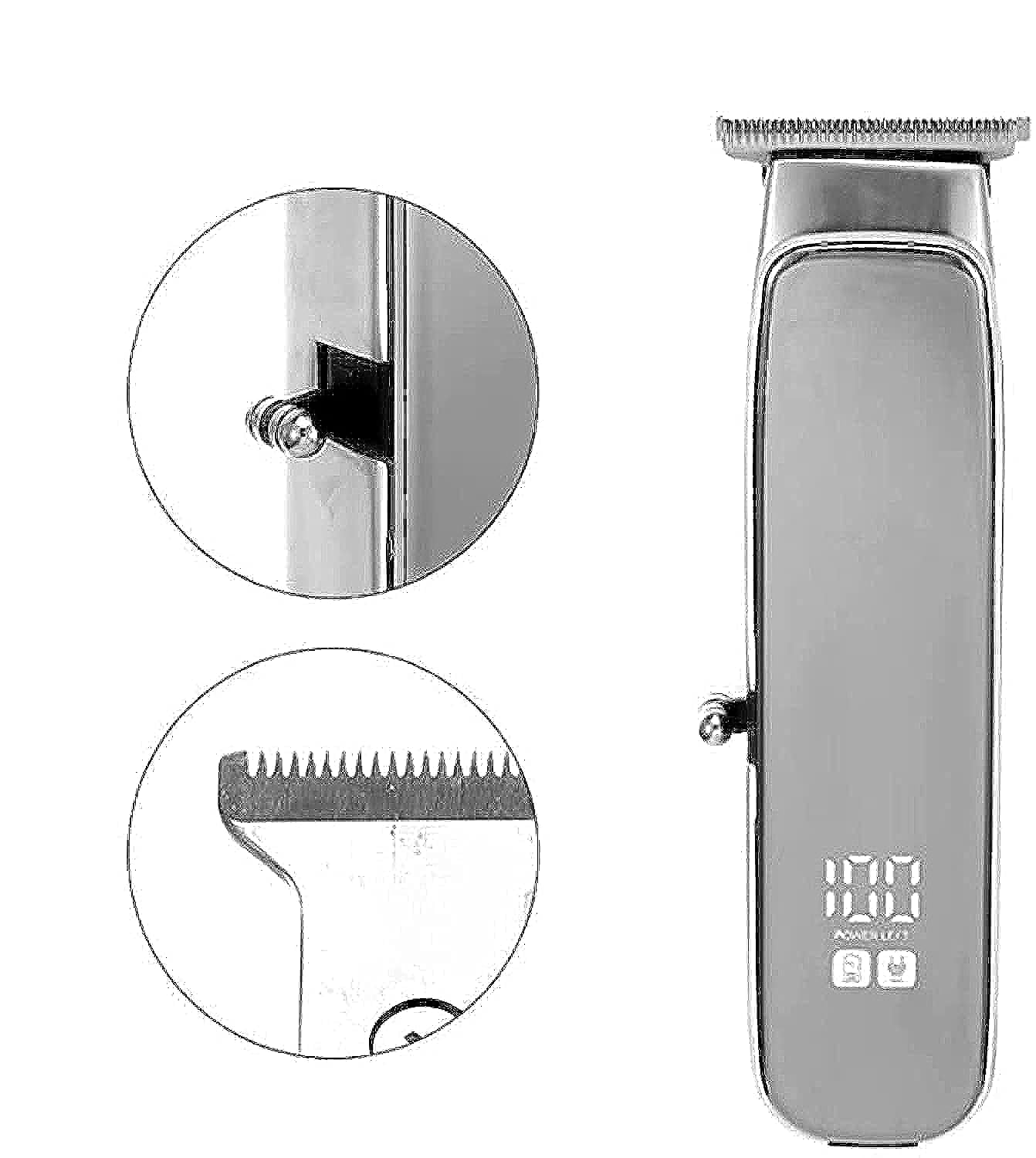
Image 1.1: The VGR V909 Hair Trimmer and its included accessories, showcasing the main unit, guide combs, and charging cable.
2. Коопсуздук нускамалары
Электр тогуна урунуу, жаракат алуу же өрт чыгуу коркунучун азайтуу үчүн ар дайым төмөнкү негизги коопсуздук чараларын сактаңыз:
- Keep blades away from eyes and skin during operation.
- Бул шайманды ымыркайларга колдонбоңуз.
- Keep the trimmer away from water sources. Do not use it near bathtubs, showers, basinс, же суусу бар башка идиштер.
- Always unplug the trimmer before cleaning or performing any maintenance.
- Use the trimmer with the cord only in a dry environment.
- Бул шайман тиричиликте гана колдонууга арналган.
- Do not attempt to repair or disassemble the trimmer yourself. Contact qualified service personnel.
- Заряддоо көлөмүн камсыз кылыңызtage matches the specifications of your power outlet.
3. Пакеттин мазмуну
Пакетте бардык буюмдар бар экенин текшериңиз:
- VGR V909 Hair Trimmer Unit
- Guide Combs (2 pieces)
- Тазалоочу щетка
- Blade Oil Bottle
- USB заряддоо кабели
- Instruction Manual
4. Продукт бүтүп калдыview
Familiarize yourself with the main components of your VGR V909 Hair Trimmer:
- Blade Head: Precision stainless steel blade with a titanium fixed blade for sharp and durable cutting.
- Кубат баскычы: Used to turn the trimmer ON/OFF.
- Заряддоо көрсөткүчү: Light that indicates charging status.
- Заряддоо порту: USB заряддоо кабелин туташтыруу үчүн.
- Гид тарактары: Attachments for adjusting trimming length.
5. Орнотуу жана заряддоо
5.1 Баштапкы төлөм
Before using your trimmer for the first time, ensure it is fully charged.
- USB заряддоо кабелин триммердин заряддоо портуна туташтырыңыз.
- USB кабелинин экинчи учун туура келген USB кубат адаптерине (кошумча эмес) же компьютердеги USB портуна сайыңыз.
- The charging indicator light will illuminate, indicating that the trimmer is charging.
- Allow approximately 8 hours for a full charge. The indicator light may change or turn off once fully charged (refer to specific product behavior if different).
- A full charge provides up to 90 minutes of cordless operation.
5.2 Багыттоочу тарактарды бекитүү
To achieve desired hair lengths, attach one of the provided guide combs:
- Ensure the trimmer is turned OFF.
- Align the guide comb with the trimmer blade head.
- Gently push the comb onto the blade head until it clicks securely into place.
- To remove, gently pull the comb away from the blade head.
6. Иштөө нускамалары
6.1 Күйгүзүү/өчүрүү
- To turn ON the trimmer, press the Power Button.
- To turn OFF the trimmer, press the Power Button again.
6.2 Чачты кыркуу
Эң жакшы натыйжага жетүү үчүн, кыркуудан мурун чачыңыздын таза жана кургак экенин текшериңиз.
- Attach the desired guide comb for your preferred hair length.
- Триммерди күйгүзүңүз.
- Hold the trimmer with the blades pointing upwards and flat against the skin.
- Триммерди чачтын өсүү багытына каршы жай жылдырыңыз.
- For detailing or precise lines, remove the guide comb and use the bare blade carefully.
- Колдонгондон кийин триммерди өчүрүңүз.
7. Техникалык тейлөө
Regular cleaning and oiling will ensure optimal performance and extend the life of your trimmer.
7.1 Бычактарды тазалоо
- Ensure the trimmer is turned OFF and unplugged from any power source.
- Жетектөөчү таракчаны алып салыңыз.
- Use the provided cleaning brush to brush away any loose hairs from the blades and the trimmer body.
- For a more thorough clean, the blade head can often be detached (refer to specific product design for removal instructions if applicable).
- Do not rinse the entire trimmer under water unless explicitly stated as waterproof. Clean blades with a damp зарыл болсо, кездеме менен сүртүп, андан кийин жакшылап кургатыңыз.
7.2 Чачтарды майлоо
After every few uses, or if the trimmer feels sluggish, oil the blades:
- Триммердин таза жана кургак экенине ынаныңыз.
- Apply 1-2 drops of the provided blade oil evenly across the top of the blades.
- Turn the trimmer ON for a few seconds to allow the oil to distribute.
- Ашыкча майды жумшак чүпүрөк менен сүртүңүз.
7.3 Сактоо
Триммерди салкын, кургак жерде, күндүн түз нурунан жана нымдуулуктан алыс сактаңыз. Балдар жетпеген жерде сактаңыз.
8. Кыйынчылыктарды
If you encounter issues with your VGR V909 Trimmer, refer to the following common problems and solutions:
| Көйгөй | Мүмкүн себеп | Чечим |
|---|---|---|
| Триммер күйбөйт. | Батарея түгөнүп калды. | Триммерди 8 саатка заряддаңыз. |
| Чач кыркуу же чачты жулуп алуу начар. | Пычактар кир же майланган эмес. | Clean and oil the blades as per maintenance instructions. |
| Триммер колдонуу учурунда токтоп калат. | Батарея аз. | Триммерди кайра заряддаңыз. |
| Триммер адаттан тыш үн чыгарат. | Blades may be misaligned or require oiling. | Check blade alignment and apply oil. If problem persists, contact support. |
9. Техникалык шарттар
| Модел | V-909 |
| Rated Voltage | AC 220-240V 50-60Hz or AC 100-110V 60Hz (Optional) |
| Күч | 3 Ватт |
| Бычактын материалы | Stainless Steel with Titanium Fixed Blade |
| Дене материалы | Акрилонитрил бутадиен стирол (ABS) |
| Power Source | USB, Battery, Corded Electric |
| Заряддоо убактысы | Толук заряддоо үчүн 8 саат |
| Максималдуу иштөө убактысы | 90 мүнөт (зымсыз) |
| Өзгөчөлүктөр | Заряддоочу, портативдик |
| Максаттуу аудитория | Эркектер |
| Элемент Салмагы | 500 грамм |
| Пакеттин өлчөмдөрү | 20.3 x 9.8 x 6.9 см |
10. Кепилдик жана колдоо
For warranty information and customer support, please refer to the warranty card included with your product or visit the official VGR webсайт. Сатып алганыңыздын далили катары сатып алуу дүмүрчөгүңүздү сактаңыз.
If you have any questions or require assistance, please contact VGR customer service through the channels provided on their official webсайт же продукт таңгак.