
1. Киришүү
This user manual provides comprehensive instructions for the ASHATA 5012H Portable Digital Oscilloscope. It covers product features, technical specifications, setup procedures, operating modes, maintenance, and troubleshooting. Please read this manual thoroughly before using the device to ensure proper operation and to maximize its performance and longevity.
2. Продукт бүтүп калдыview
The ASHATA 5012H is a portable digital oscilloscope designed for a wide range of electrical measurement and engineering debugging applications. It features a 100MHz bandwidth and a 500MS/s sample rate, making it suitable for analyzing various electrical signals.

Сүрөт 2.1: Алдыңкы view of the ASHATA 5012H Portable Digital Oscilloscope, showing the IPS LCD screen and control buttons.
Негизги өзгөчөлүктөрү:
- 100 МГц өткөрүү жөндөмдүүлүгү: Capable of measuring a wide range of electrical signals for amplifiers, oscillators, control systems, DC/DC conversion, inverter systems, and switching power supplies.
- 500 MS/s Sample Rate: Provides high-resolution signal capture.
- Үч иштөө режими: Automatic, Single, and Normal modes for diverse testing scenarios.
- IPS LCD Screen: Clear display for waveform analysis.
- Портативдик дизайн: Compact and lightweight for field use.
- Engineering Debugging Tool: Ideal for DIY production, inverter circuits, switching power supplies, oscillation circuits, PWM drives, communication circuits, power amplifier circuits, network measurement, and bus circuits.
3. Техникалык шарттар
| Спецификация | Нарк |
|---|---|
| Элемент түрү | Санарип Осциллограф |
| Продукт материалы | ABS |
| Продукт түсү | Сары |
| Заряддоо киргизүү | 5V 1A/2A/3A/4A |
| Max Test Voltage | 1X: 80V, 10X: 800V |
| ЖК-экран Көлөм | Болжол менен 6.1 см (2.4 дюйм) |
| ЖК токтому | 320 x 240 |
| Дисплей технологиясы | TFT |
| Камтылган батарея | 5000mAh литий батареясы |
| өткөрүү жөндөмдүүлүгү | 100 МГц |
| Sample Rate | 500 MS/s |
| Күтүү убактысы | 8 саат |
| Тышкы томtage | 0-80V |

Figure 3.1: The oscilloscope's screen, indicating its approximate 6.1 cm (2.4 inch) size.
4. Пакеттин мазмуну
Төмөндө тизмеленген нерселердин баары пакетиңизге камтылганын текшериңиз. Эгерде кандайдыр бир нерселер жок болсо же бузулса, кардарларды колдоо менен байланышыңыз.
- 1 x Oscilloscope Host
- 1 x 100MHz Matching Probe (1X and 10X)
- 1 x USB кабели
- 1 x User Manual
- 1 х Сактоочу Кап
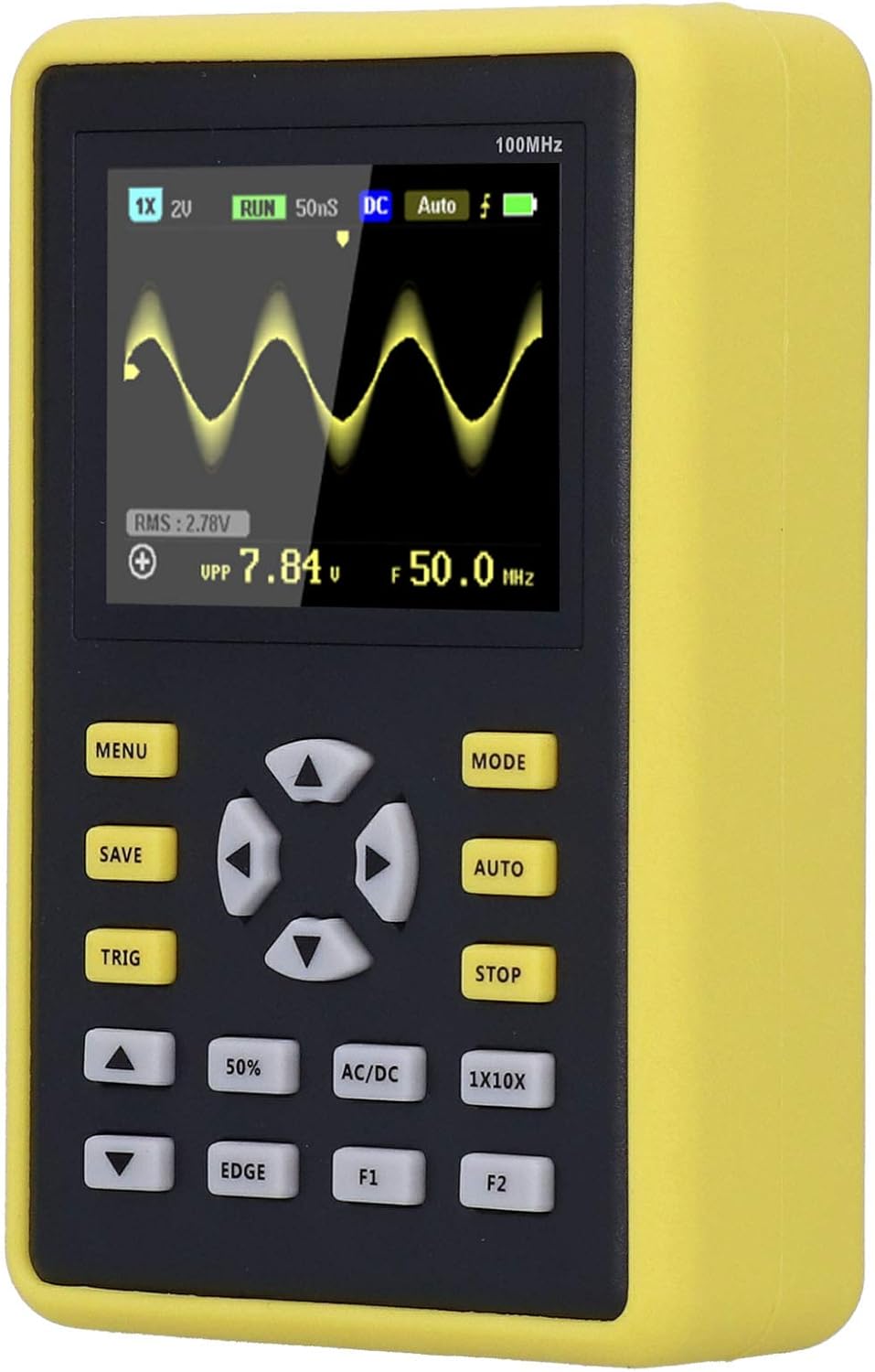
Figure 4.1: The ASHATA 5012H Oscilloscope, probe, USB cable, and user manual neatly packed in its protective storage case.
5. Орнотуу
5.1 Аппаратты заряддоо
Before initial use, fully charge the oscilloscope. Connect the provided USB data cable to the device's charging port and a 5V power adapter (1A to 4A recommended). The charging indicator will show the charging status.
5.2 Зондду туташтыруу
- Locate the BNC connector on the oscilloscope.
- Align the probe's BNC connector with the oscilloscope's input and twist clockwise to secure it.
- Зонддун жерге туташтыруучу кыскычын чынжырдын жерге туташтыруу чекитине бекитиңиз.
- Select the appropriate attenuation setting (1X or 10X) on the probe based on your measurement requirements. Ensure the oscilloscope's setting matches the probe's attenuation.

Figure 5.1: The oscilloscope connected to its probe and USB charging cable, illustrating the setup for operation and power.
6. Иштөө режимдери
The ASHATA 5012H oscilloscope offers three primary operating modes to suit different measurement needs:
- Автоматтык режим: This mode is ideal for testing periodic analog signals, such as sinusoidal waveforms. The oscilloscope automatically adjusts settings to display a stable waveform.
- Жалгыз режим: Use this mode for capturing unexpected, non-periodic events, such as car ignition signals. The oscilloscope triggers once and then stops, allowing for detailed analysis of a single event.
- Кадимки режим: This mode is suitable for testing digital logic signals, like those from an infrared remote control. It requires a stable trigger condition to display the waveform.
To switch between modes, press the 'MODE' button on the device. The current mode will be indicated on the screen.

Figure 6.1: A close-up of the oscilloscope's screen, showing a captured waveform and various measurement parameters.
7. Техникалык тейлөө
- Тазалоо: Аппаратты тазалоо үчүн жумшак, кургак чүпүрөктү колдонуңуз. Абразивдүү тазалагычтарды же эриткичтерди колдонбоңуз.
- Сактагыч: Store the oscilloscope in its protective case in a cool, dry place when not in use. Avoid extreme temperatures and humidity.
- Батареяга кам көрүү: Батареянын иштөө мөөнөтүн узартуу үчүн, батареяны тез-тез толук зарядсыздандырбаңыз. Түзмөктү активдүү колдонулбаса дагы, үзгүлтүксүз кубаттап туруңуз.
- Пробка кам көрүү: Handle the probe carefully. Do not bend or twist the cable excessively. Keep the probe tip clean.
8. Кыйынчылыктарды
If you encounter issues with your ASHATA 5012H oscilloscope, consider the following basic troubleshooting steps:
- Түзмөк күйбөй жатат: Ensure the battery is charged. Connect the device to a power source using the USB cable and try again.
- Эч кандай толкун формасы көрсөтүлгөн жок: Check if the probe is correctly connected to both the oscilloscope and the circuit. Verify the probe's attenuation setting matches the oscilloscope's setting. Adjust the trigger level and time base settings.
- Туруксуз толкун формасы: Try adjusting the trigger settings (level, mode). Ensure the signal source is stable.
- Туура эмес окуулар: Calibrate the probe if necessary. Ensure the input voltage does not exceed the maximum test voltage for the selected probe attenuation.
Эгерде көйгөйлөр чечилбесе, толук колдонуучу колдонмосундагы деталдуу көйгөйлөрдү чечүү бөлүмүн караңыз же кардарларды колдоо кызматына кайрылыңыз.
9. Кепилдик жана колдоо
This product comes with a standard manufacturer's warranty. For warranty details, technical support, or service inquiries, please refer to the contact information provided in the original product packaging or on the ASHATA official webсайт. Сатып алганыңыздын далили катары сатып алуу дүмүрчөгүңүздү сактаңыз.