
Introduction
Thank you for choosing the YATWIN Flybuds F18 Wireless Bluetooth 5.3 Earbuds. These earbuds are designed to provide a high-quality audio experience with advanced features such as Active Noise Cancellation (ANC), clear High-Definition Environmental Noise Cancellation (ENC) for calls, and convenient wireless charging. Please read this manual carefully to ensure proper use and optimal performance of your device.
Пакеттин мазмуну
Сураныч, пакетте төмөнкү нерселерди текшериңиз:
- YATWIN Flybuds F18 Wireless Earbuds (Left and Right)
- Заряддоо кутусу
- USB Type-C кубаттоочу кабель
- Eartips of different sizes (S, M, L)
- User Manual
Продукт бүттүview
Familiarize yourself with the components of your YATWIN Flybuds F18 earbuds and charging case.

Сүрөт: The YATWIN Flybuds F18 earbuds in their open charging case, showcasing the pink color and design. The earbuds are shown with a touch control area indicated by a fingerprint icon.
The earbuds feature touch control areas for various functions, LED indicators for status, and multiple microphones for call clarity and noise cancellation. The charging case protects the earbuds and provides additional battery life.

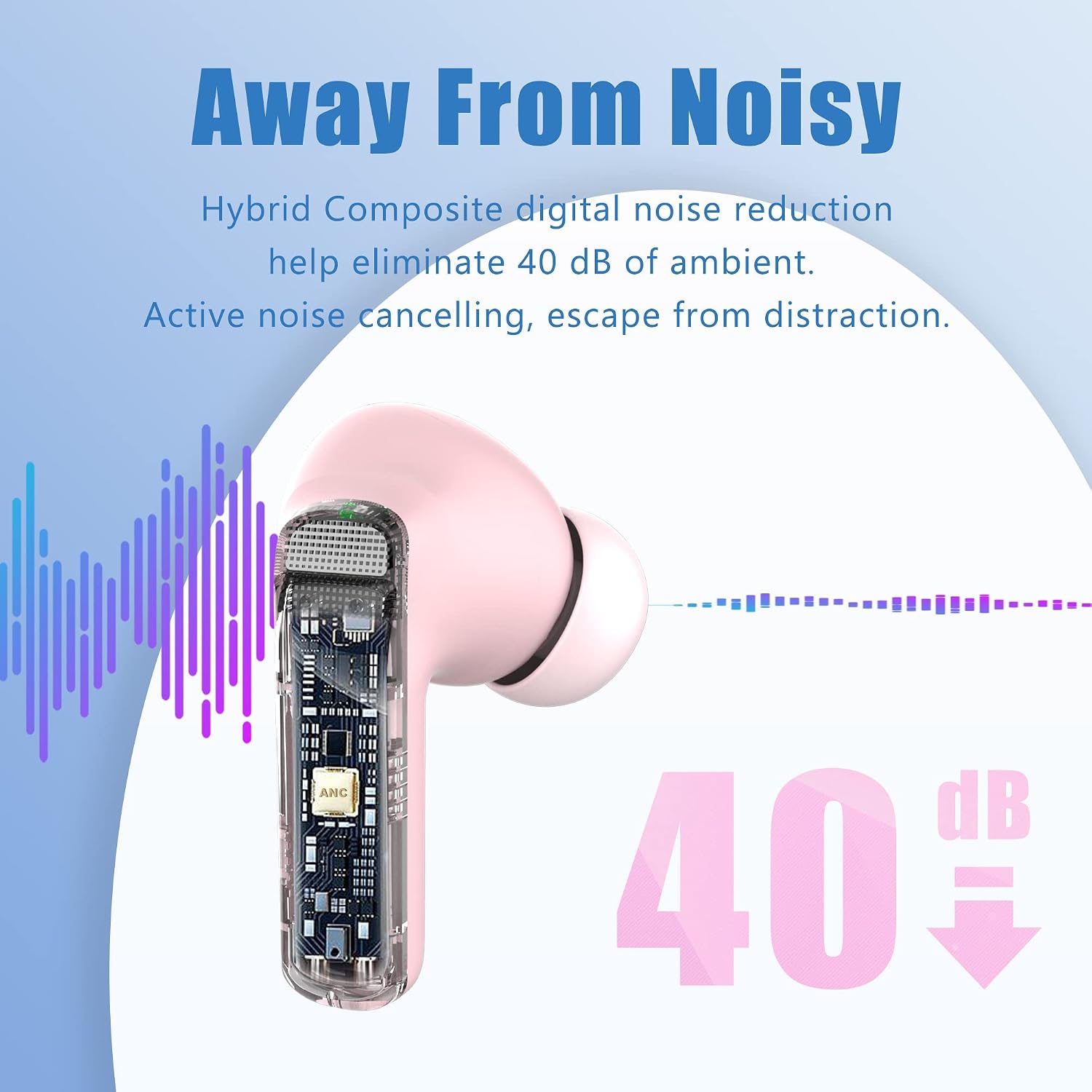
Сүрөт: A close-up diagram showing the internal components of an earbud, highlighting the speaker driver and microphone placement for noise cancellation.
Орнотуу жана биринчи колдонуу
Follow these steps to set up your earbuds for the first time:
- Баштапкы төлөм: Before first use, remove the protective film from the charging contacts on the earbuds. Place both earbuds back into the charging case and close the lid. Charge the case and earbuds for at least 10 minutes using the provided USB Type-C cable or a wireless charger. The LED indicator on the case will show charging status.
- Күйгүзүү: Заряддоо кутучасын ачыңыз. Кулакчындар автоматтык түрдө күйүп, жупташтыруу режимине өтөт.
- Жупташтыруу:
- Заряддоо кутучасын ачыңыз.
- Түзмөгүңүздөгү (смартфон, планшет, ноутбук) Bluetooth жөндөөлөрүнө өтүңүз.
- Издөө available devices and select "YATWIN Flybuds F18" to connect.
- Once connected, you will hear a confirmation tone, and the earbud LEDs will turn off.
- Автоматтык кайра туташуу: Баштапкы жупташтыруудан кийин, түзмөгүңүздө Bluetooth иштетилген болсо, кулакчындар кубаттоочу кутудан чыгарылганда автоматтык түрдө акыркы жупташтырылган түзмөккө туташат.

Сүрөт: A diagram illustrating the initial setup process, including removing protective film, charging, and Bluetooth pairing steps. It also shows touch control gestures.

Сүрөт: A visual representation of the fast pairing process, showing a smartphone's Bluetooth settings screen with "YATWIN Flybuds F18" available for connection, alongside the earbuds and charging case.
Иштөө нускамалары
The YATWIN Flybuds F18 feature intuitive touch controls on each earbud. Refer to the diagram below for a quick overview функцияларынын.

Сүрөт: A graphic detailing the touch controls for music playback, call management, volume adjustment, and voice assistant activation on the earbuds.
Музыкалык башкаруу:
- Ойнотуу/тындыруу: Кулакчындарды бир жолу таптаңыз.
- Кийинки трек: Оң кулакчынды эки жолу таптаңыз.
- Мурунку трек: Сол кулакчынды эки жолу таптаңыз.
- Көлөмү: Single tap the right earbud (after play/pause).
- Үнүн азайтуу: Single tap the left earbud (after play/pause).
Чалууларды көзөмөлдөө:
- Чалууга жооп берүү/аяктоо: Кулакчындарды бир жолу таптаңыз.
- Чакырууну четке кагуу: Кулакчындардын бирин 2 секунд басып туруңуз.
Ызы-чууну башкаруу режимдери:
The earbuds offer Active Noise Cancellation (ANC) and Transparency Mode.
- ANC иштетүү: Сол кулакчынды 2 секунд басып туруңуз.
- Ачыктык режимин иштетүү: Press and hold the left earbud for 2 seconds (to cycle through modes).
- Deactivate ANC/Transparency: Press and hold the left earbud for 2 seconds (to cycle through modes).
Үн жардамчысы:
- Үн жардамчысын иштетүү (Siri, Google жардамчысы, Alexa): Оң кулакчынды үч жолу таптаңыз.

Сүрөт: A graphic showing compatibility with popular voice assistants like Siri, Google Assistant, and Amazon Alexa, activated via the earbuds.
Кулакчындарыңызды жана кутучаңызды кубаттоо
The YATWIN Flybuds F18 charging case supports both USB Type-C wired charging and wireless charging.
Ишти заряддоо:
- Зымдуу кубаттоо: Connect the provided USB Type-C cable to the charging port on the case and to a USB power adapter (not included). The LED indicator on the case will show charging status.
- Зымсыз кубаттоо: Place the charging case on a compatible wireless charging pad. Ensure the case is properly aligned for charging to begin. The LED indicator will show charging status.
Кулакчындарды заряддоо:
Place the earbuds into the charging case. They will automatically begin charging. The case's battery will recharge the earbuds multiple times.

Сүрөт: An illustration showing the charging case being charged via both a USB Type-C cable and wirelessly on a charging pad, next to a laptop and notebook.
Батареянын иштөө мөөнөтү:
Each earbud provides up to 8 hours of listening time on a single charge. The charging case extends the total listening time to approximately 32 hours.
Сүрөт: A graphic highlighting the battery life of the earbuds, showing 8 hours per earbud and up to 32 hours total with the charging case.
Кароо жана тейлөө
- Тазалоо: Кулакчындарды, айрыкча кулакчындардын учтарын жана кубаттоочу контакттарды жумшак, кургак, мамыксыз чүпүрөк менен үзгүлтүксүз тазалап туруңуз. Катуу химиялык заттарды же абразивдүү материалдарды колдонбоңуз.
- Суу каршылык: The earbuds are IPX7 waterproof, meaning they are protected against splashes and sweat. However, they are not designed for swimming or prolonged submersion. Ensure they are dry before placing them back in the charging case.
- Сактагыч: Колдонулбаганда, кулакчындарды коргоо жана кубаттоо үчүн кубаттоочу кутучага сактаңыз.
- Температура: Кулакчындарды экстремалдык температурага (ысык же муздак) же жогорку нымдуулукка тийгизбеңиз.

Сүрөт: A visual representation of the earbuds' IPX7 waterproof rating, showing them resistant to water splashes.
Проблемаларды чечүү
| Көйгөй | Чечим |
|---|---|
| Кулакчындар жупташтырылбай жатат/туташтырылбай жатат |
|
| Бир гана кулакчын иштейт |
|
| Үн сапаты начар |
|
| АНК эффективдүү иштебей жатат |
|
Техникалык шарттар
| Өзгөчөлүк | Деталь |
|---|---|
| Бренд | ЯТВИН |
| Модель номери | Flybuds F18 |
| Байланыш технологиясы | Зымсыз (Bluetooth 5.3) |
| Noise Cancellation | Active Noise Cancellation (ANC) up to 40dB, Environmental Noise Cancellation (ENC) for calls |
| Микрофондор | 6 professional microphones (3 per earbud) |
| Батареянын иштөө мөөнөтү (наушник) | Заряддоого 8 саатка чейин |
| Батареянын жалпы иштөө мөөнөтү (корпусу менен) | 32 саатка чейин |
| Заряддоо | USB Type-C, зымсыз кубаттоо |
| Суу каршылык | IPX7 (чачууга каршы) |
| Жыштык диапазону | 20 Гц - 48 кГц |
| Шайкеш түзмөктөр | Bluetooth-enabled devices (iOS, Android, etc.) |
| Башкаруу түрү | Touch Control |
| Кулак жайгаштыруу | In-Ear |
| Батареянын курамы | Литий-полимер |
Кепилдик жана колдоо
YATWIN offers 18 months of customer support and after-sales service via email for the Flybuds F18 earbuds. For any issues or inquiries, please contact YATWIN customer service. Please retain your proof of purchase for warranty claims.
For further assistance, please visit the official YATWIN webсайтка же алардын колдоо тобуна түздөн-түз кайрылыңыз.