
1. Киришүү
Thank you for choosing the iWALK DBL5000PC Portable USB-C Power Bank. This compact and powerful device is designed to provide convenient and fast charging for your USB-C compatible smartphones and other devices, ensuring you stay connected wherever you go. Please read this manual carefully before use to ensure optimal performance and safety.
2. Коопсуздук маалыматы
- Кубат банкын экстремалдык температурага, тике күн нуруна же отко чыгарбаңыз.
- Аппаратты түшүрүүдөн, сүзүүдөн же ажыратуудан качыңыз.
- Балдар жетпеген жерде сактаңыз.
- Эгерде Power Bank бузулган болсо же шишип бараткандай көрүнсө, аны колдонбоңуз.
- Тастыкталган заряддоо кабелдерин жана адаптерлерин гана колдонуңуз.
- Жергиликтүү эрежелерге ылайык кубат банкын жоопкерчилик менен жок кылыңыз.
3. Продукт бүтүп калдыview
The iWALK DBL5000PC is a compact 4,800mAh power bank featuring an integrated USB-C connector for direct device charging and 18W PD fast charging capabilities. It includes a digital display to show the remaining battery percentage.

Image: The iWALK DBL5000PC portable USB-C power bank in pink, showcasing анын компакттуу дизайны.
3.1 Негизги өзгөчөлүктөрү
- Орнотулган USB-C туташтыргычы: Directly plugs into your device for cable-free charging.
- 4,800mAh кубаттуулугу: Provides significant power for smartphones.
- 18W PD тез кубаттоо: Powerbank жана туташкан түзмөктөр үчүн тез кубаттоону колдойт.
- Санариптик дисплей: Shows precise battery percentage.
- Компакт жана жеңил: Designed for portability and ease of carrying.
3.2 Шайкештик
This power bank is compatible with a wide range of USB-C devices, including:
- iPhone 15/16/17 Series (Pro/Max/Plus)
- Samsung Galaxy S25/S24/S23/S22/S21/S20/S10, Note 22/21/10/9, Z Flip/Fold series
- Google Pixel 8/7/6/5
- LG G7/V30/V40
- Motorola, OnePlus, and other USB-C phones
- iPad Pro/Air/Mini (USB-C models)

Image: A detailed compatibility chart illustrating various smartphone and tablet models that can be charged with the iWALK power bank.
4. Пакеттин мазмуну
Upon opening your iWALK DBL5000PC package, you should find the following items:
- iWALK 4,800mAh Power Bank (x1)
- USB-Cден USB-Cге кабел (x1)
- Instruction Manual (x1)

Image: The iWALK power bank, a USB-C charging cable, and the welcome guide, as included in the product package.
5. Power Банкты орнотуу жана заряддоо
Before using your iWALK power bank to charge other devices, it is recommended to fully charge the power bank itself.
- USB-C кабелин туташтыруу: Use the provided USB-C to USB-C cable. Plug one end into the USB-C input port on the side of the power bank.
- Кубат Булагына туташуу: Plug the other end of the USB-C cable into a compatible USB wall adapter (not included) or a computer's USB-C port.
- Монитор заряддоо: Power bank'тагы санарип дисплей кубаттоонун жүрүшүн көрсөтүп, батареянын зарядынын пайызын көрсөтөтtage.
- Толук заряддын көрсөткүчү: The display will show 100% when the power bank is fully charged. A full recharge takes approximately 1.5 hours with 18W PD fast recharging.

Image: Illustration of the iWALK power bank being recharged, showing both a direct plug into a wall adapter and a wired connection via USB-C cable.
6. Operating Instructions (Charging Your Device)
The iWALK DBL5000PC offers convenient, cable-free charging for your USB-C devices.
- Коргоочу капкакты алып салуу: Gently remove the protective cap from the built-in USB-C connector.
- Түзмөккө туташуу: Plug the built-in USB-C connector directly into your smartphone or other compatible device's USB-C port.
- Заряддоону баштоо: The power bank should automatically begin charging your device. The digital display will show the power bank's remaining charge.
- Кубаттоо абалы: Your device's screen will indicate that it is charging.
- Ажыратуу: Once your device is charged, or you wish to stop charging, simply unplug the power bank from your device and replace the protective cap.
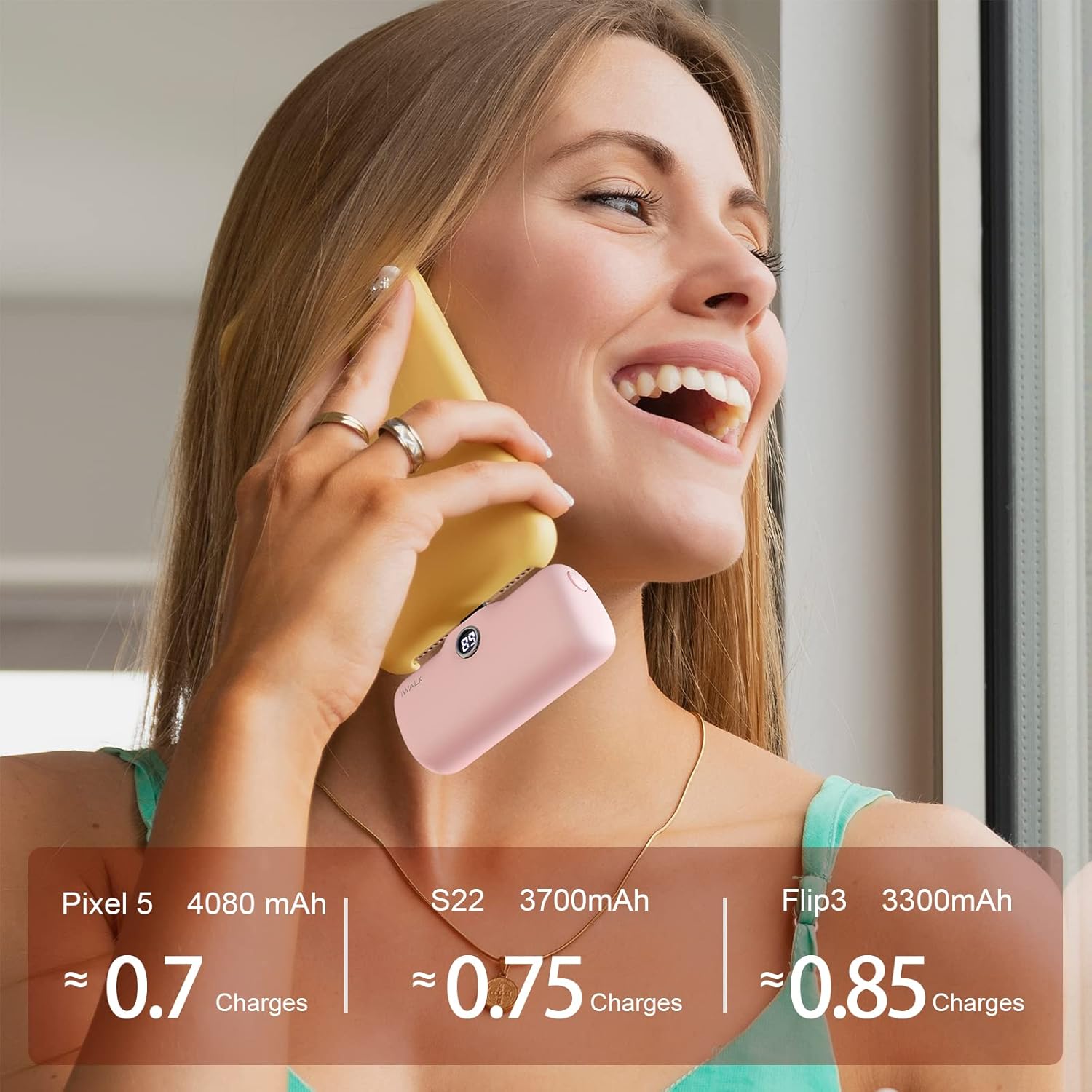
Image: A pink iWALK power bank directly plugged into the bottom of a smartphone, actively charging the device.

Image: A woman holding a smartphone with the iWALK power bank attached, demonstrating how the compact design allows for continued phone use during charging.
7. Санарип дисплей
The iWALK DBL5000PC features a clear digital display that shows the remaining battery percentage of the power bank. This allows you to easily monitor its charge level and know when it needs to be recharged.

Сүрөт: жакын план view of the iWALK power bank, highlighting its digital display which shows the current battery percentage.
8. Техникалык тейлөө жана кам көрүү
- Power банкты жумшак, кургак чүпүрөк менен тазалаңыз. Катуу химиялык заттарды же абразивдүү материалдарды колдонбоңуз.
- Powerbankты салкын, кургак жерде, күн нуру жана нымдуулук түз тийбеген жерде сактаңыз.
- Узак мөөнөткө колдонулбаса, батареянын ден соолугун сактоо үчүн кубат банкты жок дегенде үч айда бир жолу заряддап туруңуз.
- Ensure the protective cap is always on the USB-C connector when not in use to prevent dust and damage.
9. Кыйынчылыктарды
| Көйгөй | Мүмкүн себеп | Чечим |
|---|---|---|
| Power банк заряддалбай жатат | Батареянын заряды аз; кабель/адаптер бузулган; байланыштын начардыгы | Ensure cable is securely connected; try a different cable/adapter; allow sufficient time for charging. |
| Түзмөк заряддалбай жатат | Power bank low/empty; device incompatibility; loose connection | Recharge power bank; verify device compatibility; ensure power bank is firmly plugged into device. |
| Жай кубаттоо | Non-PD compatible adapter; device drawing high power | Use an 18W PD compatible wall adapter for faster charging; avoid using the device heavily while charging. |
| Санарип дисплей иштебейт | Power bank completely discharged; internal fault | Charge the power bank for a few minutes; if issue persists, contact customer service. |
10. Техникалык шарттар
| Өзгөчөлүк | Деталь |
|---|---|
| Модель номери | DBL5000PC |
| Батарея сыйымдуулугу | 4800 миллионamp Саат |
| Туташтыргыч түрү | USB түрү C (орнотулган) |
| Заряддоо ылдамдыгы | 18 Вт PD тез кубаттоо |
| Продукциянын өлчөмдөрү | 1.02 x 2.3 x 1.02 дюйм |
| Элемент Салмагы | 0.24 унция |
| Өзгөчөлүктөр | Auto Shut-Off, Digital Display, Fast Charging, Pocket Size, Slim |
| Өндүрүүчү | U2O GLOBAL CO., LTD. |
11. Кепилдик жана колдоо
Your iWALK DBL5000PC Power Bank comes with a standard manufacturer's warranty. For specific warranty details, please refer to the documentation included in your product packaging or visit the official iWALK webсайт.
For any questions, technical support, or customer service inquiries, please contact iWALK customer service. The product includes 7x24 customer service.
Байланыш маалыматы:
- Refer to your product packaging for the most up-to-date contact details.
- Visit the official iWALK webколдоо булактары жана көп берилүүчү суроолор үчүн сайт.