
HOCO EW15
Hoco EW15 Clear Explore Edition TWS Wireless Headset User Manual
Модел: EW15
Introduction
Thank you for choosing the Hoco EW15 Clear Explore Edition TWS Wireless Headset. This manual provides detailed instructions on how to set up, operate, and maintain your new headset. Please read this manual carefully before use to ensure optimal performance and longevity of your device.
The Hoco EW15 features Bluetooth v5.1 for stable connectivity, a 30mAh headset battery providing up to 4 hours of call and music time, and a 300mAh charging case for extended use. Its translucent design offers a unique aesthetic, showcasing the internal components.
Пакеттин мазмуну
- Hoco EW15 Clear Explore Edition True Wireless BT Headset (Left and Right Earbuds)
- Заряддоо кутусу
- USB заряддоо кабели
- User Manual
Продукт бүттүview




Жайгашуу
Charging the Headset and Case
Before first use, fully charge the Hoco EW15 headset and its charging case.
- Эки гарнитураны тең заряддоо кутусуна салыңыз. Алардын туура отурганын текшериңиз.
- USB заряддоо кабелин корпустагы кубаттоо портуна жана туура келген USB кубат булагына туташтырыңыз (мисалы, компьютердин USB порту, дубал адаптер).
- The indicator light on the charging case will show charging status. It takes approximately 1.5 hours to fully charge the case and 1 hour for the headset.
- Толук заряддалгандан кийин, заряддоо кабелин ажыратыңыз.
Түзмөк менен жупташтыруу
The Hoco EW15 supports automatic pairing and master-slave switching.
- Заряддоо кутучасын ачыңыз. Кулакчындар автоматтык түрдө күйүп, жупташтыруу режимине өтөт.
- Түзмөгүңүздө (смартфон, планшет ж.б.) Bluetooth иштетиңиз.
- Издөө available Bluetooth devices and select "Hoco EW15" тизмеден.
- Туташтырылгандан кийин, сиз ырастоо сигналын угасыз жана кулакчындардагы индикатор жарыгы өзгөрөт.
- Баштапкы жупташтыруудан кийин, түзмөктө Bluetooth иштетилген болсо, кулакчындар кутудан чыгарылганда акыркы жупташтырылган түзмөккө автоматтык түрдө туташат.
Иштөө нускамалары
Touch Controls
The Hoco EW15 earbuds feature touch-sensitive controls for easy operation.
| Акция | Функция |
|---|---|
| Бир таптоо (Сол/Оң гарнитура) | Музыка ойнотуу/тындыруу, Чалууга жооп берүү/аяктоо |
| Эки жолу таптаңыз (Сол кулакчын) | Мурунку трек |
| Эки жолу таптаңыз (оң кулакчын) | Кийинки трек |
| Үч жолу таптап (сол/оң кулакчын) | Үн Жардамчысын жандырыңыз (Siri, Google Жардамчы) |
| Узак басуу (2 секунд) | Чакырууну четке кагуу |
| Узак басуу (5 секунд) | Күйгүзүү/өчүрүү (болбогон учурда) |
Чалууларды башкаруу
- Чалууларга жооп берүү / аяктоо: Кулакчындарды бир жолу таптаңыз.
- Чалууларды четке кагуу: Кулакчындын бирин 2 секунд басып туруңуз.
Үн жардамчысы
Triple tap either earbud to activate your device's voice assistant (e.g., Siri for iOS, Google Assistant for Android).
Техникалык тейлөө
Proper maintenance ensures the longevity and performance of your Hoco EW15 headset.
- Тазалоо: Кулакчындарды жана кубаттоочу кутуну тазалоо үчүн жумшак, кургак, түксүз чүпүрөктү колдонуңуз. Абразивдүү тазалагычтарды же эриткичтерди колдонбоңуз.
- Сактагыч: Колдонулбаганда, кулакчындарды коргоо жана кубаттоо үчүн кубаттоочу кутучага сактаңыз.
- Суудан качуу: Кулакчындар суу өткөрбөйт. Сууга, нымдуулукка же өтө жогорку температурага дуушар кылбаңыз.
- Заряддоо: Use the provided charging cable and a certified power adapter. Avoid overcharging.
Проблемаларды чечүү
If you encounter issues with your Hoco EW15 headset, refer to the following common solutions:
- Кулакчындар бири-бири менен же түзмөк менен жупташпай жатат:
- Эки кулакчындын тең кубатталганын текшериңиз.
- Place both earbuds back into the charging case, close the lid, wait a few seconds, then open the lid again. This often resets the connection.
- On your device, forget or delete "Hoco EW15" from the Bluetooth device list, then try pairing again.
- Ensure your device's Bluetooth is enabled and within 10 meters of the earbuds.
- Үн жок же үнү төмөн:
- Түзмөгүңүздөгү жана кулакчындардын үнүнүн деңгээлин текшериңиз.
- Кулакчындар түзмөгүңүзгө туура туташтырылганын текшериңиз.
- Кулакчын динамиктериндеги калдыктарды тазалаңыз.
- Заряддоо кутучасы заряддалбай жатат:
- Заряддоо кабелин жана кубат адаптерин текшериңиз. Башка кабелди же адаптерди колдонуп көрүңүз.
- Корпустун заряддоо порту таза жана таштандыдан таза экенин текшериңиз.
- Microphone quality is poor:
- Ensure the microphone opening on the earbuds is not obstructed.
- Кулакчындарды тынчыраак чөйрөдө колдонуп көрүңүз.
Техникалык шарттар

| Өзгөчөлүк | Деталь |
|---|---|
| Продукт аты | EW15 Clear Explore Edition true wireless BT headset |
| Bluetooth версиясы | Bluetooth 5.1 (Chip: JL AC6973) |
| Батарея сыйымдуулугу (гарнитура) | 30 мАч (ар бир кулакчын) |
| Батареянын сыйымдуулугу (заряддоо кутусу) | 300mAh |
| Сүйлөшүү/Музыка убактысы | 4 саатка чейин |
| Күтүү убактысы | 120 саат |
| Заряддоо убактысы (гарнитура) | Болжол менен 1 саат |
| Заряддоо убактысы (капка) | Болжол менен 1.5 саат |
| Берүүнүн диапазону | Up to 10 meters (barrier-free) |
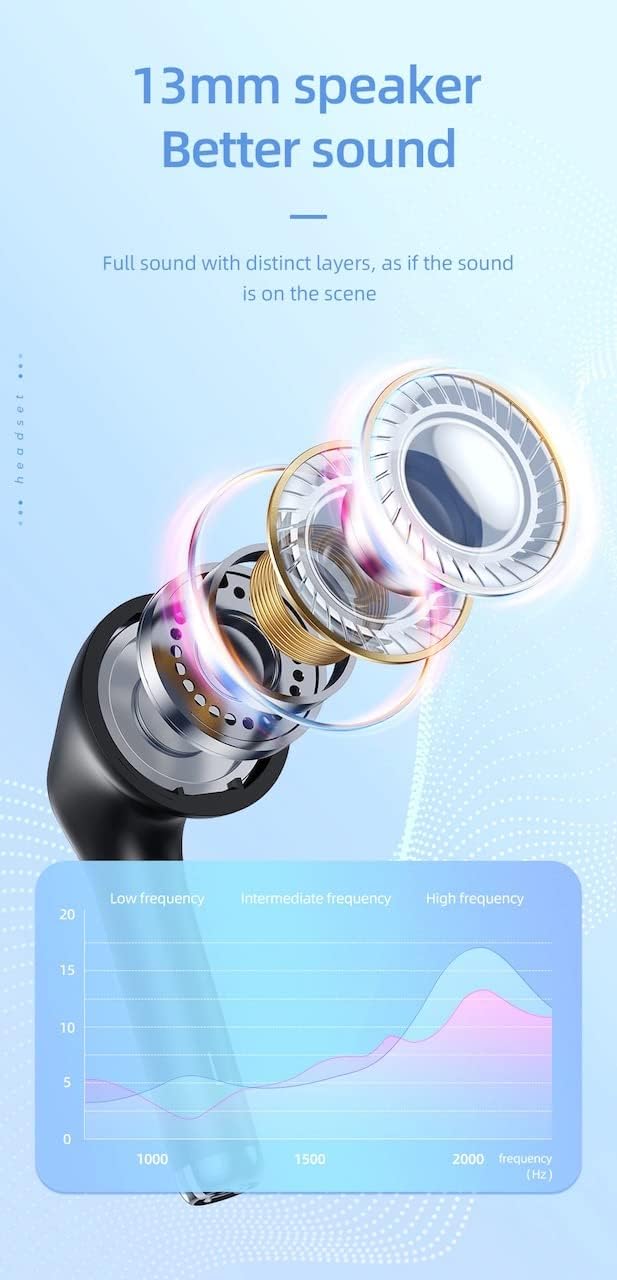
| Динамик өлчөмү | 13мм |
| Frequency Response | 20-20000 Гц |
| Продукциянын өлчөмдөрү | 5.45 x 4.7 x 2.5 см (Куплет) |
| Салмагы | Whole device 40g, single headset 3g |
| Материал | Пластик |
Кепилдик жана колдоо
For warranty information and technical support, please refer to the official HOCO webсайтка кайрылыңыз же жергиликтүү дистрибьютериңиз менен байланышыңыз.
Официалдуу Webсайт: www.hocotech.com
Сураныч, кепилдик дооматтар үчүн сатып алуу далилиңизди сактап коюңуз.
Ask a question about this manual
Ask about setup, troubleshooting, compatibility, parts, safety, or missing instructions. Manuals+ will review the question and use this page’s manual context to help answer it.