
1. Бүттүview
The Hoco ES61 Manner Sports Wireless Bluetooth Headset is designed for active lifestyles, offering a blend of comfort, long battery life, and versatile connectivity. This manual provides detailed instructions to help you get the most out of your headset.
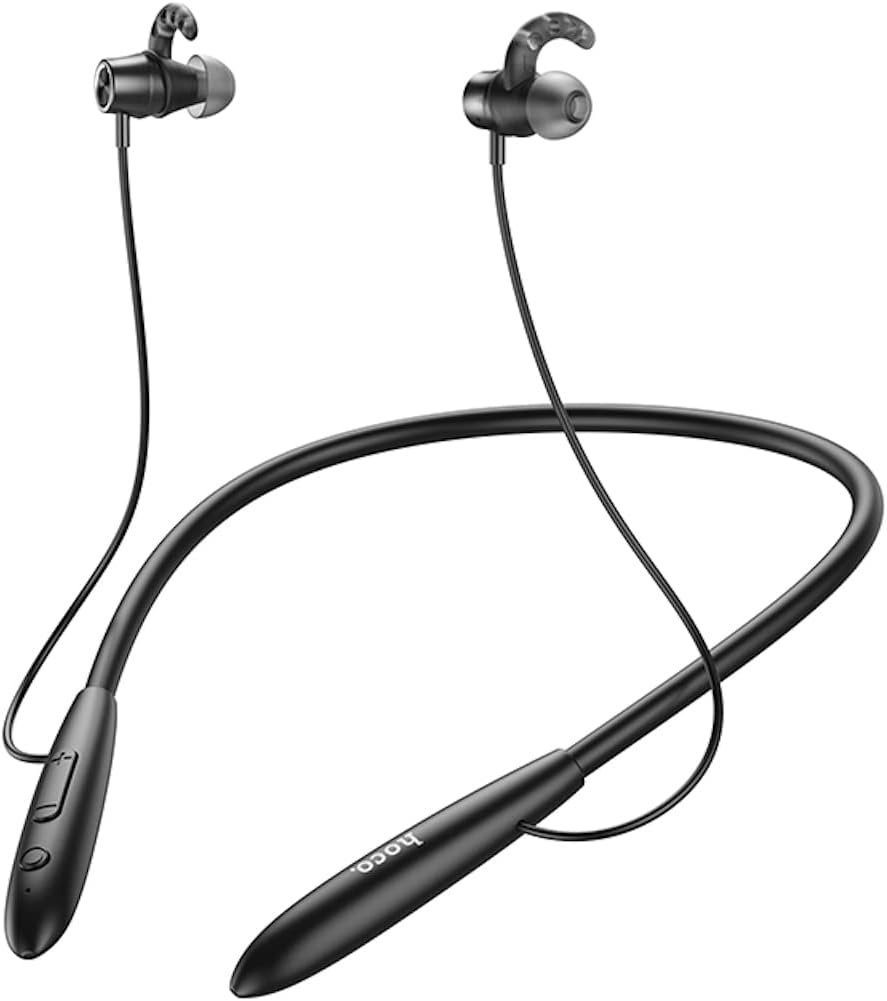
Сүрөт: алдыңкы view of the Hoco ES61 headset, showcasing its neckband design and in-ear earbuds.
2. Продукциянын өзгөчөлүктөрү
- Bluetooth 5.1 туташуусу: Equipped with JL AC7006 chip for stable and efficient wireless connection.
- Узартылган батареянын иштөө мөөнөтү: Features a 200mAh battery, providing up to 20 hours of music/talk time and an impressive 330 hours of standby time.
- Тез кубаттоо: Болжол менен 2 саатта толук заряддалат.
- Жеңил жана ыңгайлуу дизайн: The earphone cord measures 85cm in length, and the headset weighs only 22g, ensuring comfort during extended wear.
- Ар тараптуу ойнотуу параметрлери: Supports Bluetooth audio streaming and TF card playback (up to 32GB) for direct music listening.
- Multi-language Voice Prompts: Offers voice prompts in both Chinese and English for user convenience.
- Кеңири шайкештик: Compatible with a broad range of devices including iPhone, Samsung, OnePlus, Huawei, Xiaomi, and Oppo smartphones.

Сүрөт: Жакын план view of the Hoco ES61 headset, highlighting the integrated TF card slot for direct music playback.
Видео: Продукциянын расмий көргөзмөсүasing the Hoco ES61 Bluetooth Headset's features, including its 20-hour battery life, voice prompts, and compatibility with iOS and Android devices.
3. Орнотуу колдонмосу
3.1 Гарнитураны заряддоо
Before first use, fully charge the headset. Use a standard USB charger (not included) to connect the charging port on the headset to a power source.
- The LED indicator will typically show a red light during charging.
- Once fully charged (approximately 2 hours), the LED indicator will turn blue or off.
3.2 Bluetooth жупташтыруу
To connect your Hoco ES61 headset to a Bluetooth-enabled device:
- Гарнитура өчүрүлгөнүн текшериңиз.
- Press and hold the multi-function button (usually the power button) for approximately 3-5 seconds until the LED indicator flashes red and blue alternately. This indicates pairing mode.
- Түзмөгүңүздө (смартфон, планшет ж.б.) Bluetooth иштетиңиз жана жеткиликтүү түзмөктөрдү издеңиз.
- Select "Hoco ES61" from the list of found devices.
- Once connected, the LED indicator on the headset will typically flash blue slowly or turn off, and you will hear a voice prompt confirming the connection.
3.3 TF картасын ойнотуу
The Hoco ES61 supports direct music playback from a TF (MicroSD) card.
- Carefully insert a TF card (up to 32GB) with your music files into the designated TF card slot on the headset.
- The headset will automatically switch to TF card playback mode if a card is detected and contains playable audio files.
- Use the headset controls to manage playback (play, pause, skip tracks).
4. Иштөө нускамалары
4.1 Негизги башкаруу каражаттары
| Баскыч/Аракет | Функция |
|---|---|
| Көп функциялуу баскыч (MFB) | Күйгүзүү/өчүрүү, ойнотуу/тындыруу, чалууга жооп берүү/аяктоо |
| Үнүн жогорулатуу (+) | Үнүн катуулатуу, кийинки трек (көпкө басуу) |
| Үнүн азайтуу (-) | Үндү азайтуу, мурунку трек (көпкө басуу) |
4.2 Музыканы ойнотуу
- Ойнотуу/тындыруу: MFBди кыска басыңыз.
- Кийинки трек: Үндү жогорулатуу (+) баскычын көпкө басыңыз.
- Мурунку трек: Үндү азайтуу (-) баскычын көпкө басыңыз.
- Үндү тууралоо: Үндү катуулатуу (+) же үндү азайтуу (-) баскычтарын кыска басыңыз.
4.3 Чалууларды башкаруу
- Чалууга жооп берүү/аяктоо: Short press the MFB during an incoming call.
- Чакырууну четке кагуу: Long press the MFB during an incoming call.
- Акыркы номерди кайра терүү: Double-click the MFB when not on a call.

Image: The Hoco ES61 headset resting on a smartphone, illustrating its use with mobile devices for music and calls.
5. Техникалык тейлөө жана кам көрүү
- Гарнитураны кургак кармаңыз. Аны өтө жогорку температурага же нымдуулукка дуушар кылбаңыз.
- Clean the earbuds and charging port regularly with a soft, dry cloth to prevent dust and debris buildup.
- Катуу химиялык заттарды же абразивдүү тазалагычтарды колдонуудан алыс болуңуз.
- Колдонбогондо гарнитураны салкын, кургак жерде сактаңыз.
- Гарнитураны бөлүктөргө бөлүүгө же өзгөртүүгө аракет кылбаңыз, анткени бул кепилдикти жокко чыгарып, зыян келтириши мүмкүн.

Image: The Hoco ES61 headset shown with different sizes of silicone ear tips, emphasizing the importance of proper fit for comfort and sound quality.
6. Кыйынчылыктарды
6.1 Headset Not Turning On
- Ensure the headset is fully charged. Connect it to a charger and check the LED indicator.
- Press and hold the multi-function button for a few seconds to power on.
6.2 Түзмөк менен жупташуу мүмкүн эмес
- Make sure the headset is in pairing mode (LED flashing red and blue alternately).
- Түзмөгүңүздө Bluetooth күйгүзүлгөнүн жана ал аралыкта (адатта 10 метр) экенин текшериңиз.
- Forget/delete "Hoco ES61" from your device's Bluetooth list and try pairing again.
- Гарнитураны да, түзмөгүңүздү да өчүрүп күйгүзүңүз.
6.3 Үн жок же үнү төмөн
- Гарнитурадагы жана туташкан түзмөгүңүздүн үнүн жогорулатыңыз.
- Гарнитура түзмөгүңүзгө туура туташтырылганын текшериңиз.
- Эгер TF картасын колдонсоңуз, карта туура салынганын жана ойнотула турган аудио камтылганын текшериңиз files.
- Check for any obstructions in the earbud nozzles and clean if necessary.
6.4 Батареянын иштөө мөөнөтү кыска
- Колдонуудан мурун гарнитура толук заряддалганын текшериңиз.
- Батареянын иштөө мөөнөтү үн деңгээлине жана колдонуу режимине жараша өзгөрүшү мүмкүн.
- Батареяны экстремалдуу температурага тийгизүүдөн сактаңыз.
7. Техникалык шарттар
| Өзгөчөлүк | Деталь |
|---|---|
| Bluetooth версиясы | 5.1 |
| Bluetooth чип | JL AC7006 |
| Батарея сыйымдуулугу | 200mAh |
| Заряддоо убактысы | Болжол менен 2 саат |
| Музыка/Сүйлөшүү убактысы | 20 саатка чейин |
| Күтүү убактысы | 330 саатка чейин |
| Earphone Cord Length | 85см |
| Салмагы | 22г |
| TF картасын колдоо | Ооба, 32 ГБ чейин |
| Үн сунуштары | Кытай жана англис |
| Шайкештик | iPhone, Samsung, OnePlus, Huawei, Xiaomi, Oppo |
8. Кепилдик жана колдоо
For warranty information and customer support, please refer to the product packaging or contact your retailer. Keep your purchase receipt as proof of purchase for any warranty claims.