
Introduction
Welcome to the user manual for your KXD M5 Dual SIM 2G Mobile Phone. This guide provides essential information to help you set up, operate, maintain, and troubleshoot your device. Please read this manual carefully to ensure proper use and to fully utilize all features of your KXD M5 phone.
Продукт бүттүview
The KXD M5 is a reliable 2G mobile phone designed for essential communication and multimedia functions. It features a compact design, dual SIM capability, and a long-lasting battery.
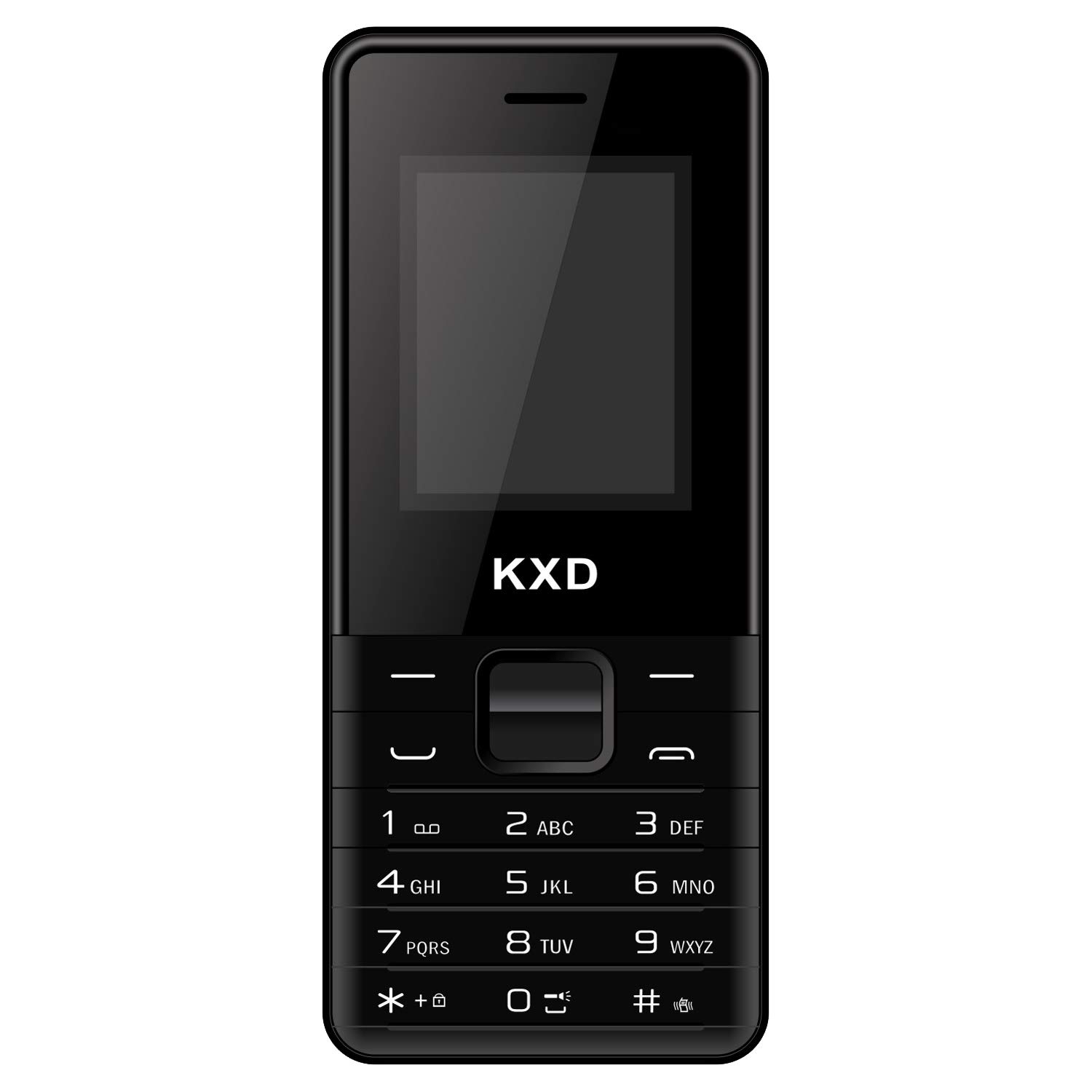
1-сүрөт: Фронт view of the KXD M5 mobile phone. This image displays the phone's front, including the display screen, physical keypad, and the earpiece at the top. The KXD logo is visible at the bottom.

2-сүрөт: Side view of the KXD M5 mobile phone. This image highlights the phone's slim profile and the placement of any side buttons or ports, if present.
Жайгашуу
1. SIM карталарды салуу
The KXD M5 supports two Micro SIM cards for dual network connectivity.
- Телефондун арткы капкагын кылдаттык менен алып салыңыз.
- Remove the battery if it is already inserted.
- Locate the SIM card slots. Insert your Micro SIM cards into the designated slots with the gold contacts facing down.
- SIM карталары коопсуз орнотулганын текшериңиз.
2. Батареяны салуу
- Align the battery's contacts with the phone's contacts.
- Батареяны акырын басып, ордуна коюңуз.
- Арткы капкакты ордуна коюп, чыкылдагандай болгонун текшериңиз.
3. Телефонду заряддоо
Биринчи жолу колдонуудан мурун, телефондун батарейкасын толугу менен заряддаңыз.
- Заряддагычты телефондун заряддоо портуна туташтырыңыз.
- Заряддоо түзүлүштү розеткага сайыңыз.
- The charging indicator will appear on the screen. A full charge takes approximately 45 minutes.
- Толук заряддалгандан кийин заряддагычты ажыратыңыз.
4. Күйгүзүү / Өчүрүү
- Күйгүзүү үчүн: Экран күйгөнгө чейин Күйгүзүү/Чалууну бүтүрүү баскычын басып, кармап туруңуз.
- Өчүрүү үчүн: Press and hold the Power/End Call button until the power-off options appear, then select 'Power Off'.
Иштөө нускамалары
Негизги навигация
- Use the navigation keys (up, down, left, right) to scroll through menus.
- Press the 'OK' or 'Select' key (usually the center key) to confirm a selection.
- Press the 'Back' or 'Clear' key to go back to the previous screen or delete characters.
Чалууларды кабыл алуу жана кабыл алуу
- Чалуу үчүн: Enter the phone number using the keypad and press the 'Call' button (usually green).
- Чакырууну кабыл алуу үчүн: Press the 'Call' button when the phone rings.
- Чалууну аяктоо үчүн: Press the 'End Call' button (usually red).
Sending and Receiving SMS
- Navigate to 'Messages' from the main menu.
- "Билдирүү жазуу" же "Жаңы SMS" тандаңыз.
- Enter your message and the recipient's number.
- "Жөнөтүү" баскычын басыңыз.
Мультимедиа өзгөчөлүктөрү
- Камера: Access the rear VGA camera from the menu to capture photos.
- Музыка ойноткучу: MP3 аудиону ойнотуу fileтелефонуңузда сакталган.
- Видео ойноткуч: View supported video formats.
- FM радиосу: Tune into FM radio stations. You can also record your favorite FM programs.
Байланыш
- Bluetooth: Enable Bluetooth from the settings menu to connect with compatible devices like headsets or other phones for file өткөрүп берүү.
- Интернет браузери: Use the built-in browser for basic internet access via 2G network.
Кошумча функциялар
- Чалууну жаздыруу: Record phone conversations (check local laws regarding consent).
- Тез терүү: Assign frequently called numbers to specific keys for quick dialing.
- Мобилдик трекер: A feature to help locate your phone if lost or stolen.
- Оюндар: Enjoy pre-installed games for entertainment.
- Көп тилдүү колдоо: The phone supports multiple languages for user interface.
Техникалык тейлөө
Батареяга кам көрүү
- Use only KXD-approved chargers and batteries.
- Батареяны экстремалдуу температурага тийгизүүдөн сактаңыз.
- Батареяны тешип же зыян келтирбеңиз.
- If the phone will not be used for an extended period, charge it partially before storing.
Аппаратты тазалоо
- Wipe the phone with a soft, dry cloth.
- Катуу химиялык заттарды же абразивдүү тазалагычтарды колдонуудан алыс болуңуз.
Суу каршылык
The KXD M5 is designed to be water resistant, offering protection against minor splashes. It is not intended for immersion in water or exposure to high-pressure water jets. Ensure all ports are closed when exposed to moisture.
Проблемаларды чечүү
| Көйгөй | Чечим |
|---|---|
| Телефон күйбөйт | Ensure the battery is correctly inserted and fully charged. Try charging the phone for at least 15 minutes before attempting to power on again. |
| Тармак сигналы жок | Check if SIM cards are properly inserted. Move to an area with better network coverage. Contact your service provider if the issue persists. |
| Батарея заряддалбай жатат | Verify that the charger is correctly connected to both the phone and the power outlet. Try using a different charger or power outlet. Ensure the charging port is clean and free of debris. |
| Чалууларды жасоо/кабыл алуу мүмкүн эмес | Check network signal strength. Ensure your SIM card is active and has sufficient balance/credit. Verify that call barring or flight mode is not enabled. |
| Баскычтоп жооп бербейт | Телефонду өчүрүп-күйгүзүңүз. Эгерде көйгөй чечилбесе, кардарларды колдоо кызматына кайрылыңыз. |
Техникалык шарттар
| Өзгөчөлүк | Деталь |
|---|---|
| Бренд | KXD |
| Модель аты | M5 |
| Уюлдук технология | 2G (GSM) |
| SIM карта уячалары | Кош SIM |
| SIM картанын көлөмү | Микро |
| Ички сактагыч | 32 MB |
| RAM | 32 MB |
| Байланыш | Bluetooth |
| Дисплей түрү | LCD |
| Арткы камера | VGA |
| Наушник уясы | 3.5 мм |
| Батарея сыйымдуулугу | 2500 мАч литий-ион |
| Talk Time | 12 саатка чейин |
| Күтүү убактысы | 12 саатка чейин |
| Заряддоо убактысы | Болжол менен 45 мүнөт |
| Суу каршылык | Basic splash resistant |
| Түс | Кара |
Кепилдик жана колдоо
KXD offers a standard one-year warranty on its mobile phones. This warranty covers manufacturing defects under normal use conditions. Please retain your purchase receipt as proof of purchase for warranty claims.
For technical support, service, or warranty inquiries, please refer to the contact information provided with your product packaging or visit the official KXD website. Ensure all accessories are KXD certified for optimal performance and to maintain warranty validity.