
1. Киришүү
The HANMATEK Thermal Camera Ti120 is an advanced imaging tool designed for detecting temperature anomalies across various applications. This manual provides essential information for the safe and effective operation, maintenance, and troubleshooting of your device. Please read this manual thoroughly before using the thermal camera.
The Ti120 features an infrared resolution of 120x90 pixels, a wide temperature range from -20°C to 400°C (-4°F to 752°F), and a high refresh rate of 25 Hz, making it suitable for detailed thermal inspections.
2. Продукт өзгөчөлүктөрү жана үстүнөview
The HANMATEK Ti120 thermal camera is equipped with several features to enhance its functionality and ease of use:
- Outstanding Image Quality & Performance: The Ti120 offers an IR resolution of 120x90 (10,800 pixels) and a thermal sensitivity of < 60mK. It features a 2.8-inch TFT LCD with an accuracy of ±2 °C. Users can switch between Celsius and Fahrenheit with a single click.
- Five Color Palettes & Adjustable Emissivity: Choose from 5 variable color palettes (iron red, rainbow, incandescent, black glow, red hot) directly on the camera. The emissivity is adjustable from 0.01 to 0.99, with 4 types of object measurement modes to suit different surfaces.
- Temperature and Light Alarm: An audible alarm and warning light activate when temperatures fall outside a preset range, alerting the user to potential issues. An integrated LED work light assists in dark or hard-to-reach areas.
- 32GB Micro SD & Data Communication: The device includes a 32GB Micro SD card for ample storage. It supports one-button photo capture, viewing, and data transfer to a laptop, TV, or other devices for analysis.
- Ар тараптуу колдонмолор: The Ti120 is suitable for home inspections, detecting insulation deficiencies, air leaks, water damage, building maintenance, HVAC troubleshooting, and professional electrical and mechanical system inspections.

Сүрөт 1: Алдыңкы view of the HANMATEK Ti120 Thermal Camera, showing the display and control buttons.
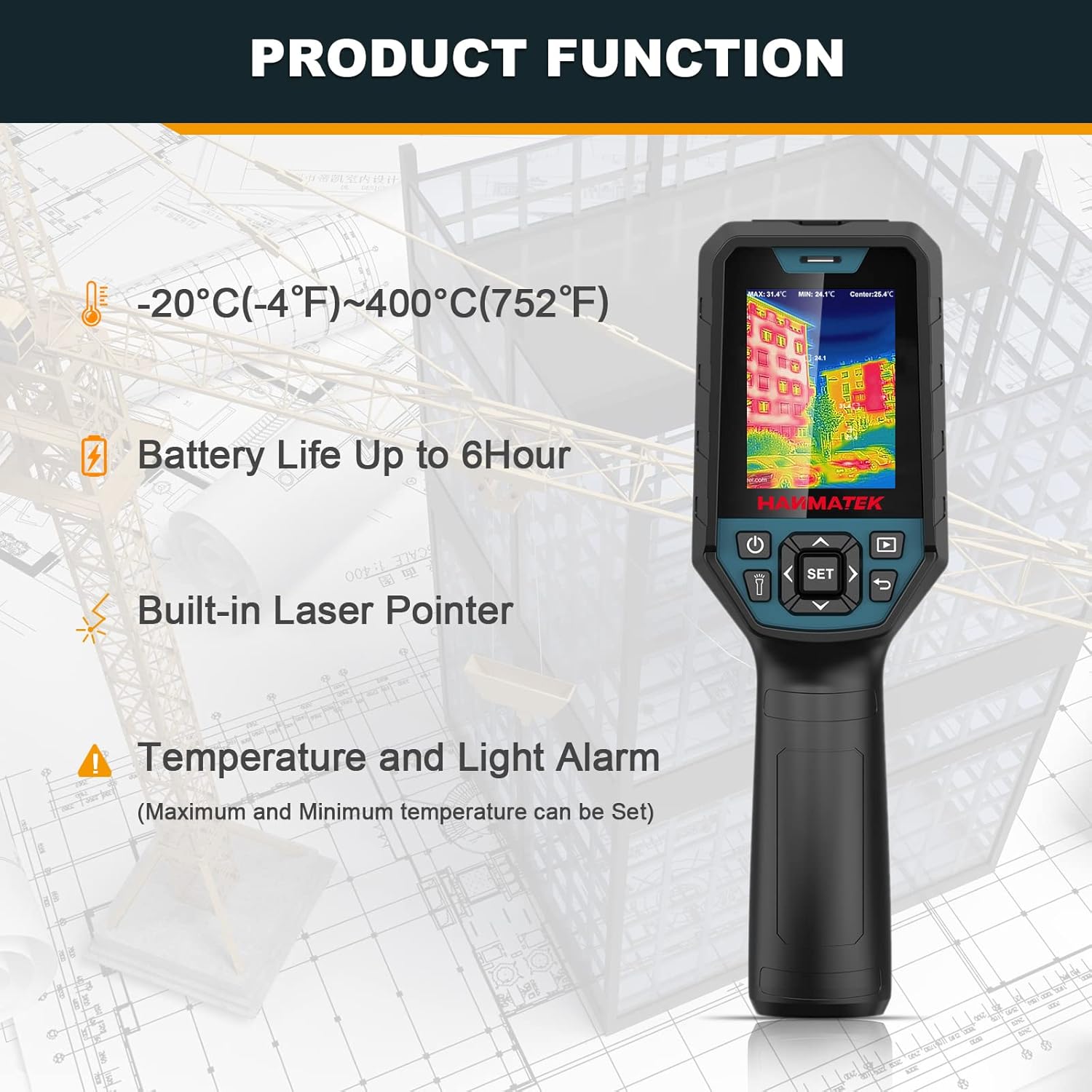
Figure 2: ашыкview of key product functions including temperature range, battery life, built-in laser pointer, and alarm features.

Figure 3: Labeled diagram of the thermal camera, indicating the LCD, power button, lighting button, navigation buttons, SET button, picture browsing button, return button, infrared window, visible light window, and camera button.

4-сүрөт: Мисamples of the 5 color palettes available: Rainbow, Iron Oxide Red, Cold Color, White Heat, and Black Heat.
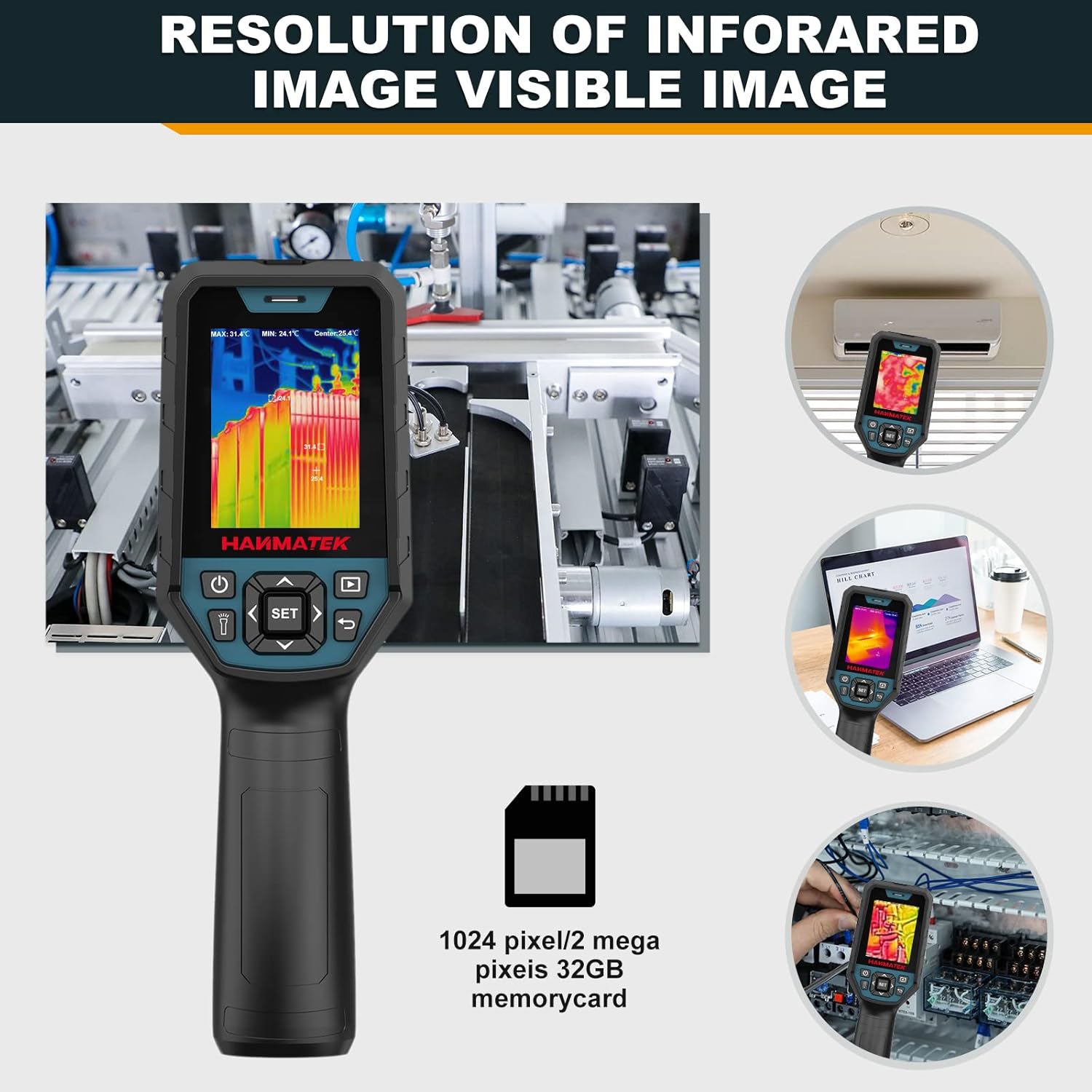
Figure 5: Illustrates the infrared image resolution and the inclusion of a 32GB Micro SD card for storage.

6-сүрөт: Мисamples of various applications for the thermal camera, including mechanical, electrical, HVAC, energy auditing, facility maintenance, and auto repair.

Figure 7: The automatic cold and hot spot tracker feature, which helps identify temperature extremes clearly.

Figure 8: Visual representation of the five image fusion modes (0%, 25%, 50%, 75%, 100%) for combining thermal and visual images.
3. Орнотуу
3.1 Батареяны заряддоо
The Ti120 thermal camera is equipped with a built-in 3.7V/5000mAh rechargeable lithium polymer battery. Before initial use, ensure the device is fully charged.
- Connect the provided Type-C USB cable to the camera's charging port.
- USB кабелинин экинчи учун туура келген USB кубат адаптерине (кошумча эмес) же компьютердин USB портуна туташтырыңыз.
- The charging indicator light will illuminate. A full charge typically provides over 6 hours of continuous use.

Figure 9: The thermal camera connected via Type-C USB for charging, indicating the battery status.
3.2 Inserting/Removing the Micro SD Card
The camera comes with a 32GB Micro SD card pre-installed or included separately for image storage.
- Түзмөктүн капталынан Micro SD карта уячасын табыңыз.
- To insert, gently push the card into the slot until it clicks into place.
- To remove, gently push the card again until it springs out, then pull it out.

Figure 10: The thermal camera highlighting the 32GB Micro SD card for storage.
3.3 Күйгүзүү/өчүрүү
Press and hold the Power Button (refer to Figure 3) for a few seconds to turn the device on or off. The display will light up, showing the thermal image.
4. Иштөө нускамалары
4.1 Негизги навигация
Use the navigation buttons (Up, Down, Left, Right) to move through menu options and adjust settings. The SET button confirms selections, and the Return button navigates back.
4.2 Температураны өлчөө
The Ti120 provides accurate temperature readings within a range of -20°C to 400°C (-4°F to 752°F).
- Automatic Hot/Cold Spot Tracking: The camera automatically identifies and displays the highest and lowest temperatures within the field of view.
- Center Point Measurement: Provides an accurate temperature reading at the center of the screen.
- Focused Area (ROI) Measurement: Allows selection of a specific region of interest for temperature analysis.
- Бирдикти алмаштыруу: Press the designated button to toggle between Celsius (°C) and Fahrenheit (°F).

Figure 11: The thermal camera displaying automatic temperature tracking, showing the highest and lowest temperature points.
4.3 Түс палитралары
Select a color palette from the menu to visualize temperature differences effectively. The available palettes are Iron Red, Rainbow, Incandescent, Black Glow, and Red Hot. Each palette highlights temperature variations differently.
4.4 Эмиссивдүүлүктү жөндөө
Adjust the emissivity setting (0.01 to 0.99) to match the surface being measured for accurate temperature readings. The camera offers 4 types of object measurement modes to assist with this setting.
4.5 Image Fusion Modes
The Ti120 supports five image fusion modes (0%, 25%, 50%, 75%, 100%) to blend thermal and visual images. This feature helps in identifying the exact location of temperature anomalies by overlaying the thermal image onto a visible light image.
4.6 Temperature and Light Alarm
When the measured temperature exceeds or falls below the set thresholds, the device will emit an audible alarm and flash its LED light. This feature is crucial for quick detection of critical temperature changes.
Video 1: Demonstration of the HANMATEK Thermal Camera Ti120's features, including temperature measurement, color palettes, and alarm functions.
4.7 Маалыматтарды башкаруу
- Сүрөт тартуу: Press the Camera Button (refer to Figure 3) to capture a thermal image.
- Image Browsing: Use the Picture Browsing Button (refer to Figure 3) to review saved images on the device.
- Компьютердик программалык камсыздоону колдоо: The camera supports PC software for advanced image analysis and reporting. Connect the camera to a computer via the Type-C USB cable.
- USB Drive режими: Allows browsing images, analyzing image data, and generating/exporting PDF reports.
- USB Camera Mode: Enables real-time picture taking, image projection, and automatic picture saving for over-temperature events.

Figure 12: Diagram illustrating the PC software support for USB drive mode (browsing, analysis, reports) and USB camera mode (picture taking, projection, auto-save).
5. Техникалык тейлөө
5.1 Аппаратты тазалоо
To ensure optimal performance and longevity, keep the thermal camera clean.
- Wipe the exterior of the camera with a soft, damp кездеме. Абразивдүү тазалагычтарды же эриткичтерди колдонбоңуз.
- Gently clean the infrared lens and visible light window with a lens cleaning cloth. Avoid touching the lens directly with fingers.
5.2 Батареяга кам көрүү
- Батареянын иштөө мөөнөтүн сактоо үчүн, түзмөк көп колдонулбаса дагы, аны үзгүлтүксүз кубаттап туруңуз.
- Батареяны узак убакытка толук зарядсыздандырбаңыз.
- Аппаратты колдонбогондо салкын, кургак жерде сактаңыз.
5.3 Сактоо
When storing the camera for extended periods, ensure it is clean, fully charged, and placed in its protective case to prevent damage from dust or impact.
6. Кыйынчылыктарды
If you encounter issues with your HANMATEK Ti120 thermal camera, refer to the following common problems and solutions:
| Көйгөй | Мүмкүн себеп | Чечим |
|---|---|---|
| Түзмөк күйбөйт | Батареянын аздыгы; Аппараттын бузулушу | Батареяны толугу менен кубаттаңыз. Эгерде көйгөй чечилбесе, кардарларды тейлөө кызматына кайрылыңыз. |
| Температураны туура эмес көрсөткүчтөр | Incorrect emissivity setting; Obstruction of lens; Device not calibrated | Adjust emissivity to match the target surface. Clean the lens. Ensure the device is used within its specified operating conditions. |
| Cannot save images | SD card full; SD card not inserted correctly; SD card corrupted | SD картанын сактагычын текшерип, керексизин өчүрүңүз files. Reinsert the SD card. Try a different SD card. |
| Image transfer to PC fails | USB cable issue; Driver not installed; PC software not running | Ensure the USB cable is securely connected. Install necessary drivers for the device. Verify the PC software is correctly installed and running. |
| Ойготкуч иштебей жатат | Alarm settings disabled; Volume too low | Check the alarm settings in the device menu. Adjust the volume. |
If the problem persists after attempting these solutions, please contact HANMATEK customer support for further assistance.
7. Техникалык шарттар
Key technical specifications for the HANMATEK Thermal Camera Ti120:
| Өзгөчөлүк | Спецификация |
|---|---|
| IR токтому | 120 x 90 пиксел (10,800 пиксел) |
| Жылуулук сезгичтиги | < ≤60mK |
| Температура диапазону | -20°Cден 400°Cге чейин (-4°Fтен 752°Fге чейин) |
| Тактык | ±2 °C or ±2% of reading |
| Жаңыртуу ылдамдыгы | 25 Гц |
| Дисплей | 2.8 дюймдук TFT LCD |
| Батарея түрү | Rechargeable 3.7V/5000mAh Li-ion Polymer Battery |
| Батареянын иштөө мөөнөтү | 8 саатка чейин үзгүлтүксүз иштөө |
| Сактагыч | 32 ГБ Micro SD карта |
| Продукциянын өлчөмдөрү | 9.2 x 3.17 x 2.93 дюйм |
| Элемент Салмагы | 1.74 фунт |
| Коргоо даражасы | IP65 (Суу жана чаң өткөрбөйт) |
8. Кепилдик жана колдоо
HANMATEK products are designed for reliability and performance. For warranty information, please refer to the warranty card included with your product or visit the official HANMATEK website. If you require technical assistance, have questions about product operation, or need to report a defect, please contact HANMATEK customer support.
Байланыш маалыматы: Please refer to the contact details provided on your product packaging or the official HANMATEK webэң заманбап колдоо каналдары үчүн сайт.