
KIMEX 018-7064W
KIMEX 018-7064W Motorized Retractable Ceiling TV Mount User Manual
Модели: 018-7064W
Introduction
This manual provides detailed instructions for the installation, operation, and maintenance of your KIMEX 018-7064W Motorized Retractable Ceiling TV Mount. This advanced ceiling mount is designed for televisions ranging from 32 to 70 inches, offering a discreet and space-saving solution for both flat and sloped ceilings. It features motorized retraction and extension, controlled via a remote control or smart home integration (Wi-Fi, TUYA, Amazon Alexa, Google Nest).
Please read this manual thoroughly before installation and use to ensure safe and optimal performance of the product.
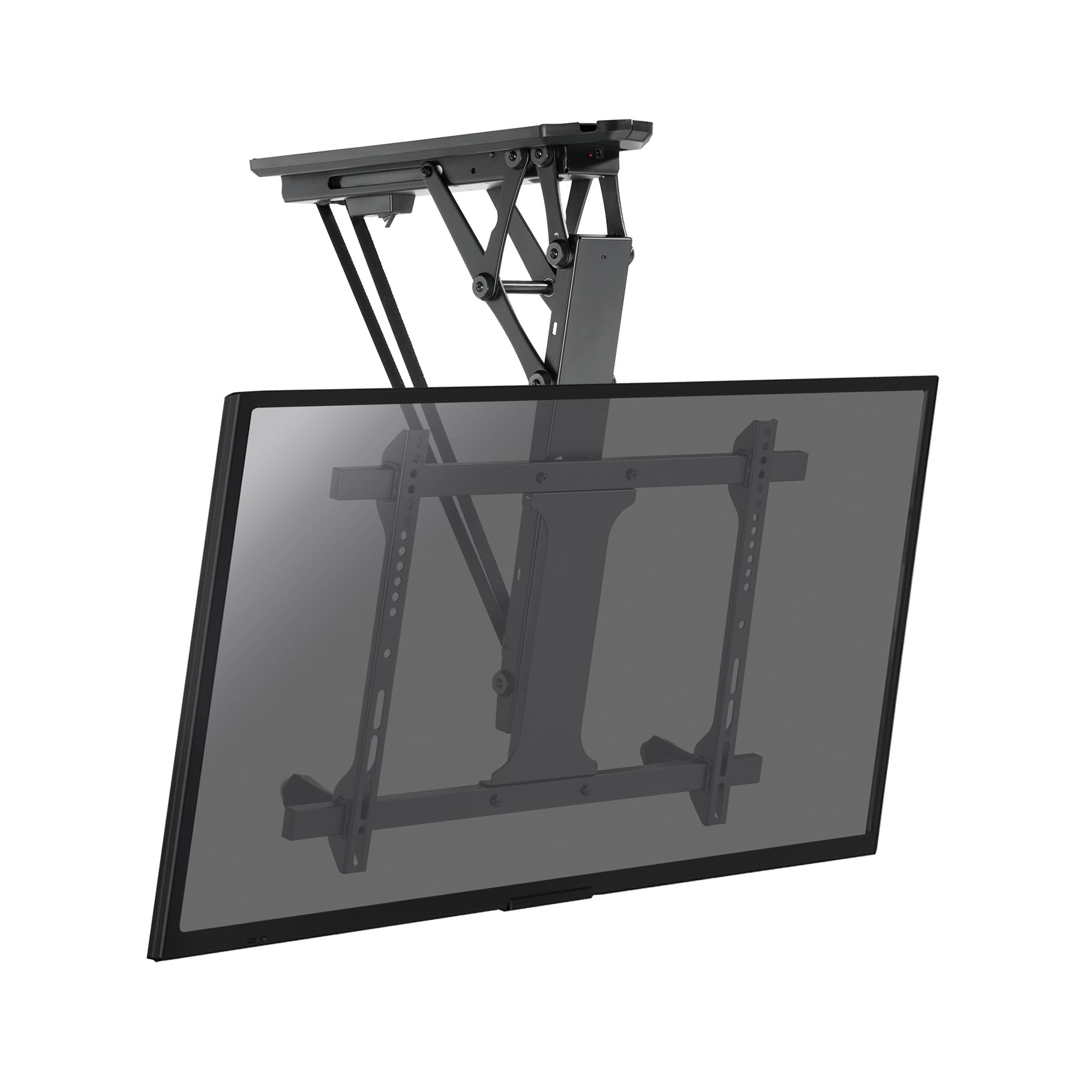
Figure 1: KIMEX 018-7064W Motorized Retractable Ceiling TV Mount (Extended)
Коопсуздук маалыматы
- Ensure the mounting surface (ceiling) can safely support the combined weight of the mount and the television.
- 35 кг (77 фунт) максималдуу салмактан ашпаңыз.
- Do not exceed the recommended screen size range of 32-70 inches.
- Always use appropriate tools and follow all installation steps carefully.
- Consult a qualified professional for installation if you are unsure about any part of the process.
- Иштеп жатканда балдарды жана үй жаныбарларын монтаждоочу жайдан алыс кармаңыз.
- Do not attempt to modify the mount or its components.
- Кандайдыр бир оңдоолорду же оңдоолорду аткаруудан мурун электр кубатын өчүрүңүз.
Пакеттин мазмуну
Орнотууну улантуудан мурун бардык компоненттер бар экенин жана бузулбаганын текшериңиз.
- Моторлуу шыпка орнотулган телевизорлорду орнотуучу түзүлүш
- Алыстан башкаруу
- Монтаждоочу аппараттык комплект (буроолор, анкерлер, шайбалар)
- VESA плитасы
- Орнотуу шаблону
- Кубаттуу адаптер
- Колдонуучунун Колдонмосу (бул документ)
Техникалык шарттар
| Модель номери | 018-7064W |
| Бренд | KIMEX |
| Шайкеш экран өлчөмдөрү | 32" - 70" |
| Максималдуу Салмак сыйымдуулугу | 35 кг (77 фунт) |
| VESA шайкештиги | Минималдуу 200x100 мм, максимум 600x400 мм |
| Тит бурч | 0°тан -75°ка чейин |
| Контролдоо ыкмалары | Remote Control, Wi-Fi (TUYA, Amazon Alexa, Google Nest), Voice Control |
| Түс | Кара |
| Келип чыккан өлкө | Франция |

2-сүрөт: Монтаждын өлчөмдөрүнүн диаграммасы
Орнотуу жана орнотуу
Before starting, ensure you have all necessary tools (drill, screwdriver, level, stud finder) and that the ceiling structure is suitable for mounting.
- Шыпты даярдоо: Use the provided installation template to mark the drilling points on your ceiling. Ensure the location is free of electrical wires or pipes.
- Кронштейнди орнотуу: Drill pilot holes according to the template. Secure the main ceiling bracket assembly to the ceiling using the appropriate screws and anchors from the hardware kit. Ensure it is firmly attached and level.
- Attach VESA Plate to TV: Secure the VESA plate to the back of your television using the screws that match your TV's VESA pattern. Ensure the screws are tightened securely but do not overtighten.
- Телевизорду илип: Carefully lift the television with the attached VESA plate and hook it onto the main ceiling mount assembly. Ensure the TV is properly seated and secured.
- Туташуу кубаты: Plug the power adapter into the mount and then into a suitable power outlet.
- Кабелдик башкаруу: Route all necessary cables (power, HDMI, etc.) through the integrated cable management channels for a clean and aesthetic finish.
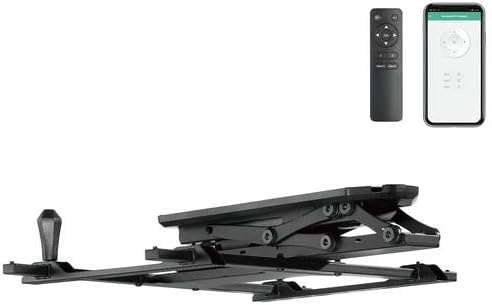
Figure 3: Mount in Retracted Position
Иштөө нускамалары
Алыстан башкаруу операциясы
The mount is operated using the provided radio frequency (RF) remote control.
- Кеңейтүү/чыгуу: басыңыз UP or ылдый buttons to extend or retract the TV.
- Токтотуу: басыңыз ТОКТОТ button to halt movement at any desired position.
- Эстутум функциялары: The remote allows you to store two preferred positions.
- Move the TV to the desired position.
- Басып кармап туруңуз MEM1 or MEM2 until the mount beeps or flashes, indicating the position is saved.
- To recall a saved position, simply press MEM1 or MEM2.
Smart Home Integration (Wi-Fi)
The mount can be controlled via Wi-Fi using compatible smart home applications like TUYA, Amazon Alexa, or Google Nest, and also through voice commands.
- Колдонмону жүктөп алуу: Download the TUYA Smart app (or relevant Alexa/Google Home app) from your device's app store.
- Түзмөктү жупташтыруу: Follow the in-app instructions to add and pair your KIMEX 018-7064W mount. This typically involves putting the mount into pairing mode (refer to app instructions or mount's quick start guide for specific steps).
- Контролдоо: Once paired, you can control the mount's extension, retraction, and stop functions directly from the app or via voice commands through your smart assistant.

Figure 4: Operating the Mount with Remote Control
Техникалык тейлөө
- Тазалоо: Clean the mount surfaces with a soft, dry cloth. Do not use abrasive cleaners or solvents.
- Текшерүү: Мезгил-мезгили менен бардык бурамалар менен байланыштарды текшерип туруңуз, алар бекем жана бекем бойдон калууда.
- Майлоо: The motorized components are designed for long-term, maintenance-free operation. Do not attempt to lubricate any internal parts.
- Кабель текшерүү: Ensure all cables are free from kinks, pinches, or damage.
Проблемаларды чечүү
| Көйгөй | Мүмкүн себеп | Чечим |
|---|---|---|
| Орнотуу алыстан башкаруу пультуна жооп бербейт. |
|
|
| Mount does not respond to Wi-Fi/App control. |
|
|
| Mount makes unusual noises during operation. |
|
|
| TV does not stop at programmed memory position. |
|
|
Кепилдик жана колдоо
KIMEX provides a 3-year availability for spare parts for this product. For technical support, warranty claims, or further assistance, please contact KIMEX customer service through their official webпродукт сатылып алынган сайт же сатуучу.
Please have your model number (018-7064W) and proof of purchase ready when contacting support.
Ask a question about this manual
Ask about setup, troubleshooting, compatibility, parts, safety, or missing instructions. Manuals+ will review the question and use this page’s manual context to help answer it.