
1. Киришүү
Сатып алганыңыз үчүн рахматasing the UNITED LED24TP60 24-inch HD Ready LED TV. This television is designed to provide high-quality visual and audio entertainment. This manual will guide you through the setup, operation, and maintenance of your new TV, ensuring you get the best possible experience. Please read these instructions carefully before operating the device and retain them for future reference.
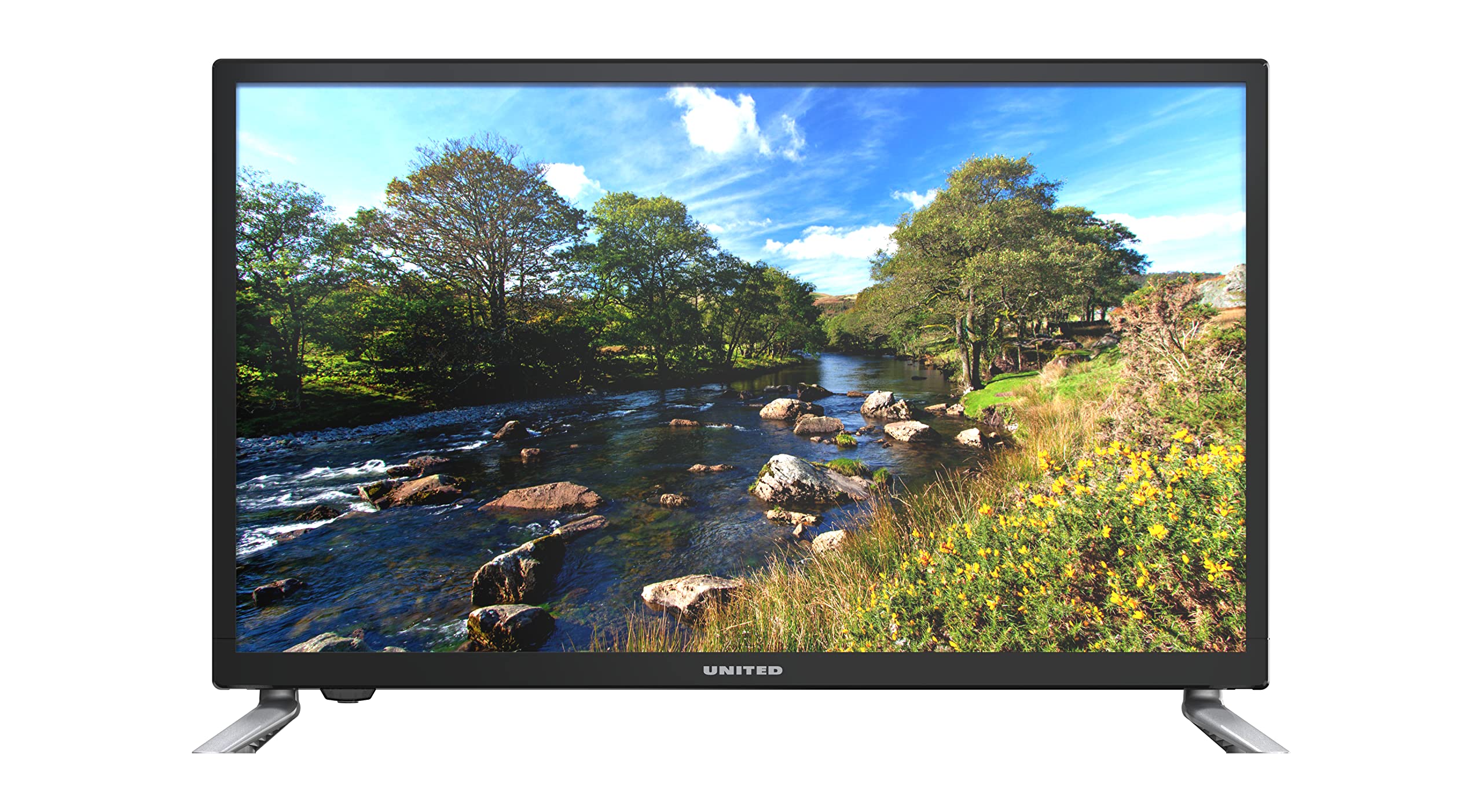
1.1-сүрөт: Фронт view of the UNITED LED24TP60 24-inch HD Ready LED TV. This image shows the television with its stand attached, displaying a vibrant nature scene.
2. Коопсуздук боюнча маанилүү маалымат
Коопсуз эксплуатацияны камсыз кылуу жана зыян келтирбөө үчүн төмөнкү коопсуздук чараларын сактаңыз:
- Кубат булагы: Телевизорду көрсөтүлгөн чоңдуктагы AC розеткага гана туташтырыңызtage.
- Вентиляция: Телевизордун айланасында жетиштүү желдетүүнү камсыз кылыңыз. Вентиляция тешиктерин жаап албаңыз.
- Суу жана ным: Телевизорду жамгырга же нымга тийгизбеңиз. Сыналгыга ваза сыяктуу суюктуктар толтурулган нерселерди койбоңуз.
- Жылуулук: Телевизорду радиаторлор, жылыткычтар, плиталар же башка шаймандар (анын ичинде ampкөтөргүчтөр) жылуулукту пайда кылуучу.
- Тазалоо: Тазалоодон мурун телевизорду розеткадан сууруп алыңыз. Жумшак, кургак чүпүрөктү колдонуңуз. Суюк тазалагычтарды же аэрозоль тазалагычтарды колдонбоңуз.
- Тейлөө: Бул продуктту өзүңүз тейлөөгө аракет кылбаңыз. Бардык тейлөөнү квалификациялуу тейлөө кызматкерлерине тапшырыңыз.
- Батареялар: Dispose of used batteries responsibly. Do not mix old and new batteries or different types of batteries.
3. Пакеттин мазмуну
Таңгактын ичинде бардык буюмдар бар экенин текшериңиз:
- UNITED LED24TP60 24-inch HD Ready LED TV
- Алыстан башкаруу
- 2 x AAA 1.5V Batteries (for remote control)
- Электр кабели
- Сыналгы стендинин компоненттери (эгер бар болсо)
- Колдонуучунун Колдонмосу (бул документ)
4. Орнотуу
4.1 Пакеттен чыгаруу жана жайгаштыруу
- Телевизорду таңгагынан этияттык менен чыгарыңыз.
- Place the TV on a stable, flat surface or mount it on a wall using a compatible VESA mount (not included). Ensure the TV is placed in a well-ventilated area.
4.2 Стендди бекитүү
If you are not wall-mounting the TV, attach the included stand components:
- Place the TV face down on a soft cloth or cushion to prevent screen damage.
- Стенддин тетиктерин телевизордун астындагы монтаждоо тешиктери менен тууралаңыз.
- Берилген бурамалар менен стендди бекитиңиз. Ашыкча кысып албаңыз.
4.3 Тышкы түзмөктөрдү туташтыруу
The UNITED LED24TP60 TV offers various connectivity options:
- HDMI: Connect high-definition devices such as Blu-ray players, game consoles, or set-top boxes using an HDMI cable.
- RF (антенна/кабель): Берүү каналдары үчүн антеннаны же кабелдик телевидение сигналын туташтырыңыз.
- USB: Медиа ойнотуу үчүн USB дискти салыңыз fileс (сүрөттөр, музыка, видеолор).
4.4 Күйгүзүү жана баштапкы орнотуу
- Электр кабелин сыналгыга, андан кийин розеткага туташтырыңыз.
- Insert the AAA batteries into the remote control, observing polarity.
- Пульттагы же сыналгыдагы кубат баскычын басыңыз.
- Follow the on-screen instructions to select your language, country, and perform an automatic channel scan for available broadcast channels.

4.1-сүрөт: Dimensions of the UNITED LED24TP60 TV. The image illustrates the TV's depth (12 cm), width (62.5 cm), and height (41.4 cm) with the stand.
5. Телевизорду иштетүү
5.1 Алыстан башкаруу функциялары
The remote control allows you to access all TV functions. Common buttons include:
- Күч: Телевизорду күйгүзөт же өчүрөт.
- Киргизүү/Булак: Selects the input source (HDMI, RF, USB).
- Көлөм +/-: Үн деңгээлин тууралайт.
- Канал +/-: Телеканалдарды өзгөртөт.
- Меню: Жөндөөлөрдү тууралоо үчүн негизги менюну ачат.
- Чабыттоо баскычтары (өйдө/төмөн/сол/оң): Менюлар аркылуу чабыттоо.
- OK/Enter: Тандоолорду ырастайт.
- Чыгуу/Артка: Мурунку экранга кайтат же менюдан чыгат.
5.2 Киргизүүнү тандоо
To switch between connected devices (e.g., a game console on HDMI and broadcast TV):
- басыңыз Киргизүү or Булак алыстан башкаруудагы баскыч.
- Use the navigation buttons to highlight the desired input (e.g., HDMI1, DTV, ATV, USB).
- Басыңыз OK тандооңузду ырастоо үчүн.
5.3 Меню багыттоо жана орнотуулар
басыңыз Меню button to access various settings:
- Сүрөт жөндөөлөрү: Adjust brightness, contrast, color, sharpness, and picture mode (e.g., Standard, Dynamic, Movie).
- Үн орнотуулары: Adjust bass, treble, balance, and sound mode (e.g., Standard, Music, Movie).
- Канал орнотуулары: Perform channel scans, edit channels, or set parental controls.
- Убакыт жөндөөлөрү: Set the current time, sleep timer, or auto-off function.
- Системанын жөндөөлөрү: Access language settings, software updates, and factory reset options.
5.4 USB аркылуу медиа ойнотуу
Insert a USB storage device into the USB port. The TV supports playback of various media formats, including those encoded with HEVC Main 10. Navigate to the USB input source to browse and play your files.
5.5 Supported Internet Services
This television supports Mediaset Infinity. Access to this service may require an internet connection and a subscription, depending on regional availability and service provider terms.
6. Техникалык тейлөө
6.1 Телевизорду тазалоо
- Тазалоодон мурун телевизорду розеткадан сууруп алыңыз.
- Экранды жана шкафты акырын сүртүү үчүн жумшак, кургак, түксүз чүпүрөктү колдонуңуз.
- Экрандагы өжөр тактар үчүн, жеңилampen the cloth with water or a specialized screen cleaner (ensure it is safe for LED screens) and wipe gently. Do not spray liquid directly onto the screen.
- Абразивдүү тазалагычтарды, момдорду же эриткичтерди колдонуудан алыс болуңуз, анткени алар сыналгыга зыян келтириши мүмкүн.
6.2 Сактоо
If you need to store the TV for an extended period, ensure it is unplugged, clean, and stored in a cool, dry place, preferably in its original packaging to protect it from dust and physical damage.
7. Кыйынчылыктарды
Кардарларды колдоо кызматына кайрылуудан мурун, төмөнкү жалпы маселелерди жана чечимдерди караңыз:
| Көйгөй | Мүмкүн чечим |
|---|---|
| Күч жок | Check if the power cable is securely connected to the TV and the wall outlet. Ensure the wall outlet is functioning. Try pressing the power button on the TV itself. |
| Сүрөт жок, бирок үн бар | Ensure the correct input source is selected. Check cable connections (HDMI, RF). Adjust brightness and contrast settings. |
| Үн жок, бирок сүрөт бар | Check the volume level and ensure the TV is not muted. Verify audio cable connections. Check sound settings in the menu. |
| Пульт иштебей жатат | Пульттагы батарейкаларды алмаштырыңыз. Пульт менен сыналгынын IR сенсорунун ортосунда эч кандай тоскоолдуктар жок экенин текшериңиз. |
| Сүрөттүн сапаты начар | Check antenna or cable connections. Adjust picture settings (sharpness, noise reduction). If using an external device, check its output resolution. |
8. Техникалык шарттар
Key technical specifications for the UNITED LED24TP60 TV:
| Өзгөчөлүк | Спецификация |
|---|---|
| Модель номери | LED24TP60 |
| Бренд | БИРИККЕН |
| Screen Size | 24 дюйм (60 см) |
| Резолюция | HD даяр (1366 x 768 пиксел) |
| Дисплей түрү | LED |
| Жаңыртуу ылдамдыгы | 60 Гц |
| Аспект катышы | 16:9 |
| Байланыш | HDMI, RF, USB (1 port) |
| Өзгөчөлүктөр | HEVC Main 10 support, Flat screen |
| Колдоого алынган Интернет кызматтары | Mediaset Infinity |
| Өлчөмдөрү (стенд менен) | 12P x 62.5L x 41.4H centimeters |
| Энергияны керектөө (SDR) | 21.0 Вт |

8.1-сүрөт: Energy label for the UNITED LED24TP60 TV, indicating an energy efficiency class F and a power consumption of 21 kWh/1000h.
Продукт жөнүндө көбүрөөк маалымат алуу үчүн EPREL маалымат базасын караңыз: https://eprel.ec.europa.eu/qr/346372

8.2-сүрөт: Product information sheet for the UNITED LED24TP60 TV, detailing various technical specifications and compliance information.
9. Кепилдик жана колдоо
The product information indicates a minimum technical assistance guarantee for the product until September 20, 2025. Specific details regarding warranty coverage, duration, and terms are typically provided with your purchase documentation or can be obtained directly from the manufacturer or your retailer.
For technical support, service, or warranty claims, please contact your retailer or the UNITED customer service department. Keep your proof of purchase for any warranty-related inquiries.
Information regarding the availability of spare parts and software updates is not provided in the product data.