
1. Киришүү
Thank you for choosing the DEWENWILS Digital Timer Outlet. This device is designed to automate the power supply to your electronic appliances, helping you save energy and enhance home security. It features up to 16 programmable on/off settings, a countdown function, and a random mode for various applications. Please read this manual carefully before use to ensure proper operation and safety.

Сүрөт 1.1: Алдыңкы view of the DEWENWILS Digital Timer Outlet.
2. Коопсуздук нускамалары
- Имараттын ичинде гана колдонуу үчүн. Жамгыр же нымдуулукка дуушар кылбаңыз.
- 3840 Вт (16 А) максималдуу жүктөө кубаттуулугунан ашпаңыз.
- Таймердин жерге туташтырылган розеткага бекем сайылганын текшериңиз.
- Do not disassemble or attempt to repair the device. Contact customer support if issues arise.
- Балдар жетпеген жерде сактаңыз.
- Unplug the timer from the wall outlet before cleaning.
3. Продукт бүтүп калдыview
The DEWENWILS Digital Timer Outlet features an easy-to-read LCD display and seven control buttons for programming. Its unique 180° rotatable display allows for flexible viewing angles, making it convenient to read and operate in various outlet orientations.

Image 3.1: The 180° rotatable LCD screen for easy viewing.
Компоненттери:
- LCD дисплей: Shows current time, day, program status, and mode.
- Баскычтар:
- ЖУМА: Аптанын күнүн белгилейт.
- HOUR: Саатты коёт.
- МИНУТ: Мүнөттү коёт.
- КАЛТЫРУУ: Clears all settings and resets the device.
- РЕЖИМ: Cycles through AUTO, ON, OFF, RANDOM, COUNTDOWN modes.
- EIN/AUS (ON/OFF): Manual override for programs.
- EINGABE (ENTER): Орнотууларды ырастайт.
- Электр розеткасы: Түзмөгүңүздү туташтыруу үчүн.
4. Орнотуу
4.1 Initial Activation and Reset
Before first use, or after a prolonged period of disuse, press the RESET button to activate the unit and clear any previous settings. This ensures the internal battery is charged and the device is ready for programming.
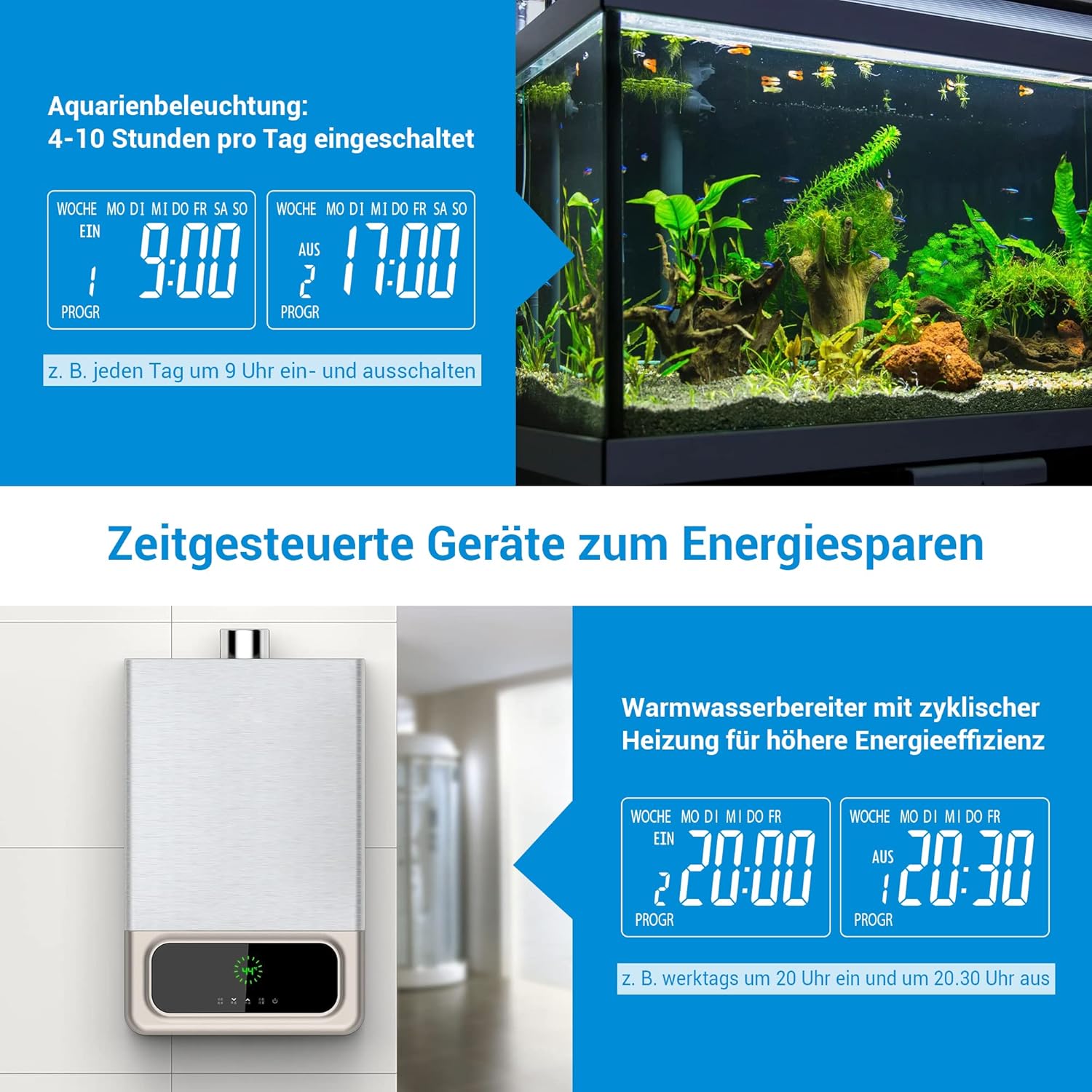
Image 4.1: Location of the RESET button and indication of built-in battery for memory retention.
4.2 Учурдагы убакытты орнотуу
- Таймерди розеткага сайыңыз.
- басыңыз ЖУМА Аптанын учурдагы күнүн тандоо үчүн баскычын кайра-кайра басыңыз.
- басыңыз HOUR учурдагы саатты коюу үчүн баскыч.
- басыңыз MINUTE учурдагы мүнөттү коюу үчүн баскыч.
- The time is now set. The built-in battery will retain these settings for approximately 30 days during a power outage.
5. Иштөө нускамалары
5.1 Programming On/Off Times (16 Programs)
The timer allows for up to 16 distinct ON/OFF programs per day or week. Each program consists of an ON time and an OFF time.
- басыңыз EINGABE (ENTER) button once to enter program setting mode. The display will show '1 ON'.
- Колдонуу ЖУМА, HOUR, жана MINUTE Биринчи программа үчүн каалаган КҮЙГҮЗҮҮ убакытын орнотуу үчүн баскычтарды басыңыз.
- Басыңыз EINGABE (ENTER) кайрадан. Дисплейде '1 OFF' көрсөтүлөт.
- Колдонуу ЖУМА, HOUR, жана MINUTE биринчи программа үчүн керектүү ӨЧҮРҮҮ убакытын коюу үчүн баскычтарды басыңыз.
- Repeat steps 1-4 for up to 16 programs. Press EINGABE (ENTER) to cycle through programs (1 ON, 1 OFF, 2 ON, 2 OFF, etc.).
- Бардык керектүү программаларды орноткондон кийин, баскычын басыңыз РЕЖИМ button to return to the current time display. Ensure the mode is set to АВТО for programs to execute automatically.

Image 5.1: Display indicating multiple program settings.
5.2 Артка саноо функциясы
Артка саноо функциясы туташтырылган шайман күйүп же өчүп турган белгилүү бир убакытты коюуга мүмкүндүк берет.
- басыңыз РЕЖИМ button repeatedly until 'COUNTDOWN' appears on the display.
- Колдонуу HOUR жана MINUTE каалаган саноонун узактыгын орнотуу үчүн баскычтарды басыңыз.
- Басыңыз EINGABE (ENTER) to start the countdown. The display will show the remaining time.
- Once the countdown finishes, the connected appliance will switch its state (from ON to OFF, or OFF to ON).
5.3 Random Mode (Anti-Theft)
The random mode is designed to simulate occupancy when you are away, enhancing home security. It randomly turns the connected appliance ON and OFF between 7:00 PM and 6:00 AM.
- басыңыз РЕЖИМ button repeatedly until 'RANDOM' appears on the display.
- The timer will now randomly switch the connected appliance ON and OFF during the specified night hours.
- To exit random mode, press the РЕЖИМ button again to select another mode (e.g., AUTO, ON, OFF).

Image 5.2: Random mode for simulating occupancy and deterring intruders.
5.4 Кол менен жокко чыгаруу
You can manually switch the connected appliance ON or OFF at any time, overriding the current program or mode.
- басыңыз EIN/AUS (ON/OFF) button to toggle the power state of the connected appliance.
- The display will show 'ON' or 'OFF' accordingly.
- To return to automatic operation, press the РЕЖИМ button until 'AUTO' is displayed.
5.5 Колдонмо Examples
The DEWENWILS Digital Timer Outlet can be used for various applications to save energy and automate your home:
- Аквариум жарыктандыруусу: Program specific ON/OFF times to maintain a healthy environment for aquatic life.
- Суу жылыткычтары: Schedule heating cycles to reduce energy consumption during off-peak hours.
- Christmas Decorations/Lights: Automate festive lighting schedules.
- Coffee Makers: Have your coffee ready when you wake up.
- Телефонду заряддоо: Prevent overcharging by setting a timer for your phone or other devices.

Сүрөт 5.3: Мисamples of energy-saving applications for the timer, such as aquarium lighting and water heaters.
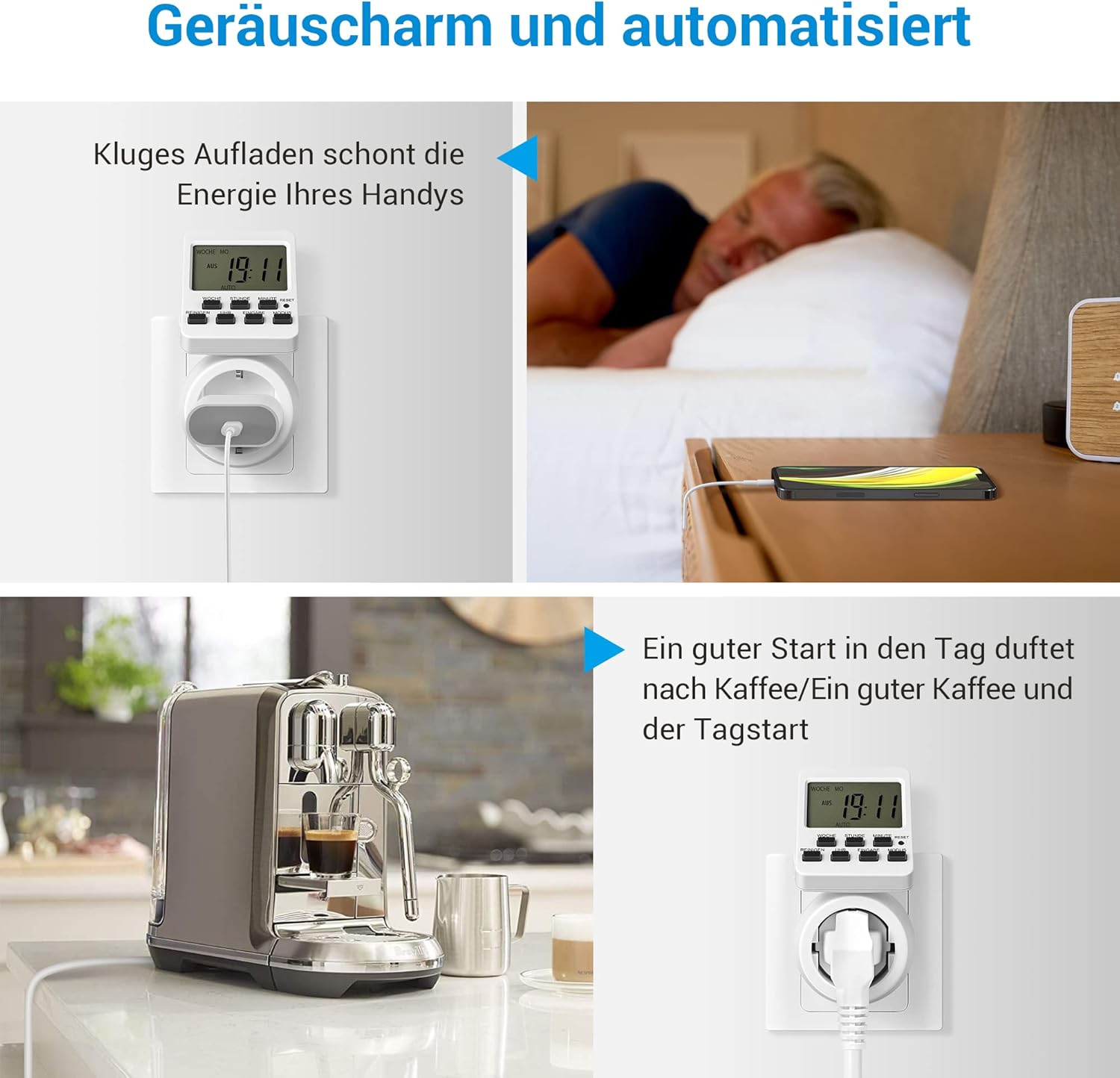
5.4-сүрөт: Андан арыamples of automation, including smart phone charging and coffee preparation.
6. Техникалык тейлөө
- Тазалоо: Wipe the timer with a dry, soft cloth. Do not use abrasive cleaners or immerse in water.
- Сактагыч: Таймерди колдонбогондо салкын, кургак жерде сактаңыз.
- Батарея: The internal battery is not user-replaceable. It maintains settings for approximately 30 days during power interruptions.
7. Кыйынчылыктарды
| Көйгөй | Мүмкүн себеп | Чечим |
|---|---|---|
| Timer does not turn ON/OFF as programmed. | Incorrect program settings; Timer not in AUTO mode; Power outage. | Verify program settings. Ensure the timer is set to AUTO mode. Check power supply. |
| Дисплей бош же жооп бербей жатат. | No power; Internal battery depleted. | Ensure the timer is plugged into a live outlet. Press the RESET button to reactivate and charge the internal battery. |
| Таймерге туташкан шайман иштебей жатат. | Appliance is faulty; Timer is OFF or in an incorrect mode. | Test the appliance directly in a wall outlet. Check the timer's mode (ON or AUTO with active program). |
| Settings are lost after unplugging. | Internal battery needs charging. | Keep the timer plugged in for at least 4 hours to fully charge the internal battery. |
8. Техникалык шарттар
| Өзгөчөлүк | Деталь |
|---|---|
| Модел | DHDTI03B1 |
| Бренд | DEWENWILS |
| Түс | Ак |
| Материал | Акрилонитрил бутадиен стирол (ABS) |
| Продукциянын өлчөмдөрү (D x W x Y) | 15D x 6B x 12H сантиметр |
| Программалардын саны | 16 |
| Максималдуу жүктөө сыйымдуулугу | 3840 Вт, 16 А |
| Дисплей | 180° Rotatable LCD |
| Эс тутумду сактоо | Approx. 30 days (built-in battery) |

Image 8.1: Product dimensions of the timer outlet.
9. Кепилдик жана колдоо
DEWENWILS products are designed for reliability and performance. For warranty information, technical support, or any questions regarding your product, please contact DEWENWILS customer service through the retailer's platform or the official DEWENWILS website. Please have your model number (DHDTI03B1) and purchase details ready when contacting support.