
1. Киришүү
This manual provides essential information for the proper use and care of your SanDisk Ultra Curve 64GB USB 3.2 Flash Drive. Please read these instructions carefully to ensure optimal performance and longevity of your device.
2. Продукт бүтүп калдыview
Негизги өзгөчөлүктөрү:
- Сыйымдуулугу: 64 ГБ
- Интерфейс: USB 3.2 Gen 2
- Окуу ылдамдыгы: 100 МБ/сек чейин
- Жазуу ылдамдыгы: 20 МБ/сек чейин
- Дизайн: Compact and portable with a curved form factor
- Коопсуздук: Compatible with SanDisk SecureAccess Software (download required)
Кутуда эмне бар:
- 1 x SanDisk Ultra Curve 64GB USB 3.2 Flash Drive
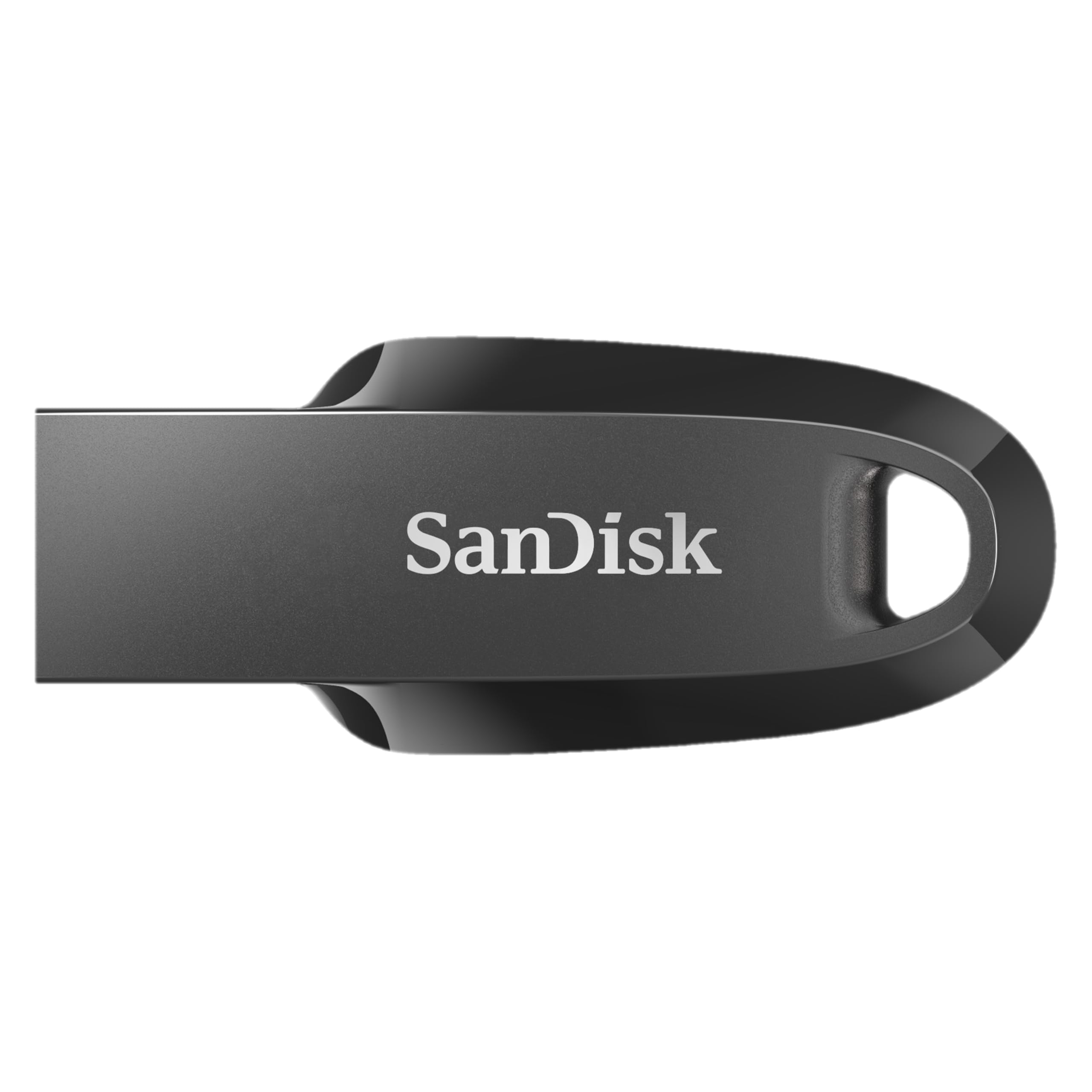
Image 1: The SanDisk Ultra Curve 64GB USB 3.2 Flash Drive in Black.
3. Орнотуу
Connecting the Flash Drive:
- Locate an available USB Type-A port on your computer or compatible device. For optimal performance, use a USB 3.2 compatible port.
- Insert the SanDisk Ultra Curve Flash Drive firmly into the USB port.
- Your operating system should automatically detect and install the necessary drivers. The drive will appear as a removable storage device.

Image 2: SanDisk Ultra Curve Flash Drive connected to a laptop's USB port.
Optional: SanDisk SecureAccess Software
For enhanced security, you can download and install SanDisk SecureAccess Software. This software allows you to create a password-protected folder on your drive to keep sensitive files private. Visit the official SanDisk webжүктөп алуу боюнча көрсөтмөлөрдү алуу үчүн сайт.
4. Иштөө нускамалары
Өткөрүлүүдө Files:
- Once the flash drive is recognized, open 'File Explorer' (Windows) or 'Finder' (macOS).
- дегенге өтүңүз files or folders you wish to transfer.
- Тандалгандарды сүйрөп барып таштаңыз files/folders to the SanDisk Ultra Curve drive icon, or copy and paste them into the drive's directory.
Дискти коопсуз алып салуу:
Маалыматтын бузулушун алдын алуу үчүн флэш-дискти ар дайым коопсуз алып салыңыз.
- Windows: Click the 'Safely Remove Hardware and Eject Media' icon in the system tray, then select your SanDisk drive. Wait for the 'Safe to Remove Hardware' notification before unplugging.
- MacOS: Drag the SanDisk drive icon from the desktop or Finder sidebar to the Trash icon, or right-click (Control-click) the drive icon and select 'Eject'. Wait for the icon to disappear before unplugging.

Image 3: The compact design of the SanDisk Ultra Curve Flash Drive.
5. Техникалык тейлөө
Физикалык кам көрүү:
- Keep the flash drive clean and free from dust and debris.
- Avoid exposing the drive to extreme temperatures, direct sunlight, or moisture.
- The drive features a compact design without a cap; take care to protect the USB connector from physical damage when not in use.
- Utilize the integrated loop for attachment to a keychain or lanyard to prevent loss.

Image 4: SanDisk Ultra Curve Flash Drive showing its integrated loop for portability.
Экологиялык шарттар:
- Иштөө температурасы: 0ºC - 45ºC (32ºF - 113ºF)
- Сактоо температурасы: -10ºC менен 70ºC (14ºF – 158ºF)
6. Кыйынчылыктарды
Диск таанылган жок:
- Диск USB портуна толугу менен киргизилгенин текшериңиз.
- Компьютериңиздеги башка USB портун колдонуп көрүңүз.
- Компьютерге тиешелүү маселени болтурбоо үчүн дискти башка компьютерде сынап көрүңүз.
- Check your computer's 'Disk Management' (Windows) or 'Disk Utility' (macOS) to see if the drive is detected but not assigned a drive letter or mounted.
Жай өткөрүү ылдамдыгы:
- Ensure you are using a USB 3.2 compatible port on your computer. Connecting to a USB 2.0 port will result in slower speeds.
- Көптөгөн майда которуулар fileс бир нече чоң өткөрүп караганда жайыраак болушу мүмкүн files.
- Other USB devices connected to the same hub or controller may affect performance.
Колдонуу учурунда кыймылдаткыч ысыйт:
It is normal for flash drives to generate some heat during active data transfer, especially during prolonged use or when transferring large files. If the drive becomes excessively hot and causes performance issues, ensure it is not obstructed and has adequate ventilation. If concerns persist, discontinue use and contact support.
7. Техникалык шарттар
| Өзгөчөлүк | Деталь |
|---|---|
| Бренд | SanDisk |
| Модель аты | Ultra Curve (Cruzer Force) |
| Модель номери | SDCZ550-064G-I35 |
| Эстутум сактоо сыйымдуулугу | 64 ГБ |
| Аппараттык интерфейс | USB 3.2 Gen 2 |
| Окуу ылдамдыгы | секундасына 100 мегабайт |
| Жазуу ылдамдыгы | 20 MB per second |
| Шайкеш түзмөктөр | Devices with USB port |
| Түс | Кара |
| Элемент Салмагы | 3 грамм |
| UPC | 619659196134 |
| Келип чыккан өлкө | Малайзия |
8. Кепилдик жана колдоо
Кепилдик маалыматы:
This SanDisk Ultra Curve Flash Drive comes with a 5 жылдык чектелген кепилдик. For detailed terms and conditions, please refer to the warranty documentation included with your purchase or visit the official SanDisk webсайт.
Кардарларды колдоо:
For technical assistance, product inquiries, or warranty claims, please visit the official SanDisk support website or contact their customer service. Contact details can typically be found on the SanDisk webсайт же продукт таңгак.
9. Important Notice: SanDisk Logo Transition

Image 5: Notice regarding the SanDisk logo transition.
As part of SanDisk's ongoing commitment to innovation, a new logo is being introduced. During this transition period, products may feature either the original or the new logo. Both logos represent genuine, high-quality SanDisk products.


