
1. Киришүү
Thank you for choosing the Parsonver FF2 Smartwatch. This device is designed to be a comprehensive companion for your daily life, offering advanced fitness tracking, health monitoring, and smart notifications. With its 5ATM water resistance, over 100 sports modes, and a vibrant 1.8-inch HD touchscreen, the FF2 Smartwatch helps you stay connected and active. Please read this manual carefully to understand how to operate your new smartwatch and ensure its optimal performance.
2. Кутуда эмне бар
Upon opening your Parsonver FF2 Smartwatch package, you should find the following items:
- 1x FF2 Smartwatch
- 1x заряддоо кабели
- 1x Колдонуучунун колдонмосу
3. Орнотуу колдонмосу
3.1 Акылдуу саатты кубаттоо
Before initial use, fully charge your smartwatch. Connect the magnetic charging cable to the charging contacts on the back of the watch and plug the USB end into a standard USB power adapter (not included) or a computer's USB port. A full charge typically takes approximately 2 hours.

Image: The Parsonver FF2 Smartwatch, its magnetic charging cable, and the user manual included in the box.
3.2 Кошумча тиркемени жүктөп алуу
To unlock all features and synchronize data, download the official Parsonver companion app on your smartphone. Издөө "Parsonver Fit" (or similar name as specified in the manual) in the Apple App Store for iOS devices or Google Play Store for Android devices.
3.3 Смартфонуңуз менен жупташуу
- Акылдуу саатыңыздын кубатталганын жана күйүп турганын текшериңиз.
- Смартфонуңузда Bluetooth'ду иштетиңиз.
- Open the Parsonver Fit app and follow the on-screen instructions to create an account or log in.
- In the app, navigate to the device pairing section and select your FF2 Smartwatch from the list of available devices.
- Смартфонуңузда да, акылдуу саатыңызда да жупташтыруу өтүнүчүн ырастаңыз.

Image: A smartphone displaying the Parsonver companion application interface.
4. Иштөө нускамалары
4.1 Дисплей жана ыңгайлаштыруу
The FF2 Smartwatch features a vibrant 1.8-inch HD touchscreen with a resolution of 320x390 pixels. You can adjust the brightness to one of 5 levels for optimal visibility in various lighting conditions. Personalize your watch with over 200 captivating watch faces available through the app, or upload your own photos to create a unique look.
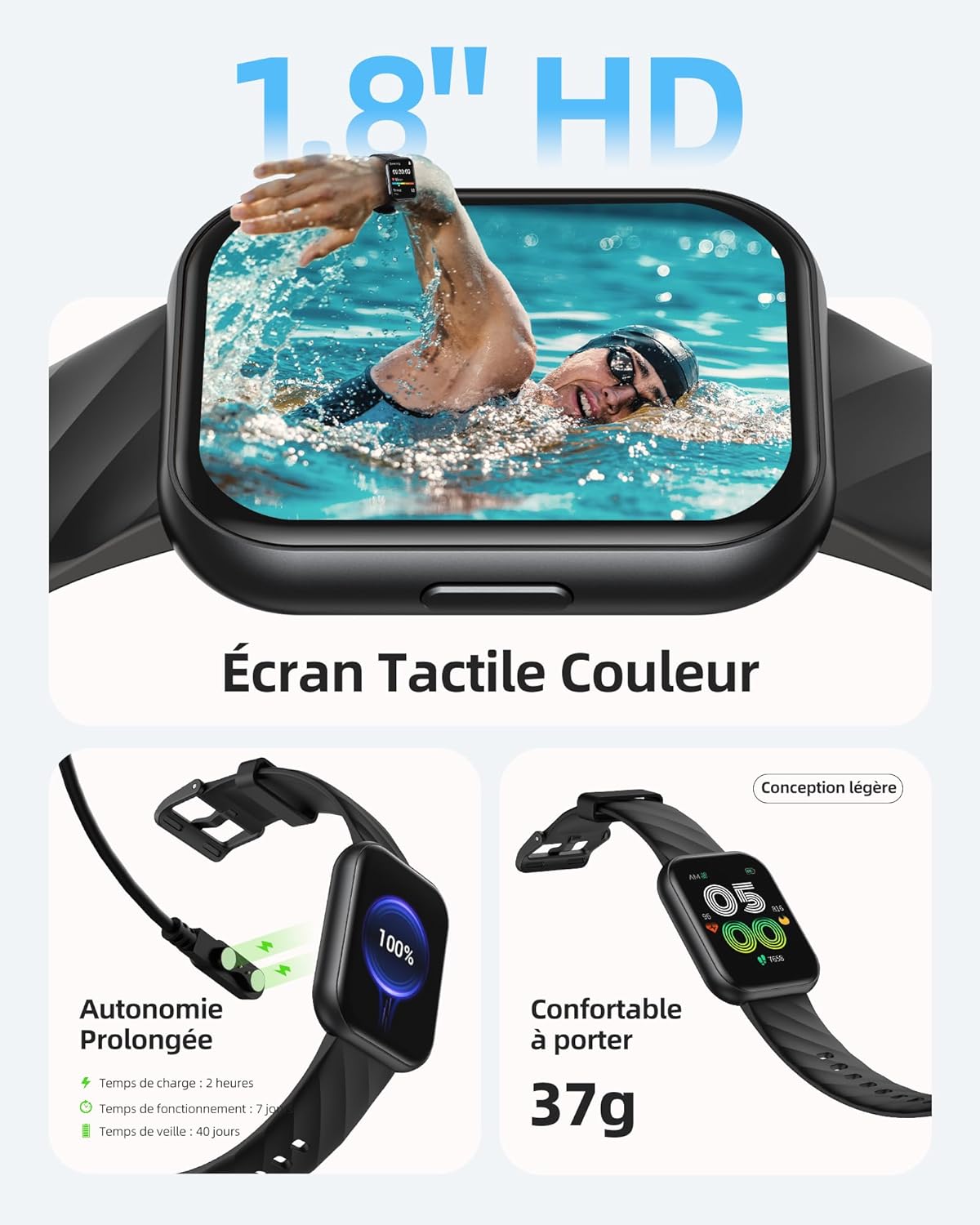
Image: The Parsonver FF2 Smartwatch showcasing a selection of its customizable watch faces.
4.2 Спорт режимдери жана активдүүлүккө көз салуу
The smartwatch supports over 100 sports modes, including running, cycling, swimming, yoga, and more. It accurately records your activity data such as heart rate, steps, pace, calories burned, and distance. This data is synchronized with the app for detailed analysis and progress tracking.
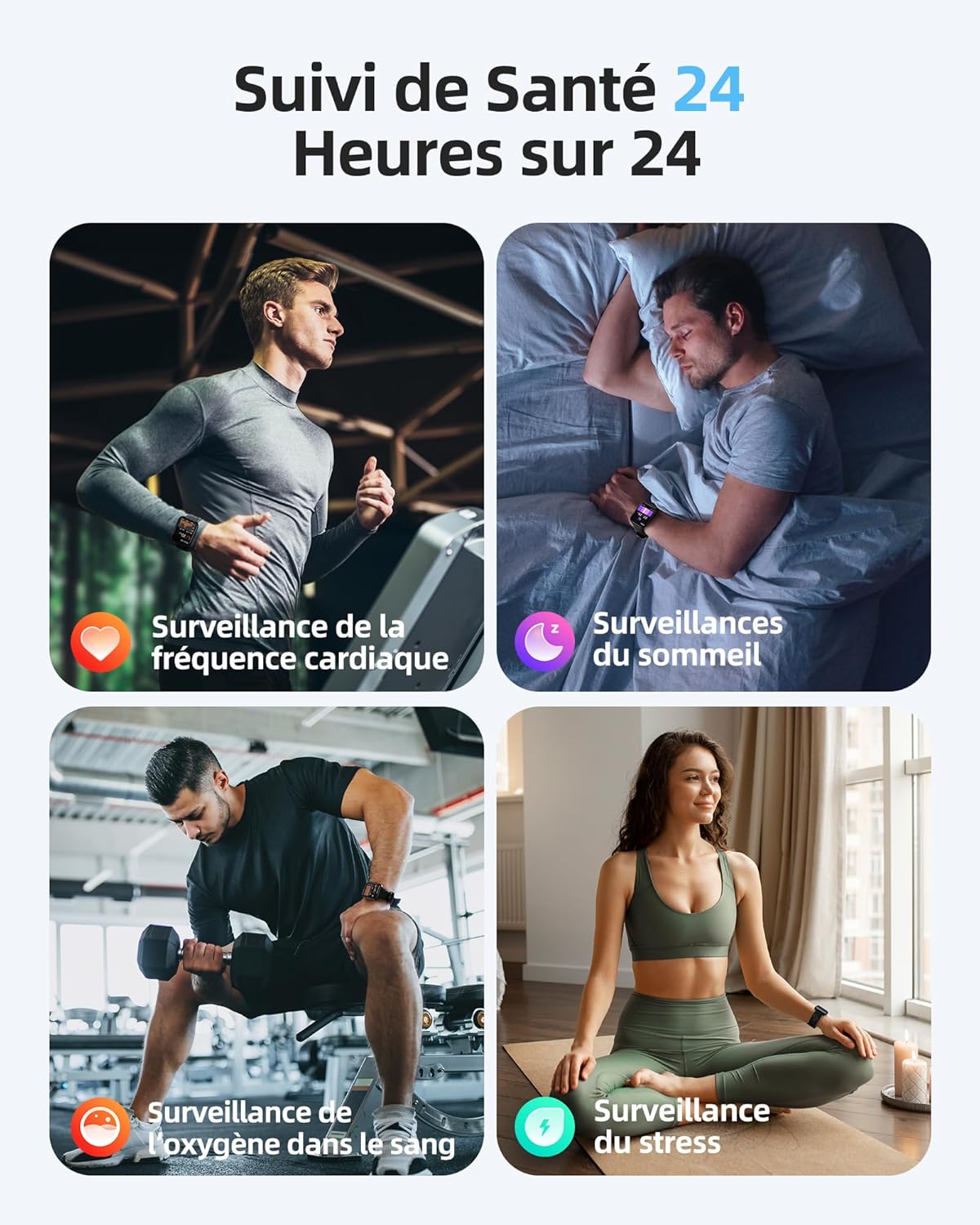
Image: A person engaged in physical activity, with the Parsonver FF2 Smartwatch on their wrist displaying activity metrics.
4.3 Water Resistance and Swimming Tracking
With a 5ATM water resistance rating, the FF2 Smartwatch can withstand water pressure up to 50 meters, making it suitable for swimming. It tracks swimming duration, laps, heart rate, and SWOLF efficiency, providing comprehensive data to help improve your swimming performance.

Image: A swimmer wearing the Parsonver FF2 Smartwatch, with an overlay of swimming activity data.
4.4 Ден соолуктун мониторинги
The smartwatch offers continuous health monitoring features:
- 24/7 жүрөктүн кагышын көзөмөлдөө: Tracks your heart rate continuously and provides alerts for abnormal readings.
- Уйкуга көз салуу: Уйкуңузду көзөмөлдөйтtagэс (терең, жеңил, REM, сергек) уйкуңуздун сапатын түшүнүүгө жана жакшыртууга жардам берет.
- Кандагы кычкылтектин (SpO2) мониторинги: Сиздин кандын кычкылтек менен каныккандыгын өлчөйт.
- Стресс мониторинги: Helps you understand and manage your emotional stress levels.
- Аялдардын ден соолугуна көз салуу: Assists women in predicting and tracking menstrual periods and ovulation.
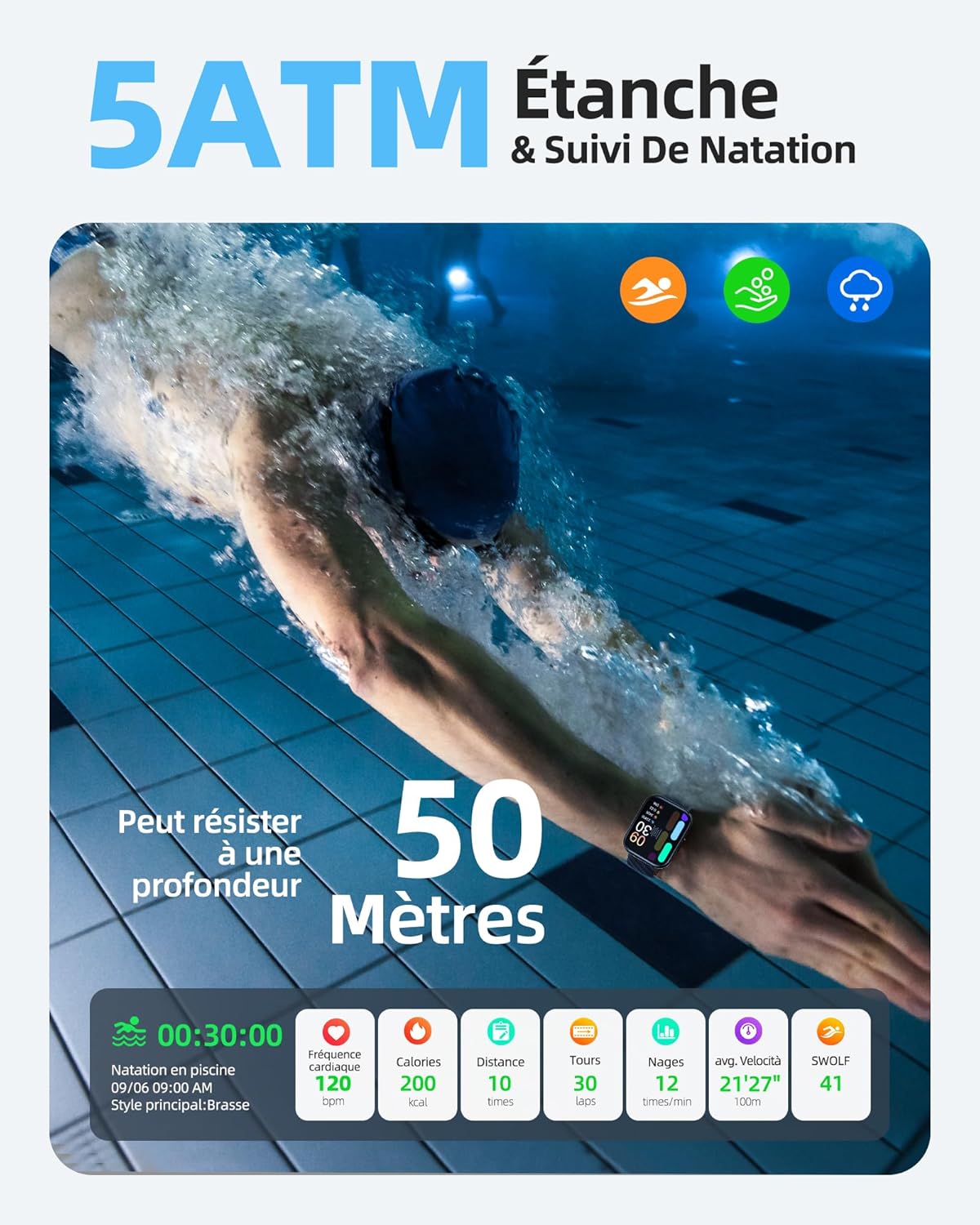
Image: The Parsonver FF2 Smartwatch on a wrist, showing real-time heart rate data.
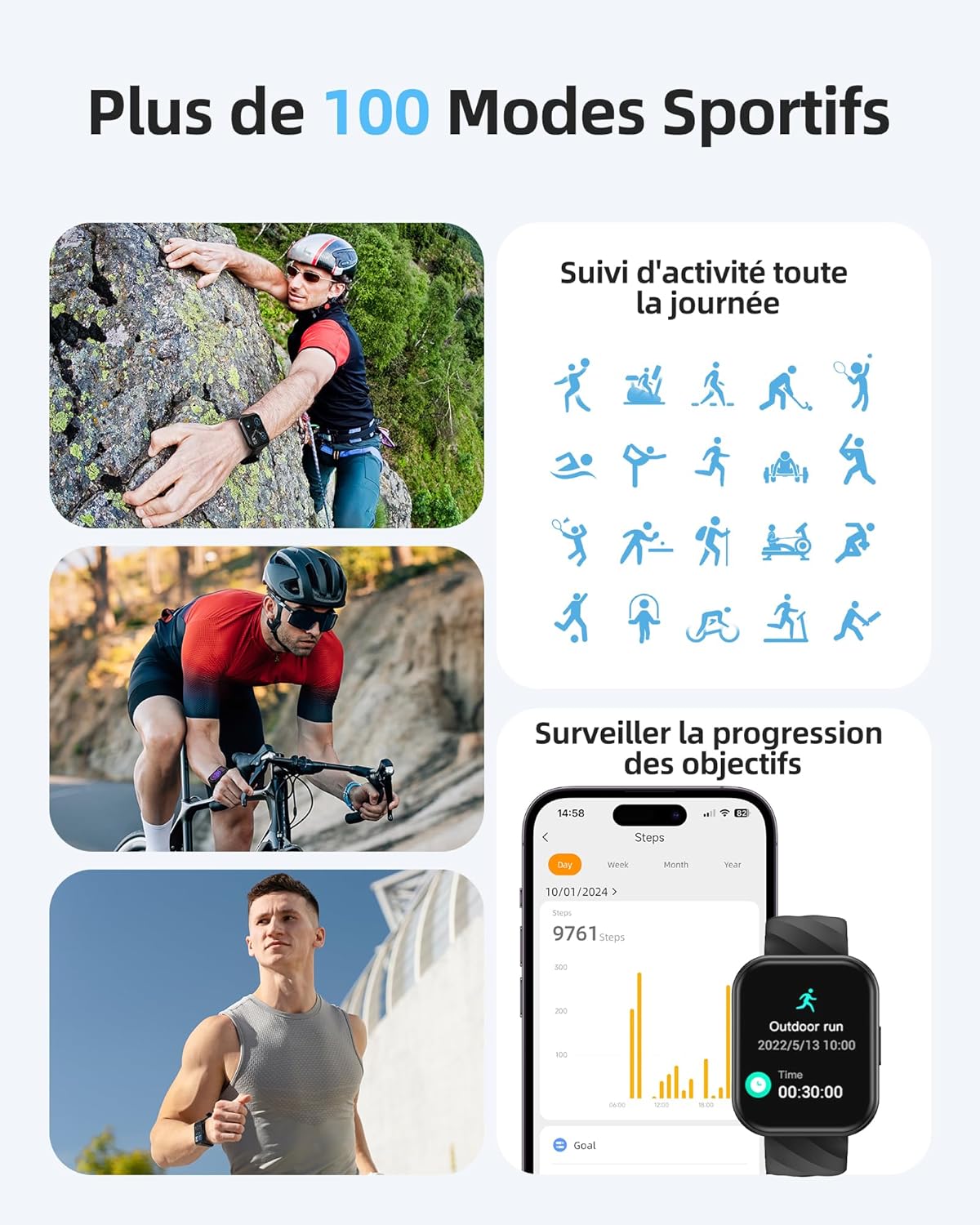
Image: A person sleeping, with the Parsonver FF2 Smartwatch on their wrist displaying sleep tracking information.
4.5 Smart эскертмелер
Stay informed with real-time notifications for incoming calls, SMS messages, emails, and social media alerts (e.g., WhatsApp, Facebook) directly on your wrist. You can decline calls from the watch, but direct answering is not supported.

Image: A person looking at their Parsonver FF2 Smartwatch, which displays various app notification icons.
4.6 Башка өзгөчөлүктөр
The FF2 Smartwatch includes several other convenient functions:
- Камераны алыстан башкаруу
- Аба ырайы
- Музыкалык башкаруу
- Stopwatch and Alarm Clock
- Седентарлык эскертүүлөр
- Дем алуу көнүгүүлөрү
- Find My Phone function
5. Техникалык тейлөө
5.1 Акылдуу саатыңызды тазалоо
Теринин кыжырданышын алдын алуу жана түзмөктүн гигиенасын сактоо үчүн акылдуу саатыңызды жана боону үзгүлтүксүз тазалап туруңуз. Жумшак, d колдонуңузamp сааттын бетин жана боону сүртүү үчүн чүпүрөк колдонуңуз. Катуу химиялык заттарды же абразивдүү материалдарды колдонуудан алыс болуңуз.
5.2 Батареяга кам көрүү
The FF2 Smartwatch offers up to 7 days of typical usage and 40 days of standby time on a single charge. To prolong battery life, avoid extreme temperatures and fully discharging the battery frequently. Charge the watch using the provided magnetic cable.
5.3 Сууга туруктуулук боюнча сактык чаралары
While the FF2 Smartwatch is 5ATM water resistant, it is important to avoid wearing it in hot baths, saunas, or steam rooms. High temperatures and steam can compromise the watch's water resistance and cause damage.
6. Кыйынчылыктарды
If you encounter any issues with your Parsonver FF2 Smartwatch, please refer to the following common solutions:
- Күйгүзүлбөй жаткан саат: Саат толук заряддалганын текшериңиз. Аны заряддагычка кеминде 30 мүнөт туташтырыңыз.
- Телефон менен жупташтыруу мүмкүн эмес: Телефонуңузда Bluetooth күйгүзүлгөнүн жана саатыңыз байланыштын чегинде экенин текшериңиз. Саатты да, телефонуңузду да өчүрүп-күйгүзүп, андан кийин колдонмо аркылуу кайра жупташтырып көрүңүз.
- Так эмес маалыматтар: Ensure the watch is worn snugly on your wrist. For sports tracking, select the correct activity mode.
- Билдирмелер алынган жок: Check app permissions on your phone to ensure the Parsonver Fit app has access to notifications. Verify that notifications are enabled within the app settings.
- Экран жооп бербейт: Саатты өчүрүп-күйгүзүп көрүңүз. Эгер көйгөй чечилбесе, кардарларды колдоо кызматына кайрылыңыз.
For further assistance, please refer to the support section of the Parsonver Fit app or visit the official Parsonver webсайт.
7. Техникалык шарттар
Here are the technical specifications for the Parsonver FF2 Smartwatch:
| Өзгөчөлүк | Спецификация |
|---|---|
| Модель номери | FF2 |
| Операция системасы | Android (шайкеш) |
| Элемент Салмагы | 37 г |
| Продукциянын өлчөмдөрү (L x W x Y) | 24.69 x 3.81 x 1.19 см |
| Батарея | 1 CR5 (кошулган) |
| Байланыш технологиясы | Bluetooth |
| GPS | GPS жок |
| Өзгөчөлүктөр | Notification, Alarm Clock, Activity Tracker, Multisport Tracker, Touchscreen |
| Display Resolution | 320x390 пиксел |
| Адам интерфейсинин киргизүү | Сенсордук экран |
| Түс | Кара |
| Батарея сыйымдуулугу | 320 мАч |
| Зымсыз байланыш стандарты | Bluetooth |
| Батареянын курамы | Литий-ион |
| Screen Size | 1.8 дюйм |

Image: Technical diagram illustrating the dimensions of the Parsonver FF2 Smartwatch.
8. Кепилдик жана колдоо
Your Parsonver FF2 Smartwatch comes with a standard manufacturer's warranty. For details regarding warranty coverage, returns, or technical support, please refer to the warranty information provided in the packaging or contact Parsonver customer service directly. You can usually find contact information on the official Parsonver webсайтында же өнөктөш колдонмонун ичинде.
Видео: Бүттүview of the Parsonver FF2 Smartwatch features, including its display, sports modes, and health tracking capabilities.