
Introduction
This manual provides detailed instructions for the proper use, setup, and maintenance of your RoadKing RKING1000 Truck Driver Headset. Please read this manual thoroughly before operating the device to ensure optimal performance and longevity.
Кутуда эмне бар
Upon opening your RoadKing RKING1000 package, you should find the following items:
- RoadKing RKING1000 Headset
- Микро USB заряддоо кабели
- Унаа заряддагыч
- Protective Drawstring Bag
- User Manual

Image: The RoadKing RKING1000 headset, Micro USB charging cable, car charger, protective drawstring bag, and user manual.
Продукт бүттүview
The RoadKing RKING1000 is a mono wireless headset designed for clear communication and comfort. It features advanced noise-cancelling technology and a lightweight design.
Негизги өзгөчөлүктөрү
- Bluetooth 5.0 зымсыз технологиясы: For stable and efficient connectivity up to 32 feet.
- Өркүндөтүлгөн ызы-чууну жокко чыгаруучу микрофон: Equipped with a windsock to reduce background noise and protect against dirt and moisture.
- Көп функциялуу баскыч: Enables easy control, including three-way calling.
- LED көрсөткүч жарыгы: Displays power, charging status, and connection status.
- Cushioned Ear Cup: Designed to seal out ambient noise for improved listening.
- Автоматтык түрдө өчүрүү функциясы: Колдонулбаганда батареянын иштөө мөөнөтүн үнөмдөйт.
- Батареянын узак иштөө мөөнөтү: Бир кубаттоо менен 14 саатка чейин сүйлөшүү убактысы.

Image: The noise-cancelling microphone with its protective windsock design.
Дизайн жана Комфорт
The RKING1000 headset is engineered for extended wear with maximum comfort and portability.
- Ultra Soft Earpad: Ensures comfort during long periods of use.
- Жеңил курулуш: Designed for easy portability and reduced fatigue.
- Mono Headset Configuration: Allows awareness of surroundings while maintaining communication.

Image: Detail of the headset's lightweight and cushioned design for comfort.

Image: A user wearing the RoadKing RKING1000 headset.
Жайгашуу
Гарнитураны заряддоо
Before initial use, fully charge your headset. The RKING1000 can be charged using any DC 5V power source with a charging current of more than 500mA, such as a car charger, power bank, or computer USB port.
- Micro USB кубаттоо кабелин гарнитуранын кубаттоо портуна туташтырыңыз.
- Connect the other end of the cable to a compatible DC 5V power source.
- The LED indicator light will show the charging status. Refer to the 'LED Indicator Status' section for details.
- Толук заряддалгандан кийин, заряддоо кабелин ажыратыңыз.
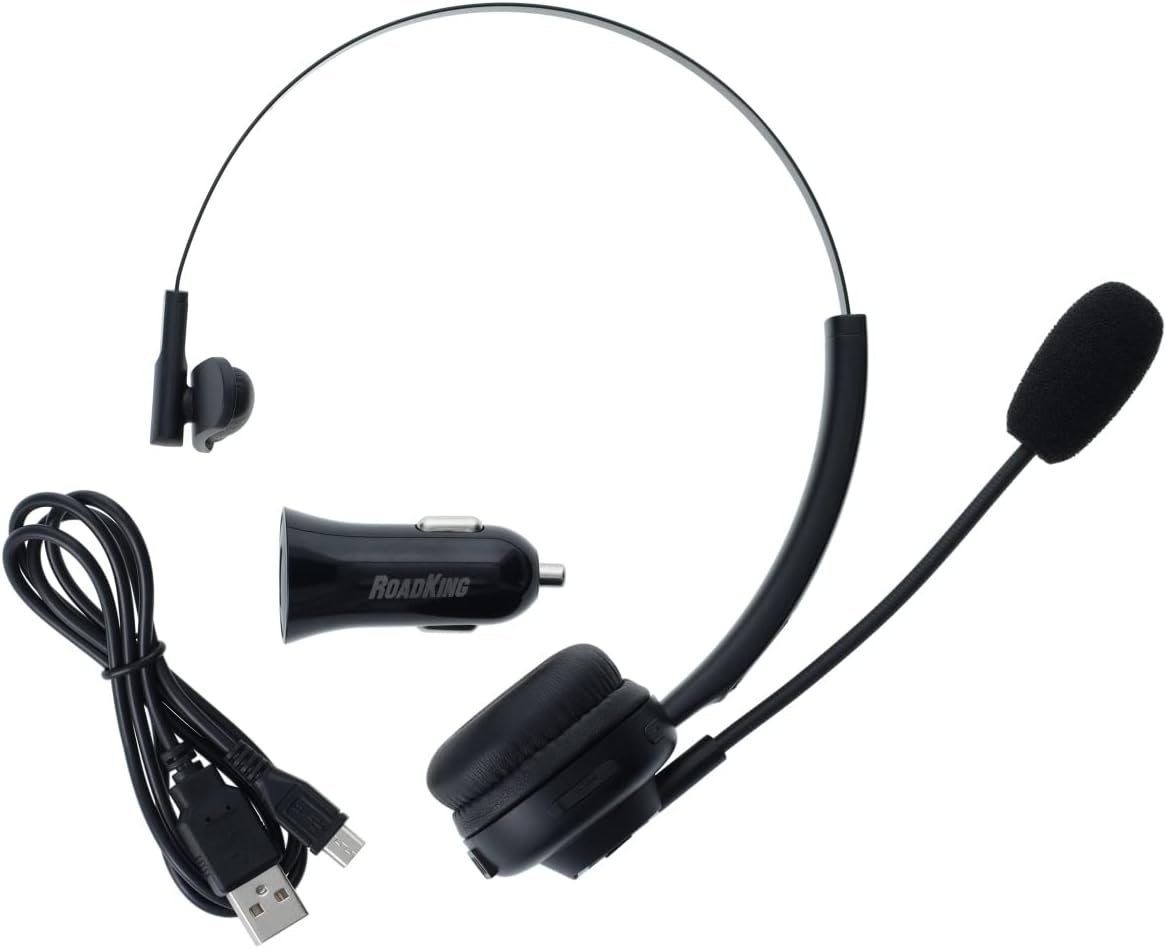
Image: Headset with charging accessories.
Bluetooth түзмөгү менен жупташуу
The RKING1000 headset uses Bluetooth 5.0 technology for wireless connection.
- Гарнитура заряддалганын жана өчүрүлгөнүн текшериңиз.
- Press and hold the Multi-Function Button until the LED indicator flashes blue and red alternately, indicating pairing mode.
- On your device (e.g., cellphone, laptop, smart speaker), enable Bluetooth and search for available devices.
- Select "RKING1000" from the list of found devices.
- Once paired, the LED indicator will flash blue periodically.
- Гарнитура күйгүзүлгөндө, ал акыркы жупташтырылган түзмөккө автоматтык түрдө кайра туташууга аракет кылат.
Иштөө нускамалары
Күйгүзүү/өчүрүү
- Күйгүзүү: Press and hold the Multi-Function Button for approximately 3 seconds until the LED indicator lights up.
- Өчүрүү: Press and hold the Multi-Function Button for approximately 3 seconds until the LED indicator turns off. The headset also features an automatic power-off function to conserve battery.
Чалууларды башкаруу
Use the Multi-Function Button and volume controls for managing calls.
- Чалууга жооп берүү/аяктоо: Press the Multi-Function Button once.
- Чакырууну четке кагуу: Көп функциялуу баскычты 2 секунд басып туруңуз.
- Акыркы номерди кайра терүү: Көп функциялуу баскычты эки жолу басыңыз.
- Үч тараптуу чалуу: While on a call, answer a new incoming call by pressing the Multi-Function Button once. To switch between calls, double-press the Multi-Function Button. To end the current call and switch to the held call, press the Multi-Function Button once.
- Үндү көзөмөлдөө: Use the dedicated volume buttons on the headset to adjust the listening volume.

Сүрөт: каптал view of the headset showing control buttons and charging port.
LED көрсөткүчүнүн абалы
- Flashing Blue & Red: Жупташтыруу режими.
- Flashing Blue (periodically): Connected and operational.
- Катуу кызыл: Заряддоо.
- Жарык өчүк: Fully charged or powered off.
Техникалык тейлөө
To ensure the longevity and optimal performance of your RoadKing RKING1000 headset, follow these maintenance guidelines:
- Microphone Windsock: The microphone windsock is designed to protect the microphone from dirt and moisture. Regularly inspect it for wear and tear. Replace if damaged to maintain clear communication and microphone protection.
- Тазалоо: Гарнитураны тазалоо үчүн жумшак, кургак чүпүрөктү колдонуңуз. Катуу химиялык заттарды же абразивдүү материалдарды колдонуудан алыс болуңуз.
- Сактагыч: When not in use, store the headset in the provided protective drawstring bag to prevent dust accumulation and physical damage.
- Заряддоо: Always use the provided charging cable and a compatible DC 5V power source. Avoid overcharging the battery.
Проблемаларды чечүү
If you encounter issues with your RoadKing RKING1000 headset, please refer to the following common solutions:
- Гарнитура күйбөй жатат: Гарнитура толук заряддалганын текшериңиз.
- Түзмөк менен жупташтыруу мүмкүн эмес: Make sure the headset is in pairing mode (flashing blue and red LED). Ensure Bluetooth is enabled on your device and it is within the 32-foot range. Try restarting both the headset and your device.
- Аудио жок же сапаты начар: Check the volume levels on both the headset and your connected device. Ensure the headset is properly paired and connected. If using the microphone, ensure it is positioned correctly and the windsock is intact.
- Үзгүлтүксүз туташуу: Move closer to your paired device to ensure you are within the Bluetooth range. Avoid obstacles that may interfere with the signal.
Бул кадамдар маселени чечпесе, кардарларды колдоо кызматына кайрылыңыз.
Техникалык шарттар
| Модель аты | RKING1000 |
| Бренд | RoadKing |
| Байланыш технологиясы | Зымсыз (Bluetooth 5.0) |
| Bluetooth диапазону | 33 фут чейин |
| Noise Control | Активдүү ызы-чууну жокко чыгаруу |
| Батареянын иштөө мөөнөтү | 14 саатка чейин (сүйлөшүү убактысы) |
| Заряддоо талабы | DC 5V, >500mA |
| Элемент Салмагы | 9.6 унция |
| Продукциянын өлчөмдөрү | 3.4 x 7.6 x 9.5 дюйм |
| Материал | Sponge (earpad) |
| Шайкеш түзмөктөр | Уюлдук телефондор, ноутбуктар, акылдуу динамиктер |
Кепилдик жана колдоо
The RoadKing RKING1000 headset comes with a One-Year Limited Warranty. For detailed warranty information, please visit the official RoadKing products website. You can also find support and additional product information by visiting the RoadKing Store on Amazon.
For customer service inquiries, please refer to the contact information provided on the product packaging or the official RoadKing webсайт.

Image: Product packaging displaying warranty and support details.