
Introduction
Thank you for choosing the SHARE SUNSHINE Wireless Ergonomic Vertical Optical Mouse. This manual provides essential information for setting up, operating, and maintaining your new mouse. Designed for comfort and precision, this vertical mouse aims to reduce wrist strain and enhance your computing experience.


Пакеттин мазмуну
Сураныч, пакетте төмөнкү нерселерди текшериңиз:
- 1 x SHARE SUNSHINE Wireless Vertical Ergonomic Optical Mouse
- 1 x 2.4G USB Receiver (stored in the bottom of the mouse)
- 1 x Instruction Manual
Note: 2 AAA batteries are not included and must be purchased separately.
Продукт бүттүview
Familiarize yourself with the different parts and functions of your mouse.


Жайгашуу
Follow these steps to get your mouse ready for use:
- Батареяны орнотуу: Open the battery compartment on the bottom of the mouse. Insert two (2) AAA batteries, ensuring correct polarity. Close the compartment securely.
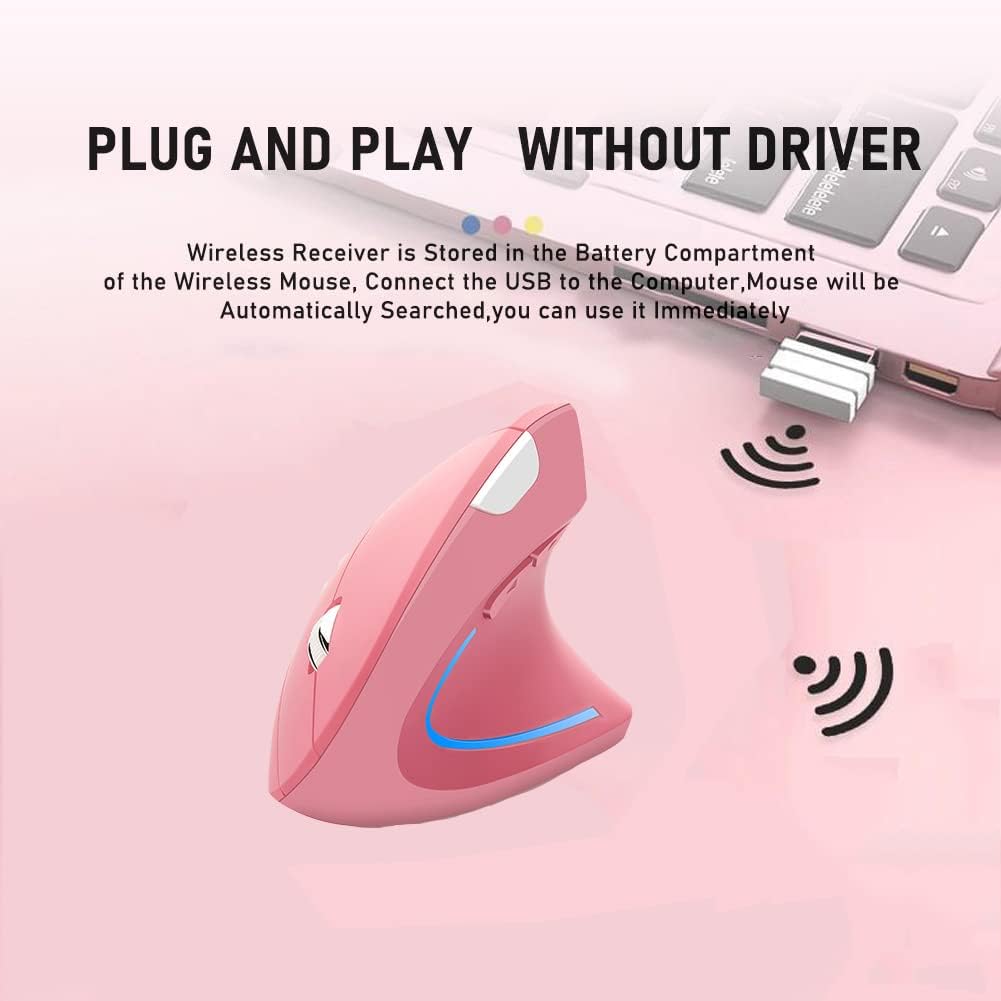
- USB кабылдагычты алуу: The 2.4G USB receiver is stored in a slot next to the battery compartment on the bottom of the mouse. Gently slide it out.
- Алуучуну туташтыруу: Plug the USB receiver into an available USB port on your computer (desktop, laptop, Mac, etc.).
- Күйгүзүү: Turn on the mouse using the Power Switch located on the bottom. The mouse will automatically be searched and connected by your computer. No additional drivers are required for most operating systems.

Иштөө нускамалары
Your SHARE SUNSHINE Vertical Mouse is designed for intuitive use.
- Негизги функциялар: Use the Left and Right buttons for standard clicking actions. The Scroll Wheel allows for smooth vertical scrolling.
- DPI жөндөө: басыңыз DPI которуу баскычы (located on the top of the mouse, see Figure 3) to cycle through the available DPI settings: 800, 1200, and 1600. Choose the sensitivity that best suits your task, whether for precise work or faster browsing.
- Каптал баскычтары: The Артка баскычы жана Алга баскычы (located on the side, see Figure 3) are pre-programmed to navigate web барактар же документтер.
- Кубатты үнөмдөө режими: To conserve battery life, the mouse will automatically enter a power-saving mode after 8 minutes of inactivity. To wake it up, simply press any button (left or right click).

Шайкештик
The SHARE SUNSHINE Vertical Mouse offers broad compatibility with various operating systems and devices:
- Операциялык системалар: Windows 2000/ME/XP (x64)/Vista/7/8/10, Mac OS X (over V10.4)
- Шайкеш түзмөктөр: Desktop PCs, Laptops, Macbooks, and other devices with an available USB port.

Техникалык тейлөө
Чычканыңыздын узак мөөнөттүү иштешин жана оптималдуу иштешин камсыз кылуу үчүн:
- Тазалоо: Чычканды тазалоо үчүн жумшак, кургак чүпүрөктү колдонуңуз. Катуу химиялык заттарды же абразивдүү материалдарды колдонуудан алыс болуңуз.
- Батареяны алмаштыруу: When the mouse performance degrades or the LED light indicates low power, replace the two AAA batteries.
- Сактагыч: When not in use for extended periods, turn off the mouse to conserve battery life. Store the USB receiver in its designated slot on the bottom of the mouse to prevent loss.
- Экстремалдуу шарттарды болтурбоо: Do not expose the mouse to extreme temperatures, humidity, or direct sunlight.
Проблемаларды чечүү
If you encounter any issues, try the following solutions:
- Чычкан жооп бербей жатат:
- Чычкан күйгүзүлгөнүн текшериңиз.
- USB кабыл алгычтын иштеген USB портуна бекем сайылганын текшериңиз.
- Батареяларды жаңыларына алмаштырыңыз.
- USB ресиверди башка USB портуна сайып көрүңүз.
- Курсордун кыймылы туруксуз же жай:
- Чычкандын түбүндөгү оптикалык сенсорду тазалаңыз.
- Чычканды ылайыктуу бетте колдонуп жатканыңызды текшериңиз (өтө жарык чагылдырбаган же тунук эмес).
- Adjust the DPI setting using the DPI Switch Button.
- Зымсыз байланыш көйгөйлөрү:
- Ensure the mouse is within the 33-foot operating range of the receiver.
- Avoid obstructions between the mouse and the receiver.
- Башка зымсыз түзмөктөрдүн кийлигишүүсүн азайтыңыз.
Техникалык шарттар
| Өзгөчөлүк | Деталь |
|---|---|
| Бренд | SUNSHINE |
| Модель аты | Vertical Mouse |
| Түс | Кызгылт |
| Байланыш технологиясы | Wireless (2.4G USB Receiver) |
| Кыймылды аныктоо технологиясы | Оптикалык |
| DPI токтому | 800 / 1200 / 1600 DPI (Жөнгө салынуучу) |
| Button Quantity | 6 (Сол, Оң, Айдоо дөңгөлөгү, DPI которуу, Алга, Артка) |
| Колдун багыты | Туура |
| Иштөө диапазону | 33 Фут (10 метр) чейин |
| Power Source | 2 x AAA Батареялар (киргизилген эмес) |
| Энергияны үнөмдөө | Automatic power-saving mode after 8 minutes idle |
| Жасалгалоо өзгөчөлүгү | LED жарык |
| Элемент Салмагы | 80 грамм |
| Элементтин өлчөмдөрү (L x W) | 4.92"L x 3.23"W |
Кепилдик жана колдоо
Your SHARE SUNSHINE Wireless Ergonomic Vertical Optical Mouse comes with a comprehensive warranty and dedicated customer support:
- Кепилдик: Сатып алган күндөн тартып 12 айлык кепилдиктен ырахат алыңыз.
- Returns & Refunds: A 30-day free return and refund policy is available.
- Кардарларды тейлөө: Our customer support team is committed to a 24-hour response time for any issues or inquiries you may have.
For warranty claims or support, please refer to the contact information provided with your purchase or visit the official SHARE SUNSHINE store on Amazon: SHARE SUNSHINE Store.