
Samsung SM-S908U
Samsung Galaxy S22 Ultra 5G SM-S908U User Manual
Модель: SM-S908U
Introduction
Welcome to the user manual for your Samsung Galaxy S22 Ultra 5G. This guide provides essential information on setting up, operating, maintaining, and troubleshooting your device. Please read this manual carefully to ensure optimal performance and longevity of your smartphone.

Сүрөт: алдыңкы view of the Samsung Galaxy S22 Ultra 5G in Burgundy, showcasing the display and the integrated S-Pen.
Жайгашуу
1. SIM картаны салуу
- Түзмөгүңүздүн капталындагы SIM карта салгычын табыңыз.
- Use the SIM ejector tool (usually included in the box) to open the tray.
- Nano-SIM картаңызды(ларыңызды) алтын түстөгү контакттары ылдый каратып салгычка салыңыз. Бул аппарат Dual SIM функциясын колдойт.
- Телефонго лотокту кылдаттык менен кайра салыңыз.
2. Баштапкы күйгүзүү жана орнотуу
- Samsung логотиби пайда болгуча Power/Side баскычын басып, кармап туруңуз.
- Тилиңизди тандоо, Wi-Fi тармагына туташуу жана Google аккаунтуңузду орнотуу үчүн экрандагы көрсөтмөлөрдү аткарыңыз.
- You will be guided through setting up security features like facial recognition.
3. S-Pen Integration
The S-Pen is integrated directly into your Galaxy S22 Ultra 5G. To use it, gently press the end of the S-Pen to release it from its slot at the bottom of the device. Reinsert it firmly until it clicks into place when not in use.

Сүрөт: каптал view of the Samsung Galaxy S22 Ultra 5G with the S-Pen partially extended from its slot.
Түзмөгүңүздү иштетүү
Камеранын өзгөчөлүктөрү
- 8K супер туруктуу видео: Record videos at an impressive 8K resolution with automatic focus stabilization. Access this mode within the Camera app's video settings.
- Түнкү режим: Capture clear and bright photos and videos in low-light conditions. The camera automatically adjusts for optimal results.
- Портрет режими: Automatically detects and focuses on subjects, blurring the background for professional-looking portraits.
- 108 депутат токтом: Utilize the 108-megapixel rear camera for capturing highly detailed images.
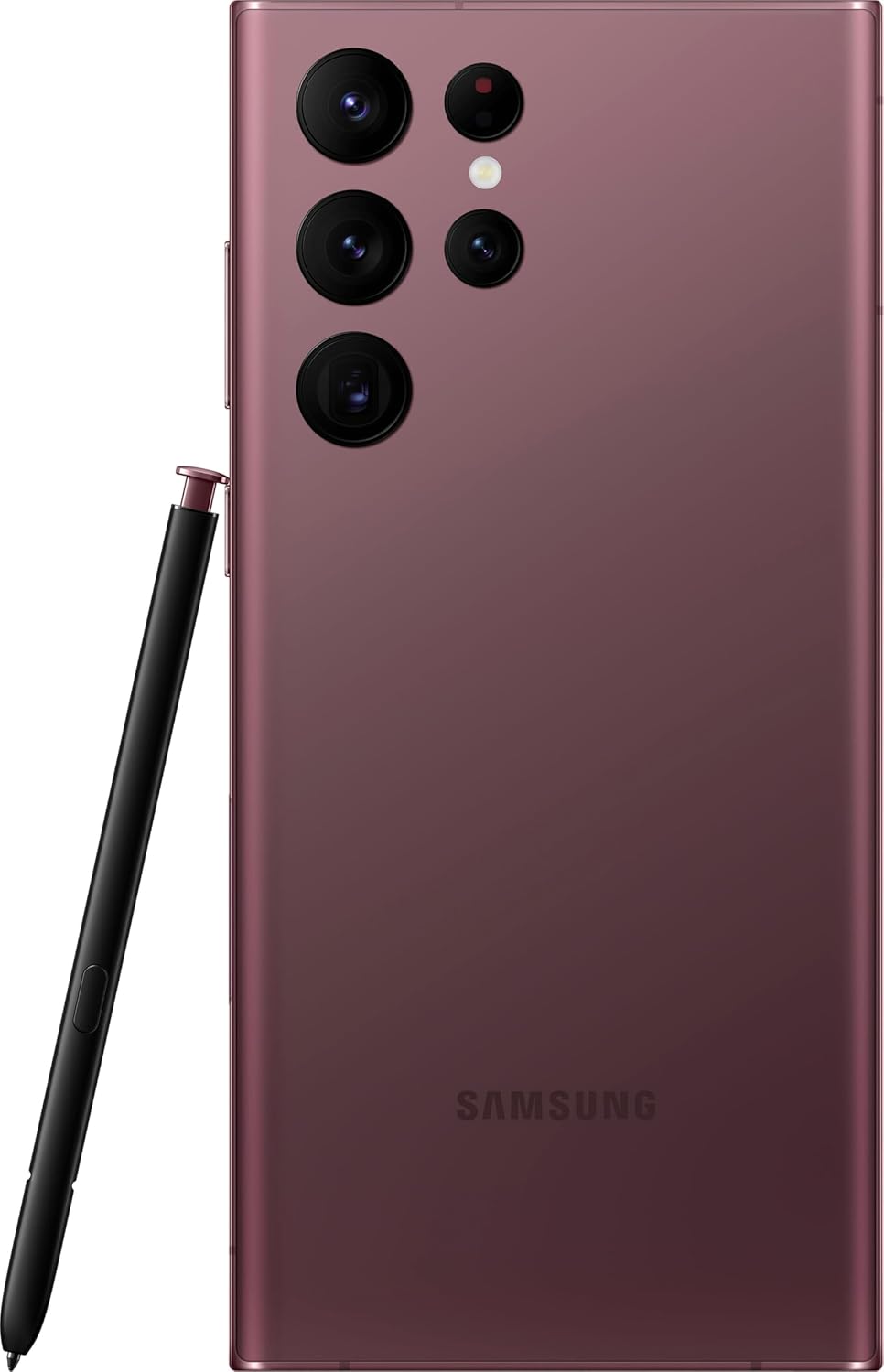
Сүрөт: Арткы view of the Samsung Galaxy S22 Ultra 5G, highlighting the multi-lens camera system and the S-Pen.
Дисплей жана Визуалдар
- Адаптивдүү түс контрасты: The Galaxy S22 Ultra's display automatically optimizes color and brightness for both indoor and outdoor viewing, ensuring clarity in various lighting conditions.
- Көрүүнү күчөтүүчү каражат: Enhances screen visibility, making your content appear vibrant and clear even in bright environments.

Сүрөт: алдыңкы view of the Samsung Galaxy S22 Ultra 5G with the screen displaying colorful, dynamic content.
S-Pen Usage
The integrated S-Pen allows for precise interaction with your device. Use it for:
- Taking quick notes directly on the screen.
- Editing photos and videos with enhanced precision.
- Drawing and sketching with a natural pen-on-paper feel.
- Navigating the user interface and selecting text.
Техникалык тейлөө
Аппаратыңызды тазалоо
To clean your phone, use a soft, lint-free cloth. Avoid abrasive materials or harsh chemicals. For stubborn smudges, slightly dampen the cloth with water. Ensure no liquid enters openings like the charging port or speaker grilles.
Батареяга кам көрүү
Your device is equipped with a 5000 mAh Li-Ion battery. To maximize battery life:
- Ашыкча температурадан сактаныңыз.
- Батареянын бат-баттан түгөнүп калышына жол бербеңиз.
- Use the original or certified charging accessories.
Программалык камсыздоо жаңыртуулары
Regularly check for and install software updates to ensure your device has the latest features, security patches, and performance improvements. You can usually find this option in the device settings under "Software update".
Суу каршылык
The Galaxy S22 Ultra 5G is rated as water-resistant. This means it can withstand splashes and brief immersion in shallow water. It is not fully waterproof. Avoid exposing it to high-pressure water, saltwater, or other liquids. If the device gets wet, dry it thoroughly before charging or using accessories.
Проблемаларды чечүү
Жалпы маселелер жана чечимдер
- Түзмөк күйбөй жатат: Батарея заряддалганын текшериңиз. Түзмөктү заряддагыч түзүлүшкө туташтырып, кайра күйгүзүүгө аракет кылуудан мурун бир нече мүнөт күтө туруңуз.
- Экран жооп бербейт: Try restarting the device by holding the Power/Side key and Volume Down key simultaneously for about 7 seconds.
- Батареянын иштөө мөөнөтү начар: Check background app usage, reduce screen brightness, disable unnecessary features like GPS or Bluetooth when not in use. Consider a factory reset if the issue persists after trying other solutions.
- Тармакка туташуу көйгөйлөрү: Ensure your SIM card is properly inserted. Try toggling Airplane Mode on and off. If issues persist, contact your wireless carrier (T-Mobile for this model).
Заводдук абалга кайтаруу
A factory reset will erase all data from your device and restore it to its original factory settings. Back up all important data before proceeding. To perform a factory reset, navigate to Орнотуулар > Жалпы башкаруу > Калыбына келтирүү > Заводдук дайындарды баштапкы абалга келтирүү.
Техникалык шарттар
| Өзгөчөлүк | Деталь |
|---|---|
| Бренд | Samsung |
| Модель аты | Galaxy S22 Ultra 5G |
| Модель номери | SM-S908U |
| Операция системасы | Android |
| CPU модели | A-Series Dual-Core A4-3420 |
| Сактоо сыйымдуулугу | 512 ГБ |
| Screen Size | 6.8 дюйм |
| Display Resolution | 1440 x 3200 |
| Жаңыртуу ылдамдыгы | 60 Гц |
| Зымсыз оператор | T-Mobile |
| SIM карта уячалары | Кош SIM |
| Байланыш технологиясы | 5G, Wi-Fi, CDMA, GSM, LTE |
| Биометрикалык коопсуздук | Жүздү таануу |
| Сууга туруктуулук деңгээли | Сууга чыдамдуу |
| Аудио Jack | Кулакчын уячасы жок |
| Арткы камеранын чечилиши | 108 MP (3 cameras) |
| Front Camera Count | 1 |
| Батарея түрү | Li-Ion |
| Батарея сыйымдуулугу | 5000 мАч |
| Видео жаздыруу чечими | 8K |
| Түс | Бургундия |
Кепилдик жана колдоо
Кепилдик маалымат
This product is a refurbished device. It typically comes with a 90-day return policy for refund or replacement. For specific warranty details, please refer to the documentation provided at the time of purchase or contact your retailer. Manufacturer warranties for new devices may not apply to refurbished products.
Кардарларды колдоо
Кошумча жардам, техникалык колдоо же тейлөө сурамдары үчүн Samsung расмий колдоо бөлүмүнө баш багыңыз website or contact their customer service. You can find contact information and FAQs on their webсайт.
For issues related to your T-Mobile service, please contact T-Mobile customer support directly.
Ask a question about this manual
Ask about setup, troubleshooting, compatibility, parts, safety, or missing instructions. Manuals+ will review the question and use this page’s manual context to help answer it.