
Introduction
Сатып алганыңыз үчүн рахматasing the Hiseeu 5MP Wireless Security Camera System. This manual provides detailed instructions for the installation, operation, and maintenance of your new surveillance system. Please read this manual thoroughly before use and keep it for future reference.
Коопсуздук маалыматы
- Электрдик коркунучтардын алдын алуу үчүн бардык электр туташууларынын коопсуз жана туура экенин текшериңиз.
- Do not expose the cameras or NVR to extreme temperatures, humidity, or direct sunlight beyond their specified operating conditions.
- Avoid placing the NVR in areas with poor ventilation.
- Use only the provided power adapters for the NVR and cameras. The NVR requires a 12V 2A power supply.
- Keep the system away from strong magnetic fields.
- Агрегатты өз алдынча бөлүүгө же оңдоого аракет кылбаңыз. Жардам алуу үчүн кардарларды колдоо бөлүмүнө кайрылыңыз.
1. Орнотуу колдонмосу
1.1 Пакеттин мазмуну
Before starting, verify that all components are present in your package:
- NVR Main Unit (with 10.1-inch LCD monitor and 1TB HDD)
- 5MP IP66 Waterproof Cameras (4 units)
- NVR Power Adapter (12V 2A)
- Camera Power Adapters (4 units, PSE standard)
- USB чычкан
- HDMI кабели
- LAN кабели
- Instruction Manual
- Security Stickers
- Монтаждоо бурамалар

1.2 Initial Setup and Connection
The system features wireless connectivity and automatic code matching, simplifying installation. No complex wiring is required between the cameras and the NVR.
- Power On the NVR: Connect the provided 12V 2A power adapter to the NVR and plug it into a power outlet.
- Power On the Cameras: Connect each camera to its respective power adapter and plug them into power outlets.
- Автоматтык жупташтыруу: The cameras and NVR are pre-paired at the factory. Once powered on, the cameras will automatically connect to the NVR, and live video feeds will appear on the NVR's 10.1-inch monitor.

1.3 Remote Monitoring Setup (Optional)
Алыскы үчүн viewing via a smartphone app or PC software, the NVR must be connected to your home router using the provided LAN cable.
- Connect one end of the LAN cable to the Ethernet port on the back of the NVR.
- Connect the other end of the LAN cable to an available LAN port on your home router.
- Download the 'EseeCloud' app from the App Store (iOS) or Google Play (Android) for smartphone access, or the 'EseeCloud' software for PC.
- Follow the in-app/software instructions to add your NVR device using its unique ID.

1.4 Камераны орнотуу
The cameras are IP66 rated, making them suitable for both indoor and outdoor use. They are resistant to dust and water, allowing reliable operation in various weather conditions.
- Орнотуу үчүн ачык жерди тандаңыз view сиз көзөмөлдөгүңүз келген аймак.
- Ensure the camera is within range of a power outlet for its power adapter.
- Use the provided mounting screws to securely attach the camera to a wall or ceiling.
- Adjust the camera angle (180° horizontal, 360° vertical) for optimal coverage.


2. Иштөө нускамалары
2.1 Жазуу режимдери
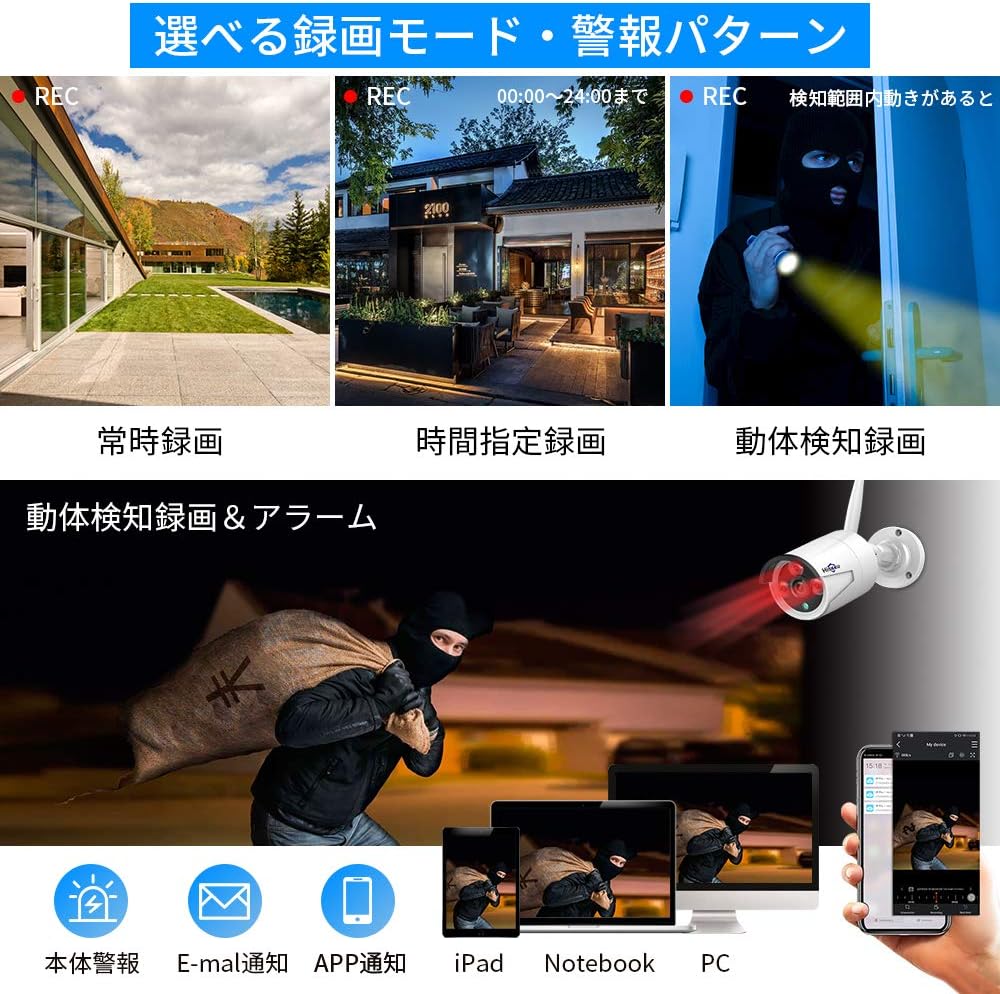
The system offers various recording options to suit your needs:
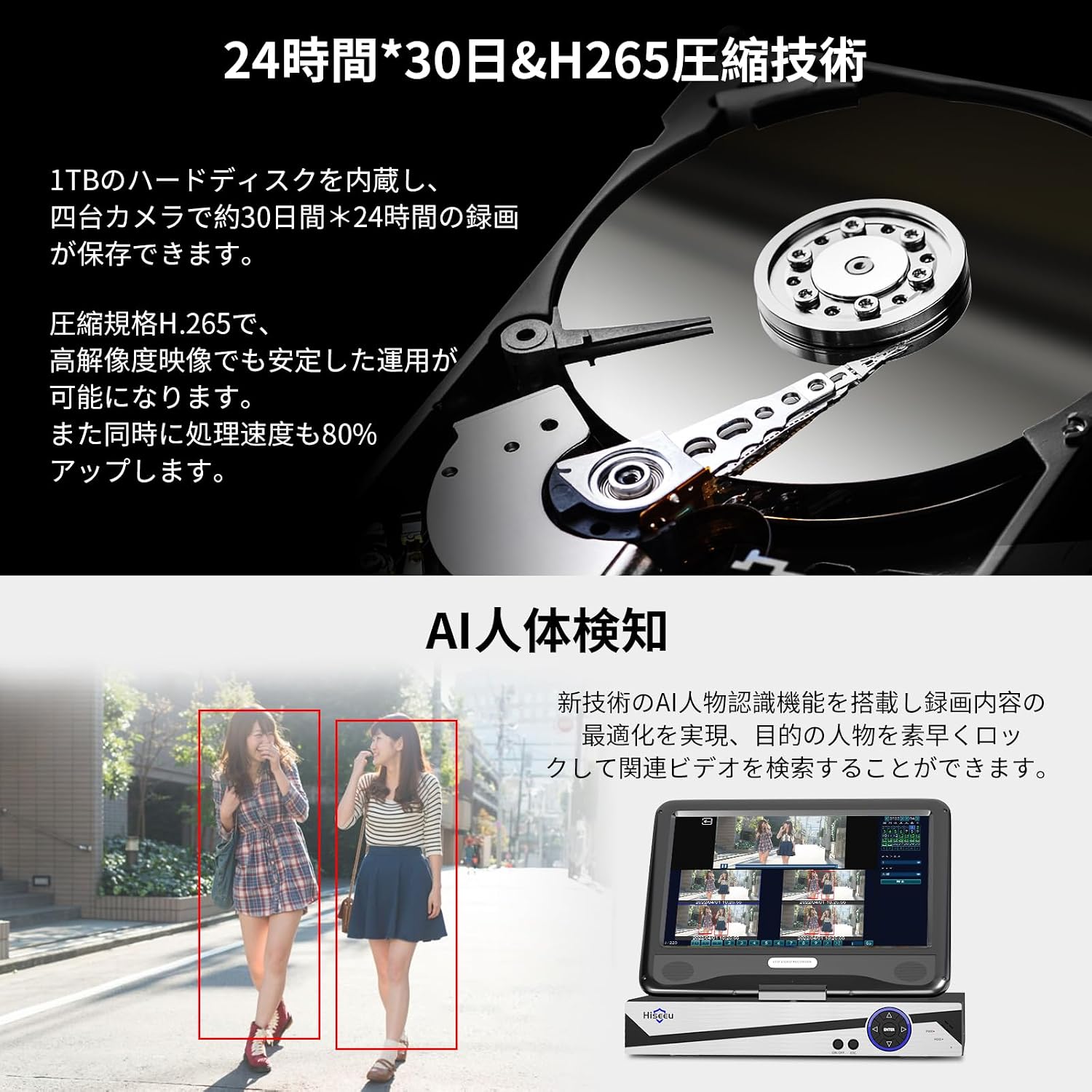
- Тынымсыз жаздыруу: Records 24/7. The 1TB HDD can store approximately 30 days of continuous footage from 4 cameras using H.265+ compression. Older data is automatically overwritten when the disk is full.
- Пландаштырылган жаздыруу: Жаздыруу үчүн атайын убакыттарды коюңуз.
- Кыймылды аныктоо жазуусу: Records only when motion is detected, saving storage space and making event review easier. The system supports AI human detection for optimized recording.
2.2 Live View жана Ойнотуу
- NVR мониторунда: View live feeds directly on the integrated 10.1-inch LCD monitor. Use the included USB mouse to navigate the NVR interface for playback, settings, and other functions.
- Тышкы дисплей: Connect the NVR to a larger TV or PC monitor via the HDMI output for a clearer, higher-resolution view.
- Алыстан кирүү: Use the EseeCloud app or software to view түз эфирдеги берүүлөр жана ойнотулган тамак-аштарtagИнтернет байланышы бар каалаган жерден.
2.3 Аудио өзгөчөлүктөрү
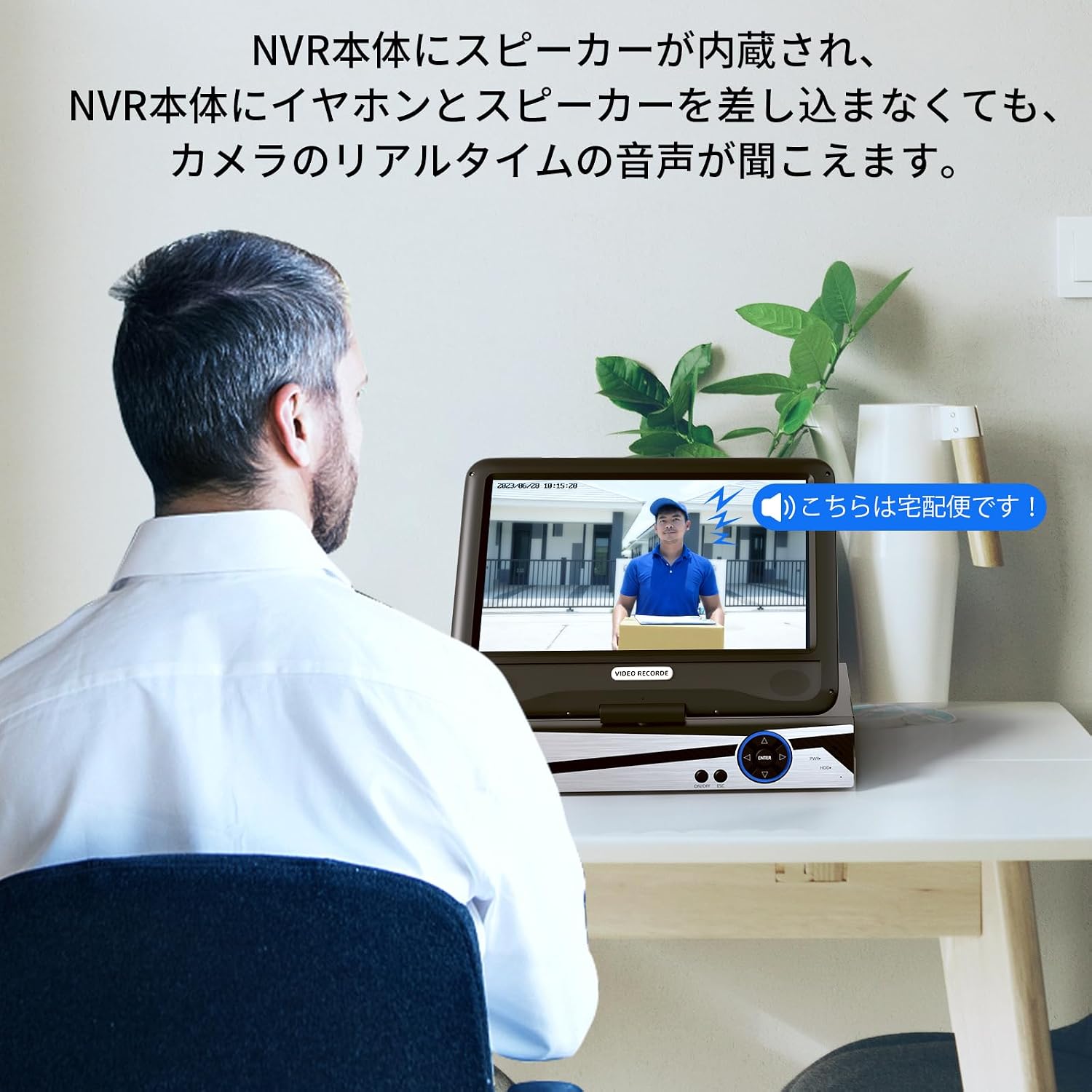
The NVR has a built-in speaker, allowing you to hear real-time audio from the cameras without needing external speakers or headphones.
3. Техникалык тейлөө
- Тазалоо: Regularly wipe the camera lenses and NVR screen with a soft, dry cloth. For stubborn dirt, use a slightly damp чүпүрөк, анан кылдат кургатуу. Катуу химиялык заттарды же абразивдүү тазалагычтарды колдонбоңуз.
- Программалык камсыздоонун жаңыртуулары: Хисеунун расмий өкүлүн текшериңиз website or EseeCloud app for any available firmware updates to ensure optimal performance and security.
- Кабелдик текшерүү: Periodically inspect all cables for any signs of wear or damage. Replace damaged cables immediately.
- Сактагыч: If storing the system for an extended period, disconnect power, clean all components, and store them in a dry, cool place.
4. Кыйынчылыктарды
- NVR мониторунда сүрөт жок:
- NVR күйгүзүлгөнүн жана кубат адаптери бекем туташтырылганын текшериңиз.
- Check if the cameras are powered on.
- If using an external monitor, ensure the HDMI cable is properly connected and the monitor is set to the correct input source.
- Cameras Not Connecting to NVR:
- Verify that both the NVR and cameras are powered on.
- Ensure cameras are within the wireless range of the NVR. Obstacles like thick walls can reduce signal strength.
- If issues persist, try re-pairing the cameras manually (refer to the NVR's on-screen menu for pairing instructions).
- Алыстан Viewing Not Working:
- Confirm the NVR is connected to your home router via a LAN cable and has internet access.
- Check your smartphone or PC's internet connection.
- Ensure the EseeCloud app/software is updated to the latest version.
- Verify that the NVR device ID is correctly entered in the app/software.
- Жаздыруу маселелери:
- Check the NVR's storage status to ensure the 1TB HDD is functioning and not full (though it overwrites automatically).
- Review recording settings (continuous, scheduled, motion detection) to ensure they are configured as desired.
- NVR Hard Drive Noise:
- A slight humming or clicking sound from the HDD is normal during operation. If the noise is excessive or unusual, contact customer support.
5. Продукттун спецификациялары
| Өзгөчөлүк | Спецификация |
|---|---|
| Бренд | Hiseeu |
| Модель номери | WK-10V-4HB613-1T |
| Байланыш технологиясы | Зымсыз |
| Видео тартуунун резолюциясы | 1920p (5 Megapixels) |
| Өзгөчө өзгөчөлүк | Суу өткөрбөйт (IP66) |
| Каналдардын саны | 10 (NVR 10ге чейин камераны колдойт) |
| Байланыш интерфейси | Зымсыз |
| Эс тутумдун максималдуу сыйымдуулугу | 1 TB HDD (built-in) |
| Power Type | Электр зымы |
| Шайкеш түзмөктөр | TV, PC |
| Камера линзасынын түрү | 3.6mm Wide-angle |
| Түнкү көрүнүш | Ооба (инфракызыл светодиоддор) |
| Сигнал форматы | Санарип |
| Product Body Size (NVR) | 38.5 x 17 x 29.5 см |
6. Кепилдик маалыматы
Hiseeu products come with a standard manufacturer's warranty. Please refer to the warranty card included in your package or visit the official Hiseeu webдеталдуу кепилдик шарттары жана шарттары үчүн сайт. Кепилдик дооматтар үчүн сатып алганыңыздын далилин сактаңыз.
7. Кардарларды колдоо кызматы
If you encounter any issues or have questions regarding your Hiseeu Wireless Security Camera System, please contact our customer support team:
- Онлайн колдоо: Visit the Hiseeu official webКөп берилүүчү суроолор, көйгөйлөрдү аныктоо боюнча колдонмолор жана байланыш формалары үчүн сайт.
- Электрондук почта колдоо: Refer to your warranty card or the Hiseeu webкардарларды тейлөө электрондук почта дареги үчүн сайт.
Our mission is to provide you with peace of mind and satisfaction. We are committed to continuously improving our products and services.