
Introduction
This manual provides essential instructions for the safe and effective operation of your Nikon Z30 Mirrorless Camera. The Nikon Z30 is a compact mirrorless camera featuring a 20.9MP DX-format sensor, designed for high-quality photo and 4K video recording. Please read this manual thoroughly before using the camera and keep it accessible for future reference.
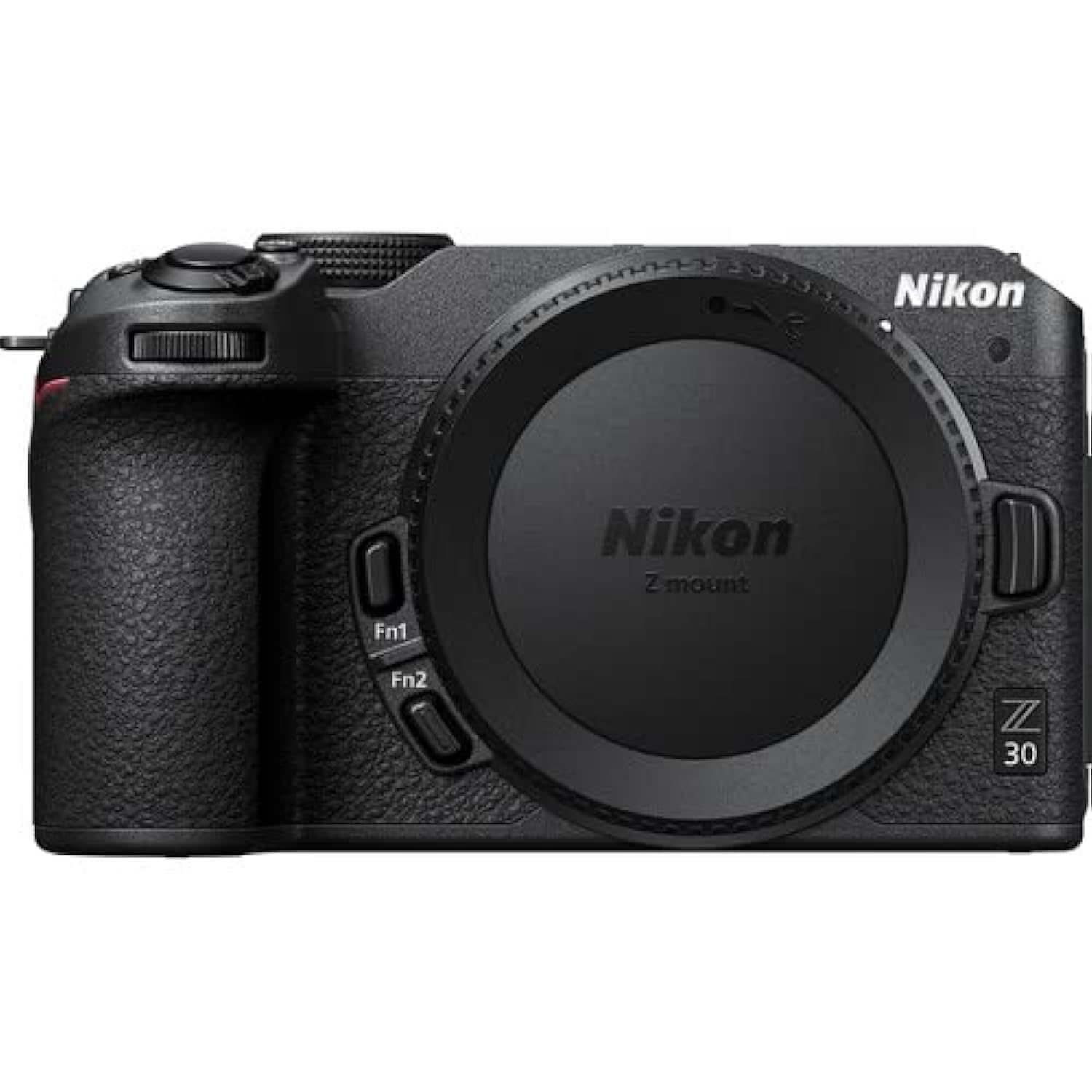
1-сүрөт: Генерал view of the Nikon Z30 camera with a lens and the vari-angle LCD screen extended.
Жайгашуу
1. Камераны ачуу
Carefully remove all items from the packaging. The box contents include the camera body only. Ensure all components are present and undamaged.
- Nikon Z30 Camera Body
- Батарея
- Заряддагыч
2. Линзаны бекитүү (өзүнчө сатылат)
Align the mounting mark on the lens with the mounting mark on the camera body. Rotate the lens clockwise until it clicks into place. Refer to your lens manual for specific attachment instructions.
3. Батареяны салуу
- Камеранын түбүндө жайгашкан батарея бөлүмүнүн капкагын ачыңыз.
- Insert the supplied Lithium-Ion battery with the contacts facing the correct direction, as indicated inside the chamber.
- Батарея камерасынын капкагын бекем жабыңыз.
Эскертүү: Ensure the battery is fully charged before first use. Use only genuine Nikon batteries and chargers.
4. Эстутум картасын салуу
The Nikon Z30 supports SD and SDXC flash memory cards. It has one available memory slot.
- Эстутум картасынын уячасынын капкагын камеранын капкагынан табыңыз.
- Open the cover and insert an SD or SDXC card into the slot with the label facing the correct direction until it clicks into place.
- Эстутум картасынын уячасынын капкагын бекем жабыңыз.
Абайлаңыз: Do not force the card. Incorrect insertion can damage the card or camera.
5. Баштапкы күйгүзүү жана негизги орнотуулар
Turn the camera on using the power switch. Follow the on-screen prompts to set the language, date, and time. These settings are crucial for proper image file башкаруу.
Иштөө нускамалары
1. Камеранын башкаруу элементтериview
Негизги башкаруу элементтери менен таанышып алыңыз:
- Кубат которгучу: Located on the top plate, used to turn the camera on/off.
- Shutter-Release Button: Фокустоо үчүн жарымын, сүрөткө тартуу үчүн толук басыңыз.
- Терүү режими: Selects shooting modes (e.g., Auto, Program, Shutter-priority, Aperture-priority, Manual).
- Жазуу баскычы: Initiates and stops video recording.
- ЖК монитор: 3-inch vari-angle touch-sensitive display for viewing and settings.

2-сүрөт: Фронт view of the Nikon Z30 camera body with a lens attached, showing the lens mount and grip.

3-сүрөт: Арткы view of the Nikon Z30 camera body, highlighting the LCD screen and control buttons on the back panel.

4-сүрөт: Жогорку view of the Nikon Z30 camera, showing the hot shoe, mode dial, power switch, and shutter button.

5-сүрөт: Side view of the Nikon Z30 camera demonstrating the vari-angle LCD screen in an extended position.
2. Сүрөт тартуу
- Камераны күйгүзүңүз.
- Select your desired shooting mode using the mode dial (e.g., АВТО for automatic settings).
- ЖК монитордун жардамы менен кадрыңызды тартыңыз.
- Press the shutter-release button halfway to focus. The camera uses a hybrid autofocus system with 49 points.
- Press the shutter-release button fully to capture the image.
The camera supports continuous shooting at up to 11 frames per second (FPS).
3. Видеолорду жаздыруу
The Nikon Z30 is capable of recording UHD 4K video at up to 30p and Full HD video at 120p for slow-motion effects.
- Камераны күйгүзүңүз.
- Press the dedicated record button to start video recording.
- Жазууну токтотуу үчүн жаздыруу баскычын кайра басыңыз.
Digital image stabilization is available to help reduce camera shake during video recording.
4. Connecting to Smart Devices
The camera features Wi-Fi and Bluetooth connectivity for seamless integration with smartphones and tablets via the SnapBridge app. This allows for remote camera control and wireless transfer of photos and videos.
- Download the Nikon SnapBridge app to your mobile device.
- Enable Wi-Fi or Bluetooth on both your camera and mobile device.
- Follow the instructions in the SnapBridge app to pair your devices.
Техникалык тейлөө
1. Камераны тазалоо
- Камеранын корпусу: Камеранын корпусун сүртүү үчүн жумшак, кургак чүпүрөктү колдонуңуз. өжөр кир үчүн, жеңил гampen the cloth with water or a lens cleaner.
- ЖК монитор: Use a soft, lint-free cloth specifically designed for optical surfaces. Avoid pressing too hard.
- Сенсор: Sensor cleaning should ideally be performed by a qualified service technician. If you must clean it yourself, use a specialized sensor cleaning kit and follow its instructions carefully.
Абайлаңыз: Камераны тазалоо үчүн эч качан боёк эриткич же бензол сыяктуу органикалык эриткичтерди колдонбоңуз.
2. Батареяга кам көрүү
- Батареяларды колдонбогондо салкын, кургак жерде сактаңыз.
- Батареяларды экстремалдык температурага тийгизүүдөн сактаңыз.
- Charge batteries fully before extended storage and recharge them every six months to prevent over-discharge.
3. Сактоо
When storing the camera for long periods, remove the battery and memory card. Store the camera in a dry, well-ventilated area, away from direct sunlight and high humidity.
Проблемаларды чечүү
| Көйгөй | Мүмкүн себеп | Чечим |
|---|---|---|
| Камера күйбөйт. | Батарея түгөнүп калган же туура эмес салынган. | Батареяны толук заряддап, анын туура салынганын текшериңиз. |
| Сүрөткө тартуу мүмкүн эмес. | Эстутум картасы толуп, кулпуланган же кыстарылган эмес. | Insert a new or empty card, unlock the card, or ensure it is inserted correctly. |
| Сүрөттөр бүдөмүк. | Туура эмес фокус, камеранын солкулдашы же кир линза. | Ensure proper focus, use a faster shutter speed, or clean the lens. |
| Cannot connect to smartphone via SnapBridge. | Bluetooth/Wi-Fi is off, or pairing failed. | Ensure both devices have Bluetooth/Wi-Fi enabled. Re-attempt pairing through the SnapBridge app. |
Техникалык шарттар
| Бренд | Nikon |
| Модель аты | Z30-Body |
| Модель номери | VOA110AN |
| Сүрөт сенсорунун чечилиши | 20 депутат |
| Сенсор түрү | CMOS |
| Видео тартуунун резолюциясы | UHD 4K (3840x2160), Full HD 120p |
| Image Stabilization | Санарип |
| Үзгүлтүксүз атуу ылдамдыгы | 11 FPS |
| Автофокус технологиясы | Hybrid (Phase Detection, Contrast Detection) |
| Дисплей түрү | 3-inch LCD, Vari-angle, Touch Screen |
| Flash эс тутум түрү | SDXC (1 slot) |
| Байланыш | Wi-Fi, Bluetooth, USB, HDMI |
| Батарея түрү | Литий ион |
| Салмагы | 700 грамм |
| Келип чыккан өлкө | Тайланд |
Кепилдик маалымат
The Nikon Z30 Mirrorless Camera comes with a 2 жылдык кепилдик from the date of purchase. Please retain your proof of purchase for warranty claims. For detailed terms and conditions, refer to the warranty card included with your product or visit the official Nikon webсайт.
Кардарларды колдоо
For technical assistance, service, or inquiries, please contact Nikon customer support:
- Өндүрүүчү: Nikon Corporation, Shinagawa Intercity Tower C, 2-15-3, Konan, Minato-Ku, Tokyo 108-6290, Japan
- Импорттоочу/Пакер: Nikon India Pvt Ltd
- Refer to the official Nikon webакыркы байланыш маалыматы жана колдоо булактары үчүн сайт.