
PETLIBRO PLAF002
PETLIBRO Automatic Pet Feeder
Модел: PLAF002
Бренд: PETLIBRO
Продукт бүттүview
The PETLIBRO 6L Automatic Pet Feeder is designed to provide convenient and consistent feeding for your pets. With its customizable feeding schedule, voice recording feature, and anti-clogging design, it ensures your pet receives timely and appropriate portions, promoting healthy eating habits.
Негизги өзгөчөлүктөрү
- Scheduled Automatic Feeding: Inbuilt LCD screen allows for quick setup and execution of feeding schedules.
- Custom Recording: Record a 10-second voice message to play during food dispensing, enhancing the bond with your pet.
- No Food Clogging: Features an optimized inclination angle to prevent food blockages at the food outlet.
- Жаңылыгын сактоо: Equipped with a lock lid and desiccant bag to keep food fresh and prevent dampжок.
- Dual Power Choice: Operates with a 5V DC adapter and 3 alkaline D-cell batteries (not included) for power outage backup, ensuring consistent feeding.
Орнотуу колдонмосу
Unboxing and Initial Assembly
Carefully remove all components from the packaging, including the feeder unit, stainless steel bowl, charger, and user manual.

The PETLIBRO Automatic Pet Feeder ready for use.
Watch this video for a detailed guide on product assembly and setting up your PETLIBRO feeder.
Power Connection
Connect the 5V DC adapter to the feeder and plug it into a wall outlet. For backup power, install 3 alkaline D-cell batteries (not included) in the battery compartment at the bottom of the unit. This ensures continuous operation during power outages.

The feeder supports both DC adapter and battery power for reliability.
Тамак-аш жүктөө
Open the top lid and pour dry kibble into the food tank. The 6L capacity can store approximately 4.4 lbs of kibble. Ensure the kibble diameter is between 2-10mm to prevent clogging. Close the lid securely.

The 6L capacity ensures ample food storage for your pet.
Desiccant Bag Installation
Locate the desiccant box under the top lid. Place the included desiccant bag inside to help keep the food fresh and prevent moisture. Replace the desiccant bag every half month for optimal freshness.

The desiccant bag helps maintain food freshness.
Иштөө нускамалары
Учурдагы убакытты коюу
Press and hold the unlock button (lock icon) for 3 seconds to unlock the control panel. Press the gear button to enter time setting mode. Use the up and down arrow buttons to set the current hour and minute. Press the gear button again to save.
Learn how to set the current time on your PETLIBRO Automatic Feeder.
Setting Number of Meals and Portions
After setting the time, press the gear button again. When 'MEAL' is flashing, use the up and down arrow buttons to select the number of meals per day (1-4). Press the gear button to confirm. Then, for each meal, use the arrow buttons to set the feeding time and the portion size (up to 9 portions). Press the gear button to save each meal setting.

Customize your pet's feeding schedule with timely meals and scheduled portions.
Custom Voice Recording
To record a personalized message for your pet, press and hold the microphone button for 3 seconds. Release it after a beep and start recording your 10-second message. Press the microphone button again to save. Your recording will play when food is dispensed.
Record a custom message to call your pet for meals.
Кол менен азыктандыруу
To manually dispense a portion of food, ensure the control panel is unlocked. Press the food bowl button (bowl icon) once to dispense a single portion. You can repeat this as needed.
Demonstration of manual feeding for your pet.
Кароо жана тейлөө
Тазалоо
The PETLIBRO feeder features a detachable design for easy cleaning. The food tank, lid, and stainless steel bowl can be removed and washed. Do not wash the main base unit, as it contains electronic components. Ensure all parts are completely dry before reassembling.
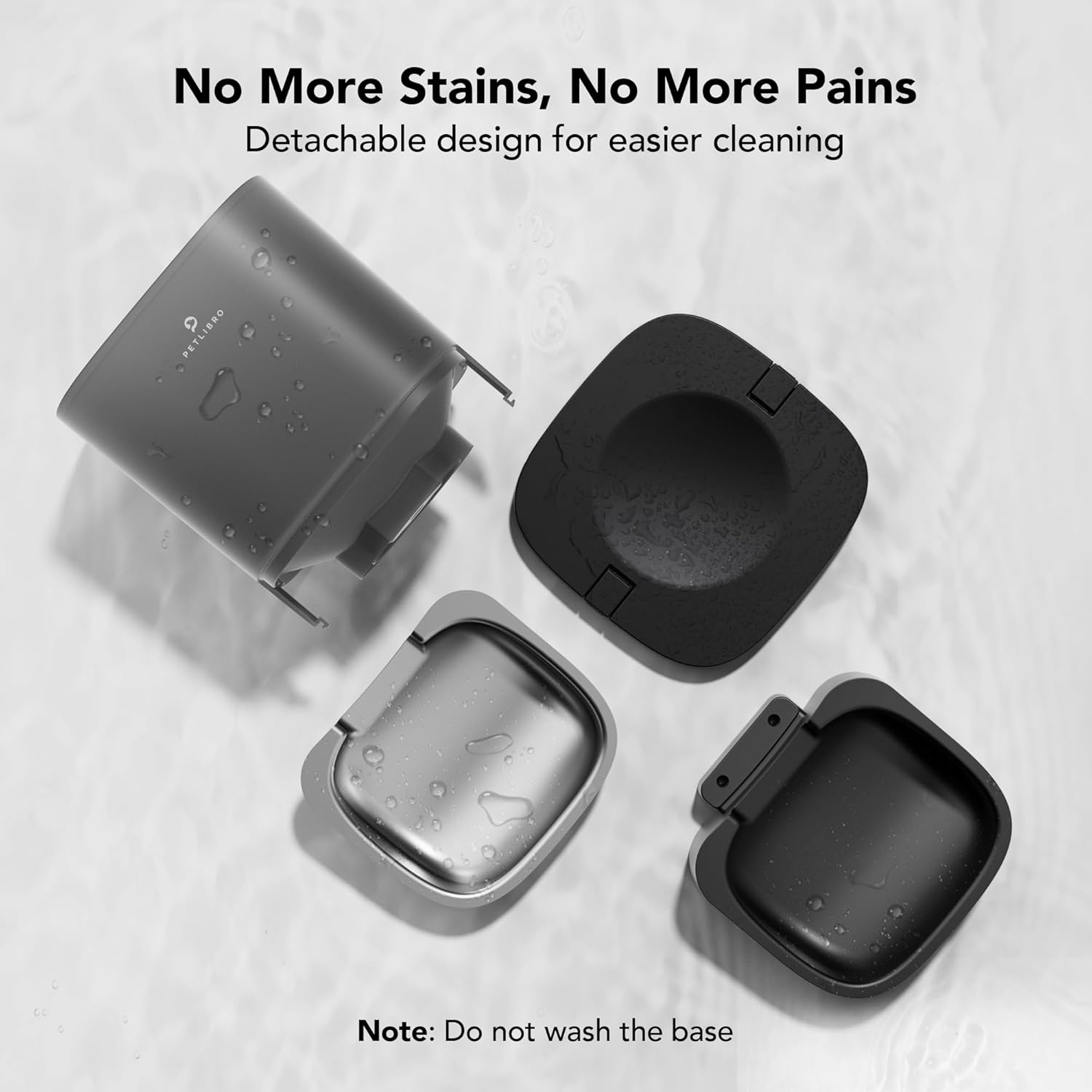
Detachable design allows for thorough cleaning of food contact parts.
Кургаткыч баштык алмаштыруу
For optimal food freshness, replace the desiccant bag every half month. New desiccant bags can be purchased by searching for "B08NVBYQHV".
Проблемаларды чечүү
Жалпы маселелер
- Food Clogging: Ensure the kibble size is within the recommended 2-10mm range. The feeder's 8° tilt design helps prevent blockages.
- Ыйгарымсыз бөлүштүрүү: Verify that the correct kibble size is used and that the food tank is not overfilled. Check for any obstructions in the dispensing mechanism.
- Кубат маселеси: Confirm the DC adapter is securely plugged in. If using batteries, ensure they are fresh D-cell alkaline batteries and correctly installed.
- Pet Stealing Food: The double-sided lid lock is designed to prevent pets from accessing the food tank. Ensure the lid is properly secured after refilling.

The 8-degree tilt design helps prevent food clogging.
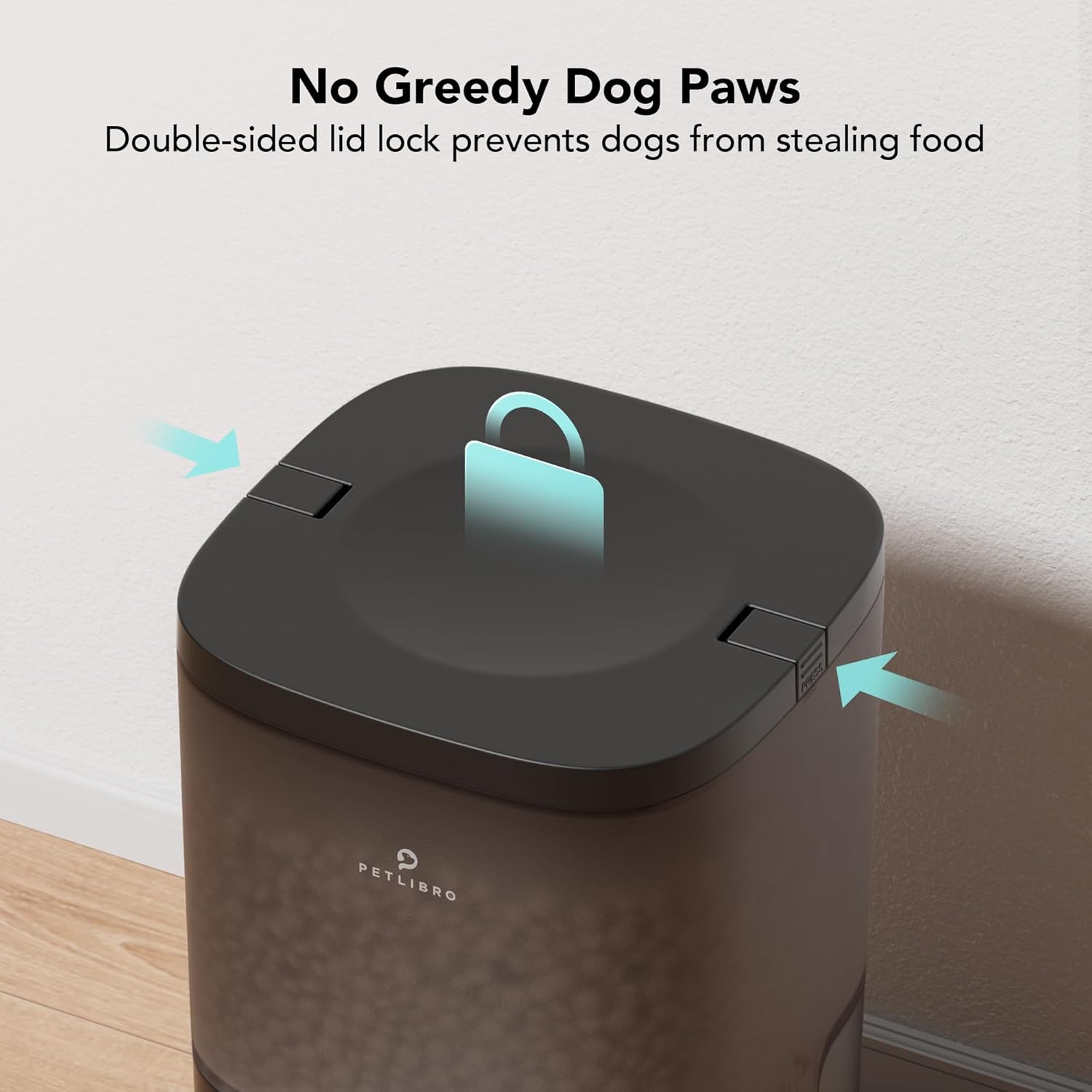
The double-sided lid lock helps prevent pets from accessing food.
Продукт спецификациялары
| Өзгөчөлүк | Нарк |
|---|---|
| Элемент Салмагы | 4.91 фунт |
| Элемент моделинин номери | PLAF002 |
| Пакеттин өлчөмдөрү L x W x H | 15.04 x 8.5 x 7.91 дюйм |
| Элементтин өлчөмдөрү LxWxH | 7.56 x 13.27 x 13.78 дюйм |
| Түс | Black Transparent |
| Өлчөмү | 6L |
| Материал | Дат баспаган болот |
| Өзгөчө өзгөчөлүк | Portion Control, Slide Food Outlet, Voice Recording, Double-Sided Lid, 6L Large Capacity |
| Камтылган компоненттер | Quick Guide*1, Stainless Steel Bowl*1, Automatic Pet Feeder*1, Charger*1, User Manual*1 |
Кепилдик жана колдоо
Кепилдик: The PETLIBRO Automatic Pet Feeder comes with a 24-month warranty from the date of purchase.
For detailed instructions and further assistance, please refer to the official User Manual:
Ask a question about this manual
Ask about setup, troubleshooting, compatibility, parts, safety, or missing instructions. Manuals+ will review the question and use this page’s manual context to help answer it.