
1. Киришүү
Сатып алганыңыз үчүн рахматasing the Audizio Naples DAB+ / Internet Radio. This device offers a comprehensive audio experience with multiple playback options, including DAB+, FM, Internet Radio, Bluetooth 5.0, CD player, and USB/Micro SD MP3 playback. This manual provides detailed instructions for setup, operation, and maintenance to ensure optimal performance and longevity of your device.
2. Коопсуздук маалыматы
Please read these safety instructions carefully before using the device and retain them for future reference.
- Кубат булагы: Белгиленген кубат адаптерин гана колдонуңуз. Voltage аппараттын талаптарына дал келет.
- Суу жана ным: Түзмөктү жамгырдын, нымдуулуктун же тамчылаган/чачыраган суюктуктардын таасирине дуушар кылбаңыз. Түзмөктүн үстүнө вазалар сыяктуу суюктуктар толтурулган буюмдарды койбоңуз.
- Вентиляция: Адекваттуу вентиляцияны камсыз кылыңыз. Вентиляция тешиктерин жаап албаңыз.
- Жылуулук: Түзмөктү радиаторлор, жылыткычтар, плиталар же башка жылуулук булактарынан (анын ичинде ampкөтөргүчтөр) жылуулукту пайда кылуучу.
- Тазалоо: Тазалоодон мурун түзмөктү розеткадан сууруп алыңыз. Жумшак, кургак чүпүрөктү колдонуңуз. Суюк тазалоочу каражаттарды же аэрозоль тазалоочу каражаттарды колдонбоңуз.
- Тейлөө: Бул продуктту өзүңүз тейлөөгө аракет кылбаңыз. Бардык тейлөөнү квалификациялуу тейлөө кызматкерлерине тапшырыңыз.
- Жайгашкан жери: Аппаратты туруктуу, тегиз бетке коюңуз.
3. Пакеттин мазмуну
Пакетте бардык буюмдар бар экенин текшериңиз:
- Audizio Naples DAB+ / Internet Radio Unit
- Алыстан башкаруу
- Кубаттуу адаптер
- Колдонуучунун Колдонмосу (бул документ)
4. Продукт бүтүп калдыview
The Audizio Naples is a versatile stereo music system designed for various audio sources. It features a sleek design with dual powerful speakers and a clear 2.8-inch LCD display.

Сүрөт 4.1: Алдыңкы view of the Audizio Naples radio with its remote control.
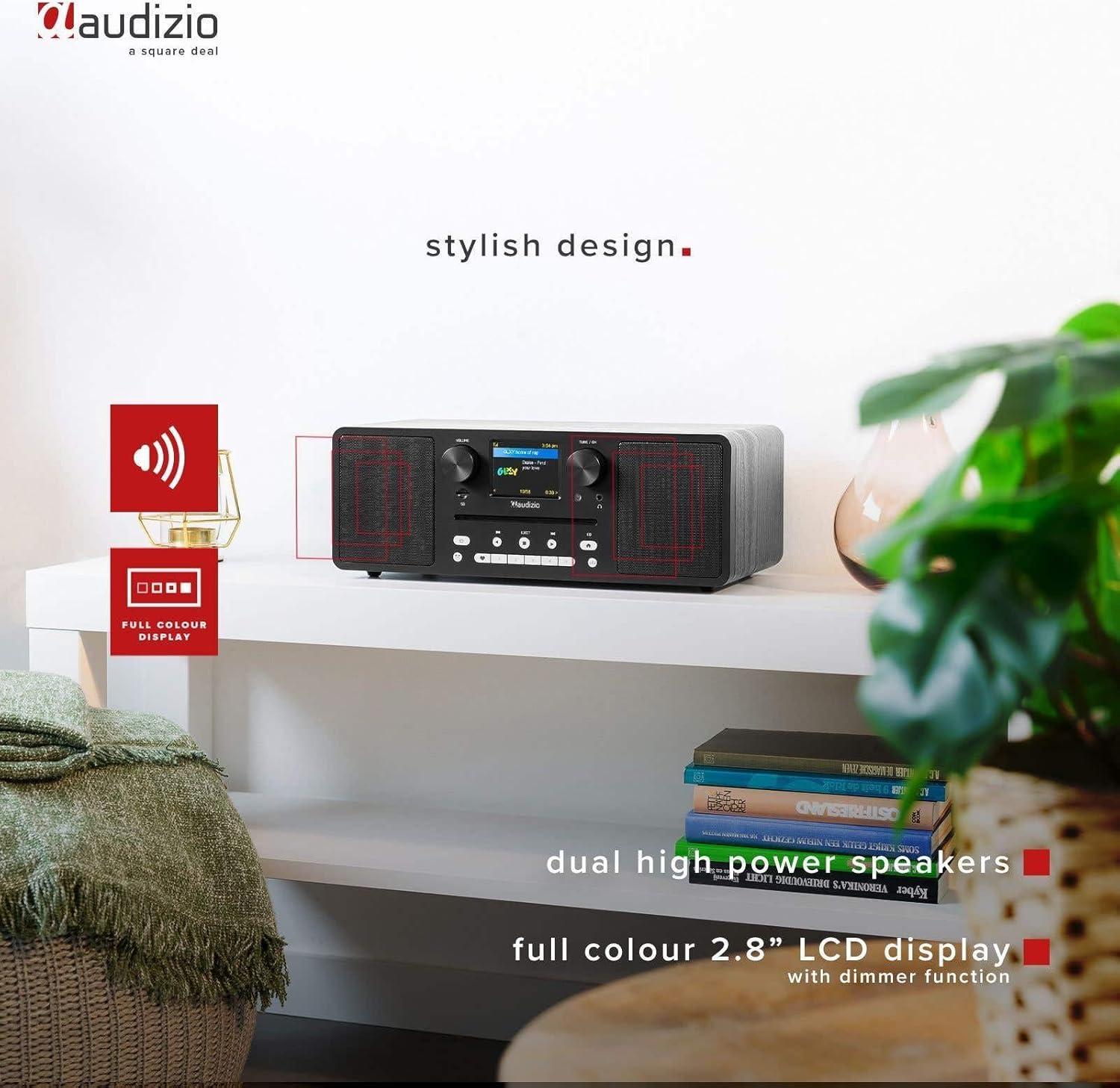
Image 4.2: The Audizio Naples radio highlighting its stylish design, dual high-power speakers, and 2.8-inch full-color LCD display with dimmer function.
4.1 Алдыңкы панелдин башкаруу элементтери жана функциялары
- Үн баскычы: Аудио чыгаруу деңгээлин тууралайт.
- Tune/OK Knob: Менюларды багыттоо жана тандоолорду ырастоо.
- 2.8 дюймдук LCD дисплей: Shows current mode, station information, track details, and menu options.
- CD Slot: Аудио компакт-дисктерди киргизүү үчүн.
- Башкаруу баскычтары: Power, Mode, Play/Pause, Skip, Eject, EQ, Presets.
- Гарнитура уячасы: Жеке угуу үчүн 3.5 мм чыгаруу.
- Micro SD оюгу: MP3 ойнотуу үчүн files from a Micro SD card.
4.2 Арткы панелдин туташуулары
- DC IN 12V: Кубат киргизүү.
- ON/OFF которуу: Негизги электр өчүргүч.
- USB порт: MP3 ойнотуу үчүн fileUSB дисктен.
- AUX IN: тышкы аудио түзмөктөрдү туташтыруу үчүн 3.5 мм киргизүү.
- LINE OUT: 3.5mm output for connecting to external ampкөтөргүчтөр же спикерлер.

Сүрөт 4.3: Каптал view highlighting the universal headphone output, line out, and Aux input connections.

Image 4.4: Close-up of the Audizio Naples radio showing the USB port, micro SD slot, and the CD player slot.
5. Орнотуу
5.1 Кубат туташтыруу
- Connect the provided power adapter to the "DC IN 12V" port on the rear of the Audizio Naples.
- Кубат адаптерин ылайыктуу розеткага сайыңыз.
- Flip the "ON/OFF" switch on the rear panel to the "ON" position. The display will light up.
5.2 Баштапкы орнотуу жана Wi-Fi туташуусу
Upon first power-on, the device will guide you through the initial setup, including language selection and network configuration for Internet Radio functionality.
- Каалаган тилиңизди тандоо үчүн экрандагы көрсөтмөлөрдү аткарыңыз.
- The device will scan for available Wi-Fi networks. Select your network from the list.
- Enter your Wi-Fi password using the Tune/OK knob to navigate and select characters. Press OK to confirm each character and the entire password.
- Once connected, the device will confirm the successful Wi-Fi connection.
6. Иштөө нускамалары
6.1 Режимди тандоо
басыңыз РЕЖИМ button on the front panel or remote control to cycle through available modes: Internet Radio, DAB+, FM, Bluetooth, CD, USB, Micro SD, AUX In.
6.2 Интернет радиосу
Wi-Fi байланышыңыз аркылуу дүйнө жүзү боюнча миңдеген радиостанцияларга кириңиз.

Image 6.1: The Audizio Naples radio demonstrating its Internet Radio capability, connecting to global stations.
- "Интернет радиосу" режимин тандаңыз.
- Use the Tune/OK knob to browse stations by location, genre, or search.
- Press OK to select a station.
- To save a station as a preset, press and hold one of the numbered preset buttons (1-5) on the front panel or remote.
6.3 DAB+ / FM радиосу
Enjoy digital (DAB+) and analog (FM) radio broadcasts.
- Select "DAB+" or "FM" mode.
- For DAB+, the radio will automatically scan for available stations on first use. For FM, use the Tune/OK knob to manually tune or press and hold to auto-scan.
- Use the Tune/OK knob to select a station from the list.
- Save presets as described for Internet Radio.
6.4 Bluetooth ойнотуу
Bluetooth иштетилген түзмөктөрүңүздөн аудиону зымсыз агылтыңыз.
- Select "Bluetooth" mode. The display will show "Pairing".
- On your smartphone or other Bluetooth device, enable Bluetooth and search for "Audizio Naples".
- Select "Audizio Naples" to pair. Once connected, you will hear a confirmation sound.
- Туташкан түзмөгүңүздө аудио ойнотууну баштаңыз.
6.5 CD / USB / Micro SD Playback
Play audio from CDs, USB drives, or Micro SD cards. The device supports CD, CD-R, CD-RW, and MP3 CD formats.

Image 6.2: A CD being inserted into the slot-loading CD player of the Audizio Naples radio.
- CD: Insert a CD into the slot. The device will automatically switch to CD mode and begin playback. Use the Play/Pause, Skip buttons for control. Press EJECT to remove the CD.
- USB/микро SD: Insert a USB drive into the USB port or a Micro SD card into the Micro SD slot. Select "USB" or "Micro SD" mode. The device will display the file structure, allowing you to navigate and select MP3 fileойнотуу үчүн.
6.6 AUX In
3.5 мм аудио кабелин колдонуп, тышкы аудио булактарын туташтырыңыз.
- Connect your external device (e.g., MP3 player) to the "AUX IN" port using a 3.5mm audio cable.
- "AUX In" режимин тандаңыз.
- Тышкы түзмөгүңүздөн ойнотууну көзөмөлдөө.
6.7 Ойготкуч саат жана уйку таймери
The Audizio Naples features a dual alarm clock and a sleep timer function.
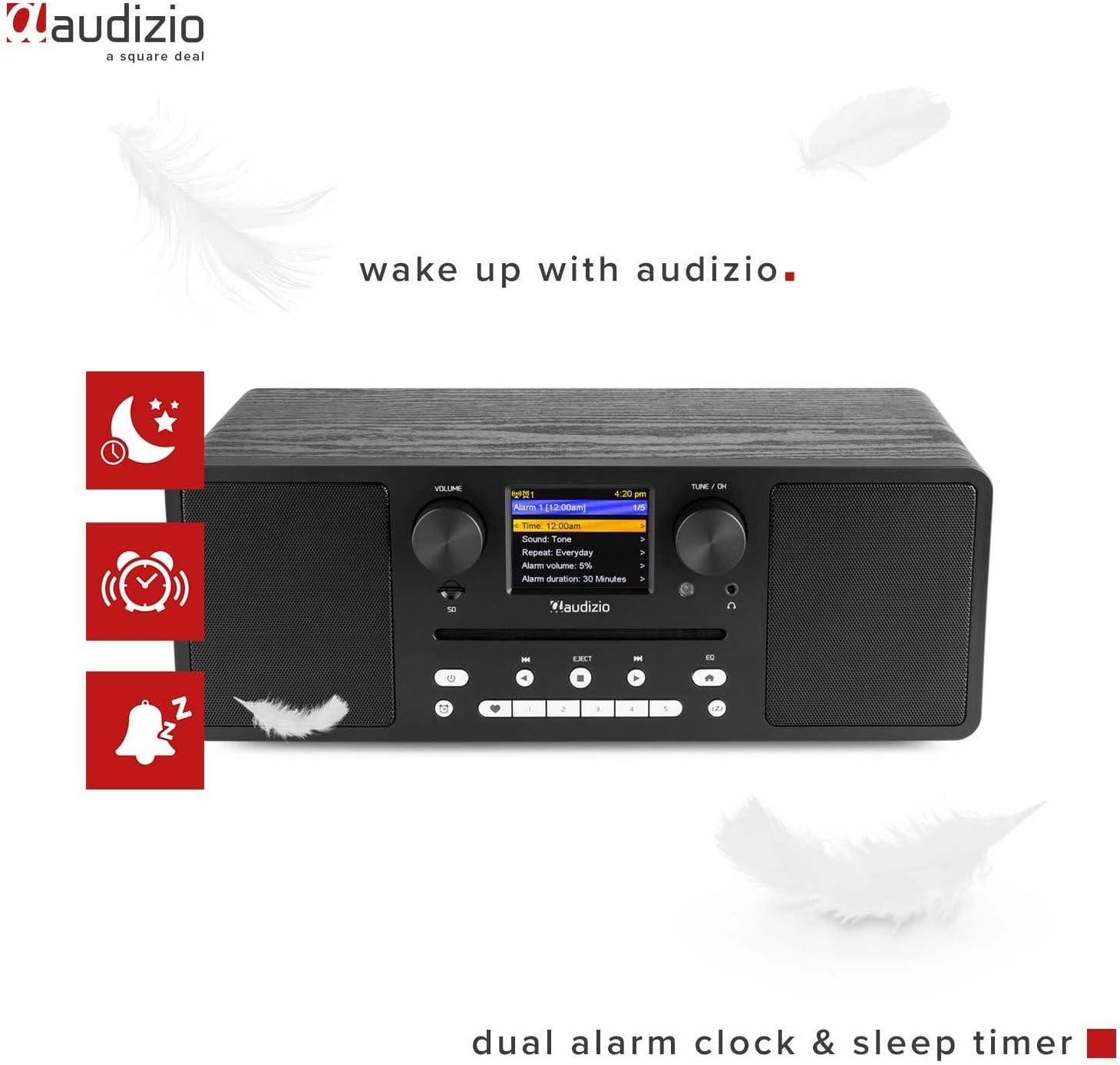
Image 6.3: The Audizio Naples radio showing icons related to its dual alarm clock and sleep timer functions.
- Ойготкучту орнотуу: Access the alarm settings through the system menu. You can set two independent alarms with customizable sources (buzzer, radio station) and volume.
- Уйку таймери: Set a timer for the radio to automatically turn off after a specified duration. This can be found in the system settings.
6.8 Эквалайзердин жөндөөлөрү
Adjust the audio output with various equalizer presets.
- басыңыз EQ алдыңкы панелдеги же алыстан башкаруу пультундагы баскыч.
- Cycle through presets like Rock, Pop, Classical, Jazz, or a custom setting.
6.9 Алыстан башкаруу
Комплекттеги алыстан башкаруу пульту бардык функцияларга алыстан ыңгайлуу жетүүнү камсыз кылат.

Image 6.4: The Audizio Naples radio shown with its dedicated remote control.
- Батареялар туура салынганын текшериңиз.
- Point the remote control towards the front panel of the radio.
- Buttons on the remote mirror most functions available on the unit itself, including power, mode, volume, tuning, presets, EQ, and info.
7. Техникалык тейлөө
7.1 Тазалоо
- Тазалоодон мурун ар дайым аппаратты сууруп коюңуз.
- Сырткы беттерди сүртүү үчүн жумшак, кургак, түксүз чүпүрөктү колдонуңуз.
- Абразивдүү тазалагычтарды, момдорду же эриткичтерди колдонбоңуз, анткени алар финишке зыян келтириши мүмкүн.
7.2 CD ойноткучту тейлөө
- Handle CDs by the edges to avoid fingerprints and scratches.
- Clean CDs with a soft, dry cloth, wiping from the center outwards.
- Do not insert damaged or irregularly shaped discs into the CD slot.
8. Кыйынчылыктарды
| Көйгөй | Мүмкүн себеп | Чечим |
|---|---|---|
| Күч жок | Power adapter not connected; ON/OFF switch is OFF. | Ensure power adapter is securely connected and the ON/OFF switch is in the ON position. |
| Үн жок | Volume too low; Mute activated; Incorrect input mode. | Increase volume; Check if mute is active; Select the correct input mode (e.g., CD, Bluetooth). |
| Wi-Fi'га туташпай жатат | Туура эмес сырсөз; Роутер өтө алыс; Тармак көйгөйлөрү. | Verify Wi-Fi password; Move radio closer to router; Restart router; Check network settings. |
| DAB/FM reception poor | Алсыз сигнал; Антенна узартылган эмес. | Extend the telescopic antenna fully; Reposition the radio for better signal reception. |
| Bluetooth жупташтыруу ишке ашпай калды | Device not in pairing mode; Other device connected. | Ensure the radio is in Bluetooth pairing mode; Disconnect any other Bluetooth devices from the radio; Restart Bluetooth on your device. |
| CD ойнобой жатат | CD inserted incorrectly; Disc is dirty or scratched; Unsupported format. | Re-insert CD correctly; Clean the disc; Ensure it is an audio CD or MP3 CD. |
9. Техникалык шарттар
| Өзгөчөлүк | Деталь |
|---|---|
| Бренд | Аудизио |
| Модель номери | Неаполь |
| Power Output | 60 Ватт |
| Байланыш технологиясы | Bluetooth 5.0, USB, Wi-Fi (802.11b/g/n) |
| Радио тюнер | DAB+, Internet Radio, FM |
| CD ойноткуч | Slot-loading, compatible with CD, CD-R, CD-RW, MP3 CD |
| Медиа ойнотуу | USB, Micro SD (MP3 files) |
| Дисплей | 2.8-inch LCD with dimmer function |
| Аудио чыгуулар | 3.5mm Headphone Jack, 3.5mm Line Out |
| Аудио киргизүү | 3.5 мм AUX кириши |
| Эквалайзер | Presets (Rock, Pop, Classical, Jazz) |
| Өзгөчөлүктөр | Dual Alarm Clock, Sleep Timer, Remote Control |
| Түс | Кара |
| Өлчөмдөрү (L x W x Y) | 350 x 195 x 127 мм |
| Салмагы | 3.2 кг |
| Power Voltage | 230Vac/50Hz |
10. Кепилдик жана колдоо
For warranty information and technical support, please refer to the documentation provided with your purchase or contact Audizio customer service. Keep your proof of purchase for warranty claims.
For further assistance, visit the official Audizio webсайтка же жергиликтүү дилериңизге кайрылыңыз.