
Introduction
The Keychron C2 is a full-size (104-key) wired mechanical keyboard designed for both Mac and Windows operating systems. It features durable Red mechanical switches and retro-colored ABS keycaps, providing a comfortable and responsive typing experience. This manual provides essential information for setting up, operating, maintaining, and troubleshooting your Keychron C2 keyboard.

Image: The Keychron C2 Full Size Wired Mechanical Keyboard connected to a computer setup.
Пакеттин мазмуну
Пакетте бардык буюмдар бар экенин текшериңиз:
- Keychron C2 Full Size Wired Mechanical Keyboard
- USB-C - USB-A кабели
- Баскыч капкагын тарткыч
- Extra Keycaps for Mac and Windows operating systems
Жайгашуу
- Баскычтопту туташтыруу: Plug the USB-C end of the provided cable into the keyboard's USB-C port and the USB-A end into an available USB port on your computer. The keyboard is a wired-only device and does not require batteries.
- Select Operating System Mode: Locate the operating system switch on the back or side of the keyboard. Slide the switch to the appropriate position for your computer (Mac or Windows). This ensures correct function key mapping.
- Баскычтоптун бурчун тууралоо: The keyboard features 2-level adjustable feet. Flip out the feet on the underside of the keyboard to achieve your preferred typing angle for ergonomic comfort.
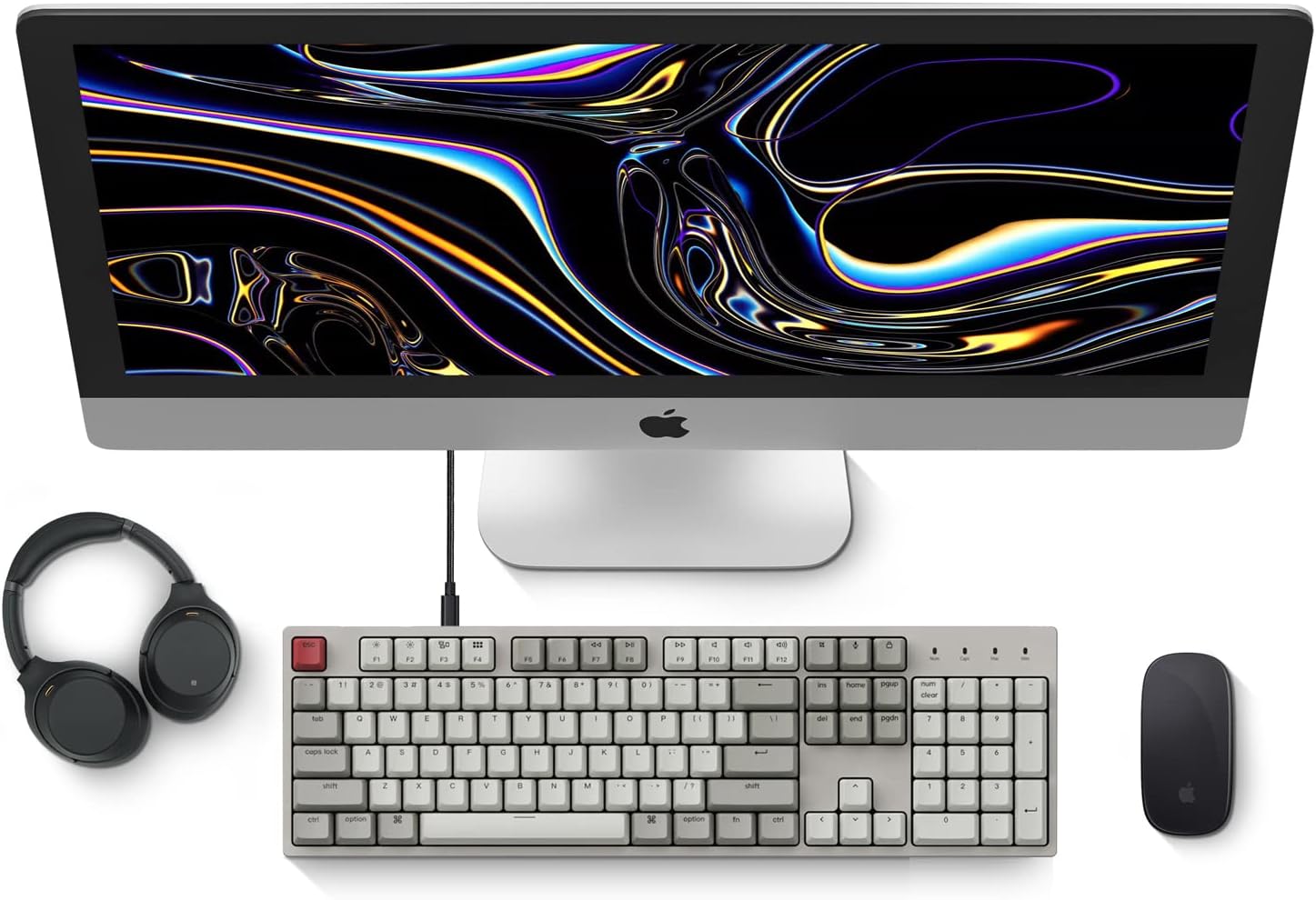
Image: Diagram showing compatibility with Mac and Windows operating systems.

Сүрөт: каптал view of the Keychron C2 keyboard illustrating the adjustable feet for angle customization.
Иштөө нускамалары
Негизги функциялар
- Терүү: The keyboard features a standard 104-key full-size layout.
- Мультимедиа ачкычтары: The top row of function keys (F1-F12) includes multimedia controls. These functions are optimized for Mac but are also compatible with Windows.
- Siri/Cortana Key: A dedicated key is provided for activating Siri (on Mac) or Cortana (on Windows).
Баскычтын капкагын алмаштыруу
The Keychron C2 comes with extra keycaps for both Mac and Windows layouts. To replace keycaps:
- Use the provided keycap puller to gently remove the desired keycap by hooking it onto the keycap and pulling upwards.
- Жаңы баскычтоптун капкагын которгучтун сабы менен тегиздеп, ордуна чыкылдаган үн чыкканча бекем басыңыз.

Сүрөт: Жакын план view of the Keychron Red mechanical switches beneath removed keycaps.
Техникалык тейлөө
- Тазалоо: Чаң менен таштандылардын топтолушун алдын алуу үчүн клавиатураңызды үзгүлтүксүз тазалап туруңуз. Баскычтардын капкактарынын ортосундагы бөлүкчөлөрдү кетирүү үчүн жумшак щетканы же кысылган абаны колдонуңуз. Бетти тазалоо үчүн бир азamp, мамыксыз кездеме. Катуу химиялык заттардан алыс болуңуз.
- Баскычка кам көрүү: While durable, avoid excessive force when removing or installing keycaps to prevent damage to the keycap stems or switches.
- Кабелдик башкаруу: Ensure the USB-C cable is not bent sharply or placed under heavy objects to prolong its lifespan.

Image: Close-up of the ABS keycaps on the Keychron C2 keyboard.
Проблемаларды чечүү
- Баскычтоп жооп бербейт:
- Check the USB-C cable connection at both the keyboard and the computer. Ensure it is securely plugged in.
- Баскычтопту компьютериңиздин башка USB портуна туташтырууга аракет кылыңыз.
- Verify that the operating system switch on the keyboard is set correctly (Mac/Windows).
- Компьютериңизди өчүрүп күйгүзүңүз.
- Атайын ачкычтар иштебейт:
- Carefully remove the non-functional keycap using the keycap puller. Inspect the mechanical switch for any visible damage or debris.
- Clean around the switch with compressed air.
- Re-seat the keycap firmly.
- Туура эмес ачкыч чыгаруу:
- Ensure the operating system switch is set to the correct mode for your computer.
- Check your computer's keyboard settings to ensure the correct layout is selected.
Техникалык шарттар
| Өзгөчөлүк | Деталь |
|---|---|
| Бренд | Keychron |
| Модель аты | Keychron C2 |
| Модель номери | HS-C2K1Z |
| Байланыш технологиясы | USB-C (Зымдуу) |
| Шайкеш түзмөктөр | Ноутбук, компьютер |
| Шайкеш операциялык тутум үй-бүлөсү | MacOS, Windows |
| Ачкычтардын саны | 104 |
| Которуу түрү | Linear (Red Switch) |
| Клавиатура материалы | ABS (акрилонитрил бутадиен стирол) |
| Баскычтоптун жайгашуусу | QWERTY |
| Өзгөчө өзгөчөлүк | Backlit (Single Color) |
| Элемент Салмагы | 5390 грамм |
| Power Source | Электр зымдары |
Кепилдик жана колдоо
Кепилдик жөнүндө маалымат, техникалык колдоо же кошумча жардам алуу үчүн, расмий Keychron сайтына кириңиз website or contact Keychron customer service. Details regarding product registration and specific warranty terms can be found through official Keychron channels.