
Introduction
This manual provides comprehensive instructions for the installation, operation, and maintenance of the Extel Code Connect Wired Video Door Phone Kit. It includes details on the monitor, outdoor unit with integrated keypad, and the DIN rail transformer, ensuring secure and convenient access control for your home.
Please read this manual carefully before installation and use to ensure proper function and safety. Keep this manual for future reference.
Пакеттин мазмуну
The Extel Code Connect kit includes the following components:
- 1 x Extel Connect Indoor Monitor (Ref 720320)
- 1 x Outdoor Unit with Integrated Keypad
- 1 x Power Supply Unit (for monitor)
- 1 x Surface Mount Box for Outdoor Unit
- 1 x Flush Mount Box for Outdoor Unit
- Монтаждоо бурамалар
- Wall Plugs
- 1 x Modular DIN Rail Transformer (Ref 512275)

Figure 1: Extel Code Connect Kit components.
Коопсуздук маалыматы
- Ensure all power is disconnected before performing any installation or wiring.
- Эгерде сиз электр зымдары боюнча күмөн санасаңыз, орнотууну квалификациялуу электрик аткарышы керек.
- Сырткы блокту түздөн-түз суу агымдарынын астында калтырбаңыз же сууга чөмтүрбөңүз.
- Use only the provided power supply and transformer.
- Балдарды электрдик тетиктерден алыс кармаңыз.
Орнотуу жана орнотуу
1. Wiring the DIN Rail Transformer
The modular DIN rail transformer (Ref 512275) is designed for integration into your electrical panel. Ensure proper wiring according to local electrical codes.

Figure 2: DIN Rail Transformer installation example.
2. Mounting the Outdoor Unit
The outdoor unit can be either surface-mounted or flush-mounted using the provided boxes. Choose a location that offers a clear view of visitors and is protected from direct heavy rain.
- Жер үстүндөгү орнотуу: Attach the surface mount box to the wall using screws and wall plugs. Route the necessary wiring through the back of the box. Secure the outdoor unit to the box.
- Flush орнотуу: Cut an appropriate opening in the wall for the flush mount box. Secure the flush mount box within the opening. Route wiring and then attach the outdoor unit.
3. Үйдүн ичиндеги мониторду орнотуу
Select a convenient indoor location for the monitor, typically near the main entrance. Mount the monitor bracket to the wall and connect the wiring from the outdoor unit and power supply. Secure the monitor onto its bracket.
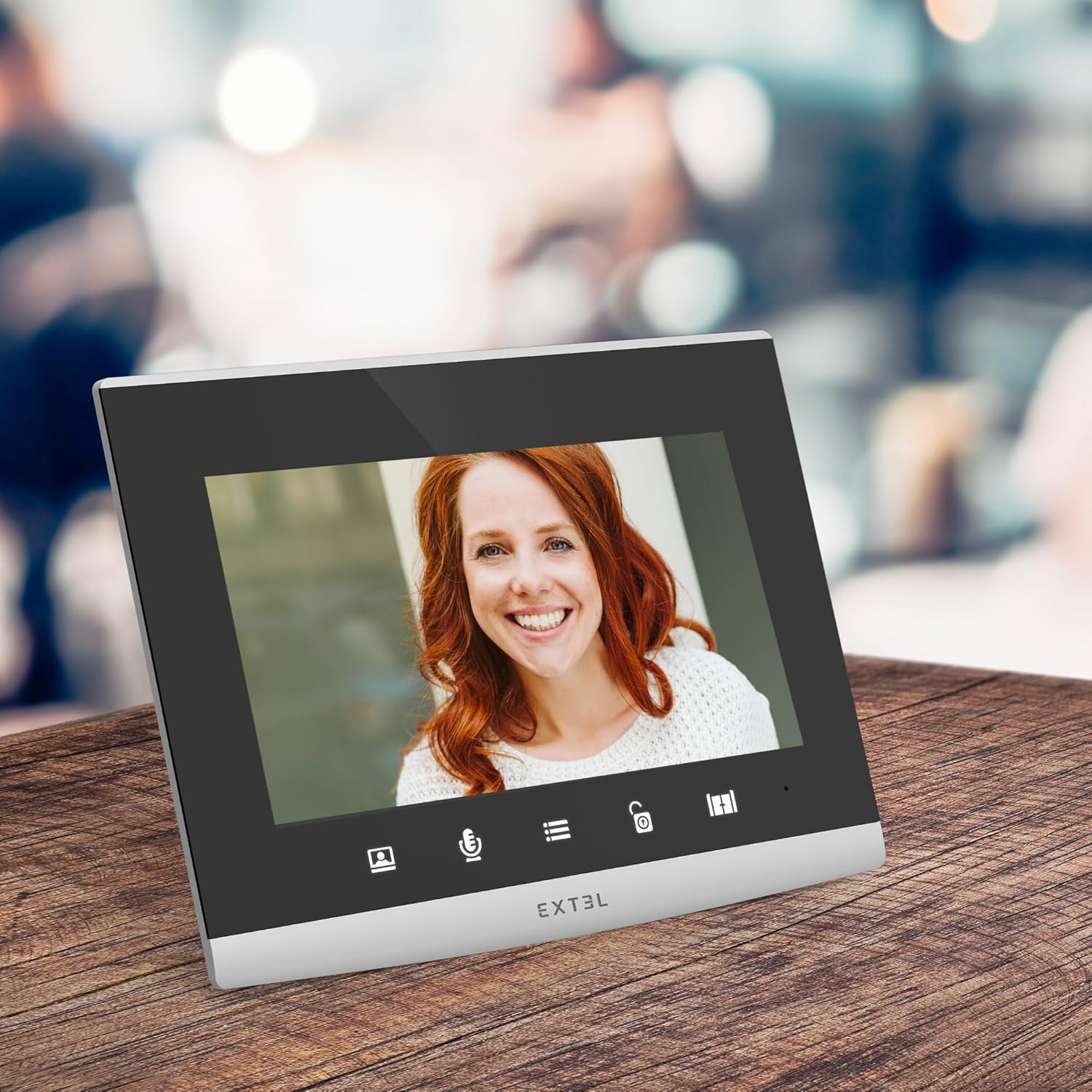
Figure 3: Extel Code Connect Indoor Monitor.
4. Системаны туташтыруу
The Extel Code Connect system typically uses a 2-wire connection between the outdoor unit and the indoor monitor. Refer to the detailed wiring diagram included in the separate installation guide for specific connections to the transformer, outdoor unit, and indoor monitor.
5. Баштапкы күйгүзүү жана конфигурация
Once all components are securely installed and wired, connect the system to power. Follow the on-screen prompts on the indoor monitor for initial setup, including language selection and time/date settings. Refer to the Extel Connect app manual for smartphone integration.
Иштөө нускамалары
1. Чалууга жооп берүү
- From the Indoor Monitor: When a visitor presses the call button, the monitor will ring and display the visitor's image. Press the "Answer" button to communicate.
- From the Extel Connect App: If your smartphone is connected, you will receive a notification when a visitor is at your door. Open the app to view and communicate with the visitor, even when you are away from home.
2. Opening Access
You can open a gate or door connected to the system:
- From the Indoor Monitor: Press the "Open" button on the monitor.
- From the Extel Connect App: Use the "Open" function within the app for remote access control.
3. Using the Integrated Keypad
The outdoor unit features an integrated keypad for coded entry. Program access codes through the indoor monitor settings. Visitors or residents can enter a pre-set code to gain access without needing a key or the app.
4. Extel Connect App Features
The Extel Connect smartphone application enhances your control and security:
- Visitor Notifications: Receive alerts on your smartphone when someone is at your door.
- Live and Recorded View: View live video or review recorded photos/videos of visitors.
- Алыстан кирүү: Open your gate or door remotely from anywhere with an internet connection.

Figure 4: Product packaging illustrating app features.
5. Өркүндөтүлгөн коопсуздук функциялары
- Door Check: Monitor your entrance without blind spots.
- Сүрөт/Видео жаздыруу: Automatically record visitors when you are absent.
- Түнкү көрүнүш: Clear visibility even in low-light conditions.
- HD Image: High-definition video for better identification.
6. QR Code Access (for Property Rental)
For temporary property rentals (e.g., guesthouses, Airbnb), the Extel Code Connect allows you to generate a unique QR Code from your smartphone. You can set the validity period for the code and send it to your guest. The guest can then present the QR Code to the outdoor unit's reader for temporary access.
Техникалык тейлөө
- Тазалоо: жумшак колдонуу, damp cloth to clean the indoor monitor and outdoor unit. Do not use abrasive cleaners or solvents.
- Текшерүү: Зымдардын туташууларында эскирүүнүн же бузулуунун белгилерин мезгил-мезгили менен текшерип туруңуз.
- Программалык камсыздоо жаңыртуулары: Ensure your Extel Connect app and monitor firmware are up to date for optimal performance and security.
Проблемаларды чечүү
- Кубат жок: Check the power supply connections and ensure the DIN rail transformer is receiving power. Verify circuit breakers.
- Сүрөт/үн жок: Check the 2-wire connection between the outdoor unit and indoor monitor. Ensure all cables are securely connected.
- Колдонмонун туташуу маселелери: Ensure your smartphone has a stable internet connection and the Extel Connect app is updated. Check your home Wi-Fi network.
- Клавиатура жооп бербейт: Verify that the keypad is clean and free from debris. Re-enter and test programmed codes.
If you encounter persistent issues, please refer to the detailed troubleshooting guide on the Extel webсайтка же кардарларды колдоо менен байланышыңыз.
Техникалык шарттар
| Өзгөчөлүк | Деталь |
|---|---|
| Бренд | EXTEL |
| Үлгү шилтемеси | 720320TRANS |
| Продукт Салмагы | 1.82 килограмм |
| Байланыш | Wired (2-wire system), Wi-Fi (for app connectivity) |
| Тышкы блоктун өзгөчөлүктөрү | Integrated Keypad, Night Vision, HD Camera, IP54 rating |
| Indoor Monitor Features | Color Display, Call Answering, Door/Gate Opening, Photo/Video Recording |
| Transformator Output | 12V-15V-17V |
| Колдонмонун шайкештиги | Extel Connect (iOS & Android) |
Кепилдик жана колдоо
The Extel Code Connect Wired Video Door Phone Kit comes with a 2 жылдык кепилдик. Кепилдик дооматтары үчүн сатып алганыңыздын далилин сактап коюңуз.
For technical assistance, troubleshooting, or warranty inquiries, please contact Extel customer support. Contact details can typically be found on the official Extel webсайтында же продуктунун таңгагында.
Сиз да зыярат кылсаңыз болот Extel Brand Store көбүрөөк маалымат алуу үчүн.