
1. Киришүү
The Topping G5 is a high-performance portable Hi-Res amplifier and Digital-to-Analog Converter (DAC) designed to deliver exceptional audio quality on the go. It integrates a powerful headphone amplifier with a sophisticated DAC, offering versatile connectivity and a compact design for audiophiles and music enthusiasts.
2. Продукциянын өзгөчөлүктөрү
- Advanced NFCA Ampөмүр берүүчү: Utilizes a modified NFCA headphone amplifier module for high performance, low distortion, and extended battery life. Features a three-step gain adjustment to accommodate various headphones, from sensitive IEMs to high-impedance models.
- High-Resolution ES9068AS DAC: Incorporates the ES9068AS DAC for excellent digital-to-analog conversion, supporting audio streams up to PCM 32-bit 768 kHz, DSD512, and DoP256.
- Узартылган батареянын иштөө мөөнөтү: Equipped with a 4000 mAh battery, providing up to 25 hours of playback via AUX input or 10 hours via USB-C DAC input.
- Bluetooth байланышы: Features a Qualcomm QCC5125 chip for wireless audio transmission, supporting high-resolution codecs such as aptX, aptX HD, aptX Adaptive, and LDAC.
- Күчтүү дизайн: Designed with corner guards to protect the panel and prevent accidental volume knob adjustments or headphone plug damage.

Сүрөт: бүттүview of Topping G5 key features including NFCA, ES9068AS DAC, LDAC, Hi-Res Audio, multiple inputs, 4.4mm & 3.5mm outputs, 3-step gain, battery life, THD+N, DSD/PCM support, output impedance, and output power.
3. Пакеттин мазмуну
Пакетиңизде бардык буюмдар бар экенин текшериңиз:
- Topping G5 Unit
- 3.5 ммден 3.5 ммге чейинки аудио кабель
- USB заряддоо кабели
- Straight Type C to Type C Cable
- Elbow Type C to Type C Cable (Note: Lightning version cable available only in specific versions)
- Каучук
- Каучук
- User Manual
- Кепилдик картасы

Image: A visual representation of the Topping G5 unit and its included accessories, numbered for easy identification.
4. Түзмөктүн жайгашуусу жана башкаруу элементтери
Familiarize yourself with the various ports and controls on your Topping G5 unit:
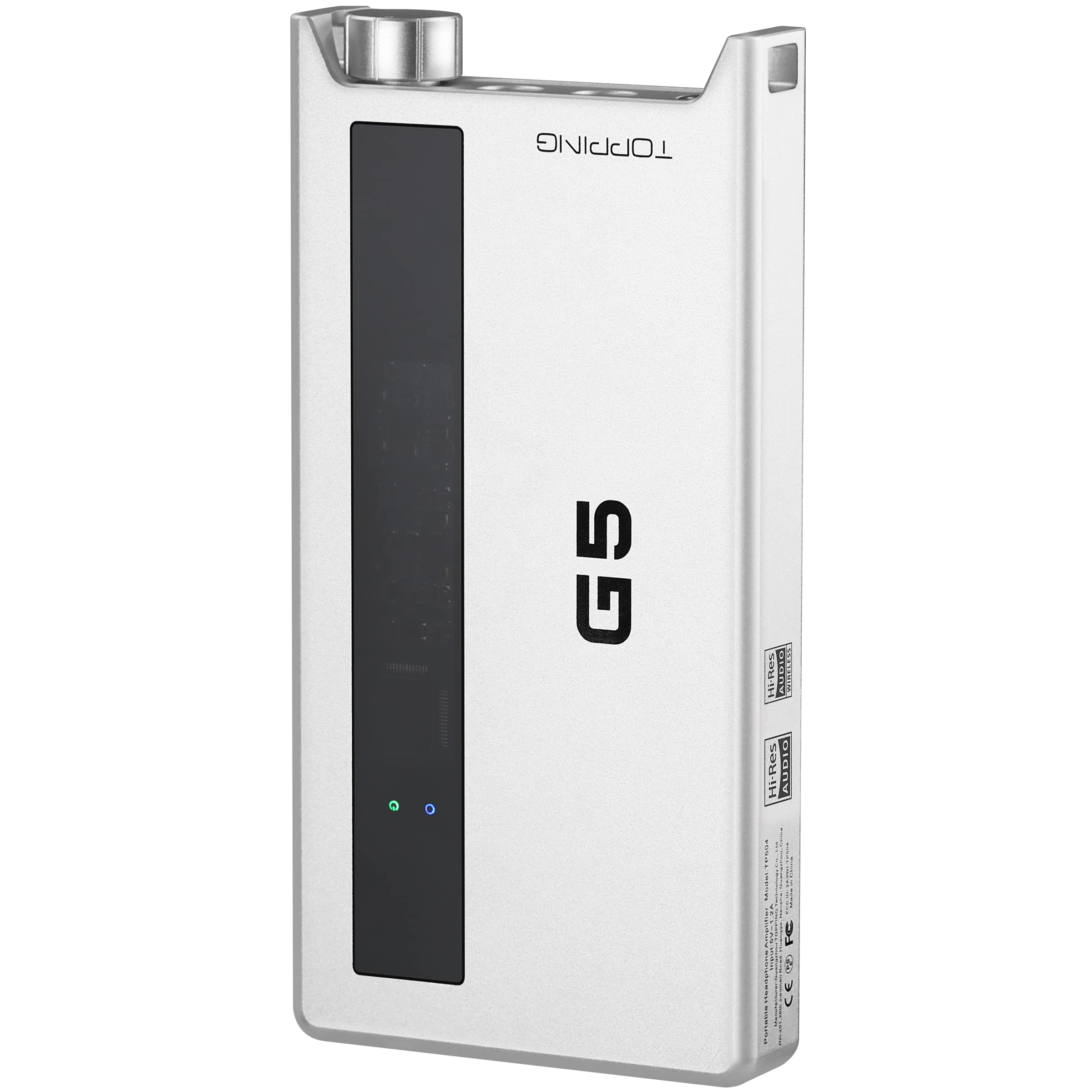
Image: Detailed diagram showing the front and rear panels of the Topping G5, with numbered labels indicating each port and control.
- 4.4mm Headphone Output Jack: салмактуу гарнитура байланыштары үчүн.
- 3.5mm Headphone Output Jack: Бир жактуу гарнитураны туташтыруу үчүн.
- LINE IN/out: 3.5mm analog input for external audio sources or analog output to another ampөмүрлүү.
- Power Switch & Volume Control: Rotate to adjust volume and press to power the device on/off.
- USB-C заряддоо порту: Ички батареяны заряддоо үчүн.
- Күчөткүчтү которгуч: Selects between Low (L), Medium (M), and High (H) gain settings.
- Киргизүү которгучу: Selects between USB, AUX, and Bluetooth inputs.
- USB киргизүү: USB-C port for digital audio input from a computer or smartphone.
5. Орнотуу
5.1 Аппаратты заряддоо
Before first use, fully charge your Topping G5. Connect the provided USB charging cable to the USB-C заряддоо порту (5) on the device and to a USB power adapter (not included) or a computer's USB port. The charging indicator will show the charging status.
5.2 Аудио булактарын туташтыруу
- USB-C киргизүү: Connect your smartphone, tablet, or computer to the USB Input (8) using the provided USB-C to USB-C cable.
- AUX киргизүү: Connect an analog audio source (e.g., a portable music player) to the LINE IN/OUT (3) port using the 3.5mm audio cable.
- Bluetooth киргизүү: Ensure the device is powered on. Switch the Input Switch (7) to Bluetooth mode. The Bluetooth indicator will flash, indicating pairing mode. Издөө "Topping G5" on your source device and pair.
5.3 Наушниктерди туташтыруу
Connect your headphones to either the 4.4mm Headphone Output Jack (1) for balanced connections or the 3.5mm Headphone Output Jack (2) for single-ended connections.
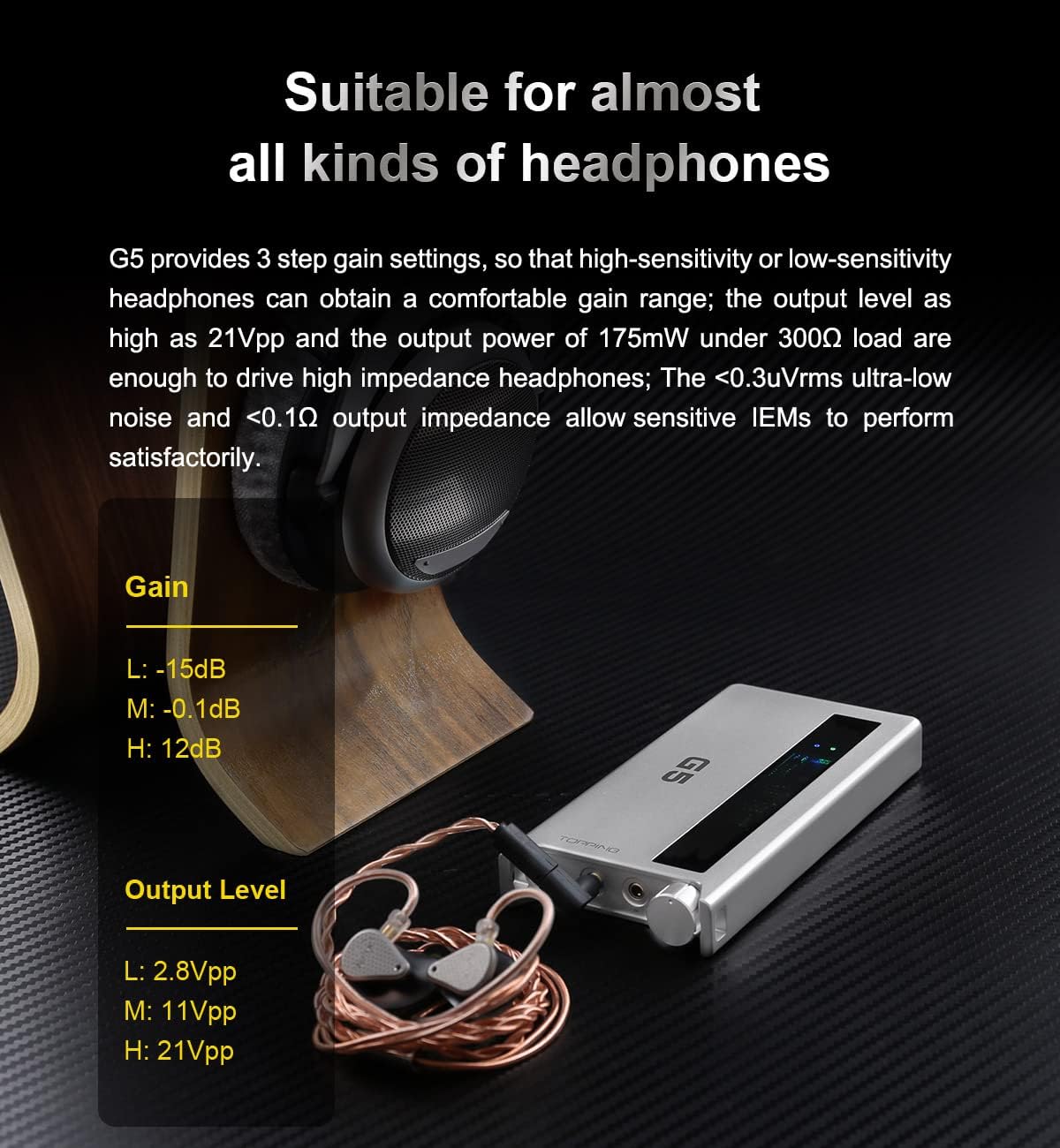
Image: The Topping G5 connected to a pair of in-ear monitors, illustrating its use with various headphones and showing the gain settings table.
6. Иштөө нускамалары
6.1 Күйгүзүү/өчүрүү жана үндү башкаруу
басыңыз Power Switch & Volume Control (4) knob to power the device on or off. Rotate the knob clockwise to increase volume and counter-clockwise to decrease volume.
6.2 Selecting Input
колдонуу Input Switch (7) to toggle between USB, AUX, and Bluetooth input modes. The corresponding indicator light will illuminate to show the active input.
6.3 Adjusting Gain
The Gain Switch (6) allows you to select between three gain levels: Low (L), Medium (M), and High (H). Choose a gain setting appropriate for your headphones and listening preferences. Higher gain is typically used for high-impedance or low-sensitivity headphones.
6.4 Bluetooth жупташтыруу жана ойнотуу
Качан Input Switch (7) is set to Bluetooth, the G5 will automatically enter pairing mode if not already connected. Once paired with your source device, audio will be transmitted wirelessly. The G5 supports high-quality Bluetooth codecs like LDAC for optimal sound.

Image: The Topping G5 connected wirelessly via Bluetooth to a smartphone, highlighting its LDAC 24bit96kHz transmission capability.
7. Техникалык тейлөө
7.1 Тазалоо
Wipe the device with a soft, dry cloth. Do not use liquid cleaners or solvents, as they may damage the finish or internal components.
7.2 Батареяга кам көрүү
Батареянын иштөө мөөнөтүн узартуу үчүн, батареянын зарядын тез-тез толук бошотуп туруудан алыс болуңуз. Эгер түзмөктү узак убакытка сактасаңыз, аны болжол менен 50% га чейин кубаттап, салкын, кургак жерде сактаңыз.
7.3 Сактоо
Store the Topping G5 in a clean, dry environment away from extreme temperatures, direct sunlight, and moisture. Use the included rubber pads to prevent scratches when placing on surfaces.
8. Кыйынчылыктарды
- Үн жок:
- Түзмөктүн күйгүзүлгөнүн жана заряддалганын текшериңиз.
- Verify headphones are properly connected to the correct output jack.
- Check the volume level on both the G5 and your source device.
- Confirm the correct input source (USB, AUX, Bluetooth) is selected via the Input Switch (7).
- If using USB, ensure the G5 is recognized by your computer/smartphone and selected as the audio output device.
- Үн сапаты начар:
- Кабелдик туташуулардын боштугун текшериңиз.
- Аудио булагы жакшы сапатта экенин текшериңиз.
- Adjust the gain setting using the Gain Switch (6) to match your headphones.
- If using Bluetooth, ensure your source device supports high-resolution codecs like LDAC for optimal quality.
- Түзмөк кубатталбай жатат:
- Verify the USB charging cable is securely connected to the USB-C заряддоо порту (5) жана иштеп жаткан кубат булагы.
- Башка USB кабелин же кубат адаптерин колдонуп көрүңүз.
- Bluetooth туташуу маселелери:
- Ensure the G5 is in Bluetooth pairing mode (indicator flashing).
- Баштапкы түзмөгүңүздөгү Bluetooth'ту өчүрүп, кайра иштетиңиз.
- Move the G5 closer to your source device to reduce interference.
- Forget the device from your source's Bluetooth settings and attempt to re-pair.
9. Техникалык шарттар
| DAC чип | ES9068AS |
| Колдоого алынган PCM | 32-бит / 768 кГц чейин |
| Колдоого алынган DSD | DSD512 (Native), DoP256 |
| Bluetooth чип | Qualcomm QCC5125 |
| Bluetooth кодектери | aptX, aptX HD, aptX Adaptive, LDAC |
| Батарея сыйымдуулугу | 4000 мАч |
| Battery Life (AUX) | 25 саатка чейин |
| Battery Life (USB-C DAC) | 10 саатка чейин |
| Заряддоо убактысы | < 5 саат |
| Гарнитуранын чыгышы | 4.4mm (Balanced), 3.5mm (Single-ended) |
| Аналогдук киргизүү | 3.5 мм LINE IN/OUT |
| Санарип киргизүү | USB-C |
| Жөндөөлөрдү алуу | Low (-15dB), Medium (-0.1dB), High (12dB) |
| Чыгаруу кубаттуулугу (300Ω) | 175мВт |
| Чыгуу импедансы | < 0.1Ω |
| THD+N | < 0.00010% |
| Динамикалык диапазон | 124дБ |

Image: A table detailing the Topping G5's battery capacity, charging time, and battery life under different usage scenarios (USB, BT, AUX) and gain settings.

Image: A close-up of the ES9068AS DAC chip on the Topping G5's circuit board, with specifications for THD+N and Dynamic Range overlaid.
10. Кепилдик жана колдоо
As an official distributor of Topping products, we guarantee the quality and reliability of your Topping G5. This product comes with a standard manufacturer's warranty. Please refer to the included Warranty Card for specific terms and conditions.
For any questions, concerns, or technical assistance, please contact our customer support team. We are committed to providing prompt and professional service to ensure your satisfaction.
Contact information can typically be found on the Warranty Card or the official Topping webсайт.