
Продукт бүттүview
The ELISWEEN Wireless Controller is designed for versatile gaming across multiple platforms, including Nintendo Switch, Switch Lite, Switch OLED, iOS, Android, and PC. It features advanced functionalities such as programmable back buttons, adjustable Turbo speeds, multi-level vibration, and a 6-axis gyro sensor for an enhanced gaming experience.

Сүрөт: алдыңкы view of the ELISWEEN Wireless Controller, featuring a white body with a green crackle pattern and green LED accents around the joysticks.
Шайкештик
This controller offers broad compatibility, allowing you to connect and play across various devices:
- Nintendo Switch: Supports Switch, Switch Lite, and Switch OLED models via wireless Bluetooth connection.
- iOS түзмөктөрү: Compatible with iOS 13.0 and above for MFI games.
- Android түзмөктөрү: Supports HID games via wireless Bluetooth connection.
- PC: Connects via USB wired connection to support X-Input and Steam games on Windows 7 and above.

Image: The ELISWEEN Wireless Controller displayed alongside icons representing its compatibility with Nintendo Switch, PC, iOS, and Android devices.
Орнотуу жана жупташтыруу
Initial Pairing with Nintendo Switch
- From the Nintendo Switch HOME Menu, select "Controllers" > "Change Grip/Order."
- On the ELISWEEN controller, press and hold the SYNC button until the signal lights begin to flash.
- The controller will pair with the Switch console. Once connected, the player indicator lights will illuminate.
Reconnecting to Nintendo Switch
After the initial pairing, simply press the ҮЙ button on the controller to wake up your console and automatically reconnect.
Pairing with iOS/Android Devices
- iOS же Android түзмөгүңүздө Bluetooth иштетилгенин текшериңиз.
- On the ELISWEEN controller, press and hold the SYNC жупташтыруу режимине кирүү үчүн баскыч.
- On your device, search for available Bluetooth devices and select the ELISWEEN controller from the list.
- Once connected, the controller's indicator lights will confirm the successful pairing.
Компьютерге туташуу (зым аркылуу)
Connect the controller to your PC using the provided USB-C charging cable. The controller will be recognized as an X-Input device, allowing you to play compatible PC and Steam games.
Иштөө нускамалары
Programmable Back Buttons (M1/M2)
The controller features two programmable back buttons, M1 and M2, which can be mapped to single or multiple button inputs for enhanced control.
- Single Programming: Assign a single button (A, B, X, Y, L, ZL, R, ZR, D-pad directions) to M1 or M2.
- Multi-Programming: Assign a sequence of buttons (e.g., A+B+Y+L+ZL+R+ZR+D-pad) to M1 or M2. This allows for complex actions with a single press.
Refer to the controller's specific programming instructions (usually found in a dedicated section of the included quick start guide) for detailed steps on how to set up these functions.

Image: The back of the ELISWEEN Wireless Controller, illustrating the M1 and M2 programmable buttons and examples of button combinations that can be assigned.
Турбо функциясы
The Turbo function allows for rapid, repeated input of a button. It supports both auto and manual modes with three adjustable speeds:
- 5 shots per second
- 12 shots per second
- 20 shots per second
Any of the A/B/X/Y/L/ZL/R/ZR buttons can be set to Turbo mode. Consult the quick start guide for instructions on activating and adjusting Turbo speeds.
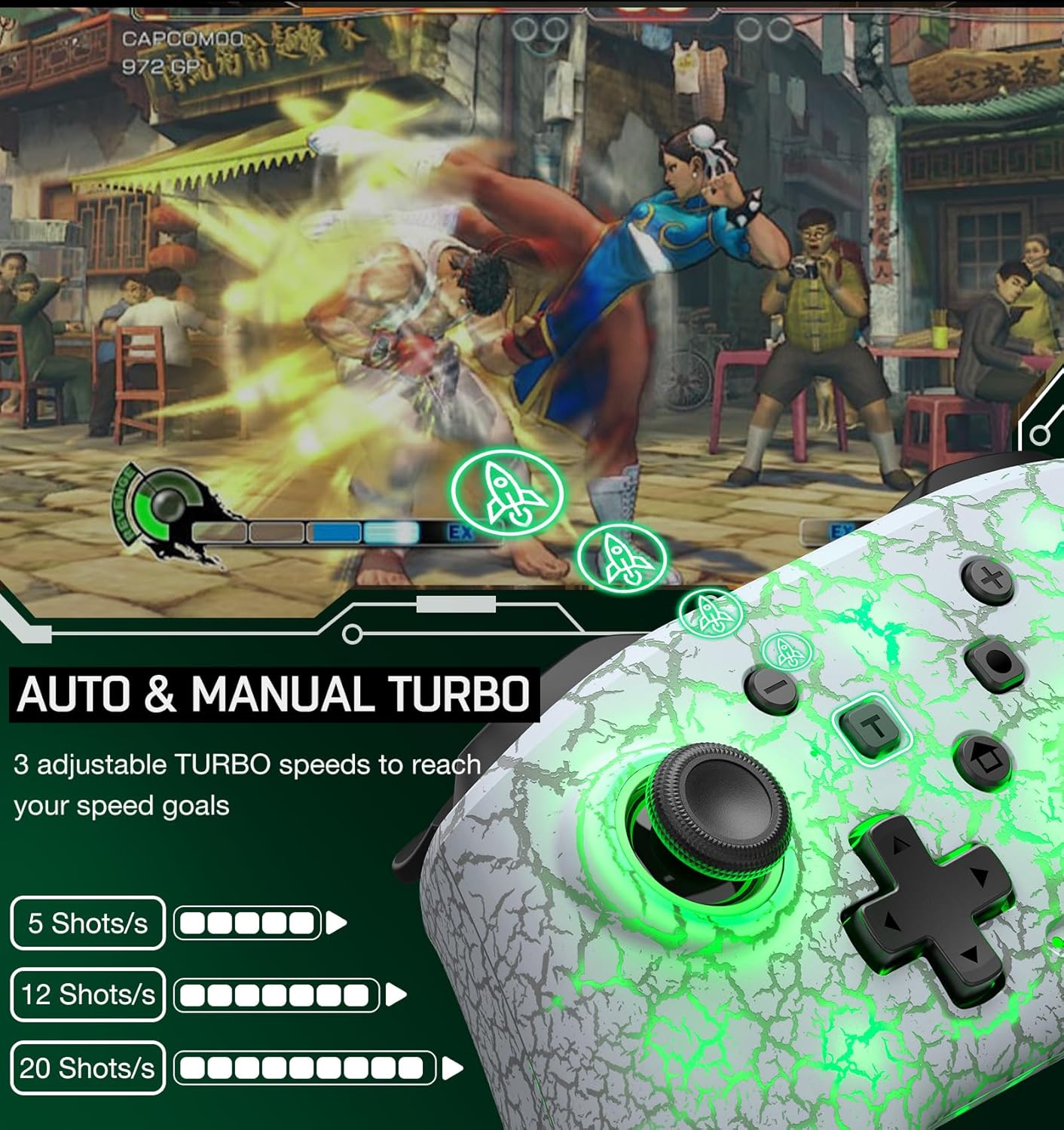
Image: The ELISWEEN Wireless Controller with an overlay showing the Auto & Manual Turbo feature and its three adjustable speed settings (5, 12, 20 shots/s).
Vibration пикир
The controller features dual vibration motors with four adjustable intensity levels:
- Жок
- Алсыз
- Орто
- Күчтүү
The vibration intensity can be adjusted via dedicated buttons or combinations, as detailed in the quick start guide.
6-ок гиро сенсор
A built-in 6-axis gyro sensor provides precise motion control, enhancing gameplay in titles that utilize tilt and movement inputs (primarily on Nintendo Switch).

Image: The ELISWEEN Wireless Controller with visual indicators for 4-level vibration intensity and the functionality of the 6-axis gyro sensor.
LED жарыктандыруу
The controller features colorful breathing LED lights around the joysticks, offering 9 different color options. These can be adjusted using the LED light control button on the controller.
Тейлөө жана заряддоо
Контроллерди заряддоо
The controller is equipped with a built-in 1000mAh rechargeable battery. Use the provided USB-C charging cable to charge the device. A full charge typically takes approximately 3 hours and provides 16-20 hours of usage time.

Image: A hand holding the ELISWEEN Wireless Controller, with text indicating 16 hours of play time, 3 hours of charge time, and a 1000mAh battery capacity.
Автоматтык өчүрүү
To conserve battery life, the controller will automatically enter sleep mode if there is no operation for more than 5 minutes.
Тазалоо
Wipe the controller with a soft, dry cloth. Avoid using harsh chemicals or abrasive materials that could damage the surface.
Проблемаларды чечүү
- Контроллер жупташкан жок: Ensure the controller is charged. Make sure you are in the correct pairing mode on both the controller and the console/device. Try restarting both the controller and the device.
- Киргизүү кечигүү же ажыратуу: Ensure there are no obstructions between the controller and the device. Move closer to the device. Check for other wireless interference.
- Баскычтар жооп бербейт: Check if the controller is fully charged. If specific buttons are unresponsive, try resetting the controller (refer to the quick start guide for reset instructions).
- Вибрация иштебейт: Ensure vibration is enabled in the game settings and on the controller. Adjust the vibration intensity to a higher level.
- Контроллер кубатталбай жатат: Verify the USB-C cable is securely connected to both the controller and the power source. Try a different USB port or charging adapter.
Техникалык шарттар
| Өзгөчөлүк | Деталь |
|---|---|
| Working Voltage | DC 3.7V |
| Максималдуу жумушчу ток | ≤ 300мА |
| Заряддоо киргизүү Voltage | DC 5V |
| Bluetooth өткөрүү аралык | ≤ 10м |
| Батарея сыйымдуулугу | 1000mAh |
| Колдонуу убактысы | 16-20 саат |
| Заряддоо убактысы | Болжол менен 3 саат |
| USB заряддоо кабелинин узундугу | 2.6 фут (80 см) |
| Өлчөмдөр | 6.26 x 4.45 x 2.48 дюйм |
| Элемент Салмагы | 10.55 унция |
Колдоо
For any technical or quality issues, please contact ELISWEEN customer support. We are committed to providing timely assistance and will respond to your inquiries as soon as possible.
Contact information can typically be found on the product packaging or the official ELISWEEN webсайт.