
MISIRUN P8GT
MISIRUN Smart Watch P8GT User Manual
Model: P8GT
1. Киришүү
Thank you for choosing the MISIRUN Smart Watch P8GT. This manual provides detailed instructions on how to set up, operate, and maintain your new smartwatch. Please read this manual thoroughly to ensure optimal performance and longevity of your device.

Image: The MISIRUN Smart Watch P8GT, showcasing анын саркеч дизайны жана жандуу дисплей.
2. Кутуда эмне бар
- 1* Smartwatch
- 1* Charging Cable (without charge plug)
- 1* Колдонуучунун колдонмосу
3. Продукт бүтүп калдыview
The MISIRUN Smart Watch P8GT features a 1.7-inch HD display with a resolution of 280x240, offering clear visuals and a responsive full touchscreen experience. It is designed for both men and women, providing a range of functionalities to support a healthy and connected lifestyle.

Сүрөт: An overview of the smartwatch's key features, including its display and various functions.
Негизги өзгөчөлүктөрү:
- Bluetooth чалуу: Built-in speaker and dialer for making and receiving calls directly from the watch.
- Ыңгайлаштырылган саат жүздөрү: Personalize your watch face with various designs or your own photos.
- Көп спорт режимдери: Tracks various activities including cycling, tennis, running, and more.
- Ден соолук мониторинги: Accurate monitoring of heart rate, blood pressure, blood oxygen, and sleep status.
- Музыка ойноткучу: Билегиңизден музыка ойнотууну башкарыңыз.
- Эскертмелер: Receives message pushes, weather information, and other alerts.
Video: A general demonstration of the MISIRUN Smart Watch P8GT's features and interface.
4. Орнотуу
4.1 Акылдуу саатты кубаттоо
Before first use, fully charge your smartwatch. Connect the provided charging cable to the charging port on the back of the watch and plug the USB end into a compatible power adapter (not included) or a computer USB port. The watch display will indicate charging status.
4.2 Колдонмону жүктөп алуу жана орнотуу
To unlock the full potential of your smartwatch, download the "HD Fit Pro" app on your smartphone. You can find it by searching in your device's app store (App Store for iOS, Google Play Store for Android) or by scanning the QR code provided in the physical user manual.
4.3 Pairing the Smart Watch with Your Phone
The smartwatch requires two Bluetooth connections for full functionality: one for data synchronization via the app and another for the call function.
A: First Bluetooth Connection (App's Bluetooth)
- Смартфонуңузда Bluetooth иштетилгенин текшериңиз.
- Open the "HD Fit Pro" app.
- Navigate to the "Equipment" or "Device" section within the app.
- Tap "Add Device" or "Bind Device" and select "P8GT" from the list of available devices.
- Follow the on-screen prompts to complete the pairing process. Allow all requested permissions for full functionality.
Video: Instructions on setting up audio play settings for the smartwatch via the app.
B: Second Bluetooth Connection (Call Function)
After successfully connecting the watch to the app, you need to establish a separate Bluetooth connection for the call function.
- On your smartwatch, swipe left to access the call function interface and tap "Turn on" if prompted.
- On your smartphone, go to your phone's Bluetooth settings.
- Издөө "P8GT_Phone" in the list of available devices and tap to connect.
- Once connected, you will be able to make and receive calls directly from your smartwatch.
Video: A guide on how to enable and use the call function on the smartwatch.
5. Иштөө нускамалары
5.1 Негизги навигация
The smartwatch features a full touchscreen for intuitive navigation. Swipe left, right, up, or down to access different menus and functions. The side button typically serves as a power button or a return-to-home screen button.
Video: A comprehensive guide on how to use the smartwatch's various features and navigation.
5.2 Сааттын беттерин өзгөртүү
Personalize your smartwatch by changing the watch face. You can do this directly on the watch or through the "HD Fit Pro" app.
- Байкоодо: Gently press and hold the screen for 2-3 seconds, then swipe left or right to browse available watch faces. Tap to select.
- Колдонмо аркылуу: Open the "HD Fit Pro" app, go to "Face Gallery" to explore and install new watch faces. You can also customize a watch face using your own photos.
Video: Detailed instructions on how to change and customize watch faces on your smartwatch.
5.3 Чалууларды кабыл алуу жана кабыл алуу
With its built-in speaker and Bluetooth connectivity, the P8GT allows you to manage calls directly from your wrist.
- Чалууларды жасоо: Swipe left on the watch face to access the call interface. You can dial numbers directly or select from your synced contacts.
- Чалууларды кабыл алуу: When a call comes in, the watch will vibrate and display the caller ID. You can answer or reject the call from the watch screen.

Image: A man demonstrating the call-making feature on the smartwatch.
5.4 Музыканы ойнотууну башкаруу
Control your smartphone's music playback directly from your smartwatch. This feature allows you to play, pause, skip tracks, and adjust volume without taking out your phone.
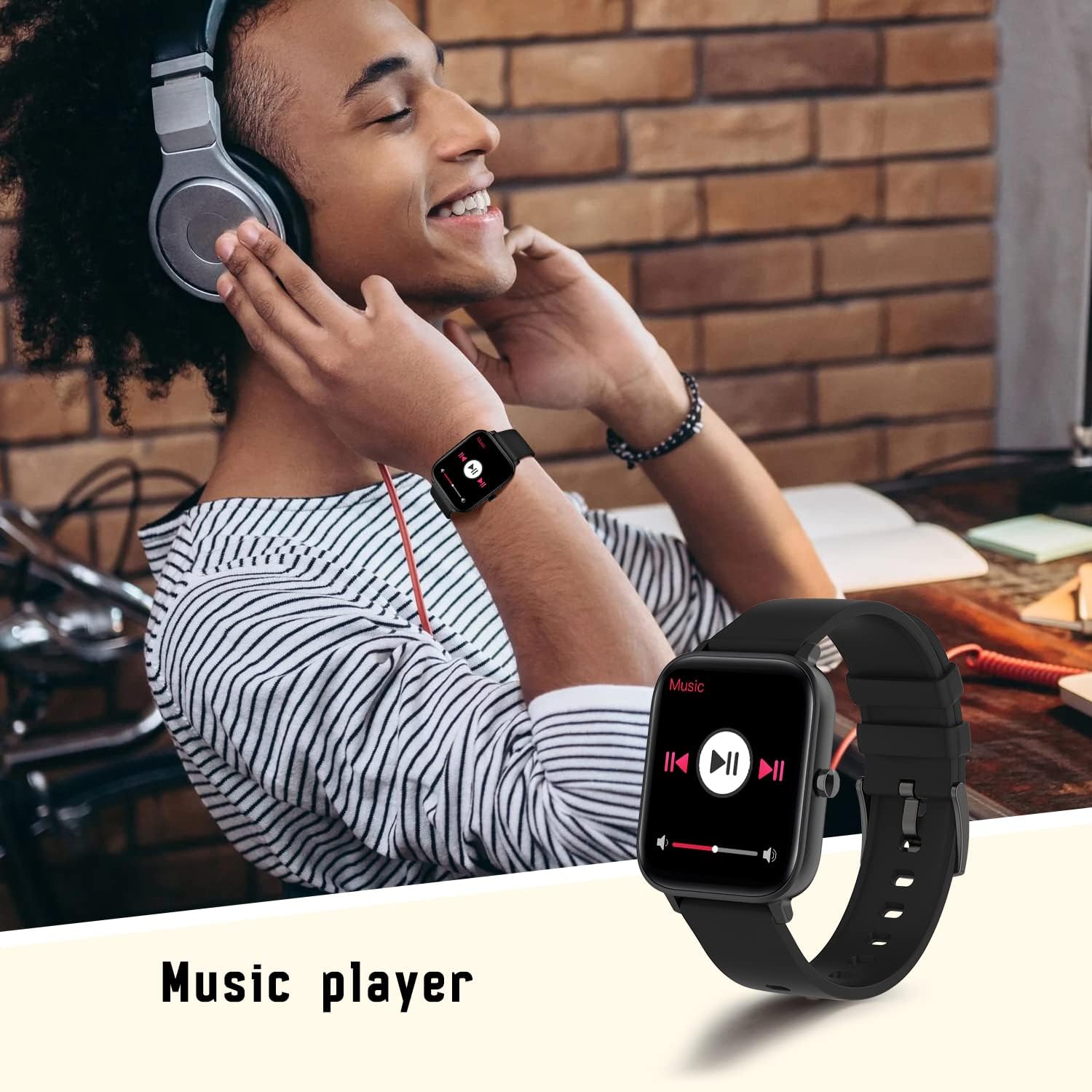
Image: A person using the smartwatch to control music playback.
5.5 Ден соолуктун мониторинги
The smartwatch is equipped with advanced sensors to monitor your health metrics.
- Жүрөктүн кагышын көзөмөлдөөчү: Provides accurate heart rate readings throughout the day.
- Уйку монитору: Уйкуңузду автоматтык түрдө көзөмөлдөйтtagжана уйкуңуздун сапаты жөнүндө түшүнүк берет.
- Blood Oxygen (SpO2) & Blood Pressure: Measures your blood oxygen levels and blood pressure.

Image: The smartwatch displaying real-time heart rate data.

Image: The smartwatch displaying sleep tracking information.
5.6 Көп спорттук режимдер
Track your workouts with precision. The smartwatch supports various sports modes, including walking, running, cycling, and more. It records steps, distance, and calories burned.

Image: The smartwatch showing data from a multi-motion mode, such as steps and calories.
5.7 Билдируулер
Receive notifications from your smartphone directly on your wrist. This includes message pushes, social media alerts, and more, ensuring you don't miss important updates.

Image: The smartwatch displaying a message push notification.
5.8 Башка функциялар
Акылдуу саат кошумча ыңгайлуу функцияларды сунуштайт:
- Камераны башкаруу: Телефонуңуздун камерасын алыстан башкарыңыз.
- Аба ырайы тууралуу маалымат: Билегиңизден реалдуу убакытта аба ырайы жаңыртууларын алыңыз.
- Билезикти табуу: Саатыңыздын орду туура эмес болсо, аны табыңыз.

Image: The smartwatch displaying current weather information.
6. Техникалык тейлөө
To ensure the longevity and proper functioning of your MISIRUN Smart Watch P8GT, follow these maintenance guidelines:
- Тазалоо: Сааттын экранын жана боону жумшак, кургак чүпүрөк менен үзгүлтүксүз сүртүп туруңуз. Зарыл болсо, бир аз нымдуу чүпүрөк колдонуңуз.amp чүпүрөк, андан кийин кылдат кургатуу. Катуу химиялык заттардан же абразивдүү материалдардан алыс болуңуз.
- Суу каршылык: While the watch may have some water resistance, avoid prolonged exposure to water, hot water, or steam. Do not wear it while swimming or showering unless explicitly stated in the product specifications.
- Сактагыч: Колдонулбаган убакта саатты салкын, кургак жерде сактаңыз. Экстремалдуу температурадан сактаныңыз.
- Заряддоо: Use only the provided charging cable. Do not attempt to force the charger into the port.
7. Кыйынчылыктарды
If you encounter issues with your smartwatch, try the following common solutions:
- Күйгүзүлбөй жаткан саат: Саат толук заряддалганын текшериңиз. Аны заряддагычка кеминде 30 мүнөт туташтырыңыз.
- Bluetooth байланышы көйгөйлөрү: Ensure Bluetooth is enabled on both your phone and watch. Try restarting both devices. If issues persist, unbind the device from the app and clear the Bluetooth connection record in your phone's settings before attempting to re-pair.
- Туура эмес ден соолук маалыматтары: Сааттын билегиңизге бекем тагылганын, өтө тар же өтө кенен эмес экенин текшериңиз. Сенсорду таза кармаңыз.
- Билдирмелер алынган жок: Check app permissions on your phone to ensure notifications are allowed for the "HD Fit Pro" app and specific applications.
Resetting the Smart Watch
If your smartwatch is unresponsive or experiencing persistent issues, a factory reset may resolve the problem. This will erase all data on the watch.
Video: A step-by-step guide on how to reset the smartwatch and re-pair it with your phone.
8. Техникалык шарттар
| Өзгөчөлүк | Деталь |
|---|---|
| Продукциянын өлчөмдөрү | 1.71 x 1.42 x 0.43 дюйм |
| Элемент Салмагы | 5 унция |
| Батареялар | 1 Литий Полимер батарейкалары талап кылынат (кошулган) |
| Туруктуу экран дисплей өлчөмү | 1.7 дюйм |
| Операция системасы | Android (iOS 10.0+ жана Android 5.1+ менен шайкеш келет) |
| Байланыш технологиясы | Bluetooth |
| Өзгөчөлүктөр | Breath Monitor, Smart Watch with Calls, Notifications, Heart Rate Monitor, Music Player |
| Форма | Square |
9. Кепилдик жана колдоо
Your MISIRUN Smart Watch P8GT comes with a standard manufacturer's warranty. Please refer to the warranty card included in your product packaging for specific terms and conditions. For technical support, troubleshooting assistance, or warranty claims, please contact MISIRUN customer service through the contact information provided in your purchase documentation or on the official MISIRUN webсайт.
Ask a question about this manual
Ask about setup, troubleshooting, compatibility, parts, safety, or missing instructions. Manuals+ will review the question and use this page’s manual context to help answer it.