
1. Киришүү
Thank you for choosing the MAJORITY Quadriga Internet Radio with CD Player. This device offers a comprehensive audio experience, combining traditional and modern listening options. Enjoy access to thousands of internet radio stations, DAB+ and FM broadcasts, CD playback, Bluetooth streaming, Spotify Connect, and podcasts. With its powerful 120W 2.1 stereo sound and integrated subwoofer, the Quadriga delivers rich and clear audio.

Сүрөт: алдыңкы view of the MAJORITY Quadriga Internet Radio with CD Player.
2. Коопсуздук нускамалары
- Колдонуудан мурун бардык көрсөтмөлөрдү кунт коюп окуп чыгыңыз жана келечекте колдонуу үчүн сактап коюңуз.
- Агрегатты тамчылатып же чачыраган суюктуктарга тийгизбеңиз.
- Агрегаттын айланасында жетиштүү желдетүүнү камсыз кылыңыз. Эч кандай желдетүүчү тешиктерди жаап албаңыз.
- Аппаратты радиаторлор, жылуулук регистрлери, мештер же башка аппараттар (анын ичинде) сыяктуу жылуулук булактарынын жанына койбоңуз. ampкөтөргүчтөр) жылуулукту пайда кылуучу.
- Электр шнурунун басылып кетүүсүнөн же кысып калуудан сактаңыз, өзгөчө сайгычтарда, розеткаларда жана алар аппараттан чыга турган жеринде.
- Өндүрүүчү тарабынан көрсөтүлгөн тиркемелерди/аксессуарларды гана колдонуңуз.
- Чагылган бороондо же көпкө колдонулбаганда бул аппаратты электр розеткасынан ажыратыңыз.
- Бардык тейлөөнү квалификациялуу тейлөө кызматкерлерине тапшырыңыз. Аппарат кандайдыр бир жол менен бузулганда тейлөө талап кылынат.
3. Кутуда эмне бар
Carefully unpack your MAJORITY Quadriga and ensure all items listed below are present:
- 1x MAJORITY Quadriga Unit
- 1x Кубат кабели
- 1x Алыстан башкаруу
- 1x AUX кабели
- 1x RF антеннасы
- 2x AAA Батареялар (алыстан башкаруу үчүн)
- 1x Колдонуучунун колдонмосу

Image: All components included in the MAJORITY Quadriga package.
4. Продукт бүтүп калдыview
4.1 алдыңкы панели
The front panel features the main display, control knob, function buttons, and CD slot.

Сүрөт: деталдуу view of the front panel controls and display.
4.2 Арткы панель
The rear panel provides various connectivity options for external devices and the antenna connection.
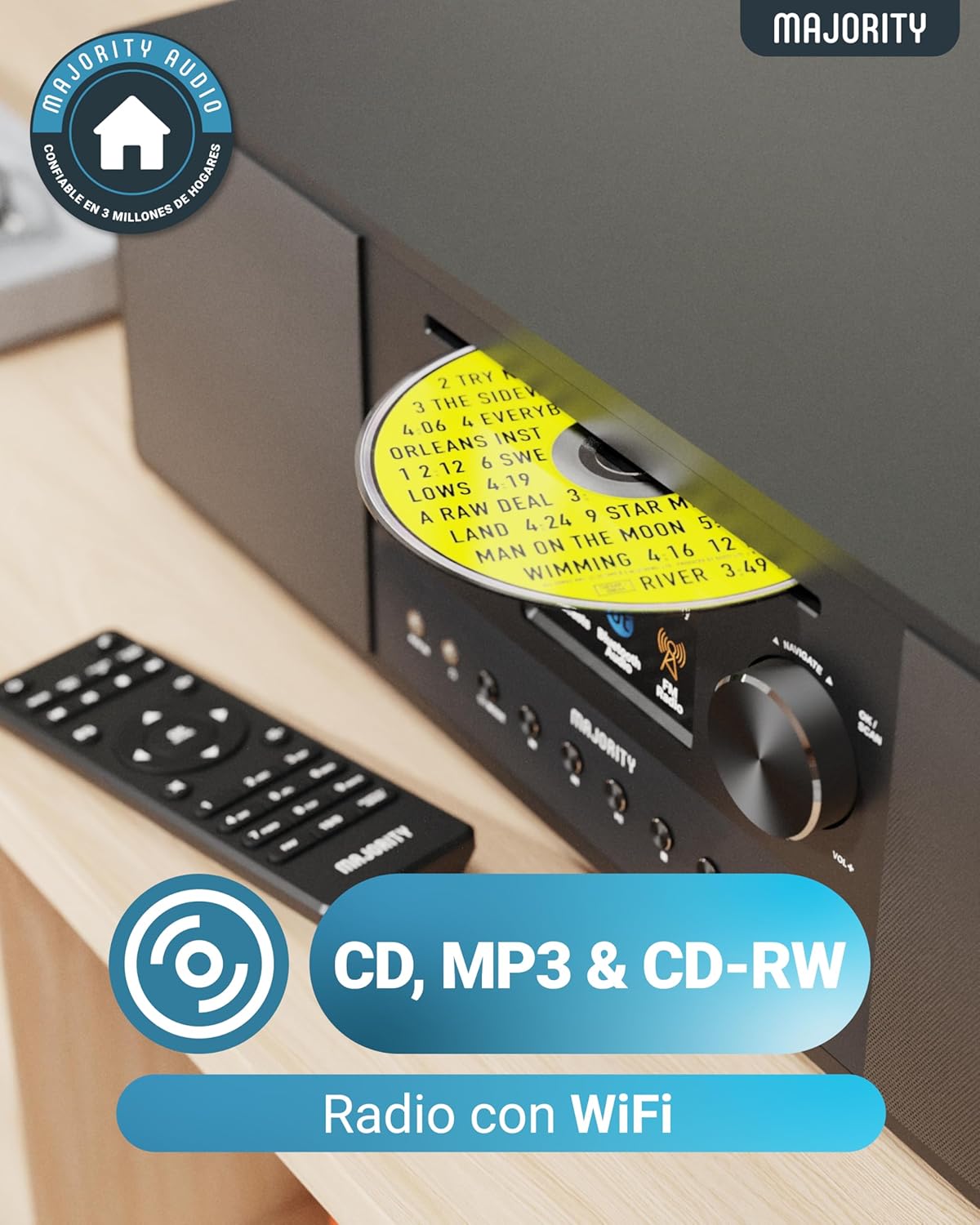
Image: Rear panel with input/output ports and antenna connector.
4.3 Алыстан башкаруу
The included remote control allows convenient operation of all functions from a distance.

Сүрөт: Алыстан башкаруу пульту.
5. Орнотуу
5.1 Пакеттен чыгаруу жана жайгаштыруу
Remove the unit from its packaging. Place the Quadriga on a stable, flat surface away from direct sunlight, heat sources, and moisture. Ensure there is sufficient space around the unit for proper ventilation.
5.2 Кубатты туташтыруу
Connect the power cable to the DC IN port on the rear of the unit, then plug the other end into a wall socket.
5.3 Антеннаны туташтыруу
For optimal DAB+ and FM reception, connect the supplied RF antenna to the DAB/FM ANTENNA port on the rear panel. Extend the antenna fully for best signal.
5.4 Баштапкы орнотуу жана тармакка туташуу
Upon first power-on, the unit will guide you through an initial setup process. This typically includes:
- Тил тандоо: Choose your preferred language from the on-screen menu.
- Тармакты орнотуу: The unit will scan for available Wi-Fi networks. Select your network and enter the password using the control knob and buttons. A stable internet connection is required for Internet Radio, Spotify Connect, and podcast features.
- Убакыт жана дата: Set the correct time and date, or allow the unit to synchronize automatically via the internet.
6. Иштөө нускамалары
6.1 Негизги башкаруу каражаттары
- Кубат баскычы: Бирдикти күйгүзүү же өчүрүү үчүн басыңыз.
- Башкаруу баскычы: Rotate to navigate menus and adjust volume. Press to confirm selections.
- Режим баскычы: Press to cycle through available modes (Internet Radio, DAB+, FM, CD, Bluetooth, USB, AUX, Optical, RCA).
- Алдын ала коюлган баскычтар: Use to save and recall your favorite radio stations.
6.2 Интернет радиосу
Select 'Internet Radio' mode. You can browse stations by location, genre, or search for specific stations. Save your favorite stations to presets for quick access.

Image: The Quadriga unit highlighting its radio capabilities.
6.3 DAB+ радиосу
Switch to 'DAB+' mode. The unit will automatically scan for available digital radio stations. Use the control knob to select a station from the list.
6.4 FM радиосу
Select 'FM' mode. You can manually tune to frequencies or perform an auto-scan to find available stations.
6.5 Bluetooth режими
Select 'Bluetooth' mode. The unit will enter pairing mode. On your smartphone or other Bluetooth device, search for 'MAJORITY Quadriga' and connect. Once paired, you can stream audio wirelessly.

Image: The Quadriga unit showcasing Bluetooth and Spotify features.
6.6 CD ойнотуу
Insert a CD into the CD slot on the front panel. The unit will automatically switch to 'CD' mode and begin playback. Supports CD, CD-R, and CD-RW discs.

Image: Close-up of the CD player slot with a disc inserted.
6.7 USB ойнотуу
Insert a USB drive into the USB port on the rear panel. Select 'USB' mode. The unit will display the contents of the USB drive, allowing you to browse and play audio files.
6.8 AUX, RCA, and Optical Input
Connect external audio devices using the appropriate cables to the AUX IN, RCA IN, or OPTICAL IN ports on the rear panel. Select the corresponding input mode on the Quadriga to play audio from the connected device.
6.9 Spotify Connect
To use Spotify Connect, ensure your Quadriga is connected to the internet and you have a Spotify Premium account. Open the Spotify app on your smartphone or tablet, play music, and select the Quadriga from the 'Devices Available' list. This allows direct streaming over Wi-Fi for superior sound quality.
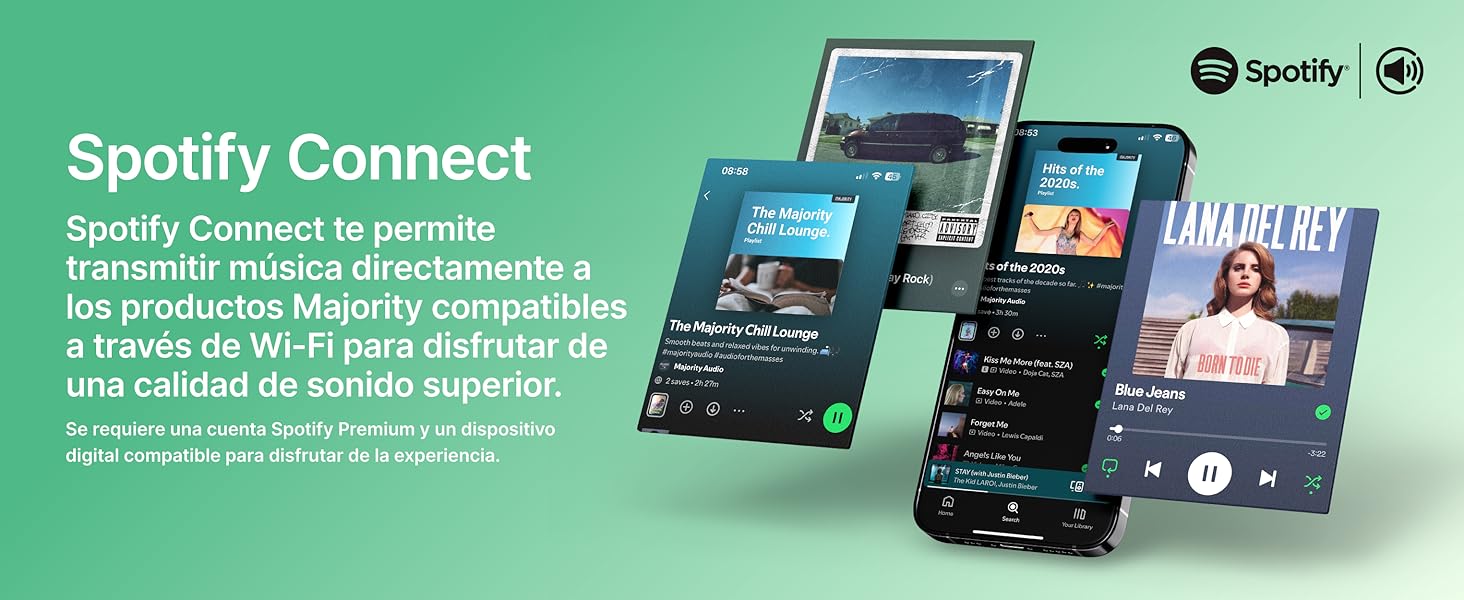
Image: Visual guide to using Spotify Connect with the Quadriga.
6.10 Подкасттар
In 'Internet Radio' mode, navigate to the 'Podcasts' section. You can browse and listen to a wide variety of podcasts from around the world.
6.11 OKTIV App Control
The OKTIV app allows wireless control of your Majority product via Wi-Fi, enabling you to adjust settings and manage music from anywhere in your home. The app is compatible with iOS and Android devices.
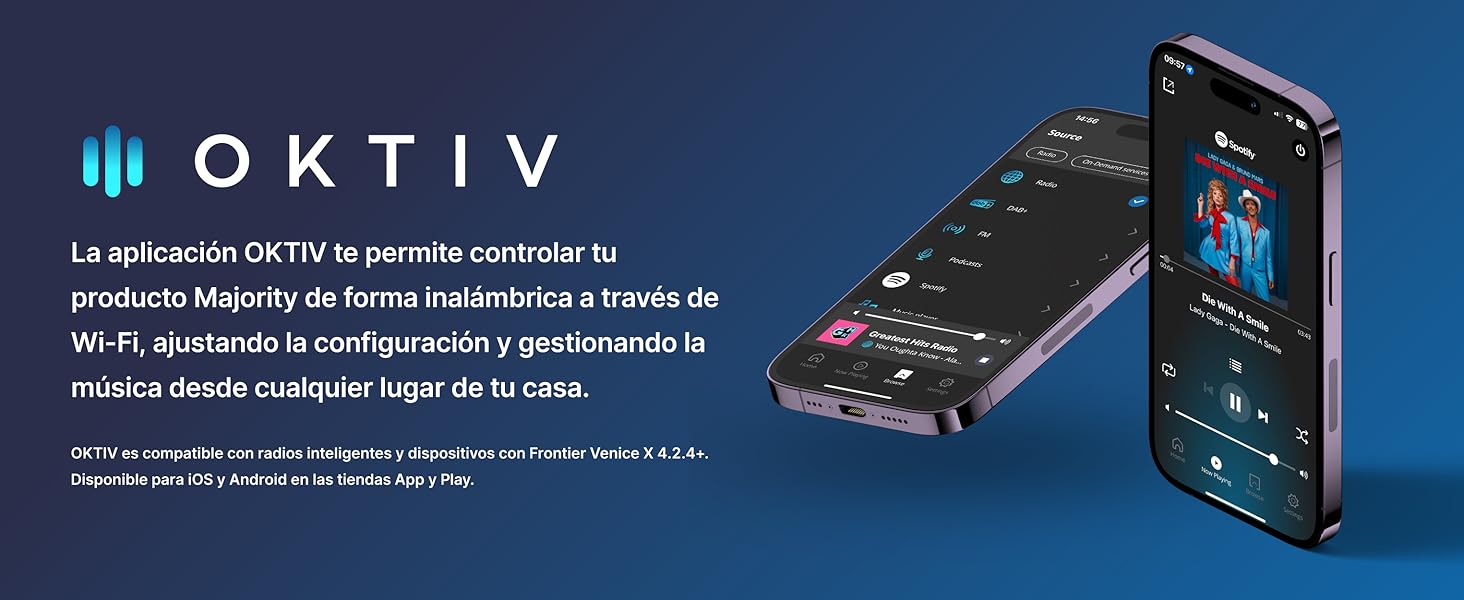
Image: Smartphones displaying the OKTIV app for remote control.
7. Техникалык тейлөө
- Тазалоо: Агрегатты тазалоо үчүн жумшак, кургак чүпүрөктү колдонуңуз. Абразивдүү тазалагычтарды же эриткичтерди колдонбоңуз.
- CD ойноткучка кам көрүү: Handle CDs by the edges to avoid fingerprints. If the CD player experiences reading errors, try cleaning the disc with a soft, lint-free cloth.
- Вентиляция: Ашыкча ысып кетүүнүн алдын алуу үчүн желдетүү тешиктерин чаңдан жана таштандыдан тазалаңыз.
8. Кыйынчылыктарды
| Көйгөй | Мүмкүн себеп | Чечим |
|---|---|---|
| Күч жок | Power cable not connected; Wall socket faulty | Check power cable connection; Try a different wall socket. |
| Үн жок | Volume too low; Incorrect input mode selected; Mute activated | Increase volume; Select correct input mode; Deactivate mute. |
| Радио кабыл алуу начар | Antenna not extended; Weak signal; Interference | Extend antenna fully; Reposition the unit; Move away from other electronic devices. |
| Wi-Fi'га туташпай жатат | Туура эмес сырсөз; Маршрутизатор өтө алыс; Тармак маселеси | Verify Wi-Fi password; Move unit closer to router; Restart router. |
| CD ойнотулбай/окулбай жатат | Disc dirty/scratched; Disc type not supported | Clean the CD; Ensure it is a supported CD, CD-R, or CD-RW. |
9. Техникалык шарттар
- Модел: Quadriga
- Өлчөмдөрү (L x W x Y): 43 x 27 x 12.8 см
- Салмагы: 5.4 кг
- Аудио чыгаруу күчү: 120W (2.1 Stereo with Subwoofer)
- Байланыш: Wi-Fi, Bluetooth, Ethernet
- Радио тюнер: Интернет радиосу, DAB+, FM
- Диск шайкештиги: CD, CD-R, CD-RW
- Киргизүүлөр: AUX (3.5mm), RCA, Optical, USB
- Өзгөчөлүктөр: Spotify Connect, Podcasts
- Кубат булагы: Wired Electric (240 Volts)
- Дисплей түрү: LCD
- Материал: Пластик

Сүрөт: View of the integrated subwoofer and 120W audio output.
10. Кепилдик
The MAJORITY Quadriga comes with a 3 жылдык узартылган кепилдик. Product registration may be required to activate the full warranty period. Please refer to the warranty card included in your package or visit the official MAJORITY website for detailed terms and conditions regarding warranty claims and registration.
11. Колдоо
For further assistance, technical support, or to access additional resources, please visit the official MAJORITY website. You can find FAQs, updated manuals, and contact information for customer service there.
Webсайт: www.majority.co.uk