
1. Киришүү
This manual provides comprehensive instructions for the setup, operation, and maintenance of your APIO Smart Mini DLP Pocket Projector. Designed for portability and versatility, this projector delivers a large screen experience for home cinema, presentations, and outdoor entertainment. Please read this manual thoroughly before using the device to ensure optimal performance and safety.

Image 1.1: The APIO Smart Mini DLP Pocket Projector.
2. Кутуда эмне бар
Пакетти ачкандан кийин, төмөнкү нерселердин бардыгы камтылганын текшериңиз:
- APIO Smart Mini DLP Pocket Projector
- HDMI кабели
- Микро USB заряддоо кабели
- Quick Start Guide
3. Продукциянын өзгөчөлүктөрү
The APIO Smart Mini DLP Pocket Projector offers a range of features designed for convenience and performance:
- Big Screen Experience: Supports 640x360 native resolution, with 1080P input compatibility for home cinema, presentations, or outdoor entertainment. Delivers 20 lumens of brightness for vivid images in dark environments.
- Стерео үн: Equipped with two 1W speakers for integrated audio. Can be connected to external sound systems for enhanced audio.
- Компакт дизайн: Small size (3.46 x 3.46 x 1.69 inches) and lightweight (13.4 ounces) for easy portability.
- Камтылган батарея: Features a 2600mAh rechargeable Li-polymer battery providing up to 2 hours of continuous projection time.
- Multiple Devices Connection: Compatible with Laptops, DVD Players, Tablets, Phones, TV Boxes, and Game Consoles.
- USB Power Bank функциясы: The USB port allows the projector to act as a battery backup for mobile and streaming devices.
- Сенсордук башкаруу: Оңой иштөө үчүн интуитивдик сенсордук башкаруу элементтери.

Image 3.1: Compact design, easily held in one hand.

Image 3.2: Portability allows it to fit into a pocket.

Image 3.3: Enjoying a big screen experience at home.
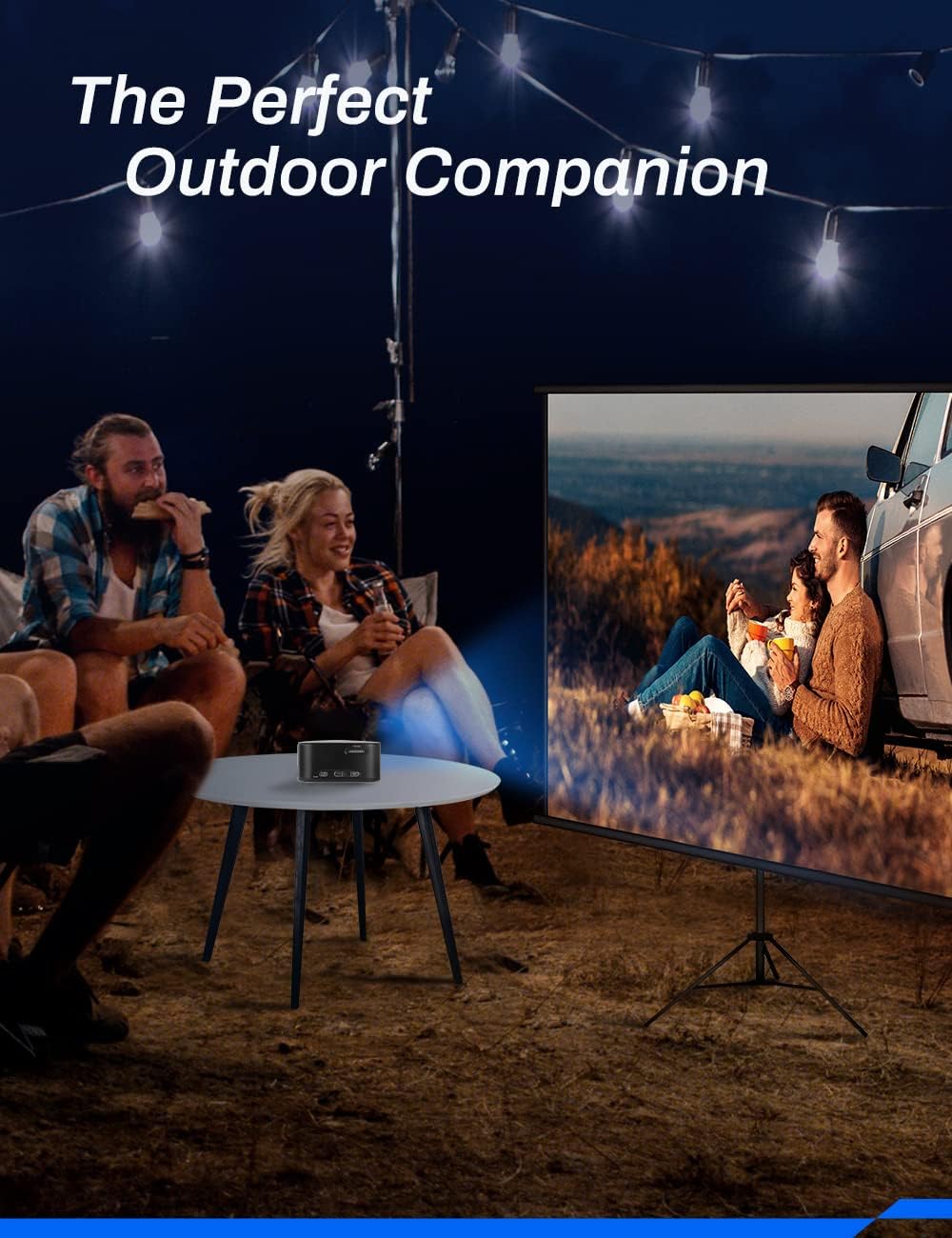
Image 3.4: Ideal for outdoor entertainment.
4. Орнотуу
- Charging the Projector: Before first use, fully charge the projector using the provided Micro USB Charging Cable and a compatible USB power adapter (not included). The charging indicator light will show the charging status.
- Жайгашкан жери: Place the projector on a stable, flat surface. Ensure there are no obstructions in front of the lens or around the ventilation openings. For optimal image quality, project onto a smooth, light-colored wall or a projector screen.
- Күйгүзүү: Press and hold the Power button (location may vary, refer to device diagram) for a few seconds until the projector powers on.
- Фокусту тууралоо: Locate the focus wheel (typically on the side or top of the projector). Rotate the wheel until the projected image appears clear and sharp.
5. Иштөө нускамалары
5.1 Күйгүзүү/өчүрүү
- Күйгүзүү үчүн: Press and hold the Power button until the indicator light illuminates and the projector starts.
- Өчүрүү үчүн: Press and hold the Power button until the projector shuts down. Always power off correctly to prevent damage.
5.2 Навигация жана башкаруу
The projector features intuitive touch controls on its surface. Use gentle taps and swipes to navigate menus and select options. Specific functions of each touch area are detailed in the Quick Start Guide.
5.3 Булакты тандоо
After powering on, the projector will typically display its main interface. Use the touch controls to navigate to the input source selection. Select the appropriate input (e.g., HDMI) based on the device you wish to connect.
6. Байланыш
The APIO projector offers various connectivity options:
- HDMI порту: Connect external devices such as laptops, DVD players, TV boxes, or game consoles using an HDMI cable. Note: For Apple products, an Apple Digital AV adapter (sold separately) is required for HDMI connection.
- USB порт: This port serves two primary functions: it can be used to power the projector (if not running on battery) or to charge external mobile and streaming devices, acting as a power bank.
- 3.5 мм наушник уячасы: Connect external headphones or speakers for private listening or enhanced audio output.

Image 6.1: The projector supports connection to multiple device types.
7. Техникалык тейлөө
Проекторуңуздун узак мөөнөттүү иштешин жана оптималдуу иштешин туура тейлөө камсыз кылат:
- Линзаны тазалоо: Проектордун линзасын акырын сүртүү үчүн оптикалык линзалар үчүн атайын иштелип чыккан жумшак, мамыксыз чүпүрөктү колдонуңуз. Абразивдүү тазалоочу каражаттарды же ашыкча күч колдонбоңуз.
- Тазалоо Casing: Проектордун сыртын жумшак, кургак чүпүрөк менен сүртүңүз. өжөр белгилери үчүн, бир аз гamp кездемени колдонсо болот, бирок суюктуктун шайманга кирбешин камсыз кылыңыз.
- Батареяга кам көрүү: To prolong battery life, avoid completely draining the battery frequently. Recharge the projector regularly, even if not in use for extended periods. Store in a cool, dry place.
- Вентиляция: Ашыкча ысып кетүүнүн алдын алуу үчүн проектордун желдетүү тешиктери иштөө учурунда жабылбагандыгын текшериңиз.
- Сактагыч: When not in use, store the projector in a protective case or a clean, dry environment away from direct sunlight, dust, and extreme temperatures.
8. Кыйынчылыктарды
If you encounter issues with your APIO projector, refer to the following common problems and solutions:
| Көйгөй | Мүмкүн себеп | Чечим |
|---|---|---|
| Сүрөт чагылдырылган жок | Projector not powered on; Input source not selected; Cable not connected properly. | Ensure projector is on; Select correct input source; Check HDMI/USB cable connections. |
| Сүрөт бүдөмүк | Фокус туураланган эмес; Проектор экрандан өтө алыс/жакын. | Adjust the focus wheel; Reposition the projector for optimal distance. |
| Үн жок | Volume too low; External speakers not connected properly; Source device volume low. | Increase projector volume; Check external speaker connection; Increase volume on source device. |
| Проектор заряддалбай жатат | Charging cable faulty; USB power adapter insufficient. | Try a different Micro USB cable; Use a certified USB power adapter (e.g., 5V/2A). |
| Проектор ысып кетти | Вентиляция бөгөттөлгөн. | Желдетүү тешиктери ачык жана тоскоолдуксуз экенине ынаныңыз. |
Бул чечимдерди колдонуп көргөндөн кийин көйгөй чечилбесе, кардарларды колдоо менен байланышыңыз.
9. Техникалык шарттар
Key technical specifications for the APIO Smart Mini DLP Pocket Projector:
| Өзгөчөлүк | Спецификация |
|---|---|
| Бренд | APIO |
| Модель номери | AP106 |
| Display Resolution | 640 x 360 (Негизги) |
| Колдоого алынган резолюция | 1080P чейин |
| Элемент Салмагы | 12.8 унция |
| Продукциянын өлчөмдөрү | 3.46 x 3.46 x 1.69 дюйм |
| Батарея түрү | Литий-ион (2600mAh) |
| Батареянын иштөө мөөнөтү | 2 саатка чейин |
| Динамик түрү | Built-In (2 x 1W) |
| Байланыш технологиясы | HDMI, USB |
| Өзгөчө өзгөчөлүк | Жеңил, портативдик |
| Сунушталган Колдонуулар | Home Cinema, Presentations, Outdoor Entertainment |
10. Кепилдик жана колдоо
For information regarding product warranty, please refer to the warranty card included with your purchase or visit the official APIO webсайт. Сатып алуу квитанциясын кепилдик дооматтары үчүн сатып алуунун далили катары сактаңыз.
If you require further assistance, technical support, or have questions not covered in this manual, please contact APIO customer service through the contact information provided on the product packaging or the official webсайт.