
1. Маанилүү коопсуздук нускамалары
Please read these instructions carefully before using your GBC ShredMaster XP418+ shredder. Keep this manual for future reference.
- Балдарды жана үй жаныбарларын майдалагычтан алыс кармаңыз.
- Keep loose clothing, hair, and jewelry away from the shredder opening.
- Do not insert fingers or other body parts into the shredder opening.
- Unplug the shredder before moving, cleaning, or emptying the waste bin.
- Аэрозолдук каражаттарды майдалагычтын жанында колдонбоңуз.
- Do not shred adhesive labels or materials that are not specified for shredding.
- Майдалагыч туруктуу, тегиз жерге коюлганын текшериңиз.
- Эгерде электр шнуру бузулган болсо, майдалагычты иштетпеңиз.
2. Продукт бүтүп калдыview
The GBC ShredMaster XP418+ is a heavy-duty cross-cut office shredder designed for secure destruction of confidential documents, credit cards, CDs, and DVDs. It features Active Sensing Anti-Jam Technology and a large 45-liter pull-out bin for efficient operation.
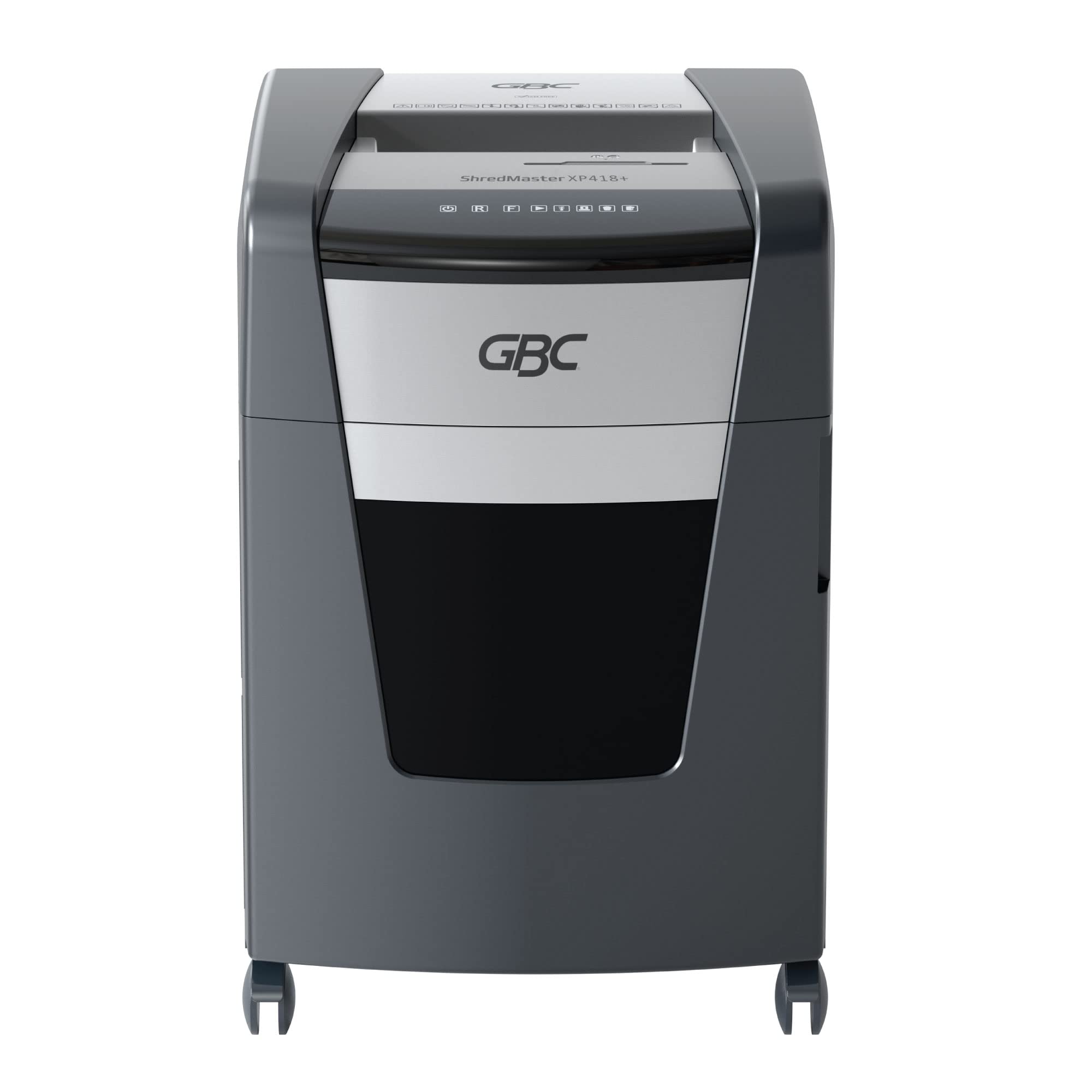
Сүрөт 2.1: Алдыңкы view of the GBC ShredMaster XP418+ office shredder, showcasing its sleek black and silver design with casters for mobility.
Негизги өзгөчөлүктөрү:
- Cross-Cut Shredding: Shreds paper into 4 x 35 mm particles (P-4 security level).
- Жогорку кубаттуулугу: Shreds up to 18 sheets of 80 gsm paper at once.
- Jam Free Technology: Active sensing technology prevents paper jams by measuring sheet count in real-time.
- Multi-Media Shredding: Safely shreds staples, paper clips, credit cards, CDs, and DVDs through a separate feed slot.
- Large Bin Capacity: 45-liter pull-out waste bin for less frequent emptying.
- Тынч иштөө: Operates at an ultra-quiet 55 dBA noise level.
- Үзгүлтүксүз иштөө убактысы: Designed for moderate to heavy use with extended run times.
3. Орнотуу
Follow these steps to set up your shredder for first use:
- Шредерди таңгактан чыгарыңыз: Майдалагычты таңгагынан этияттык менен чыгарыңыз. Келечекте ташуу же сактоо үчүн таңгакты сактап коюңуз.
- Майдалагычты жайгаштырыңыз: Place the shredder on a flat, stable surface near a power outlet. Ensure there is adequate space around the unit for ventilation and bin access.
- Check the Waste Bin: Ensure the 45-liter pull-out waste bin is correctly inserted and closed. The shredder will not operate if the bin is not properly seated.
- Туташуу кубаты: Электр шнурын стандарттуу электр розеткасына сайыңыз.
- Күйгүзүү: Locate the power switch, usually on the back or side of the unit, and turn it to the 'ON' position. The control panel lights should illuminate.

Figure 3.1: The GBC ShredMaster XP418+ with its 45-liter pull-out waste bin open, demonstrating easy access for emptying shredded materials.
4. Операция
Your GBC ShredMaster XP418+ is designed for user-friendly operation. Familiarize yourself with the control panel and feed slots.

Сүрөт 4.1: Жакын пландан view of the GBC ShredMaster XP418+ control panel, showing the power, reverse, forward, and jam indicator lights.
4.1 Майдалоочу кагаз
- Ensure the shredder is powered on and in auto mode (usually indicated by a green light).
- Insert up to 18 sheets of 80 gsm paper into the main paper feed slot. The Active Sensing Anti-Jam Technology will detect the sheet count.
- The shredder will automatically start shredding. If too many sheets are inserted, a red LED will illuminate, and the shredder will not operate until some sheets are removed.
- Once shredding is complete, the shredder will return to standby mode.
4.2 Shredding Credit Cards, CDs, and DVDs
- Locate the separate feed slot for credit cards and optical media.
- Insert one credit card, CD, or DVD at a time into the designated slot.
- Майдалагыч буюмду автоматтык түрдө майдалайт.
- Note: These items are shredded into separate compartments within the waste bin for easier disposal and recycling.
4.3 Anti-Jam Technology
The GBC ShredMaster XP418+ features Active Sensing Anti-Jam Technology. This system continuously monitors the number of sheets being fed. If the load exceeds the maximum capacity, the shredder will not start, and a red indicator light will signal an overload. Remove excess paper until the indicator light clears, then proceed with shredding.
Video 4.1: An official GBC video demonstrating the Active Sensing Anti-Jam Technology in action, showing how the shredder detects and prevents overloads. (Note: Video URL is a placeholder as no specific video URL was provided in the input JSON, only a timestamp.)
5. Техникалык тейлөө
Үзгүлтүксүз техникалык тейлөө оптималдуу иштөөнү камсыз кылат жана майдалагычыңыздын иштөө мөөнөтүн узартат.
5.1 Таштанды кутусун бошотуу
- When the waste bin is full, the shredder will stop operating, and a 'bin full' indicator light may illuminate.
- Майдалагычты электр розеткасынан сууруп алыңыз.
- Майдалагычтын алдыңкы жагынан таштанды челекти сууруп чыгарыңыз.
- Empty the shredded material into a suitable recycling container.
- Slide the waste bin back into the shredder until it clicks securely into place.
- Plug the shredder back in.
5.2 Oiling the Shredder Blades
To maintain shredding performance and prevent wear, oil the shredder blades regularly, especially after emptying the bin 2-3 times or if performance decreases.
- Use only GBC shredder oil or a vegetable-based shredder oil. Do not use aerosol lubricants.
- Apply a thin line of oil across the paper entry slot.
- Run the shredder in reverse for 10 seconds to distribute the oil.
- Shred a few sheets of paper to remove any excess oil.
6. Кыйынчылыктарды
Сиз кабылышы мүмкүн болгон жалпы маселелерди чечүү үчүн бул бөлүмдү караңыз.
| Көйгөй | Мүмкүн себеп | Чечим |
|---|---|---|
| Шредер иштебей жатат. | No power, waste bin not closed, shredder overheated, safety switch engaged. | Check power connection. Ensure bin is fully inserted. Allow shredder to cool down. Check for obstructions. |
| Кагаз тыгылышы. | Too much paper inserted, paper folded or crumpled. | Press the reverse button to clear the jam. If unsuccessful, unplug, remove paper manually, then re-oil blades. |
| Шредер тынымсыз иштейт. | Сенсор тоскоол болгон. | Unplug the shredder and clean the paper entry sensor with a soft cloth. |
| Reduced shredding performance. | Blades need oiling, waste bin full. | Oil the shredder blades. Empty the waste bin. |
7. Техникалык шарттар
Detailed technical specifications for the GBC ShredMaster XP418+ shredder.
| Өзгөчөлүк | Спецификация |
|---|---|
| Модель номери | G2021418X |
| Shred түрү | Кайчылаш кесүү |
| Размер | 4 x 35 мм |
| Security Level (DIN 66399) | P-4 |
| Sheet Capacity (80 gsm) | 18 барактар |
| Таштанды урнасынын сыйымдуулугу | 45 литр |
| чылпак | Paper, Staples, Paper Clips, Credit Cards, CDs/DVDs |
| Ызы-чуу деңгээли | 55 дБА |
| Өзгөчөлүктөр | Jam Proof (Active Sensing), Quiet Operation |
| Элемент Салмагы | 29 кг |
| Элементтин өлчөмдөрү (LxWxH) | 47.9 x 44.5 x 67.5 см |
8. Кепилдик жана колдоо
Your GBC ShredMaster XP418+ comes with a comprehensive warranty and dedicated support.
8.1 Кепилдик маалыматы
Бул продукт менен капталган 2-year machine warranty from the date of purchase. Please retain your proof of purchase for warranty claims. The warranty covers defects in materials and workmanship under normal use. It does not cover damage caused by misuse, neglect, unauthorized repairs, or normal wear and tear.
8.2 Кардарларды колдоо
For technical assistance, troubleshooting not covered in this manual, or warranty service, please contact GBC customer support. Refer to the contact information provided with your product or visit the official GBC webсиздин аймак үчүн сайт.


