
Introduction
This manual provides detailed instructions for the safe and efficient use of your Plimpton PlimPad P3 10.1-inch Android 12 Tablet. Please read this manual thoroughly before operating the device and keep it for future reference.
Продукт бүттүview
The Plimpton PlimPad P3 is a 10.1-inch tablet featuring the Android 12 operating system. It is designed for general use, offering a balance of performance and portability.
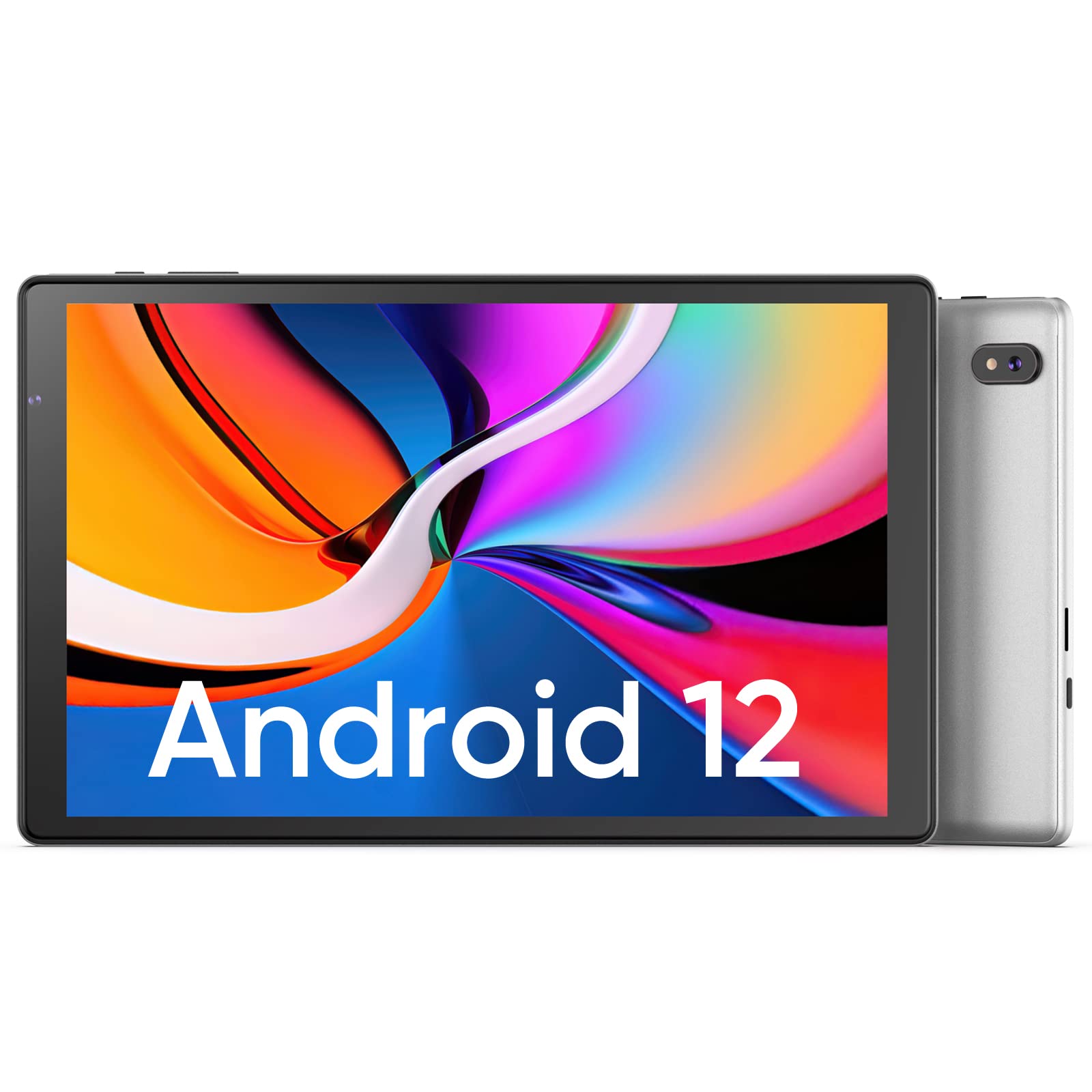
Сүрөт: алдыңкы жана арткы view of the Plimpton PlimPad P3 Tablet.
Негизги өзгөчөлүктөрү:
- Операция системасы: Android 12 for a personalized and secure user experience.
- Дисплей: 10.1-inch HD IPS LCD with 1280x800 resolution for clear visuals.
- Аткаруу: Powered by an Allwinner A133 1.5GHz 4-core CPU with 4GB RAM for smooth operation.
- Сактагыч: 64 ГБ ички сактагыч, microSD картасы аркылуу 1 ТБ чейин кеңейтүүгө болот.
- Байланыш: Dual-band Wi-Fi 6 (5GHz+2.4GHz) and Bluetooth 5.0.
- Аудио: Dual speakers for an enhanced audio experience.
- Батарея: Узак мөөнөттүү колдонуу үчүн 6000 мАч батарейка.
- Дизайн: Premium silver metal body for efficient heat dissipation and a slim profile.

Image: Visual representation of key features including metal body, 10.1-inch screen, split screen functionality, and 6000mAh battery capacity.
Орнотуу колдонмосу
1. Баштапкы заряддоо
Before first use, fully charge the tablet using the provided USB charger and 1.8M USB Type-C cable. Ensure the tablet is powered off during initial charging. Using non-original chargers may lead to compatibility issues.

Image: Details on battery capacity, charging port, and cable length.
2. Күйгүзүү/өчүрүү
- Күйгүзүү үчүн: Press and hold the power button located on the side of the tablet until the screen lights up.
- Өчүрүү үчүн: Press and hold the power button, then select "Power off" from the options that appear on the screen.
3. Wi-Fi туташуусу
The tablet supports Wi-Fi 6 with dual-band (5GHz and 2.4GHz) connectivity for stable internet access. To connect to Wi-Fi:
- барыңыз Орнотуулар.
- Тандоо Тармак жана интернет.
- таптаңыз Wi-Fi жана аны күйгүзүңүз.
- Тизмеден каалаган тармакты тандап, суралса сырсөздү киргизиңиз.

Сүрөт: бүттүview of Wi-Fi 6, Bluetooth 5.0, and dual-band network support.
4. Bluetooth туташуусу
Bluetooth түзмөктөрүн туташтыруу үчүн:
- Bluetooth түзмөгүңүз жупташтыруу режиминде экенин текшериңиз.
- барыңыз Орнотуулар планшетиңизде.
- Тандоо Туташкан түзмөктөр, анда Туташуу артыкчылыктары, жана таптаңыз Bluetooth.
- Turn Bluetooth on and select your device from the list to pair.
5. SD Card Installation and Initialization
The tablet supports microSD cards up to 1TB. Always insert or remove the SD card when the tablet is powered off to prevent data corruption.
- Планшетти өчүрүңүз.
- Locate the microSD card slot on the tablet.
- microSD картасын ордуна чыкылдаган үн чыкканча акырын салыңыз.
- Планшетти күйгүзүңүз.
- For the tablet to recognize a new SD card, it may require initialization. Refer to the on-screen prompts or the detailed instructions in the included Japanese manual for the initialization procedure.
6. Installing a Protective Case
To protect your tablet, you may wish to install a compatible protective case. The following video demonstrates how to install a tablet into a case and utilize its stand function.
Video: Demonstration of installing a tablet into a protective case and using the stand function.
Иштөө нускамалары
1. Android 12 OS Features
The PlimPad P3 runs on Android 12, offering an optimized and user-friendly interface with enhanced privacy controls.
- Personalized UI: Customize your desktop display style with new UI designs.
- Privacy Management: New privacy features allow you to manage your data and permissions easily.
- Google Services & Apps: Access stable Google services and install popular third-party applications like LINE, YouTube Kids, Yahoo, and Twitter.
- Жеткиликтүүлүк: Features include automatic text-to-speech and an eye protection mode.

Image: Highlights of Android 12 OS features such as improved UI, privacy management, and simplified data transfer.
2. Дисплей орнотуулары
- Чечим: The 10.1-inch IPS LCD offers a 1280x800 resolution for vivid colors and wide viewбурчтар.
- Көздү коргоо режими: Activate this mode in settings to reduce eye strain during prolonged use.
3. Аудио орнотуулары
The tablet is equipped with dual speakers for surround sound. Adjust volume using the physical volume buttons or through the sound settings in the Android OS.

Image: Illustration of the tablet's dual stereo speakers and Bluetooth 5.0 connection for reduced interference.
4. Зымсыз проекция
The tablet supports wireless projection to compatible smart TVs. Refer to your smart TV's manual for instructions on enabling screen mirroring or casting, then initiate the connection from your tablet's display settings.
Техникалык тейлөө
1. Батареяга кам көрүү
- To maximize battery life, close unnecessary applications running in the background.
- Планшетти экстремалдык температурага тийгизүүдөн сактаңыз.
- For optimal performance, use the original charger and cable.
2. Сактагычты башкаруу
- Кэшти дайыма тазалап, керексиз files to maintain smooth operation.
- While the tablet has 4GB RAM and 64GB ROM, it is not designed for memory-intensive applications such as high-end games or professional photo editing software (e.g., Photoshop).
- Кошумча медиа файлдарды сактоо үчүн microSD карта уячасын колдонуңуз fileлар жана документтер.
Проблемаларды чечүү
Жалпы маселелер жана чечимдер:
- Жай аткаруу:
- Фондук колдонмолорду жабуу.
- Колдонмо кэштерин тазалоо.
- жетиштүү бош орун камсыз кылуу.
- Note that this tablet is not optimized for demanding games or applications like Genshin Impact.
- Заряддоо көйгөйлөрү:
- Use only the original Plimpton charger and USB Type-C cable.
- Заряддоо порту таза жана таштандылардан таза экенин текшериңиз.
- Other Type-C chargers may not be compatible.
- SD карта таанылган жок:
- Ensure the tablet is powered off when inserting or removing the SD card.
- A new SD card may require initialization. Refer to the included manual for steps.
- Screen Damage:
- In case of a cracked or damaged screen, please contact customer support for the best resolution.
- Consider using a P3 Pro dedicated reinforced glass screen protector for added durability.
- No SIM Card Compatibility:
- This is a Wi-Fi model tablet and is not compatible with SIM cards for cellular data.
Техникалык шарттар
| Өзгөчөлүк | Деталь |
|---|---|
| Бренд | Плимптон |
| Модель аты | PlimPad P3 |
| Операция системасы | Android 12 |
| CPU | Allwinner ARM Cortex A133, 1.8 GHz 4-core |
| RAM | 4 ГБ |
| Ички сактагыч | 64 ГБ |
| Кеңейтүүчү сактагыч | MicroSD up to 1 TB |
| Screen Size | 10.1 дюйм |
| Дисплей түрү | IPS LCD |
| Display Resolution | 1280x800 |
| Аспект катышы | 16:10 |
| Сенсордук экран | Ооба |
| Wi-Fi | Wi-Fi 6 (Dual-band 5GHz+2.4GHz) |
| Bluetooth | Bluetooth 5.0 |
| Алдыңкы камера | Ооба |
| Арткы камера | 8 депутат |
| Батарея сыйымдуулугу | 6000 мАч (литий-ион) |
| Салмагы | 520 грамм |
| Түс | Silver |
Кепилдик жана колдоо
Кепилдик маалымат
Your Plimpton PlimPad P3 tablet comes with a 24-month free exchange warranty from the date of purchase. If any defects occur within this period, a new product exchange will be provided.
Кардарларды колдоо
For any inquiries or support needs, please contact us through Amazon:
- On the product page, locate the store name "Plimpton Direct" below the "Add to Cart" button.
- чыкылдатыңыз "Plimpton Direct".
- In the upper right corner of the store page, click on "Ask a question" билдирүү жөнөтүү.
Пакеттин мазмуну
The following items are included in your Plimpton PlimPad P3 package:
- PlimPad P3 Tablet
- USB заряддагыч
- 1.8M USB Type-C Cable
- Japanese Instruction Manual