

1. Киришүү
Thank you for choosing the Jadfezy 4K 30fps Sports Camera J-5000. This camera is designed to capture high-quality videos and photos of your adventures. It features 4K/30fps video recording, 20MP photo resolution, a 170° wide-angle lens, Wi-Fi connectivity, and a waterproof housing for underwater use up to 30 meters (98 feet). Please read this manual carefully to ensure proper operation and to maximize your camera's performance.

Image: The Jadfezy 4K 30fps Action Camera capturing a surfing moment.
2. Кутуда эмне бар
Төмөндө тизмеленген нерселердин баары пакетиңизге камтылганын текшериңиз:
- 1 x Jadfezy 4K Action Camera
- 2 x Rechargeable Batteries (1350 mAh each)
- 1 x Алыстан башкаруу
- 1 x USB кабели
- 1 х Инструкция (бул документ)
- 1 x Суу өткөрбөйт
- Various Mounting Accessories (e.g., helmet mounts, bicycle mount, straps)
- 1 x Dual Battery Charging Base
- 1 х тышкы микрофон

Сүрөт: толук view of the Jadfezy 4K Sports Camera and its included accessories.
3. Продукт бүтүп калдыview
3.1 Камеранын компоненттери
Камераңыздын негизги бөлүктөрү менен таанышыңыз:
- Объектив: 170° wide-angle lens for expansive shots.
- 2 дюймдук HD экран: Жашоо үчүн view, ойнотуу жана менюну багыттоо.
- Кубат / режим баскычы: Камераны күйгүзөт/өчүрөт жана режимдердин ортосунда которуштурат.
- Жапкыч/ОК баскычы: Starts/stops recording, takes photos, confirms selections.
- Өйдө/ылдый баскычтары: Navigates menu options.
- Микрофон: Built-in for audio recording.
- Баяндамачы: Аудио ойнотуу үчүн.
- MicroSD картасынын уячасы: For storage (supports up to 64GB, Class 10 or higher recommended).
- USB порт: Заряддоо жана маалыматтарды өткөрүү үчүн.
- External Microphone Port: For connecting the included external microphone.
4. Орнотуу
4.1 Батареяны орнотуу жана заряддоо
- Камеранын ылдый жагындагы батарея уясынын капкагын ачыңыз.
- Insert a fully charged 1350 mAh battery, ensuring the contacts align correctly.
- Батарея уясынын капкагын бекем жабыңыз.
- To charge, place the batteries in the dual charging base and connect the USB cable to a power source. The indicator light will show charging status.

Image: The dual battery charging base with two batteries inserted for charging.
4.2 MicroSD картасын орнотуу
- Камераңыздын капталынан microSD карта уячасын табыңыз.
- Insert a Class 10 or higher microSD card (up to 64GB) with the gold contacts facing the back of the camera until it clicks into place.
- Чыгаруу үчүн картаны акырын чыккыча түртүңүз.
4.3 Суу өткөрбөй турган корпусту колдонуу
The waterproof case allows the camera to be used underwater up to 30 meters (98 feet).
- Ensure the camera is dry and clean before placing it in the case.
- Open the latch on the waterproof case and carefully insert the camera.
- Суу өткөрбөй турган пломбаны түзүү үчүн кулпуну бекем жабыңыз.
- Before first use, test the waterproof case without the camera by submerging it in water for a few minutes to check for leaks.

Image: The Jadfezy 4K Sports Camera enclosed in its waterproof housing, submerged in water.
4.4 Монтаждык аксессуарлар
Various mounts are included to attach your camera to helmets, bicycles, wrists, and other surfaces. Refer to the accessory diagram for specific attachment methods. Ensure all mounts are securely fastened before use.
5. Камераны иштетүү
5.1 Күйгүзүү/өчүрүү
- Күйгүзүү үчүн: Күйгүзүү/Режим баскычын бир нече секунд басып туруңуз.
- Өчүрүү үчүн: Экран өчкөнгө чейин Күйгүзүү/Режим баскычын кайра басып, кармап туруңуз.
5.2 Basic Controls and Mode Switching
- Кубат / режим баскычы: Short press to cycle through Video, Photo, Playback, and Settings modes.
- Жапкыч/ОК баскычы: In Video mode, press to start/stop recording. In Photo mode, press to take a picture. In menu, press to confirm selection.
- Өйдө/ылдый баскычтары: Used for navigating menu options and zooming (if applicable).
5.3 Видео жаздыруу
- Ensure the camera is in Video mode (indicated by an icon on the screen).
- Жаздырууну баштоо үчүн Zapiv/OK баскычын басыңыз. Кызыл индикатор жарыгы күйүп-өчүп, экранда таймер пайда болот.
- Жаздырууну токтотуу үчүн Zapiv/OK баскычын кайра басыңыз.
5.4 Сүрөткө тартуу
- Power/Mode баскычын колдонуп Сүрөт режимине өтүңүз.
- Экранды колдонуп кадрга түшүрүңүз.
- Сүрөткө тартуу үчүн Жабдуу/ОК баскычын басыңыз.
5.5 Меню багыттоо жана орнотуулар
From any mode, press the Power/Mode button repeatedly until you reach the Settings menu. Use the Up/Down buttons to navigate and the Shutter/OK button to select. Common settings include:
- Video Resolution (e.g., 4K/30fps, 1080P/60fps)
- Сүрөттүн чечилиши (мисалы, 20MP)
- Loop жаздыруу
- Time-Lapse
- Таасир
- Ак баланс
- Дата/Убакыт
5.6 Wi-Fi Connection (X-Sport Pro App)
Connect your camera to your smartphone via Wi-Fi using the 'X-Sport Pro' app.
- Download and install the 'X-Sport Pro' app from your mobile app store.
- On the camera, enable Wi-Fi (usually found in the settings menu or by a dedicated Wi-Fi button/shortcut). The camera screen will display the Wi-Fi name (SSID) and password.
- On your smartphone, go to Wi-Fi settings and connect to the camera's Wi-Fi network using the provided password.
- Open the 'X-Sport Pro' app. You should now be able to control the camera, view жаша фооtage, жана жүктөп алуу files.
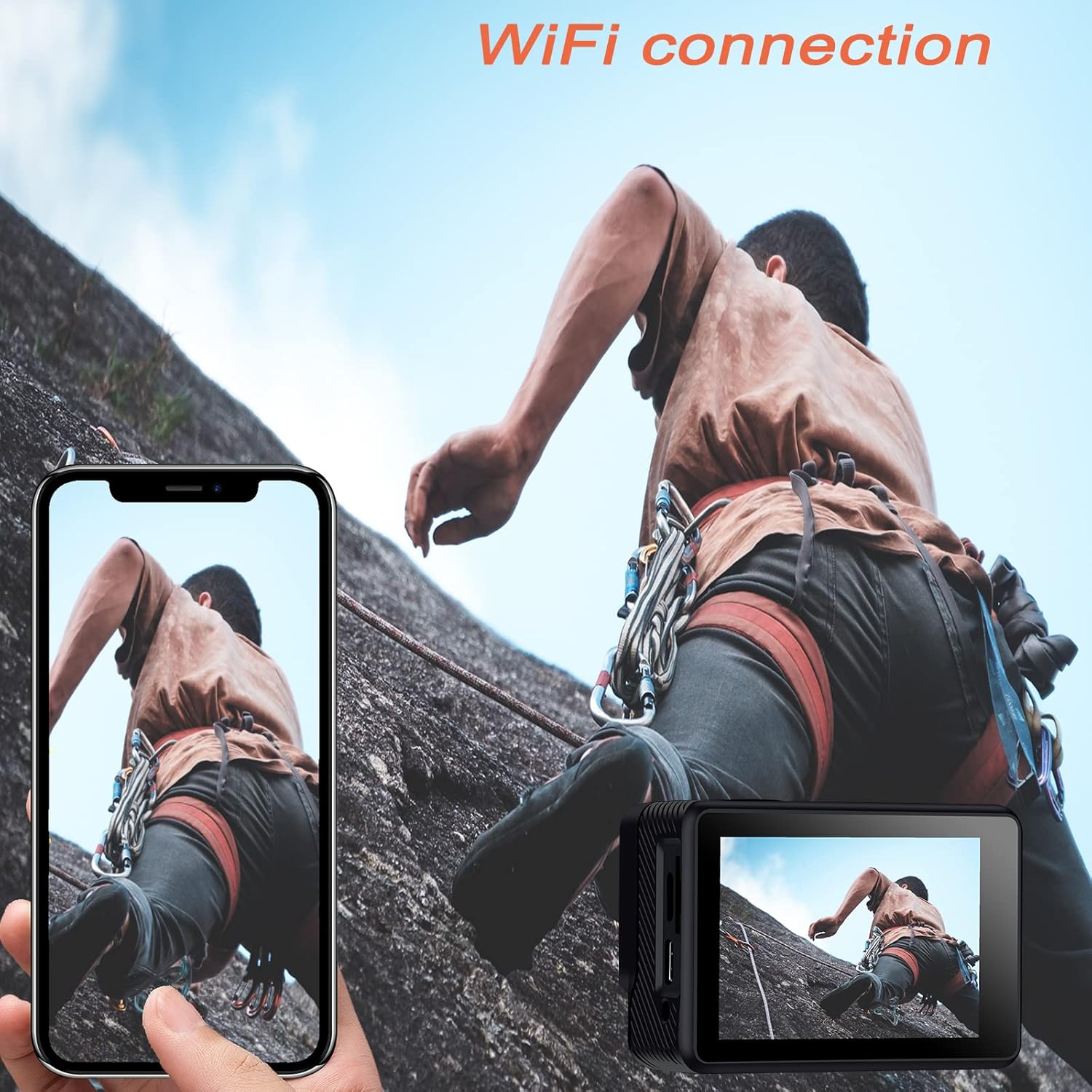
Image: The Jadfezy 4K Sports Camera displaying its screen, with a smartphone showing a live view via Wi-Fi connection.
5.7 Алыстан башкарууну колдонуу
The 2.4G wireless remote control allows for convenient operation from a distance.
- Видео баскычы: Видео жазууну баштоо/токтотуу үчүн басыңыз.
- Сүрөт баскычы: Сүрөткө тартуу үчүн басыңыз.

Image: A person wearing the remote control on their wrist, operating the Jadfezy 4K Sports Camera from a distance.
5.8 Кең бурчтуу линза
The 170° wide-angle lens captures a broader field of view, ideal for landscapes and action shots. This setting is fixed and provides a comprehensive perspective.

Image: A visual comparison demonstrating the expansive view captured by the 170° wide-angle lens compared to a narrower 140° view.
5.9 Тышкы микрофон
For enhanced audio quality, connect the included external microphone to the camera's external microphone port. This is particularly useful in noisy environments or when clearer voice recording is desired.

Image: The Jadfezy 4K Sports Camera with the external microphone plugged into its port.
5.10 Special Recording Modes
The camera offers several specialized modes:
- Убакытты тездетүүчү видео: Белгиленген аралыктар менен бир катар сүрөттөрдү тартып, аларды видеого тигип берет.
- Жай кыймыл: Жай кыймылда ойнотуу үчүн видеону жогорку кадр ылдамдыгы менен жазат.
- Укурук Video: Records video continuously, overwriting the oldest footagд эстутум картасы толгондо.
- Авто таймер: Delays photo capture for group shots or self-portraits.

Image: The Jadfezy 4K Sports Camera capturing a skateboarder performing a trick, demonstrating its use in action sports.
6. Техникалык тейлөө
6.1 Тазалоо
- Камера корпусун жана экранын тазалоо үчүн жумшак, мамыксыз чүпүрөктү колдонуңуз.
- Линза үчүн атайын линза тазалоочу чүпүрөктү жана эритмени колдонуңуз. Линзага манжаларыңыз менен тийүүдөн алыс болуңуз.
- After using the waterproof case, rinse it with fresh water and allow it to air dry. Ensure no debris is caught in the seal.
6.2 Сактоо
- Камераны салкын, кургак жерде күндүн тике тийген нурунан жана экстремалдык температурадан алыс сактаңыз.
- Камера узак убакыт бою колдонулбаса, батареяларды алып салыңыз.
6.3 Батареяга кам көрүү
- Fully charge batteries before each use.
- Avoid completely draining the batteries to prolong their lifespan.
- Эски батареяларды жергиликтүү эрежелерге ылайык жок кылыңыз.
7. Кыйынчылыктарды
| Көйгөй | Мүмкүн себеп | Чечим |
|---|---|---|
| Камера күйбөйт | Low battery; Battery incorrectly installed; Faulty battery | Charge battery; Reinstall battery; Try a different battery |
| Видео жаздыруу/сүрөткө тартуу мүмкүн эмес | No microSD card; MicroSD card full; MicroSD card error | Insert microSD card; Delete files or use new card; Format microSD card (backup data first) |
| Wi-Fi туташуусу ишке ашпай калды | Incorrect password; Camera Wi-Fi not enabled; App issue | Re-enter password; Enable Wi-Fi on camera; Restart app/phone/camera |
| Пульт иштебей жатат | Remote battery low; Not paired; Out of range | Replace remote battery; Re-pair remote (refer to camera settings); Operate within range |
| Аудио сапаты начар | Built-in mic obstructed; No external mic connected; Environmental noise | Ensure mic is clear; Connect external mic; Reduce ambient noise |
8. Техникалык шарттар
| Өзгөчөлүк | Деталь |
|---|---|
| Модель номери | J-5000 |
| Video Resolution | 4K/30 кадр/сек |
| Сүрөттүн резолюциясы | 20 депутат |
| Объектив | 170° кең бурч |
| Screen Size | 2 Inches HD |
| Суу өткөрбөйт | Up to 30m (98ft) with waterproof case |
| Батарея сыйымдуулугу | 2 x 1350 mAh rechargeable batteries |
| Сактагыч | MicroSD картасы (64 ГБ чейин, 10+ класс) |
| Байланыш | Wi-Fi (X-Sport Pro App), USB |
| Өзгөчөлүктөр | Remote Control, Anti-vibration, Time-lapse, Slow Motion, Loop Video, Self-timer |
| Өлчөмдөр | 6 x 3 x 3.9 см |
| Салмагы | 420 г |
9. Кепилдик жана колдоо
For warranty information and technical support, please refer to the contact details provided on the product packaging or the official Jadfezy webсайт. Сатып алуу квитанциясын кепилдик дооматтары үчүн сатып алуунун далили катары сактаңыз.