
Introduction
Thank you for choosing the Andoer 18.5-inch Wi-Fi Digital Photo Frame. This manual provides detailed instructions to help you set up, operate, and maintain your new digital photo frame. Please read this manual thoroughly before use and keep it for future reference.
Кутуда эмне бар
- 1 x Andoer 18.5-inch Wi-Fi Digital Photo Frame
- 1 x Back Stand
- 1 x Power Adapter (Input: 100-240V, 50/60Hz; Output: DC 12V, 2A)
- 1 x User Manual

Image: Package contents showing the digital photo frame, power adapter, back stand, and user manual.
Коопсуздук маалыматы
Коопсуз эксплуатацияны камсыз кылуу жана зыян келтирбөө үчүн төмөнкү коопсуздук чараларын сактаңыз:
- Аппаратты жамгырдын, нымдуулуктун же экстремалдык температуранын таасиринде калтырбаңыз.
- Берилген кубат адаптерин гана колдонуңуз. Уруксат берилбеген адаптерди колдонуу түзмөккө зыян келтирип, кепилдикти жокко чыгарышы мүмкүн.
- Avoid placing the frame in direct sunlight or near heat sources.
- Аппаратты өз алдынча бөлүүгө же оңдоого аракет кылбаңыз. Бардык тейлөөлөрдү квалификациялуу кызматкерлерге тапшырыңыз.
- Аппаратты күчтүү магнит талаасынан алыс кармаңыз.
- Clean the screen with a soft, dry cloth. Do not use liquid cleaners or sprays directly on the screen.
Продукт бүттүview
The Andoer 18.5-inch Wi-Fi Digital Photo Frame is designed to display your cherished memories with ease and clarity. It features a high-resolution IPS touchscreen and Wi-Fi connectivity for instant sharing.
Негизги өзгөчөлүктөрү
- Оңой бөлүшүү: Integrated Wi-Fi supports instant and wireless sharing of photos and videos with friends and family from anywhere via the Frameo application.
- IPS сенсордук экраны: Features a 17.3-inch IPS screen with a 1920 x 1080 resolution, allowing for intuitive touch control to manage photos and settings.
- Чоң сактоо сыйымдуулугу: Equipped with 16GB of built-in memory (approximately 8GB usable for user content) and supports external TF cards up to 32GB.
- Автоматтык айлантуу: Automatically rotates photos to adjust direction. Includes a removable back stand for both portrait and landscape viewing, and can also be wall-mounted.

Сүрөт: алдыңкы view of the digital photo frame highlighting its main features.
Жайгашуу
1. Пакеттен чыгаруу жана жайгаштыруу
- Бардык компоненттерди таңгактан кылдаттык менен алып салыңыз.
- Attach the back stand to the frame for desktop placement, or prepare for wall mounting if desired.
- Place the frame on a stable, flat surface or mount it securely on a wall. Ensure adequate ventilation around the device.

Сүрөт: Мисamples of placing the digital photo frame on a desktop or mounting it on a wall.
2. Күйгүзүү
- Connect the power adapter to the DC input port on the back of the frame.
- Кубат адаптерин стандарттуу электр розеткасына сайыңыз.
- Кадр автоматтык түрдө күйүп, баштапкы орнотуу экранын көрсөтөт.
3. Баштапкы орнотуу жана Wi-Fi туташуусу
- Follow the on-screen prompts to select your preferred language, time zone, and other basic settings.
- When prompted, select your Wi-Fi network from the list and enter the password. Ensure a stable internet connection for optimal performance.
4. Frameo App Installation and Pairing
- Download the "Frameo" application from your smartphone's app store (available for iOS and Android).
- Frameo колдонмосун ачып, каттоо эсебин түзүңүз же кириңиз.
- On your digital photo frame, navigate to the "Add Friend" section to get a unique frame code.
- In the Frameo app on your smartphone, enter the frame code to pair your device with the photo frame.
Иштөө нускамалары
1. Сенсордук экранда багыт алуу
The frame features an intuitive IPS touchscreen. Swipe left/right to browse photos, tap to access menus, and pinch to zoom (if supported by the software version).

Image: Illustrating the touch control functionality of the 18.5-inch IPS screen.
2. Сүрөттөрдү жана видеолорду жүктөө
You can upload media to your frame using the Frameo app or via email.
- Via Frameo App: Open the Frameo app on your smartphone, select the photos/videos you wish to share, choose your connected frame, and send.
- Электрондук почта аркылуу: The frame may have a unique email address. Send photos/videos to this address, and they will appear on your frame after processing.

Image: Demonstrating how to upload photos to the frame using a mobile phone app or email.

Image: Highlighting the instant wireless sharing capability of the photo frame.
3. Managing Photos and Settings
From the frame's touchscreen interface, you can:
- Move/Hide/Delete Photos: Tap on a photo to reveal options for managing it.
- Import Photos: If using an external TF card, you can import photos from it.
- Орнотууларды тууралоо: Access the settings menu to change brightness, language, time zone, and the frame's name.
4. Automatic Rotation
The frame automatically detects its orientation (portrait or landscape) and adjusts the displayed photos accordingly. This feature ensures your photos are always displayed correctly, regardless of how the frame is positioned.
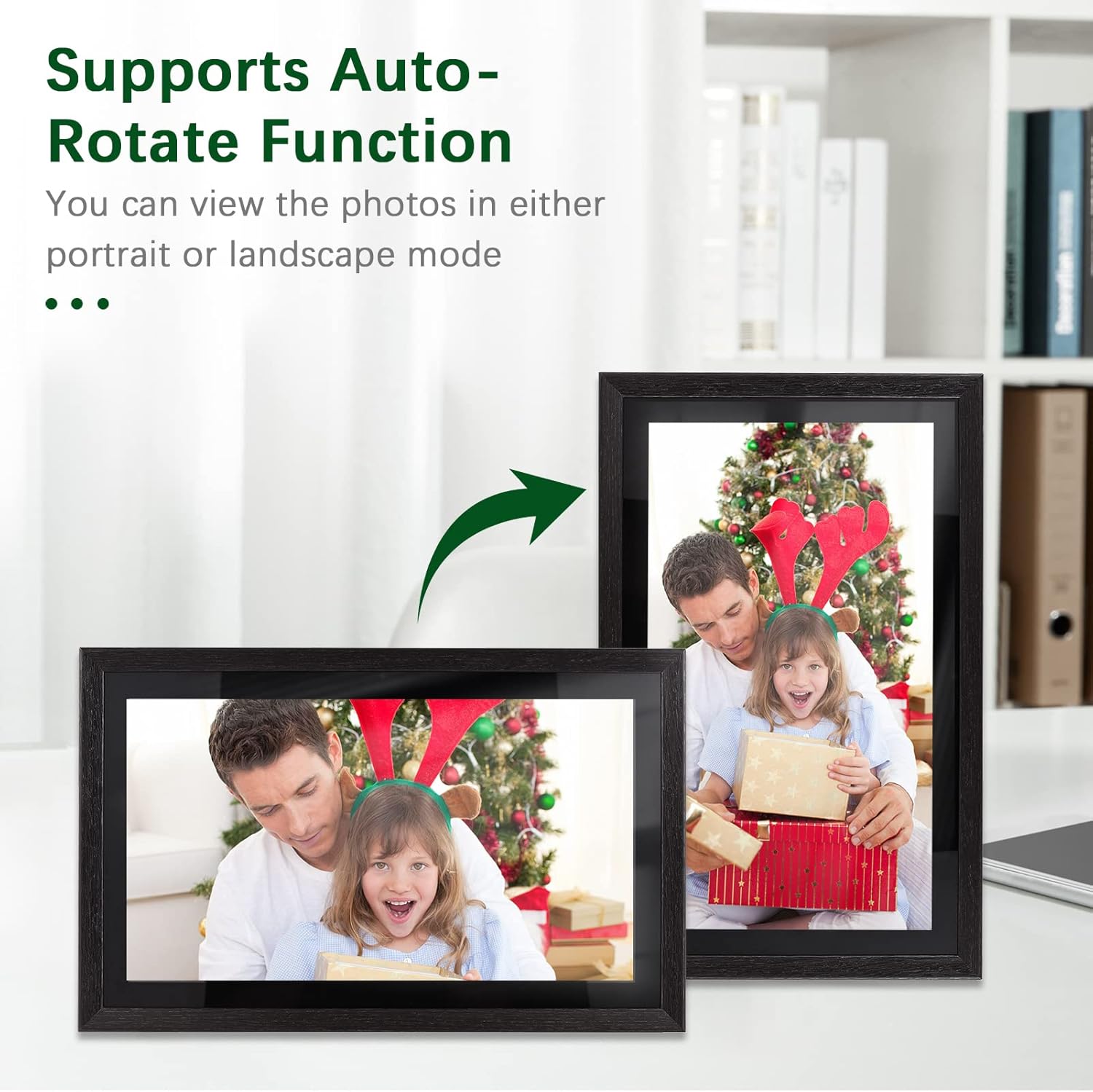
Image: Demonstration of the automatic rotation feature, showing the frame adapting to portrait and landscape orientations.
Техникалык тейлөө
Рамканы тазалоо
- Экран: Экранды жумшак, түксүз чүпүрөк менен акырын сүртүңүз. өжөр тактар үчүн, бир аз гampкездемени суу менен сүртүңүз (экранга түз чачпаңыз).
- Алкактын корпусу: Use a soft, dry cloth to wipe the frame's body.
- Do not use abrasive cleaners, solvents, or chemical sprays, as these can damage the finish and screen.
Программалык камсыздоо жаңыртуулары
Periodically check for software updates in the frame's settings menu. Keeping your frame's software up-to-date ensures optimal performance and access to new features.
Сактагычты башкаруу
The frame has 16GB of internal storage. If you find yourself running low on space, consider deleting old photos/videos or utilizing an external TF card (up to 32GB) for additional storage.
Проблемаларды чечүү
| Көйгөй | Мүмкүн себеп | Чечим |
|---|---|---|
| Рамка күйбөйт. | Кубат адаптери туташкан эмес же бузук; розеткада көйгөй бар. | Ensure the power adapter is securely connected to the frame and a working electrical outlet. Try a different outlet. |
| Wi-Fi'га туташпай жатат. | Туура эмес сырсөз; алсыз сигнал; роутердеги көйгөй. | Wi-Fi сырсөзүн эки жолу текшериңиз. Алкакты роутерге жакындатыңыз. Роутериңизди өчүрүп-күйгүзүңүз. |
| Photos/videos not uploading. | No internet connection; incorrect frame code; app issues. | Verify Wi-Fi connection. Ensure the correct frame code is entered in the Frameo app. Restart the app and try again. Check available storage on the frame. |
| Сенсордук экран жооп бербейт. | Убактылуу программалык камсыздоонун катасы; экран кир. | Restart the frame by unplugging and replugging the power adapter. Clean the screen with a soft, dry cloth. |
Техникалык шарттар
| Өзгөчөлүк | Деталь |
|---|---|
| Модель номери | DRR9822880669739GJ |
| Screen Size | 18.5 дюйм |
| Дисплей түрү | IPS сенсордук экраны |
| Резолюция | 1920 x 1080 |
| Аспект катышы | 16:9 |
| Ички эс тутум | 16 ГБ (болжол менен 8 ГБ колдонууга жарактуу) |
| Тышкы сактагыч | Supports TF Card (max. 32GB) |
| Байланыш | Wi-Fi |
| Power Input | 12V/2A |
| Кубаттуу адаптер | Input: 100-240V, 50/60Hz; Output: DC 12V, 2A |
| Башкаруу ыкмасы | Сенсордук экран |
| Шайкеш түзмөктөр | Ноутбук, смартфон, планшет |
| Түс | Кара |
| Пакеттин өлчөмдөрү | 52.6 x 44.29 x 8.9 см |
| Пакет Салмагы | 2.81 кг |
Кепилдик жана колдоо
Кепилдик маалымат
Andoer products are manufactured to the highest quality standards. This product is covered by a standard manufacturer's warranty against defects in materials and workmanship. Please refer to your purchase documentation for specific warranty terms and duration.
Кардарларды колдоо
If you encounter any issues or have questions regarding your Andoer 18.5-inch Wi-Fi Digital Photo Frame, please contact our customer support team. For the most up-to-date support information, including contact details and FAQs, please visit the official Andoer website or refer to your purchase platform's support section.