
1. Киришүү
This manual provides essential information for the safe and efficient operation of the Cuifati AT1-4000X Single-Phase AC 220V/4KW Variable Frequency Drive (VFD). This VFD is designed to control the speed of three-phase AC motors, offering high torque at low speeds, high precision, and a wide speed regulating range. It is suitable for various industrial applications including spindle motors, drill presses, CNC machines, HVAC systems, lathes, milling machines, pumps, conveyors, fans, cooling systems, and compressors.
The AT1-4000X VFD incorporates optimized PWM control technology and electromagnetic compatibility to ensure low noise and minimal electromagnetic interference. It also features multiple protection mechanisms against overcurrent, overvoltage, overheating, overload, undervoltage, and intelligent power module faults.

Сүрөт 1: Алдыңкы view of the Cuifati AT1-4000X VFD, showing the control panel and safety label.
2. Коопсуздук чаралары
Failure to follow these instructions may result in death, severe injury, or serious property loss.
- Электр энергиясын өчүрүү: Always ensure the power supply is completely disconnected before performing any wiring or maintenance.
- Чыгуу зымдары: Never connect the U, V, W output terminals to an AC power supply. This will cause severe damage to the inverter.
- Орнотуу чөйрөсү: Do not install the inverter on flammable materials. This poses a significant fire hazard. Avoid using the device in environments with explosive gases due to the risk of explosion.
- Негиздөө: The ground terminal of the inverter must be properly and securely grounded.
- Кесиптик орнотуу: Wiring and internal maintenance should only be performed by qualified professionals. The converter contains high voltage internally; unauthorized opening of the shell is strictly prohibited.
3. Орнотуу жана орнотуу
3.1 Пакеттен чыгаруу
Carefully unpack the VFD and inspect it for any signs of damage during transit. Ensure all components listed in the package contents are present.
3.2 Монтаждоо
Mount the VFD in a clean, dry, and well-ventilated area, away from direct sunlight, excessive dust, corrosive gases, and flammable materials. Ensure adequate space around the unit for proper heat dissipation.
3.3 Электр зымдары
Refer to the wiring diagram and terminal functions below for correct electrical connections. Ensure all connections are secure and comply with local electrical codes.
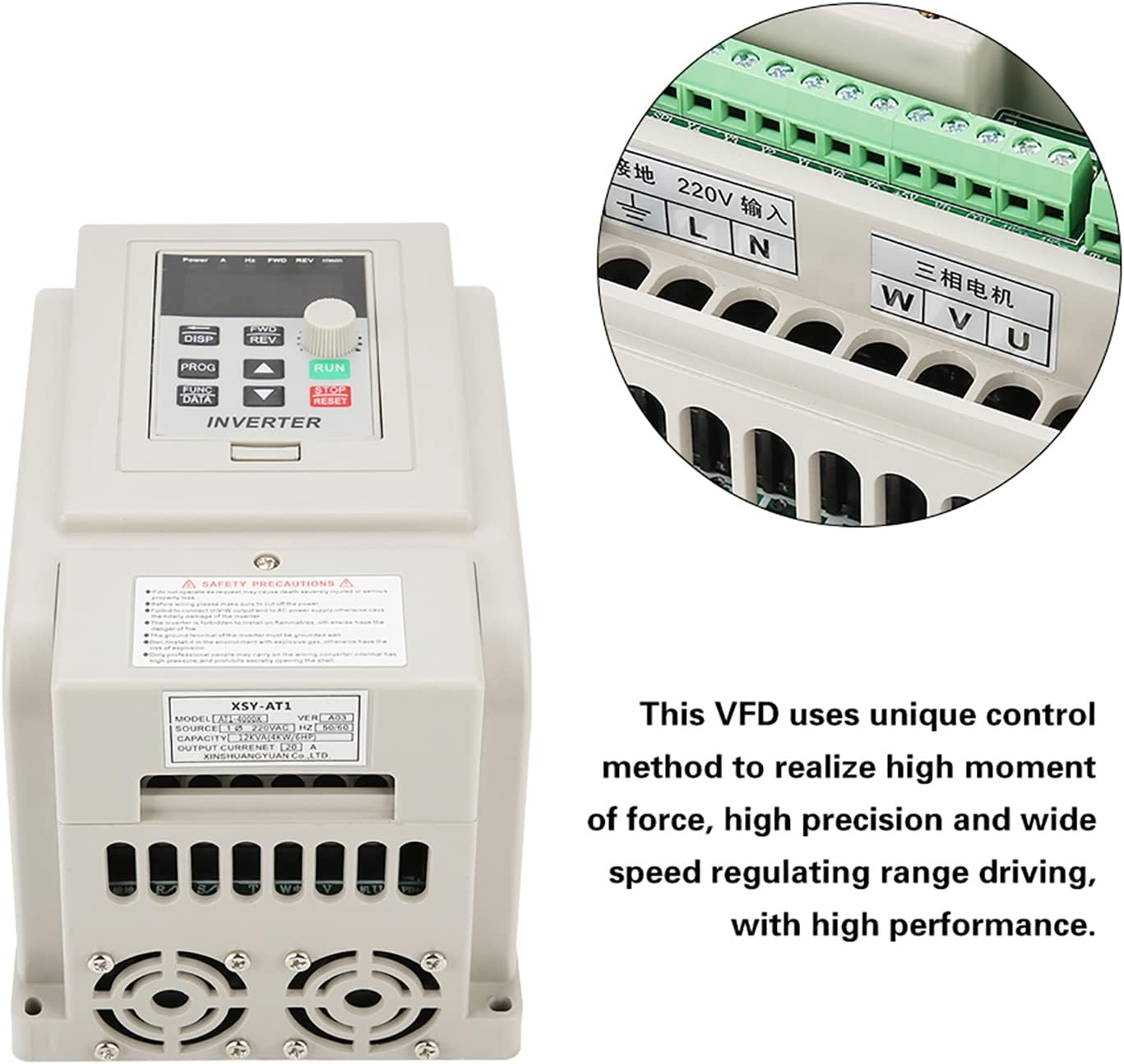
Figure 2: VFD unit with an inset detail of the wiring terminals.
| Терминал | Функция | Description |
|---|---|---|
| Л, Н | AC 220V Single-Phase Input | Connect to the main single-phase AC 220V power supply. |
| У, В, В | Three-Phase AC Motor Output | Connect to the three-phase AC motor. |
| GND | Жер | Connect to a reliable earth ground. |
4. Иштөө нускамалары
4.1 Башкаруу панелинин үстүнөview
The VFD features an intuitive control panel for easy operation. Familiarize yourself with the buttons and display indicators:

Figure 3: Detailed diagram of the VFD's control panel, labeling buttons, display, and indicator lights.
- 5-digit LED Display: Shows current operating parameters such as frequency, voltage, current, and speed.
- ДИСП баскычы: Cycles through different display parameters.
- PROG баскычы: Программалоо режимине кирет/чыгат.
- FUNC/DATA Button: Used to select functions or confirm data entry in programming mode.
- FWD/REV Button: Toggles motor rotation direction (Forward/Reverse).
- Өйдө/Төмөн баскычтары (▲ / ▼): Adjust parameter values or navigate menus.
- RUN баскычы: Моторду иштетет.
- ТОКТОТУУ/КАЙРА ОРНОТУУ баскычы: Stops the motor or resets fault conditions.
4.2 Индикатор жарыктары
- FWD: Illuminates when the motor is rotating clockwise.
- REV: Illuminates when the motor is rotating counter-clockwise.
- r/min: Illuminates when the display shows motor speed (revolutions per minute).
- H: Illuminates when the display shows output frequency.
- V: Illuminates when the display shows output voltage.
- A: Illuminates when the display shows output current.
4.3 Негизги операция
- Күйгүзүү: After ensuring all wiring is correct and secure, apply power to the VFD. The display will light up.
- Жыштык коюу: Use the Up/Down buttons to adjust the desired output frequency. This directly controls the motor speed.
- Моторду ишке киргизүү: басыңыз RUN button to start the motor. The FWD or REV indicator will light up depending on the direction.
- Багытын өзгөртүү: Мотор иштеп турганда, баскычын басыңыз FWD/REV button to change the rotation direction.
- Моторду токтотуу: басыңыз ТОКТОТ/КАЛЫПТАҢЫР моторду токтотуу үчүн баскыч.
- View Параметрлер: басыңыз DISP button to cycle through various operating parameters on the LED display.
5. Техникалык тейлөө
Үзгүлтүксүз техникалык тейлөө VFDңиздин узак мөөнөттүү иштешин жана оптималдуу иштешин камсыз кылат.
- Тазалоо: VFDнин сыртын мезгил-мезгили менен жумшак, кургак чүпүрөк менен тазалап туруңуз. Суюк тазалоочу каражаттарды же эриткичтерди колдонбоңуз. Желдетүүчү тешиктердин чаң жана таштандылардан тазаланганын текшериңиз.
- Текшерүү: Regularly inspect wiring connections for tightness and signs of wear or damage. Check for any unusual noises or odors during operation.
- Курчап турган чөйрө: Maintain the VFD in a clean, dry, and well-ventilated environment within its specified operating temperature range.
- Муздатуу желдеткичтери: Ensure the cooling fans are operating correctly and are not obstructed. The internal heat sink (Figure 4) is critical for thermal management.

4-сүрөт: Ички view of the VFD's heat sink and cooling fans, crucial for thermal management.
6. Кыйынчылыктарды
This section provides solutions to common issues you might encounter with the VFD.
| Көйгөй | Мүмкүн себеп | Чечим |
|---|---|---|
| VFD күйбөйт | No power supply; incorrect wiring; internal fault. | Check power input (L, N terminals). Verify wiring. If problem persists, contact support. |
| Мотор иштебейт | Incorrect motor wiring; VFD in fault state; frequency set to 0. | Check U, V, W motor connections. Press STOP/RESET to clear faults. Increase frequency setting. |
| Мотор туура эмес багытта иштейт | Incorrect FWD/REV setting; motor phase sequence. | Press FWD/REV button. If still incorrect, swap any two of the U, V, W motor output wires. |
| Overcurrent/Overload fault | Motor overloaded; acceleration time too short; short circuit. | Reduce motor load. Increase acceleration time parameter. Check motor and wiring for short circuits. |
| Overvoltage/Undervoltage күнөө | Киргизүү тtage outside specified range; deceleration time too short. | Киргизилген томду ырастооtage (220V +/- 15%). Increase deceleration time parameter. |
Бул жерде көрсөтүлбөгөн маселелер боюнча же чечимдер көйгөйдү чечпесе, кардарларды колдоо менен байланышыңыз.
7. Техникалык шарттар
Detailed technical specifications for the Cuifati AT1-4000X VFD:
| Параметр | Нарк |
|---|---|
| Модел | AT1-4000X |
| Rated Voltage | AC 220V (Single-Phase) |
| Киргизүү көлөмүtage Диапазон | 220V AC (+/- 15%) |
| Output Voltage | 220V AC (Three-Phase) |
| Adapted Motor Power | 4 кВт |
| Башкаруу ыкмасы | V/F Open Loop Control |
| Output Voltage Regulation Method | PWM башкаруу |
| Номиналдуу ток | 20 А |
| Киргизүү жыштыгы | 50/60 Гц |
| Чыгыштын жыштык диапазону | 0 - 400 Гц |
| Киргизүү фазасы | 1 фаза |
| Чыгаруу фазасы | 3 фаза |
| Пакеттин өлчөмдөрү | 22 x 21 x 17 см |
| Салмагы | 1.58 кг |
| Сунушталган Колдонуулар | өнөр жай |
| Камтылган компоненттер | 1 x Variable Frequency Drive |
Note: Due to product updates, new and old versions of this product may be shipped randomly. Both versions maintain the same core functionality and specifications.
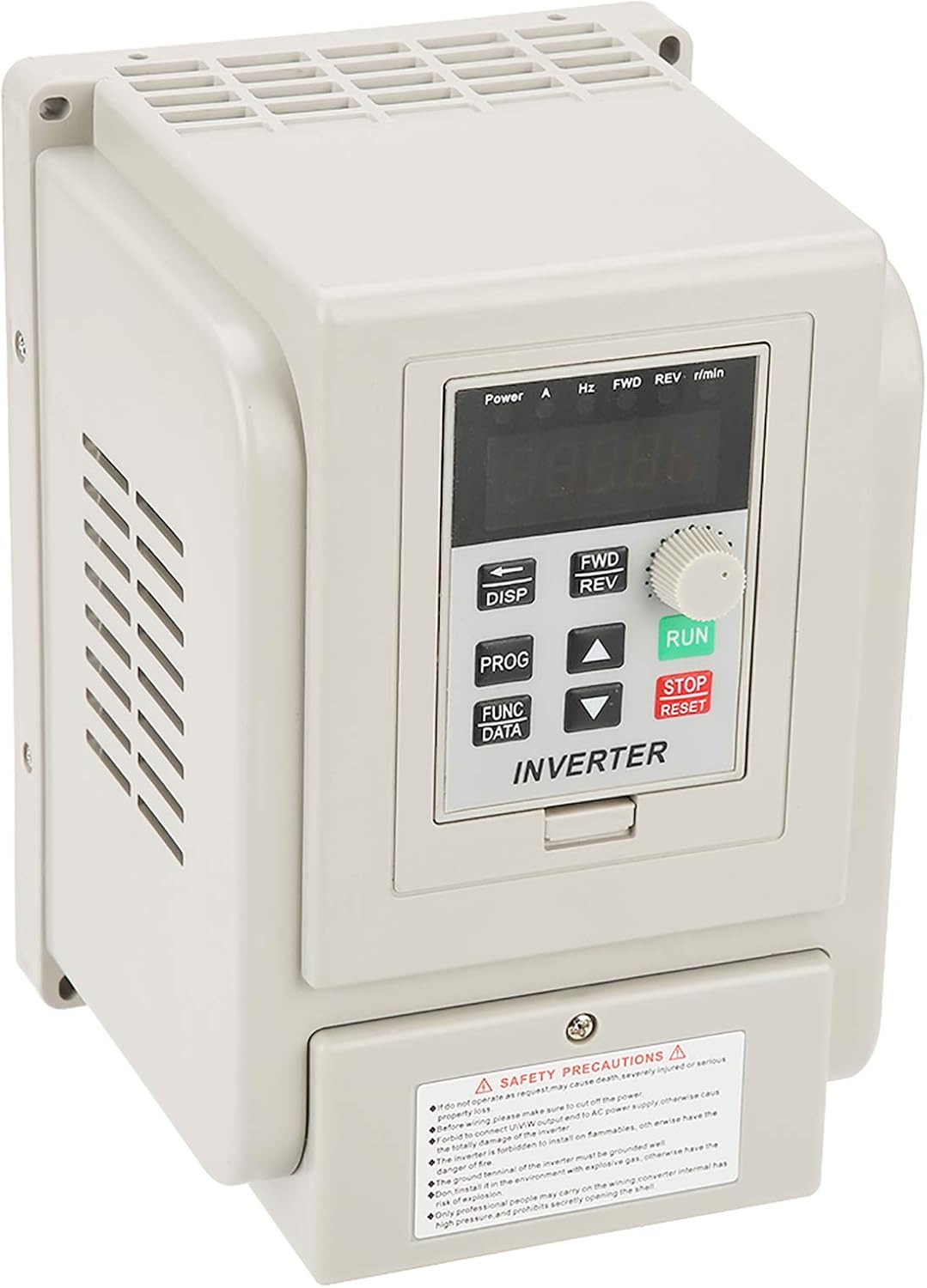
Figure 5: Comparison of new and old models of the Cuifati AT1-4000X VFD.
8. Кепилдик жана колдоо
For any issues with the product, please contact the manufacturer or your point of purchase for assistance. Information regarding specific warranty periods and support contact details may be provided with your purchase documentation.
The manufacturer can be contacted at any time for product-related concerns, as indicated in the product features.