
Introduction
This manual provides essential instructions for the safe and effective operation of your Andoer 4K Digital Camera Video Camcorder. Please read this manual thoroughly before use and retain it for future reference.
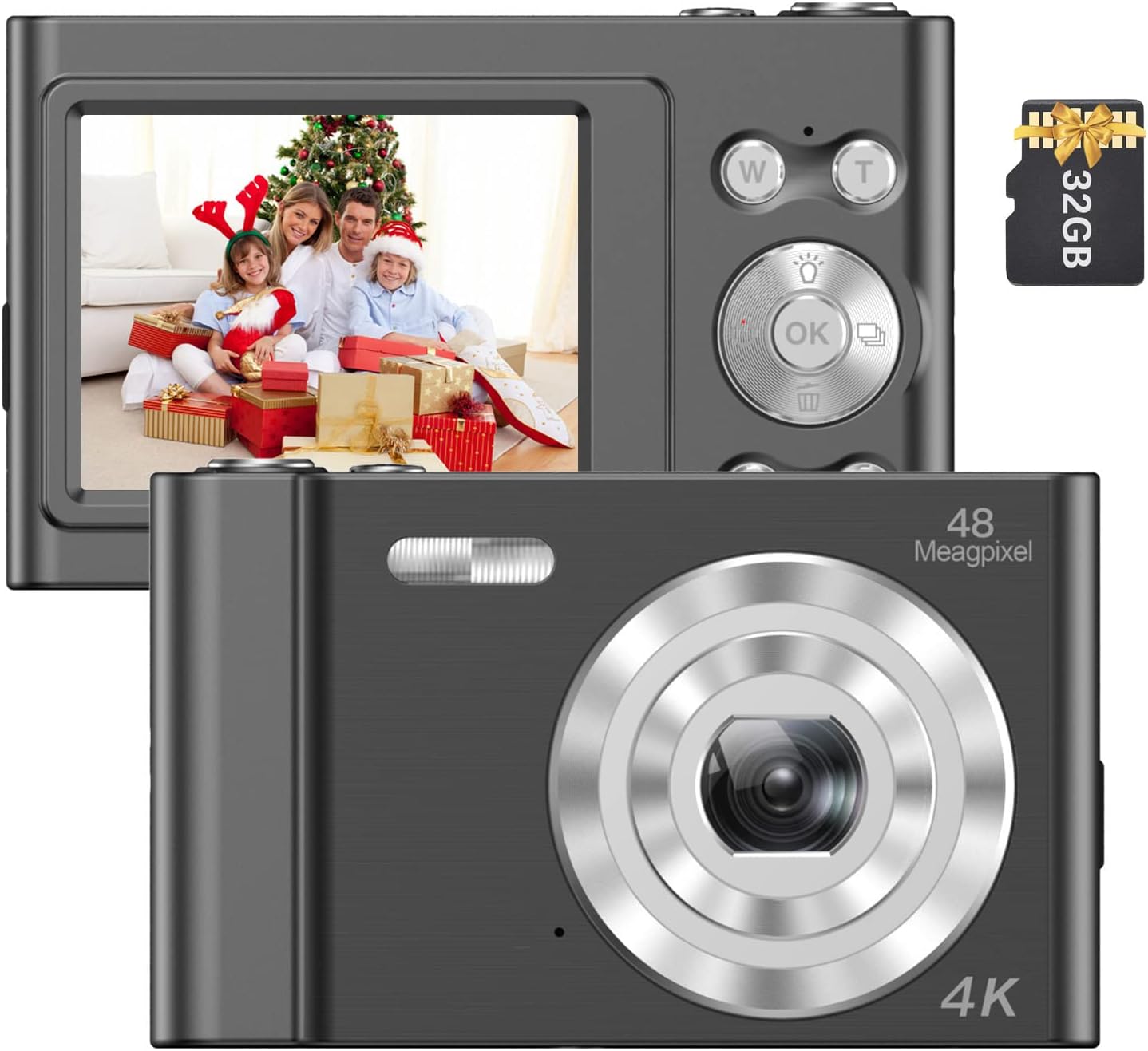
Image: The Andoer 4K Digital Camera, shown with its 2.4-inch IPS screen displaying a family scene and a 32GB memory card.
Пакеттин мазмуну
Төмөндө тизмеленген нерселердин баары пакетиңизге камтылганын текшериңиз:
- 1 x Andoer Digital Camera
- 1 x USB заряддоо кабели
- 1 Билек боонун х
- 1 x Ташуу сумкасы
- 1 32GB Memory Card х
- 1 x User's Manual (English)
Жайгашуу
1. Батареяны орнотуу жана заряддоо
The camera features a built-in lithium battery. Before first use, ensure the battery is fully charged.
- Connect the camera to a USB power source (e.g., computer, wall adapter) using the provided USB charging cable.
- The charging indicator light will illuminate. Once charging is complete, the light will typically change color or turn off.
2. Эстутум картасын орнотуу
A 32GB memory card is included. The camera supports Class-10 external TF (Micro SD) memory cards up to 128GB.
- Камерадагы эстутум картасынын уячасын табыңыз.
- Insert the memory card into the slot with the gold contacts facing the correct direction (refer to the diagram on the camera body if available) until it clicks into place.
- To remove, gently press the card inward until it springs out.
3. Баштапкы күйгүзүү
Экран күйгөнгө чейин кубат баскычын (адатта кубат белгиси менен белгиленген) бир нече секунд басып туруңуз.
Иштөө нускамалары
Негизги башкаруу элементтери
Familiarize yourself with the camera's buttons and their functions:
- Кубат баскычы: Камераны күйгүзөт/өчүрөт.
- Жабык баскычы: Сүрөткө тартат же видео жазууну баштайт/токтот.
- W/T баскычтары: Control the 16X digital zoom (W for Wide, T for Telephoto).
- OK баскычы: Менюлардагы тандоолорду ырастайт.
- Режим (M) баскычы: Switches between different shooting modes (e.g., Photo, Video, Playback).
- Меню баскычы: Камера жөндөөлөрүнө жетет.

Сүрөт: деталдуу view of the camera's front, highlighting the lens and the '48 Megapixel' marking, indicating its high-resolution capability.
Сүрөт режими
Сүрөттөрдү тартуу үчүн:
- Turn on the camera and ensure it is in Photo Mode (indicated on the 2.4-inch IPS screen).
- Frame your shot using the screen. Use the W/T buttons to adjust the 16X digital zoom.
- Press the Shutter Button halfway to focus, then fully press to take the picture.
Видео режими
Видео жаздыруу үчүн:
- Switch to Video Mode using the Mode (M) button.
- Press the Shutter Button to start recording. A recording indicator will appear on the screen.
- Press the Shutter Button again to stop recording.

Image: A hand holding the Andoer camera, displaying a family on a beach on its screen, illustrating its use for capturing memories.
Zoom функциясы
The camera features 16X digital zoom. Use the 'T' button to zoom in and the 'W' button to zoom out. Digital zoom magnifies the image electronically, which may affect image quality at higher magnifications.

Image: A visual comparison showing the effect of 1x zoom versus 16x digital zoom, demonstrating the camera's magnification capability.
Ойнотуу режими
Кайраview сүрөттөрүңүз жана видеолоруңуз:
- Switch to Playback Mode using the Mode (M) button.
- Use the navigation buttons (often integrated with the OK button) to scroll through your media.
- үчүн OK баскычын басыңыз view сүрөт же видео ойнотуңуз.
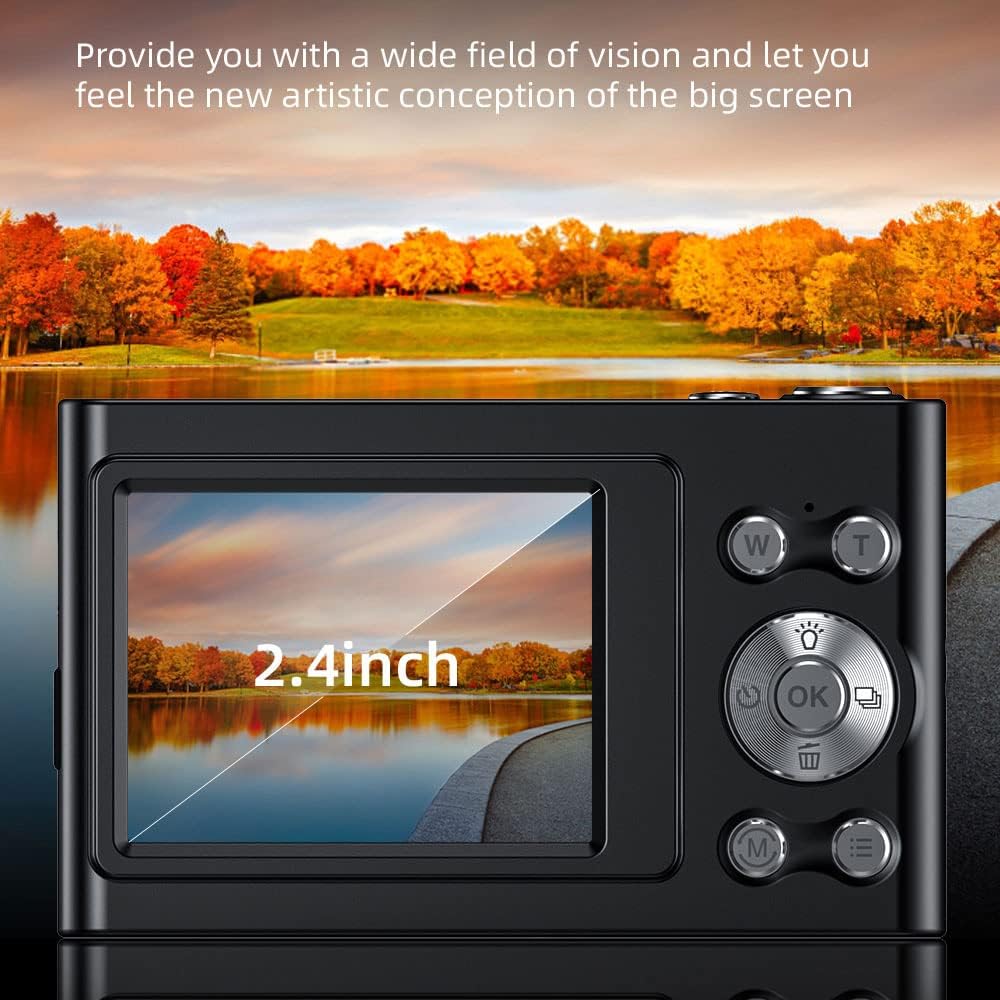
Image: The camera's 2.4-inch IPS screen displaying a vibrant landscape, illustrating the screen size and display quality.
Camera Settings and Features
Access the Menu to adjust various settings:
- Чечим: Set photo resolution up to 48MP and video resolution up to 4K.
- Атуу режимдери: Select from Auto, Sport, Night, Portrait, Landscape, Backlight, Party, Beach, High Sensitivity.
- Ак баланс: Adjust for Auto, Daylight, Cloudy, Fluorescent, Tungsten.
- Авто таймер: Options for Off, 2 sec, 5 sec, 10 sec.
- Шакка каршы: Digital image stabilization to reduce blur.
- Face Detect & Smile Capture: Features to assist in portrait photography.
- Камтылган Flash: Жарык аз шарттарда жарыкты камсыз кылат.
- Авто өчүрүү: Configurable to Off, 1 minute, 3 minutes, 5 minutes, 10 minutes to conserve battery.

Image: A graphic illustrating the camera's image quality enhancement features, including intelligent analysis, color restoration, and fine picture quality.
Техникалык тейлөө
Камераны тазалоо
- Камеранын корпусун тазалоо үчүн жумшак, түксүз чүпүрөктү колдонуңуз.
- Линза жана экран үчүн атайын линза тазалоочу чүпүрөктү жана эритмени колдонуңуз. Абразивдүү материалдардан алыс болуңуз.
Батареяга кам көрүү
- Батареяны бат-баттан толук кубаттап калуудан алыс болуңуз.
- Charge the battery regularly, even if the camera is not in use for extended periods.
Сактагыч
- Камераны салкын, кургак жерде, түз күндүн нурунан жана экстремалдык температурадан алыс сактаңыз.
- Use the provided carry bag for protection during transport.
Проблемаларды чечүү
Эгер камераңызда көйгөйлөргө туш болсоңуз, төмөнкү жалпы көйгөйлөрдү жана чечимдерди караңыз:
| Көйгөй | Мүмкүн чечим |
|---|---|
| Камера күйбөйт. | Батарея заряддалганын текшериңиз. Кубат булагына туташып, кайра аракет кылыңыз. |
| Эстутум картасынын катасы. | Reinsert the memory card. Ensure it is a Class-10 TF card and formatted correctly. Try a different compatible memory card. |
| Сүрөттөр бүдөмүк. | Ensure the lens is clean. Check lighting conditions. Use the anti-shake function. Hold the camera steady. |
| Жаркылдак иштебей жатат. | Check flash settings in the menu. Ensure the flash is enabled for the current shooting mode. |
| Камера катып калат же жооп бербей калат. | Remove and reinsert the battery (if accessible) or press and hold the power button for 10 seconds to force a shutdown. |
Техникалык шарттар
Detailed technical specifications for your Andoer 4K Digital Camera Video Camcorder:
- Сүрөт сенсору: CMOS сенсор
- Дисплей: 2.4 дюймдук IPS экраны
- Сүрөттүн чечилиши: 48 МП чейин
- Видеонун чечилиши: 4K (3840x2160), 2.7K (2688x1520), 1080P (1920x1080), 720P (1280x720)
- Digital Zoom: 16X
- Сүрөттү турукташтыруу: Санарип
- Фокус түрү: Auto Focus (Contrast Detection)
- Сактагыч: Supports Class-10 TF (Micro SD) card up to 128GB (32GB included)
- Байланыш: USB
- Электр камсыздоо: Камтылган литий батареясы
- Элементтин көлөмү: 9.5 * 5.8 * 2.5 см / 3.7 * 2.3 * 1 дюйм
- Элемент Салмагы: 115 г / 4.1 унция
- Түсү: Кара
Коопсуздук маалыматы
Эскертүү:
To avoid suffocation hazard, keep this plastic bag away from babies and children.

Image: A warning label in multiple languages advising to keep plastic bags away from children to prevent suffocation.
Кепилдик жана колдоо
For warranty information, please refer to the documentation included with your purchase or contact your retailer. For technical support or further assistance, please reach out to Andoer customer service through their official webсайт же продукт таңгагында көрсөтүлгөн байланыш маалыматы.